2.14.0 — Gateway API, hybrid clusters, and easier administration
In short, in 2.14.0 the platform has become noticeably more convenient for administrators and teams that manage network routing, connecting external providers, ML workloads and user access:
- Gateway API object management has appeared in the GUI;
- for ML scenarios, you can assemble hybrid clusters: main nodes on one provider, GPU nodes through Shturval v2;
- client cluster profiles received a separate management GUI;
- setting up an external OIDC provider has become available in the GUI;
- it became possible to manage the assignment of KubeFlow rights and switch to the KubeFlow interface from namespaces;
shtilhas become more convenient for remote installation, CLI and YAML scripts;- new model and structure of user documentation.
The full list of release notes 2.14.0 is given here.
The main thing in the release (TL;DR)
The main focus of the 2.14.0 release is to expand the manageability of the platform and reduce the number of manual actions in typical administrator scenarios:
- Gateway API can be administered from the platform GUI.
- Hybrid clusters allow you to add Worker groups of Shturval v2 nodes to clusters on other providers.
- Cluster profiles help manage typical configurations of client clusters.
- External OIDC provider can be configured via GUI.
- Accesses and Kubeflow allow you to manage Kubeflow rights and switch to the GUI from namespaces.
- Creating clusters has become clearer due to checks, new fields and improved screens.
- shtil has become more convenient when launching the GUI on a remote machine, installing with flags, YAML manifests.
- Operational settings: SSC can be associated by service class, the cluster domain and certificates can be changed via
ClusterConfig, and for VictoriaLogs the log storage instance resourceVLSingleis used. - Kubernetes 1.35.1 and key components updated relative to the
2.13release. - User documentation gets a new structure.
Gateway API. Routing in GUI
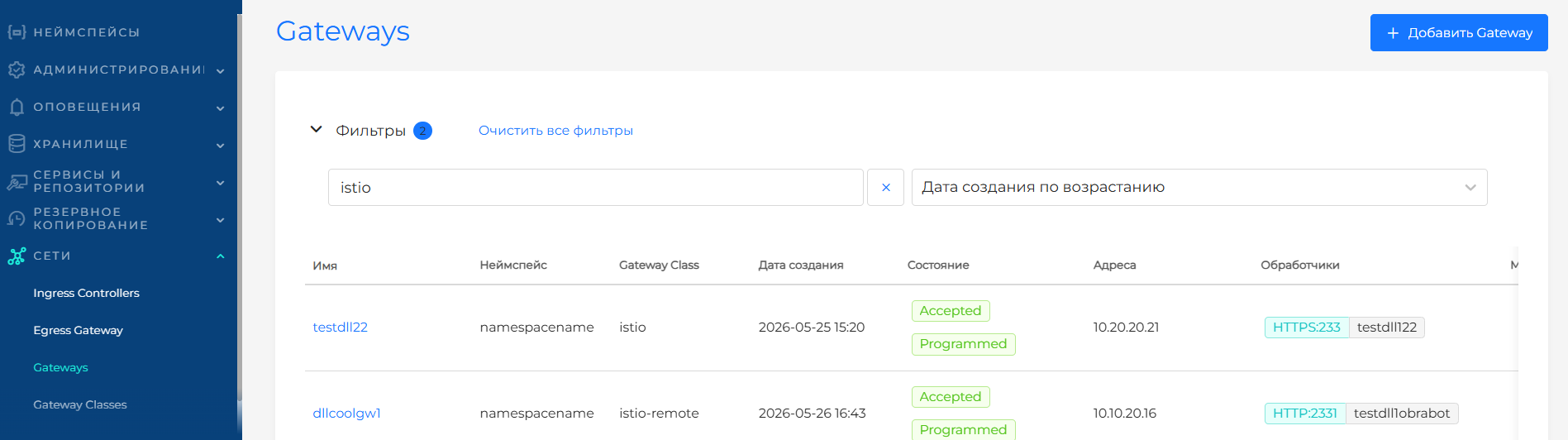
2.14.0 has added an object management service Gateway API and a GUI for working with GatewayClass, Gateway, HTTPRoute and GRPCRoute.
This is a step towards a routing model: infrastructure settings for incoming traffic can be separated from application routes, and the routes themselves can be described through standard Gateway API resources.
Screenshot of the Gateway API interface
More details:
- Gateway API;
- Gateway API Routes;
- CRD of the Gateway API module;
- How to enable Gateway API Controller in Cilium.
Hybrid clusters
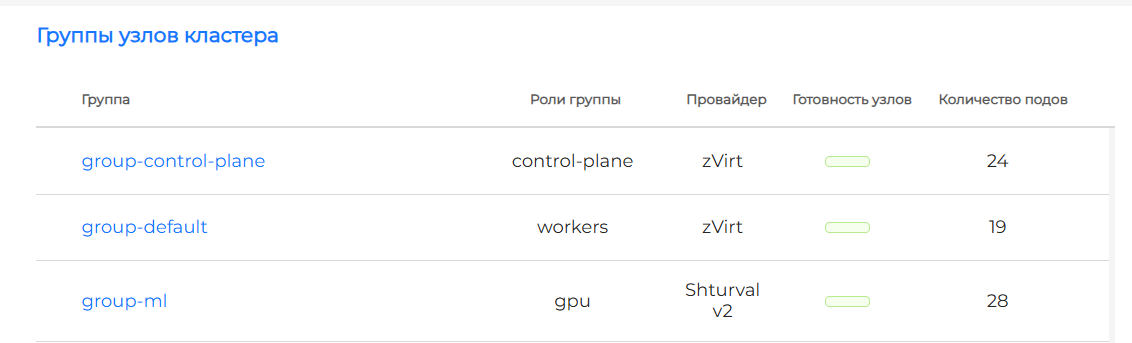
The release included management of hybrid clusters for scenarios with ML workloads. Now the cluster can combine regular nodes on the virtualization provider and GPU nodes on the Shturval v2 provider.
Typical scenario: Control Plane and basic Worker groups run on VMware vSphere, oVirt, OpenStack or other provider, and an additional Worker group for ML tasks is created on physical Shturval v2 hosts with GPUs.
Screenshots of hybrid clusters

More details:
- Hybrid clusters;
- Shturval v2;
- Node groups;
- Nvidia runtime configuration via NCI.
Cluster profiles. Repeatable Configurations
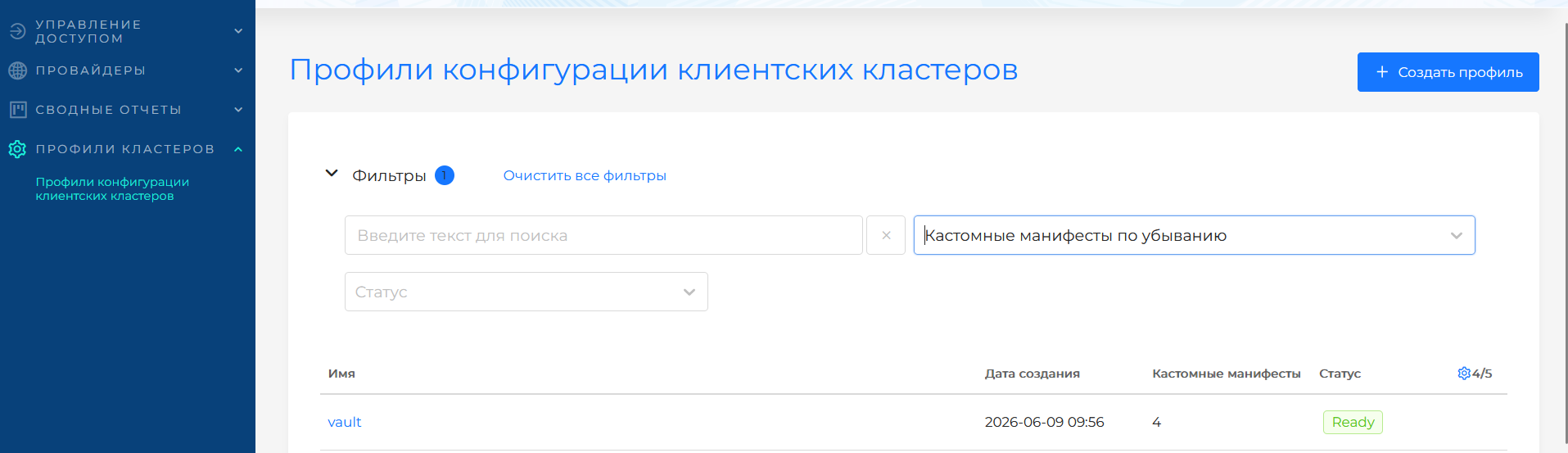
In 2.14.0 we continued to develop configuration profiles for client clusters. A separate profile management scenario has appeared in the platform GUI: you can create a profile, set specification parameters and use it when creating client clusters.
Profiles are useful when you need to reuse typical settings: for example, sets of system services, logging and monitoring parameters, NTP, time zone or custom manifests for a client cluster.
Screenshot of managing cluster profiles
More details:
Integration with Vault via profile
One practical scenario is preparing HashiCorp Vault integration for client clusters through ClusterProfile: add manifests to install vault-secrets-operator, its CRD, and create VaultConnection. When you create a client cluster, select the profile and the manifests are applied automatically, giving you basic infrastructure for syncing secrets from Vault.
The final step is performed after the cluster is deployed: the administrator configures the Kubernetes authentication method on the Vault side and creates VaultAuth in the client cluster. As a result, the profile removes repetitive provisioning from each new cluster, but leaves control over Vault accesses and policies with the administrator.
More details: Setting up integration with HashiCorp Vault in a cluster profile and in a deployed cluster.
Authentication, permissions and Kubeflow
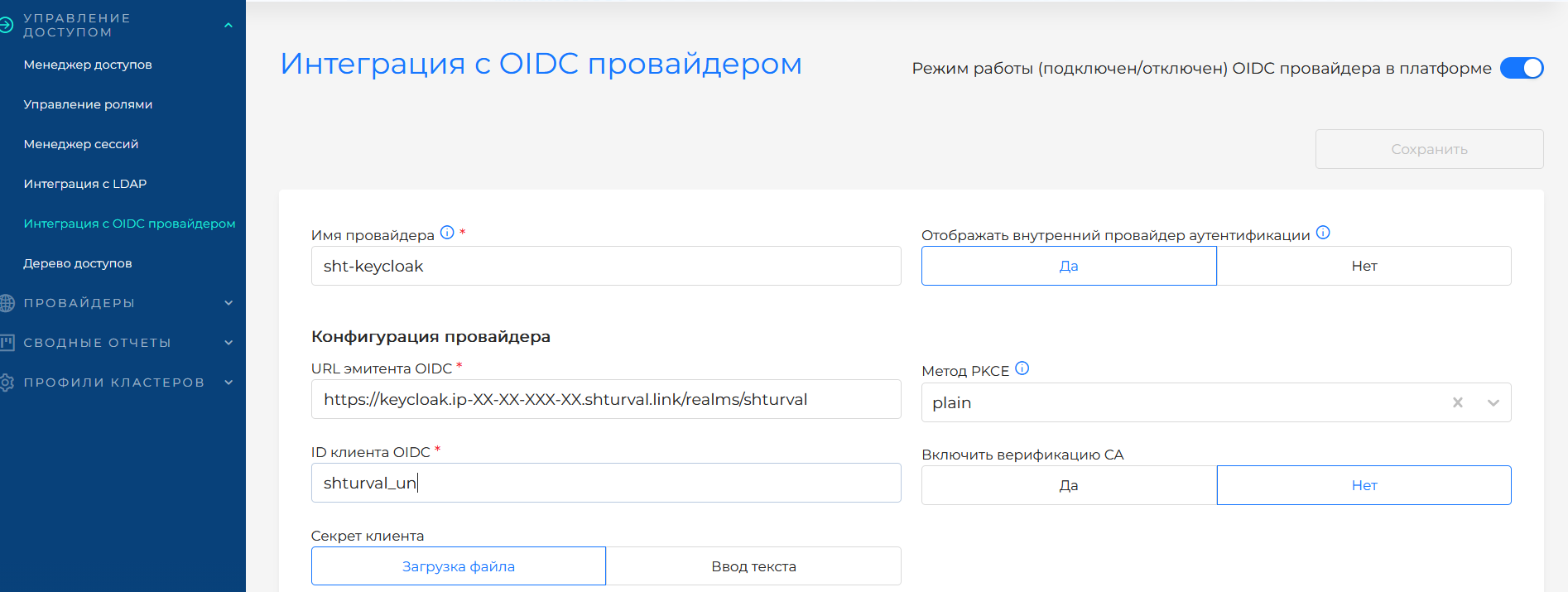
The release introduced the OIDC provider configuration interface. The administrator can configure the connection of an external provider, check the configuration and set the mapping of the access_token fields in the GUI.
Screenshot of OIDC provider configuration
For LDAP scripts, errors that interfered with everyday configuration have been fixed: saving parameters after a successful check, analyzing a directory without groups found.
More details:
Accesses and Kubeflow
Added in access control:
- the ability to revoke all assigned user or group rights from the platform GUI;
- managing the assignment of access rights to Kubeflow;
- transition from namespaces to the Kubeflow GUI.
More details:
- Revoke access rights assignments;
- Kubeflow Permissions;
- Platform editions.
Cluster creation, NCI and providers
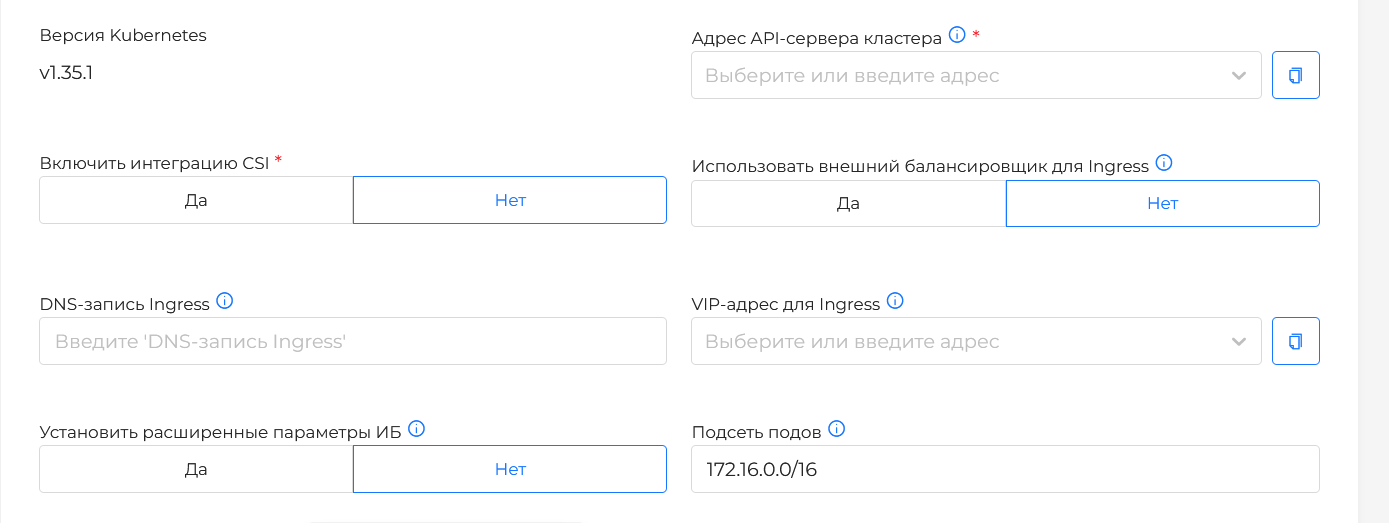
There are now more checks and useful tips in the cluster creation interfaces. At the data verification step, it became possible to run a configuration check in test mode (Dry run), and for clusters on Shturval v2, VMware vSphere, oVirt, zVirt, HostVM, RED Virtualization and ROSA Virtualization, you can simultaneously specify the VIP and DNS record for Ingress.
Shtil for GUI, CLI and YAML scripts
shtil, a utility for installing a management cluster, received several improvements. For GUI workflows, it is easier to run the installer on a remote Linux machine: open the wizard in a browser by IP or hostname without manual port forwarding. For CLI workflows, commands and aliases were updated, and you can set where to save the final kubeconfig of the permanent management cluster.
To install a management cluster via a YAML manifest, the configuration of Worker groups has been expanded. Now in provider.workerNodeConfigs you can describe not only default groups, but also additional groups of nodes. This is convenient for automated installations, where the composition of the management cluster needs to be fixed in advance - for example, to immediately separate system, infrastructure and specialized Worker nodes without subsequent manual configuration in the GUI.
Improved checks and display of provider and management cluster creation steps. This is especially useful when the installation is not from a local workstation, but from a dedicated machine shtil: the administrator quickly understands at what stage the temporary installation cluster, provider and permanent management cluster are located.
More details:
Screenshots of data verification and Ingress settings

NCI and Container Runtime
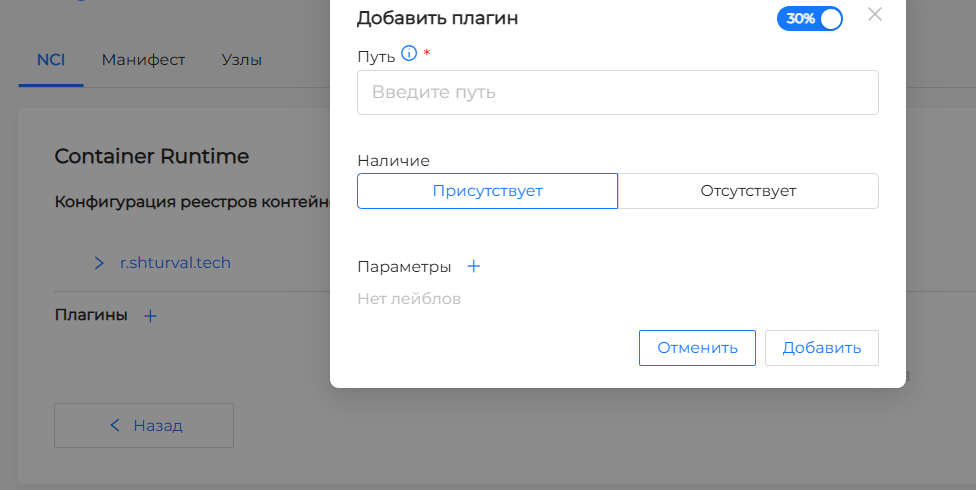
Added Container Runtime plugin configuration interface to NCI. This is important for scenarios where you need to manage runtime settings declaratively, including for GPU nodes.
Screenshot of Container Runtime configuration in NCI
More details:
Providers
Managing providers has also become more convenient:
- provider services can be enabled and disabled locally - in the GUI for managing provider instances without going to the management cluster;
- for oVirt it is possible to select Storage Domain, where virtual machine disks will be created regardless of the Storage VM template added to the provider instance;
- for vCloud Director, the ability to install CSI has been added when installing a client cluster;
- flags have been added to
stc templateto regulate the network characteristics of VMs:--fix-vmware-networkhelps to avoid problems with the overlay network Kubernetes on VMware with vmxnet3, and--dhcp-no-domain-nameprevents DHCP from substituting a corporate DNS suffix if cluster nodes must resolve without it; - for Shturval v2 hosts, you can set the SSH user password in the provider’s Secret so that
sudocommands were executed with a password. This helps to use hosts where the security policy does not allowsudowithout a password.
More details:
- How work with providers works;
- Virtual machine templates;
- Shturval v2;
- Provider Shturval v2 (shturval-capsm);
- oVirt and similar providers;
- VMware vCloud Director.
Operational settings. SSC, ClusterConfig and VLSingle
It has become easier to describe dependencies between platform services at the ShturvalServiceConfig level. For SSC, the service class used is spec.serviceclass. Other services can reference not only a specific SSC via dependency, but also a class via dependencyclass.
Service management service (shturval-services).
ClusterConfig
If you have access to ClusterConfig, the domain name or cluster Ingress certificate can be changed through it. After this, cluster-manager will update the associated resources itself. This approach is faster, simpler, and reduces the risk of errors compared to manually editing multiple objects.
More details:
VLSingle
For VictoriaLogs logs, a log storage instance resource is now created - VLSingle in the cluster namespace of the management cluster, rather than VLogs: the storage period, disk limit and log storage size are set through it. VictoriaLogs remains the name of the logging subsystem, and VMSingle is used in another scenario - as a local storage of metrics for monitoring.
GUI: filters and display
In everyday work with clusters, there is now more context and information directly in lists and on dashboards:
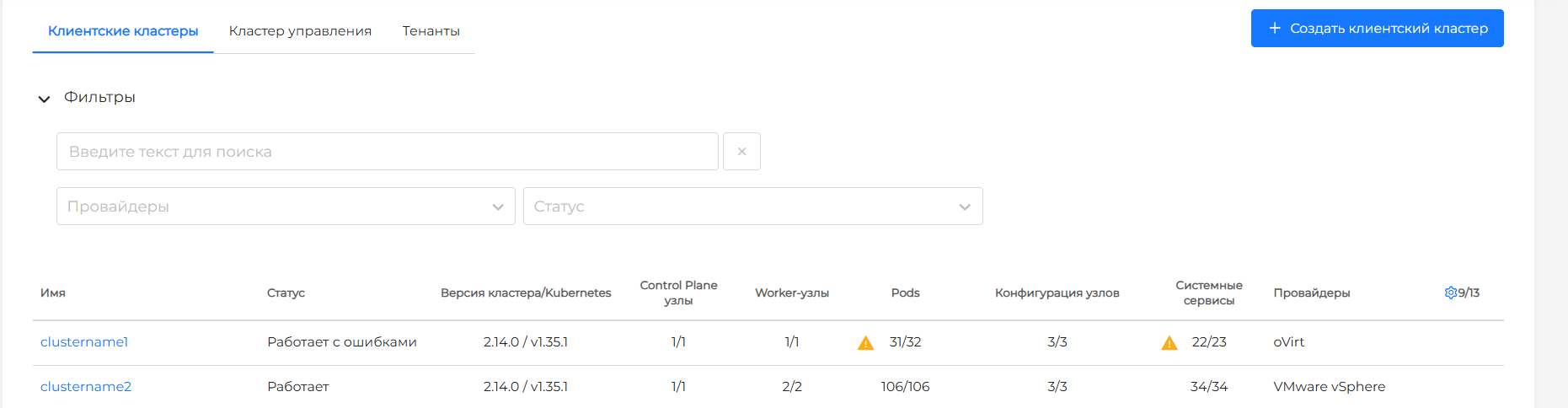
- displays counters in the “healthy objects / total objects” format for cluster nodes, Pods, node configurations (NCI) and system services;
- information about the cluster version and Kubernetes is now visible not only on the dashboard, but also in the update settings interface;
- the status of cluster objects is highlighted on tabs and next to counters, so clusters that require attention are easier to notice at first glance.
Filters, environment indication and errors
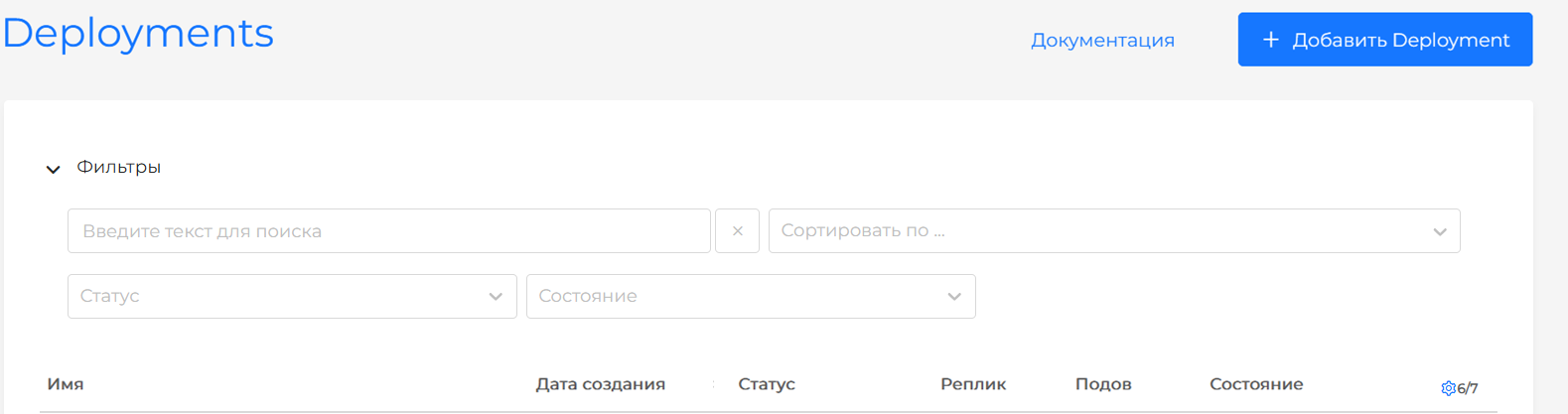
Search, filters, and sorting in tables moved to a collapsible block. In user settings, you can keep the Filters block collapsed by default or open.
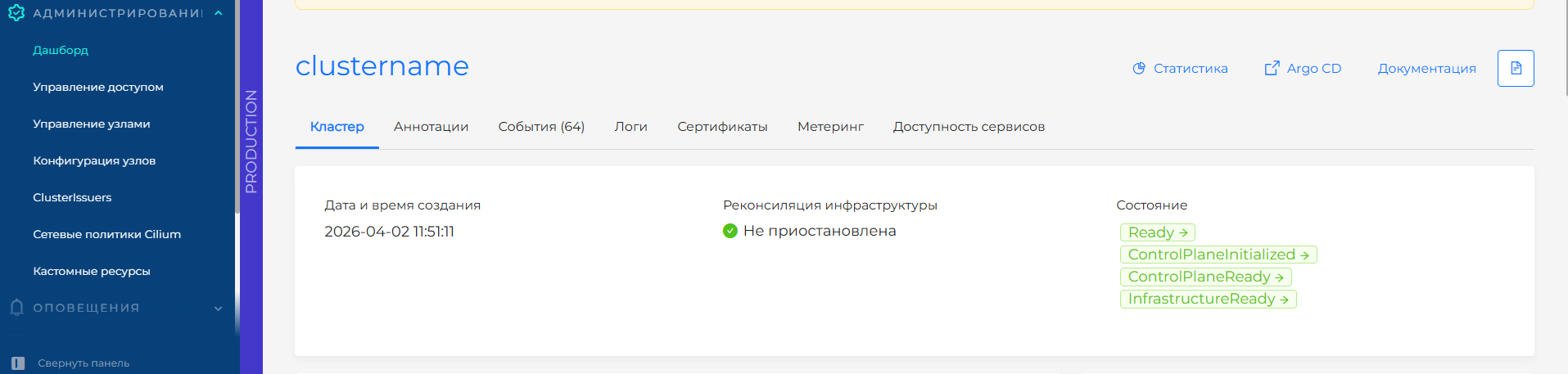
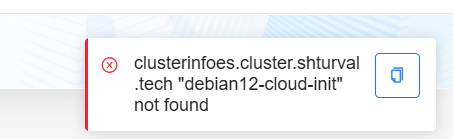
A visual indication has been added to the cluster surroundings: a color bar helps to quickly distinguish, for example, a test cluster from a productive one. Error notifications remain on the screen longer, and the text of the error can be copied and sent in a message or work chat.
Screenshots of interface improvements
Platform components. Kubernetes and shturval services
Key components updated in this release:
- Kubernetes 1.35.1
- Cilium CNI 1.19.2
- Cluster API 1.12.3
- VictoriaMetrics Cluster 1.136.0
- VictoriaMetrics Agent 1.136.0
- Grafana Dashboards 12.3.4
- Vector 0.54.0
- Trivy 0.69.2
- Argo CD 3.2.12
- Cert-manager 1.19.3
- Trust Manager 0.21.1
- Ingress NGINX 1.14.3
- added Gateway API CRDs version 1.4.1
For a complete list of charts and versions, see the Shturval Repository Services page.
Before updating, check the custom resources volumegroupsnapshots, volumegroupsnapshotcontents and volumegroupsnapshotclasses. Details are described in release notes 2.14.0.
User documentation
2.14.0 enshrines a new approach to maintaining user documentation. Now the structure is based on the person of interest: the platform administrator, cluster administrator, security specialist, developer or other user who comes to solve a specific problem.
This means clearer navigation: less searching through the internal names of modules, platform GUI pages, and more direct routes to the desired action - install the platform, create a cluster, configure access, check security, or publish an application.
Bugfixes and stability
The release contains a large package of fixes in the GUI, installation and infrastructure scenarios.
A complete list of fixes is provided on the page Release 2.14.0 (2026 Q2).