Routes
All routes are generated in one configuration file. The root route is filled in first, then the sub-routes are configured.
Screenshot
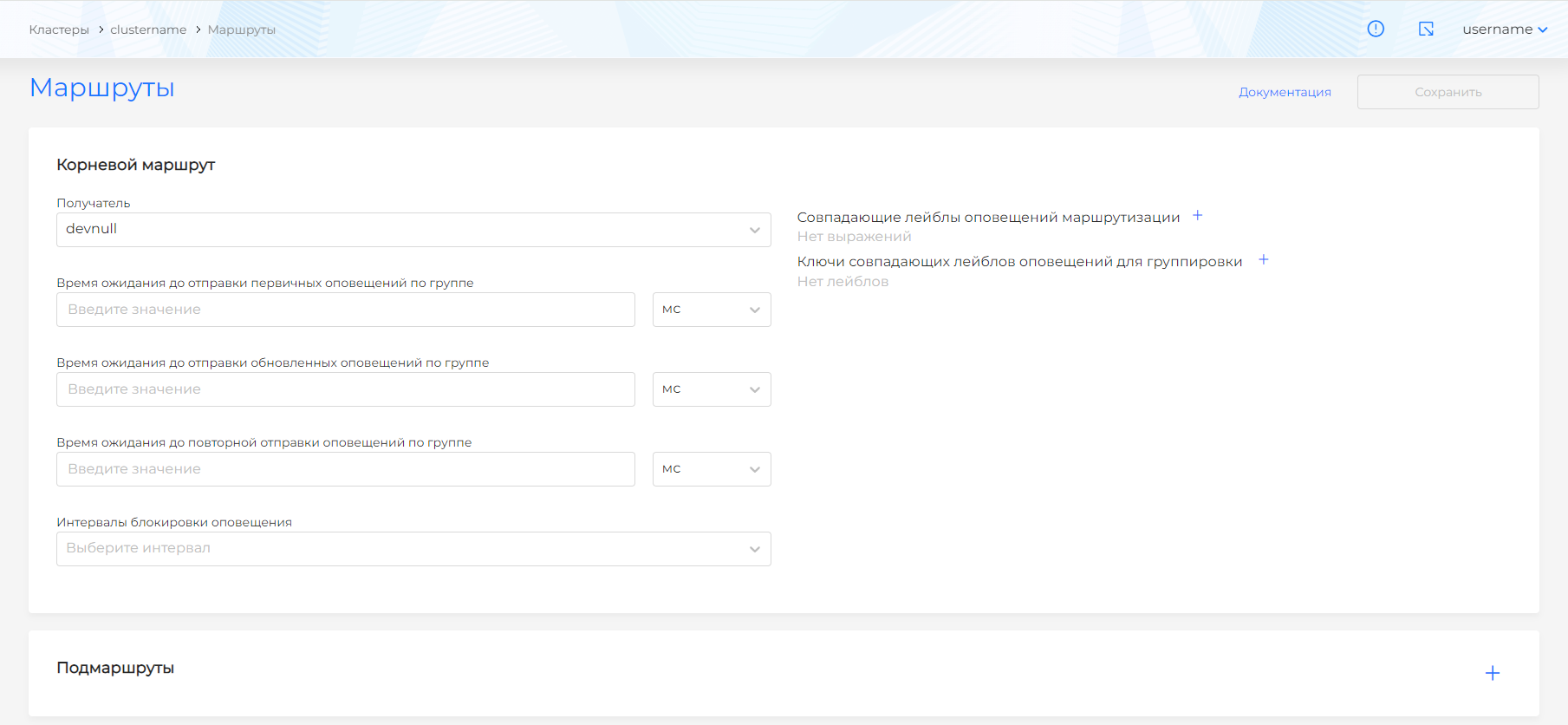
- Recipient: Select a recipient from the list of recipients. By default, the default recipient is selected.
- Waiting time before sending initial notifications for a group: what time lag should pass before the initial sending of notifications. May be necessary to discard false positives.
- Waiting time before sending updated alerts for a group: what time lag must pass before sending changes to a previously sent alert.
- Waiting time before re-sending notifications for a group: what time lag must pass before re-sending previously sent notifications.
- Matching routing alert labels: select labels to send along the route
- Keys of matching alert labels for grouping: by what keys to group alerts among those selected in matching labels.
- Alert blocking intervals: Select from previously created intervals when you want to pause sending alerts along the route.
Sub-routes configure more granular alert routing among groups selected in the root route. You must determine in a subroute whether you want to continue processing alerts from one group in other subroutes. Group is defined in the root route.