View Alerts
On the “View Alerts” page, you can view alerts based on triggered rules.
Screenshot
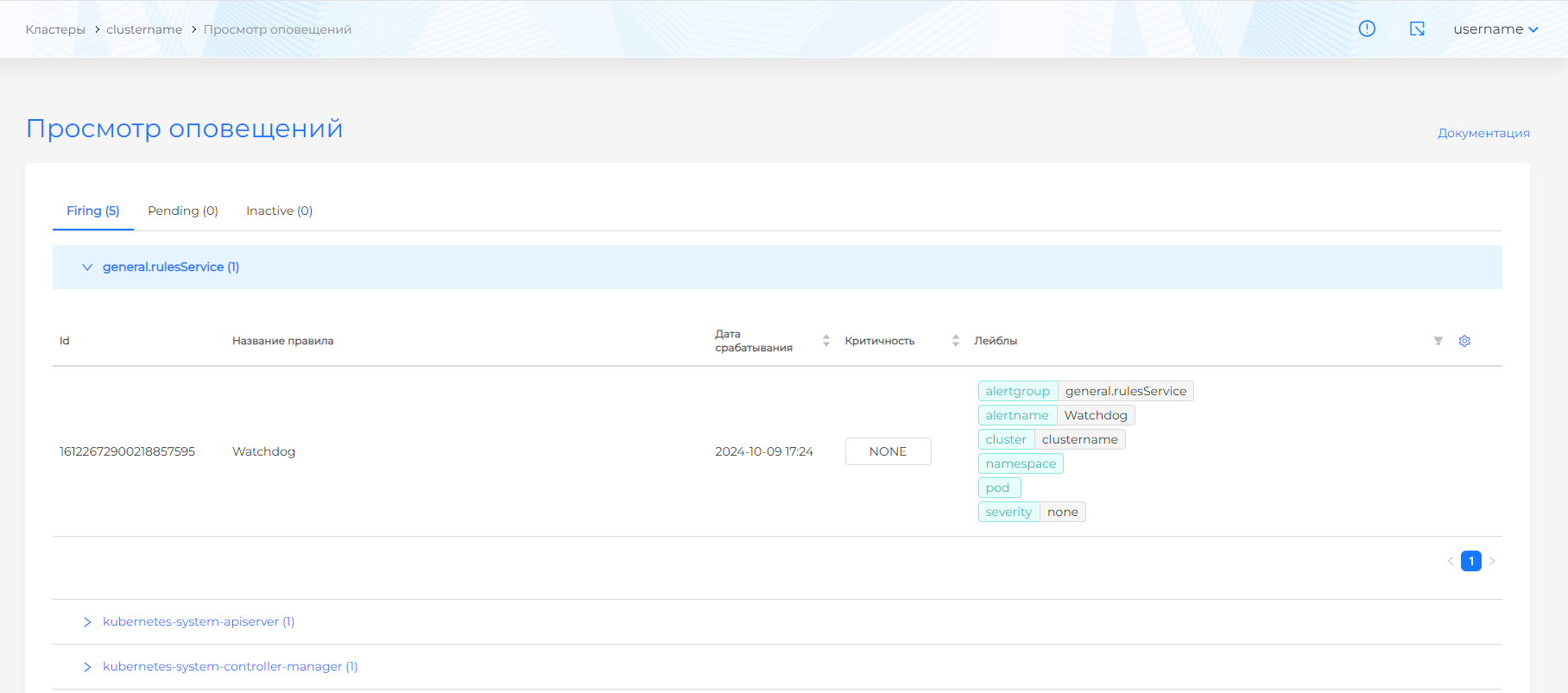
The results are divided into tabs according to trigger status:
- Firing. The alert is triggered and indicates an actual violation of a given condition or the occurrence of an event.
- Pending. The alert is not triggered at the moment, but there is a possibility of triggering in the future. This may be caused by temporary changes.
- Inactive. The alert did not fire within a certain period of time or was disabled by the administrator. On each tab, alerts are divided into groups in accordance with a given expression. Each group contains an expression, a description of the conditions for triggering the alert and a counter for the number of events in the group, as well as the alerts themselves.
Screenshot
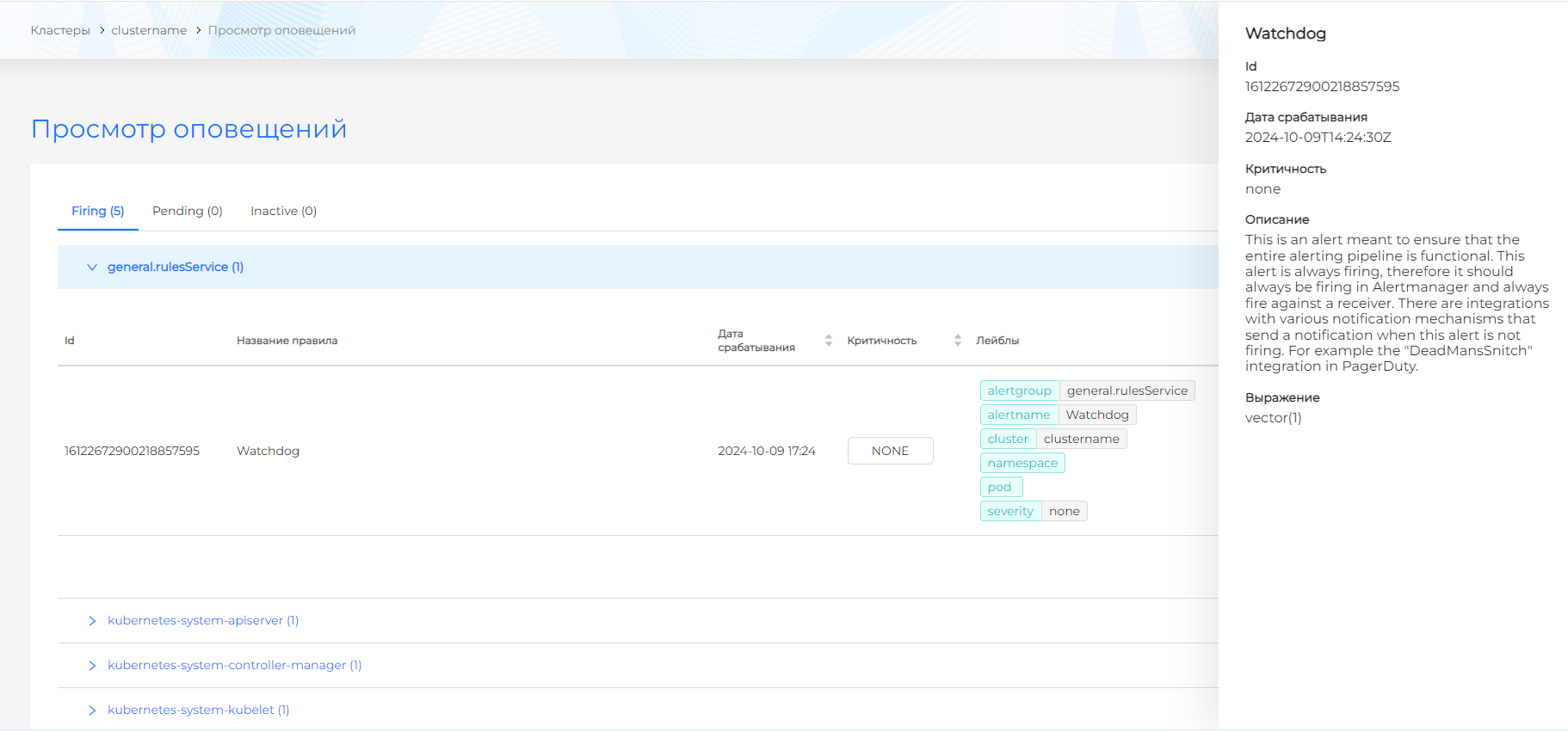
Alert contents:
- Identifier;
- Name;
- Date and time of operation;
- Description;
- Expressions;
- Criticality.
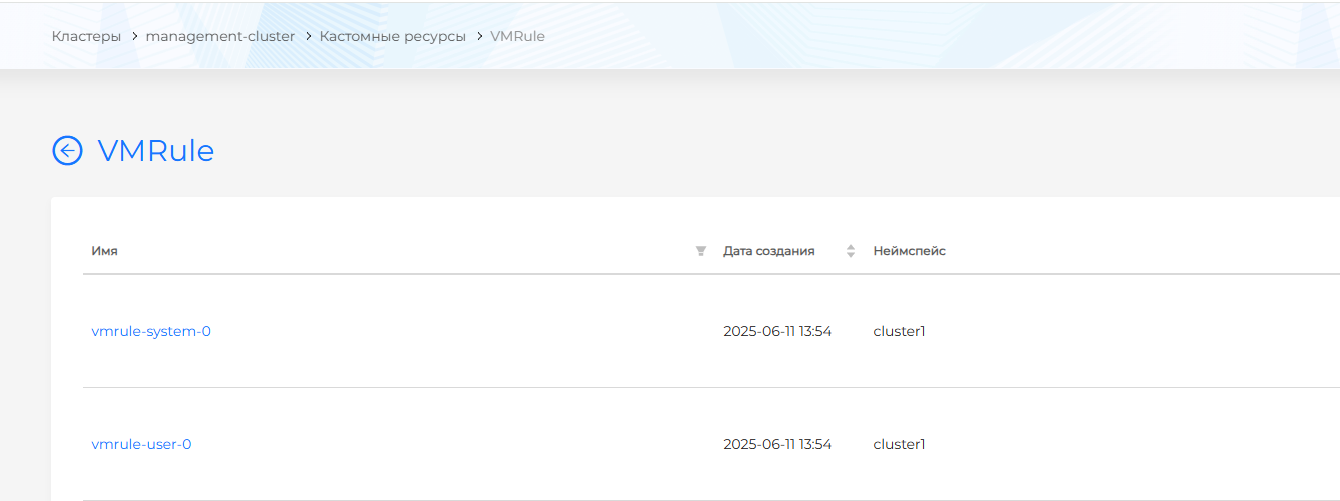
List of preset notification rules is available on the cluster alert rules page or in the management cluster in the “Administration” section on the “Custom Resources” page. In the API group “operator.victoriametrics.com” find the VMRule resource with the system prefix in the namespace with the name of the client cluster.
Screenshot