Audit Policy
Audit Policy - an event audit policy in a Kubernetes cluster that allows you to flexibly configure which events need to be monitored and at what level. Audit Policy is a resource in the KubeAPI server audit module.
The recommended policy is automatically mounted when you deploy a cluster with advanced security settings.
For the convenience of setting up an audit policy, the Shturval platform team has developed a graphical audit policy editor..
Manual installation of Audit Policy
If your cluster is deployed without advanced security settings, you can install it yourself.
To create or change a previously created audit policy in a client cluster or management cluster, from the Shturval platform interface, you must go to the Administration/Node Configuration section.
If you previously created an Audit Policy using a Node Configuration CI (NCI) object, you can edit the existing policy manifest or create a new NCI object.
Screenshot
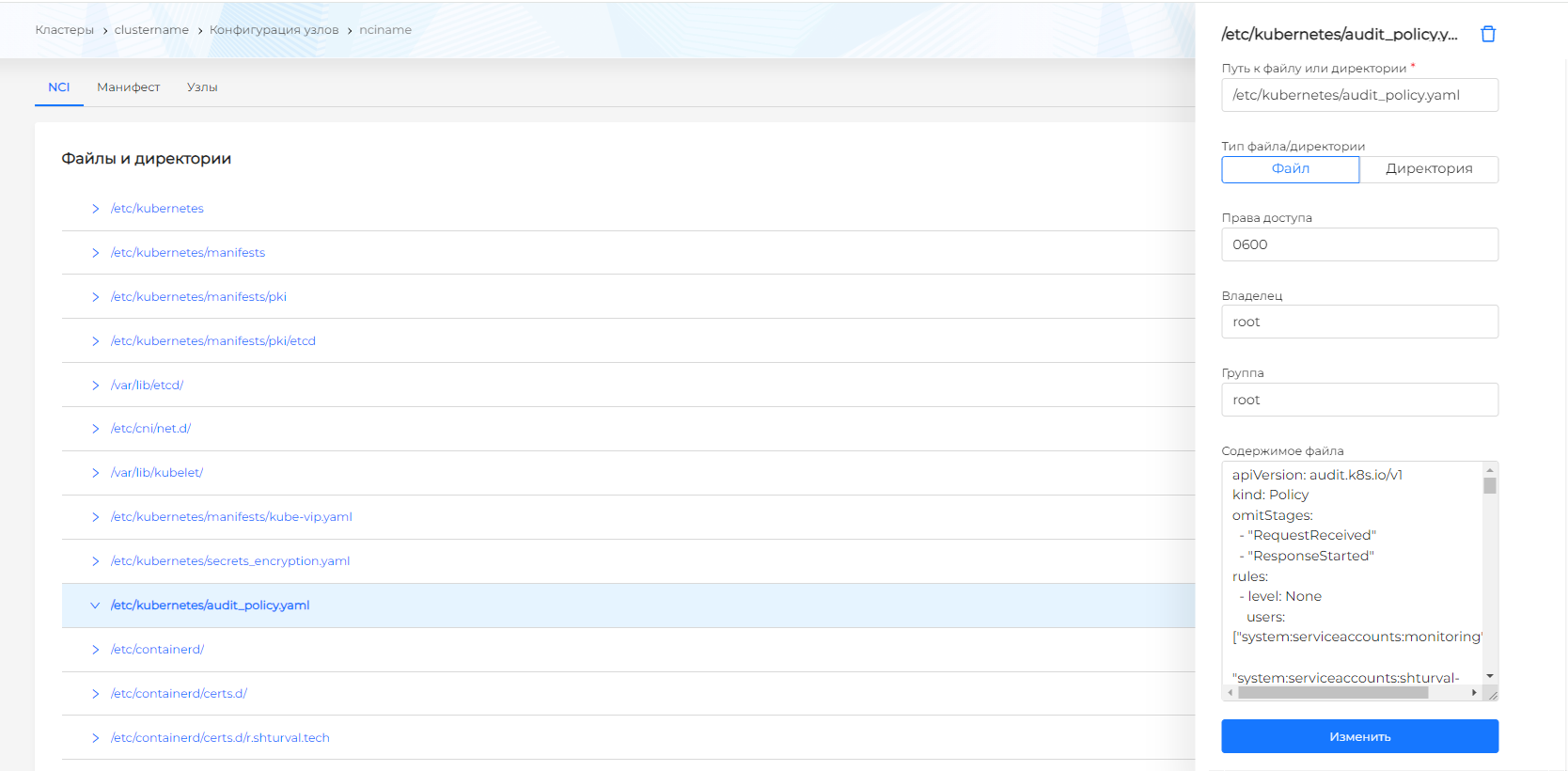
If Audit Policy has not been installed on the cluster, you must create a new node configuration object. Please note! If Audit Policy was previously placed in the node configuration, then the new node configuration object (NCI) must have priority over the previously created one.
In the node selector from the drop-down list, select the label key. Do not set a value for the label.
- In the Customizable sections block, select Files and directories, click “Manage”.
- In the window that opens, click +
- File must be selected in the file/directory type. In the Path to file or directory field, write.
- In the File contents field, paste the contents of the YAML policy file, click “Add”. Then click “Finish”.
Control Plane nodes will be restarted sequentially.
Setting up the API server
Go to edit the kube-apiserver manifest: /etc/kubernetes/manifests/kube-apiserver.yaml
Add parameters to the manifest according to the instructions
You need to mount the policy and logs in the volumeMounts block
You must specify the policy and logs in the volumes block
Examples of recommended policies
Below are sample policies for the management cluster and client clusters. They differ from automatically mounted ones in the absence of exceptions in the activity log of system service accounts. For example, to exclude actions of system ServiceAccounts in the management cluster in the “rules” block, first add a rule with a logging level of None:### Sample Audit Policy manifest for a management cluster
Audit Policy for the management cluster
Example of an Audit Policy manifest for a client cluster
Audit Policy for client cluster
Audit logs
If the cluster is deployed with advanced information security settings and Shturval logging services are used, in VLogs the kube audit project will be automatically created for the cluster, the logs will be redirected automatically. Audit logs will be available on the “Logs” tab of the cluster dashboard.
Screenshot
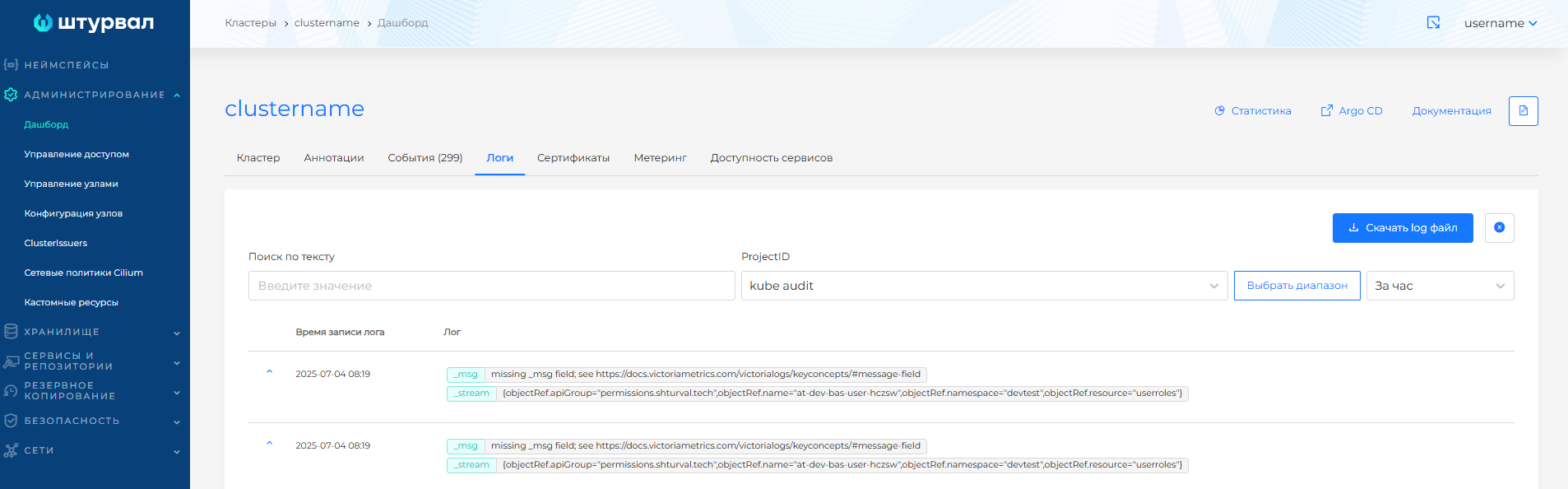
In the Shturval platform, the log-backend is used by default; audit events will be collected using Vector and redirected to the VLogs instance in the management cluster namespace.