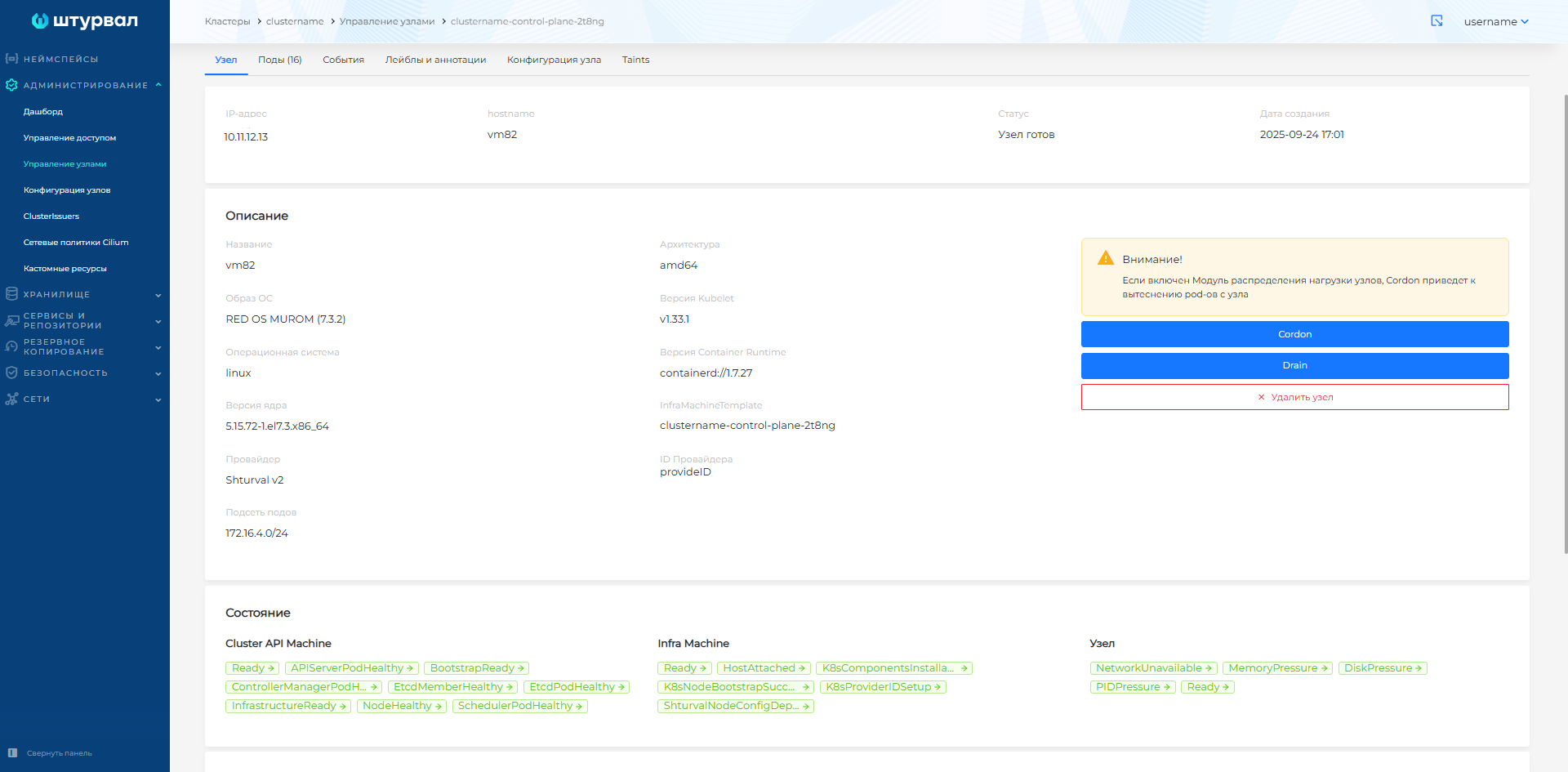
Conditions of cluster nodes
You can determine whether a node in the cluster is healthy by Node Conditions (node states).
Healthy node statuses
State | Description | Health Status |
——— | ———| ———|NetworkUnavailable| Cilium is not running on the node | falseMemoryPressure| Kubelet reports that the node is low on memory | falseDiskPressure| Kubelet reports that there is not enough disk space on the node | falsePIDPressure| Kubelet reports that there are too many processes on the node (PID) | falseReady| Kubelet reports that the node is healthy and ready to accept pods | true
If a service for monitoring problems on nodes (Node Problem Detector, NPD) is installed in the cluster, additional statuses may be displayed for cluster nodes.
Healthy node state statuses with Node Problem Detector
State | Description | Health Status |
——— | ———| ———|KernalDeadlock| The Linux kernel on the host has entered a locked state. Critical issue at the operating system level | falseCNIProblem| The CNI (Container Network Interface) plugin on the node does not work correctly. Pod network connectivity problem | falseDiskPressureContainer| Not enough disk space to run containers | falseKubeletUnhealthy| Problems with kubelet running on a node | falseCorruptDockerOverlay2| Docker storage driver corruption | falseReadOnlyContainer| The container’s file system has switched to read-only mode | falseKubeProxyUnhealthy| Problems with kube-proxy running on a node | false
To view cluster node states in the GUI:
- In the cluster from the side menu, open the Administration section and go to the Node Management.
- On the node view, on the Node tab in the State block there is a list of node states.
Screenshot