ClusterAPI configuration
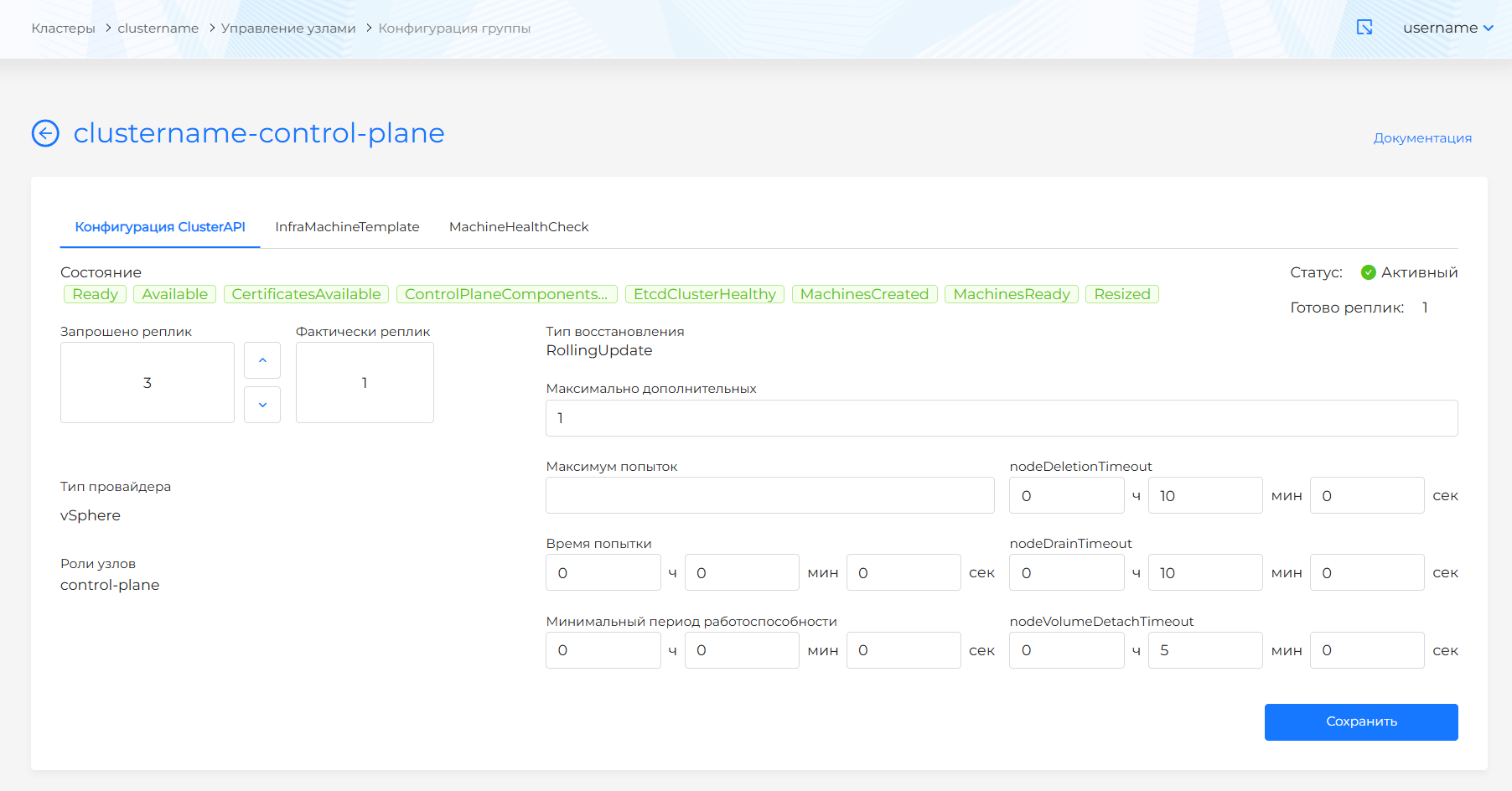
On the ClusterAPI Configuration tab, you can specify KubeadmControlPlane parameters.
Screenshot
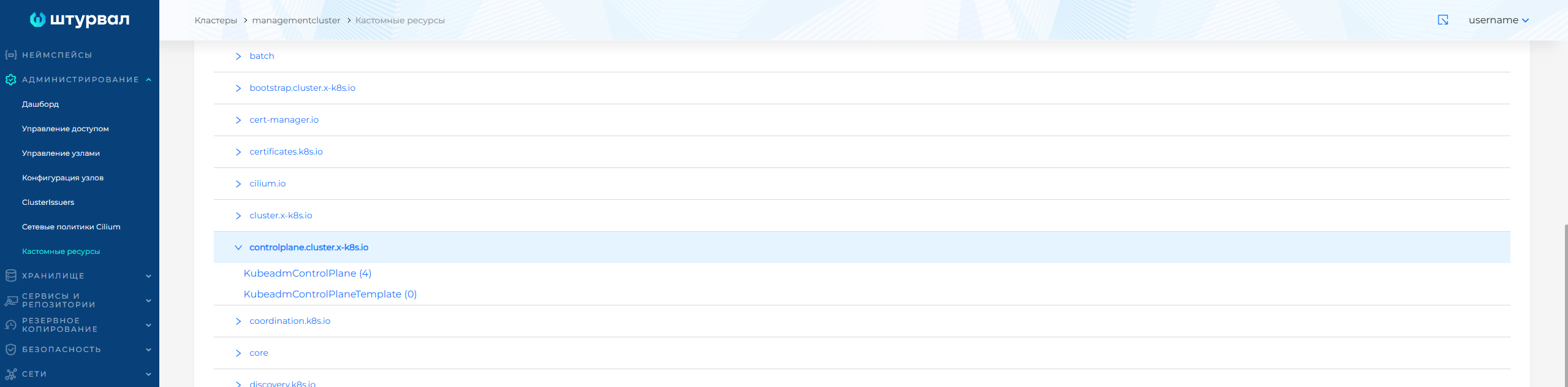
More detailed settings can be configured in the control cluster in the Administration/Custom Resources section using the KubeadmControlPlane custom resource of the controlplane.cluster.x-k8s.io API group.
Screenshot
Setting up ClusterAPI
The group name is formed according to the principle of the cluster name plus the postfix “-control-plane”.
- requested quantity number of nodes. For the Control Plane group of nodes, only specifying an odd number of nodes is available, because etcd is hosted on Control Plane nodes and requires an odd number of nodes to obtain quorum in etcd. To ensure fault tolerance in the cluster, it is recommended to allocate 3 or 5 Control Plane nodes.
Please note! We do not recommend reducing the number of Control Plane nodes in the management cluster. This may damage the management cluster!
- recovery strategy: RollingUpdate, i.e. configuration changes will be applied sequentially. The strategy requires specifying the number of additional nodes (MaxSurge). You can specify in absolute (integer) or relative (%) values.
- nodeDeletionTimeout: determines how long capi-controller-manager will try to delete a node after the Machine resource is marked for deletion. If set to 0, deletion attempts will be repeated indefinitely. If a value is not specified, the default value (10 seconds) for this Machine resource property will be used.
- nodeDrainTimeout is the total amount of time that the controller will spend draining/releasing the node. The default value is 0, which means that the wait time for a node to be released is not limited in time and can wait as long as desired. NOTE: NodeDrainTimeout is different from
kubectl drain --timeout. - nodeVolumeDetachTimeout is the total amount of time the controller will spend waiting for all volumes to be detached. The default value is 0, which means that volumes will wait to be detached without any time limit and can wait as long as necessary. By default, the Machine resource is set to 10 seconds.
Determine the parameters for restoring a node after identifying it as unhealthy. The following parameters are available for control:
- Maximum attempts (maxRetry) - the maximum number of retries when trying to fix a faulty machine. A retry occurs when a machine created as a replacement for a failed machine also fails. If not specified (default), repair attempts will be repeated indefinitely.
- Attempt time (retryPeriod) - parameter for waiting the time that must pass before starting a new attempt to create a machine, after an unsuccessful attempt to create a machine. The default is not specified, which means that a new attempt will be made immediately.
- Minimum health period (minHealthyPeriod) - the period of time after which the machine is considered healthy. Resets the machine’s recovery count counter. If a machine is marked as unhealthy after minHealthyPeriod (default 1 hour) since the previous fix, it is no longer considered a retry because the new problem is assumed to be unrelated to the previous one.