Node Management
On the Manage Nodes page, you can manage node groups, configuration of node groups, as well as manage healthchecks objects for groups of cluster nodes.
The page has tabs:
- [Node groups](#node-groups tab);
- InfraMachineTemplates.
- Unidentified nodes.
Node groups tab
The page is divided into blocks:
- Control Plane, which includes Control Plane nodes;
- Workers, which includes groups of Worker nodes.
For the group of Control Plane nodes and each group of Worker nodes the following is displayed:
- number of nodes in the group;
- number of working nodes in the group (nodes with ready status).
Screenshot
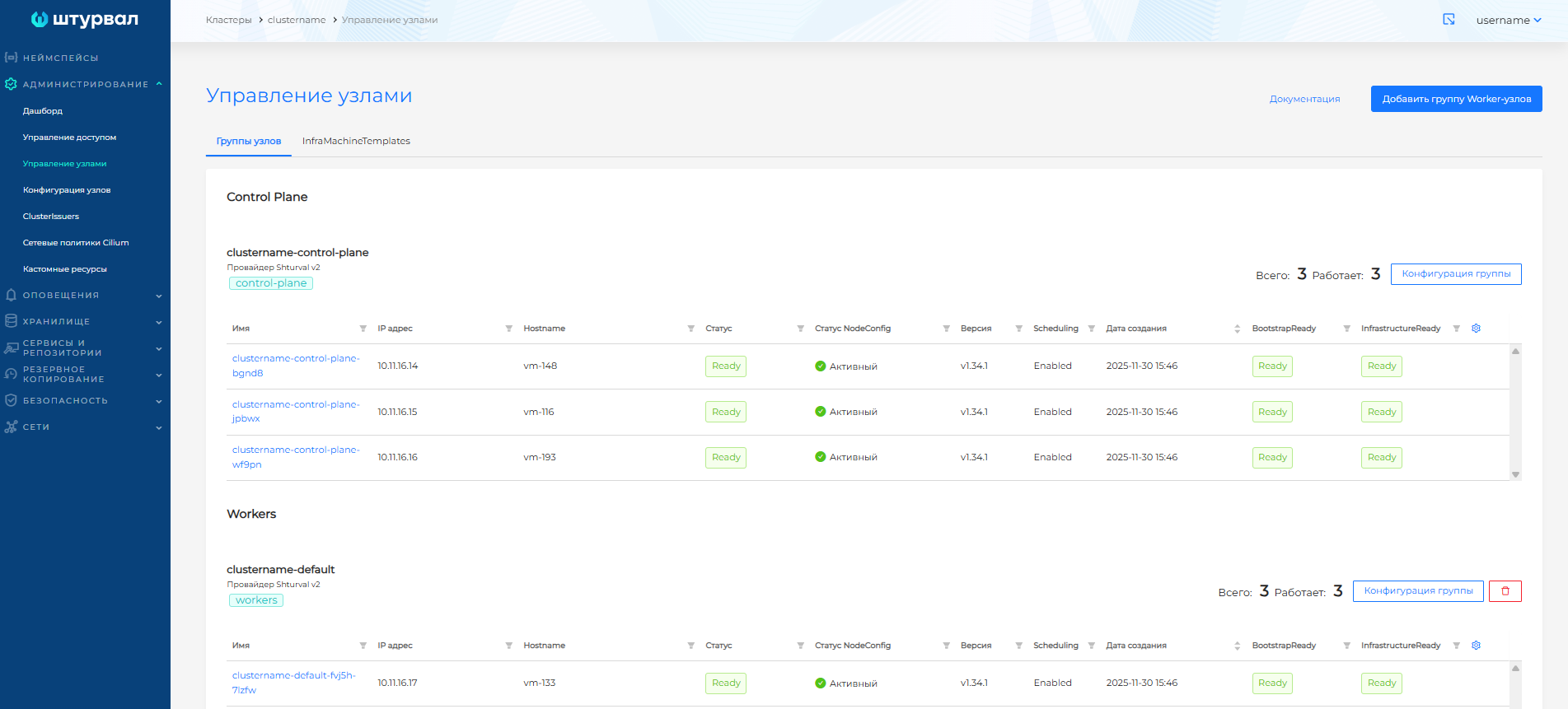
In the tables for Control Plane and Workers, you can configure display options. To do this, click on the gear in the upper right corner of the node display table and select the necessary parameters.
Groups of nodes are assigned the provider selected when creating the cluster.
Clicking on a node name takes you to node page.
InfraMachineTemplates tab
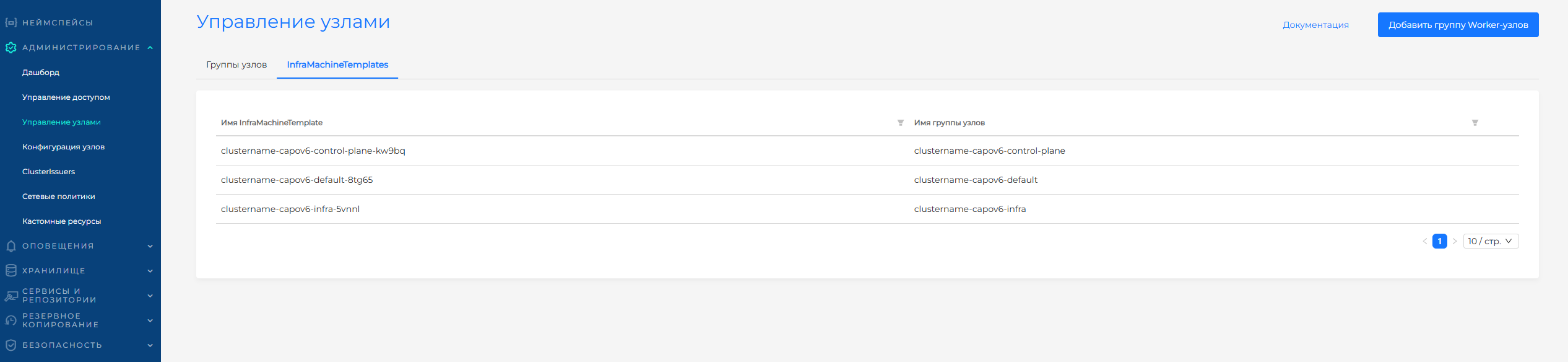
When an infrastructure template is changed in the configuration of a group of cluster nodes, a new infrastructure template (InfraMachineTemplate) is created. All infrastructure templates for this cluster are available on the InfraMachineTemplates tab of the Manage Nodes page. You can delete templates that are not associated with site groups.
Screenshot
Unidentified nodes tab
The Unidentified nodes tab is available if nodes without connection to machines have been identified in the cluster. You can remove an unidentified node from the cluster.
System behavior in case of node failure/unavailability
In the event of a node failure/unavailability, the cluster begins to redistribute the load from this node to others only after 30-60 seconds. This is due to the node health monitoring settings in kube-controller-manager, as well as the kubelet configuration.
Kubelet periodically notifies Kube-APIserver of its status at an interval specified in the parameter--node-status-update-frequency. The default value is 10 seconds.
Controller manager checks Kubelet status every–-node-monitor-period. The default value is 5 seconds.
If Kubelet reports status within the set value--node-monitor-grace-period, then the Controller manager considers that the node is healthy.
If a cluster node fails, the following algorithm occurs:
Kubelet sends its status to Kube-APIserver according to the parameter
nodeStatusUpdateFrequency= 10 sec.Let’s say the node fails.
Controller manager will try to check the status of the node (from Kubelet) every 5 seconds (according to the parameter
--node-monitor-period).Controller manager will detect that the node is not responding and give it a timeout
--node-monitor-grace-periodat 40 sec. If during this time the Controller manager does not consider the node to be healthy, it will set the status to NotReady.
In this scenario, there will be errors when accessing Pods running on this node because the Pods will continue to receive traffic until the node is considered NotReady after 45 seconds.
To increase the speed of Kubernetes response to cluster node failures, you can change the following parameters:
---nodeStatusUpdateFrequency(default 10 sec) in the Kubelet config /var/lib/kubelet/config.yaml;
---node-monitor-period(default 5 sec);
---node-monitor-grace-period(default 40 sec).
Please note! When you reduce these indicators, you increase the risk of false positives of node unavailability, for example, when the node is heavily loaded or the node is temporarily unavailable on the network. This can cause applications and workload in the cluster to be redistributed to other nodes unnecessarily.
More details in the official documentation Kubernetes.