ClusterAPI Configuration
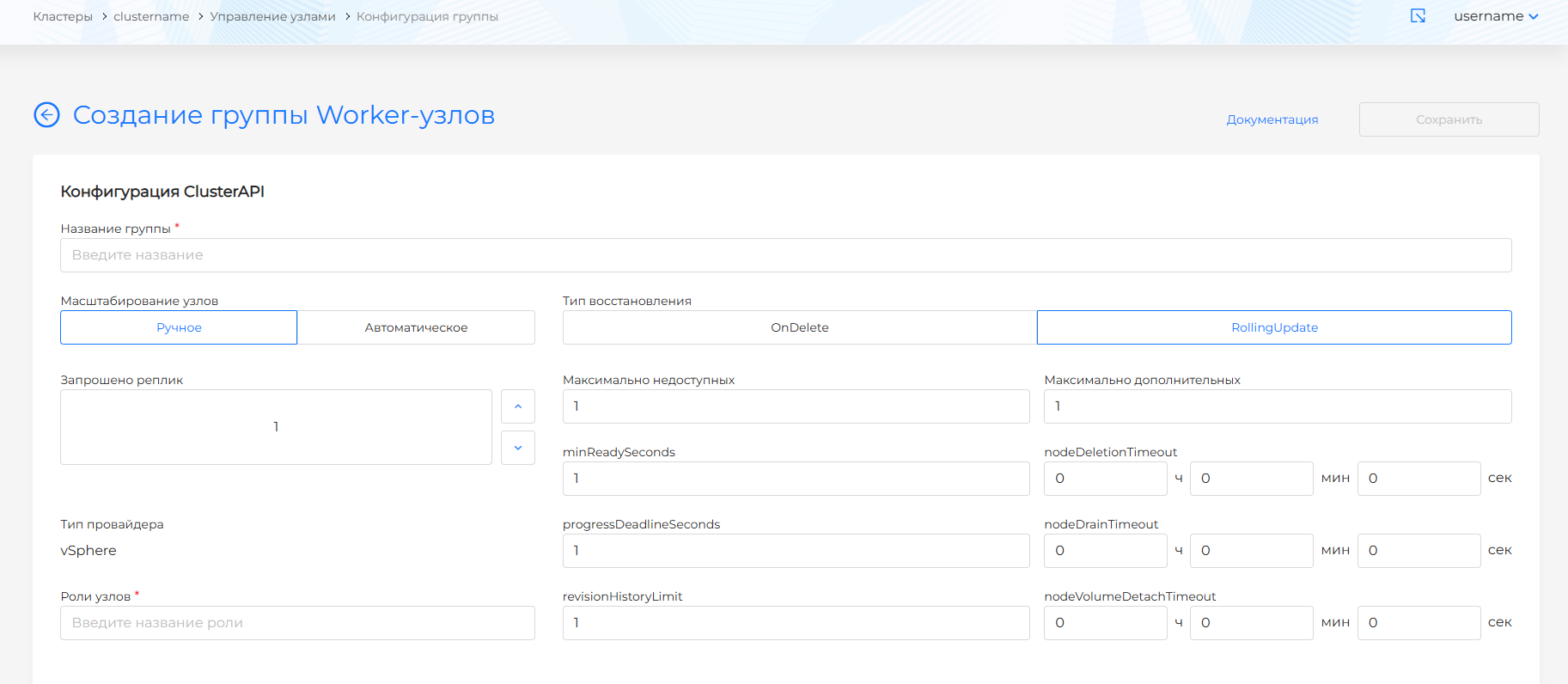
When creating a new group in the ClusterAPI Configuration block, it is possible to specify the ClusterAPI, MachineDeployment parameters. The group name is formed according to the rule: the name of the cluster with a postfix in the form of the requested group name.
Screenshot of group creation
When viewing the group configuration on the ClusterAPI Configuration tab, you can change the ClusterAPI, MachineDeployment parameters.
Screenshot of node group configuration
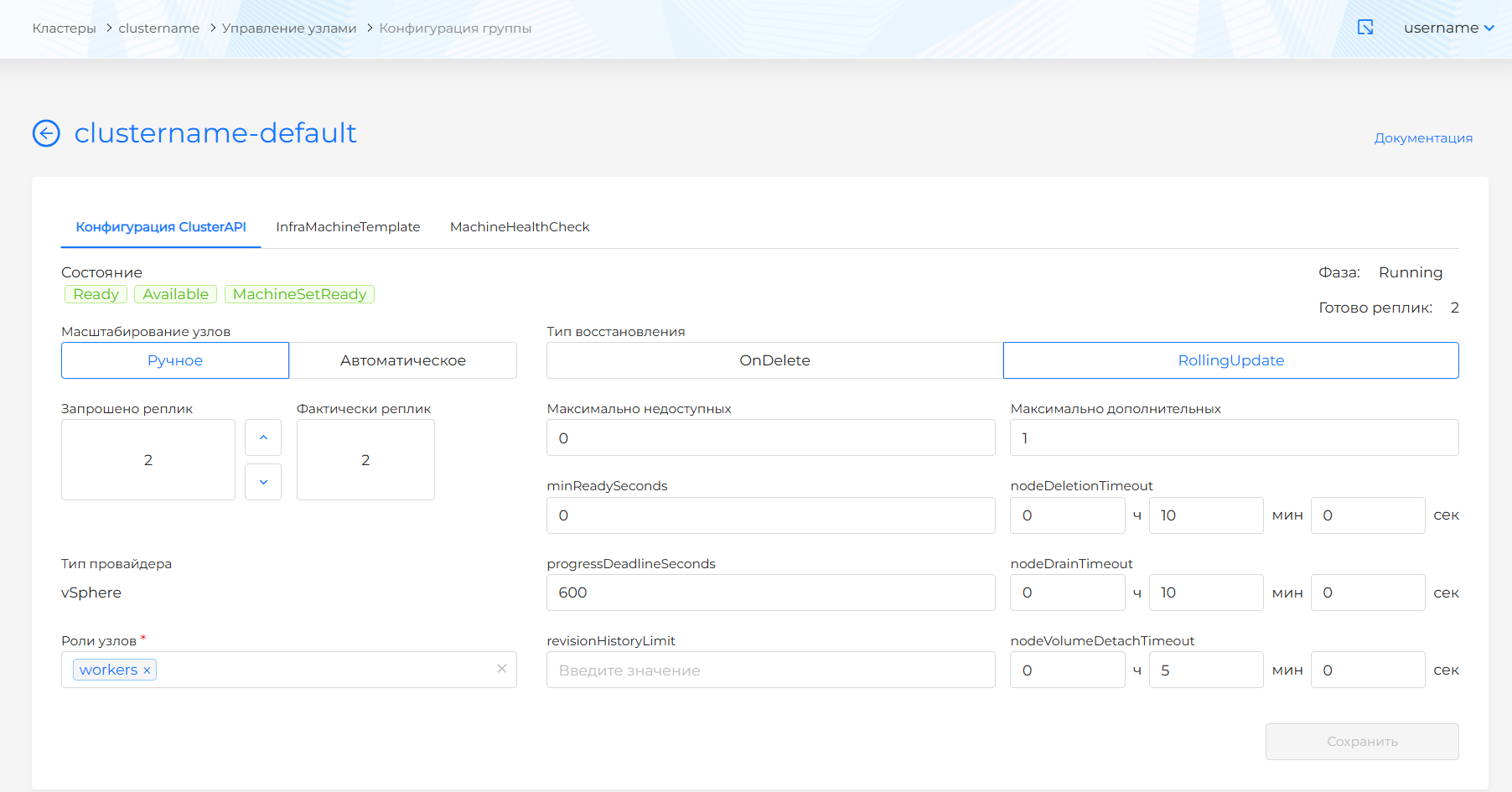
- Selecting a method for scaling nodes in a group:
- Manual. In this case, a directive indication of the requested number of nodes in the group is available: in the “Replicas requested” field, indicate the desired number of nodes in the group.
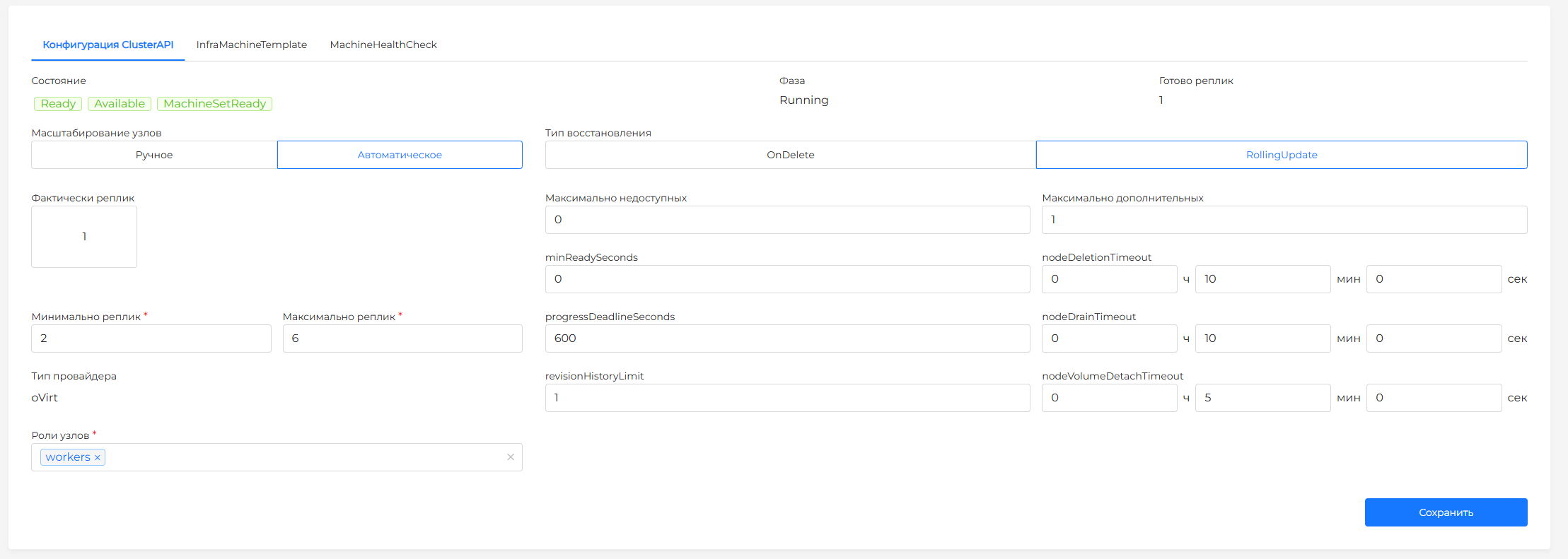
- Automatic. In this case, you can specify the range of nodes for the group: specify the minimum and maximum number of nodes in the group. The number of nodes will increase or decrease within the specified range depending on the load. More information about automatic scaling in the section Autoscaler in ClusterAPI.
With automatic scaling, the minimum number of nodes can be 2. In the graphical interface, the ability to specify less than 2 replicas is limited.
Screenshot
Pay attention!
- If you need to remove a specific host with the Shturval v2 provider from the group of nodes, use instructions.
- If the limit on the number of Worker nodes or vCPUs according to the license is exceeded, a notification will be displayed on all pages of the graphical interface asking you to contact the vendor to change the license package.
- Recovery type:
- OnDelete. If there are changes, old nodes are removed and new ones are raised.
- RollingUpdate. If there are changes, new nodes are created and successively replaced the old ones. Recommended option. In this case, you must specify the maximum number of unavailable and additional nodes.
- minReadySeconds - the minimum number of seconds during which a node for a created machine must be ready before considering a replica available. Default is 0 (the machine will be considered available as soon as the node is ready).
- progressDeadlineSeconds - The maximum time in seconds required for the deployment to complete before it is considered failed. The deployment controller will continue to process failed deployments. The Cluster API state will display a condition with the cause ProgressDeadlineExceeded. Default is 600 s.
- revisionHistoryLimit - the number of MachineSets that need to be saved for the rollback option. Default is 1.
- nodeDeletionTimeout: determines how long capi-controller-manager will try to delete a node after the Machine resource is marked for deletion. If set to 0, deletion attempts will be repeated indefinitely. If a value is not specified, the default value (10 seconds) for this Machine resource property will be used.
- nodeDrainTimeout is the total amount of time that the controller will spend draining/releasing the node. The default value is 0, which means that the wait time for a node to be released is not limited in time and can wait as long as necessary. NOTE: NodeDrainTimeout is different from
kubectl drain --timeout. - nodeVolumeDetachTimeout is the total amount of time the controller will spend waiting for all volumes to be detached. The default value is 0, which means that volumes will wait to be detached without any time limit and can wait as long as necessary. By default, the Machine resource is set to 10 seconds.
- roles: specify the roles that will be assigned to the group, separated by commas. Each assigned role will be listed in the node label after the “/"
node-role.kubernetes.io/.