MachineHealthCheck
For the Worker group of nodes on the MachineHealthCheck tab you can:
Screenshot
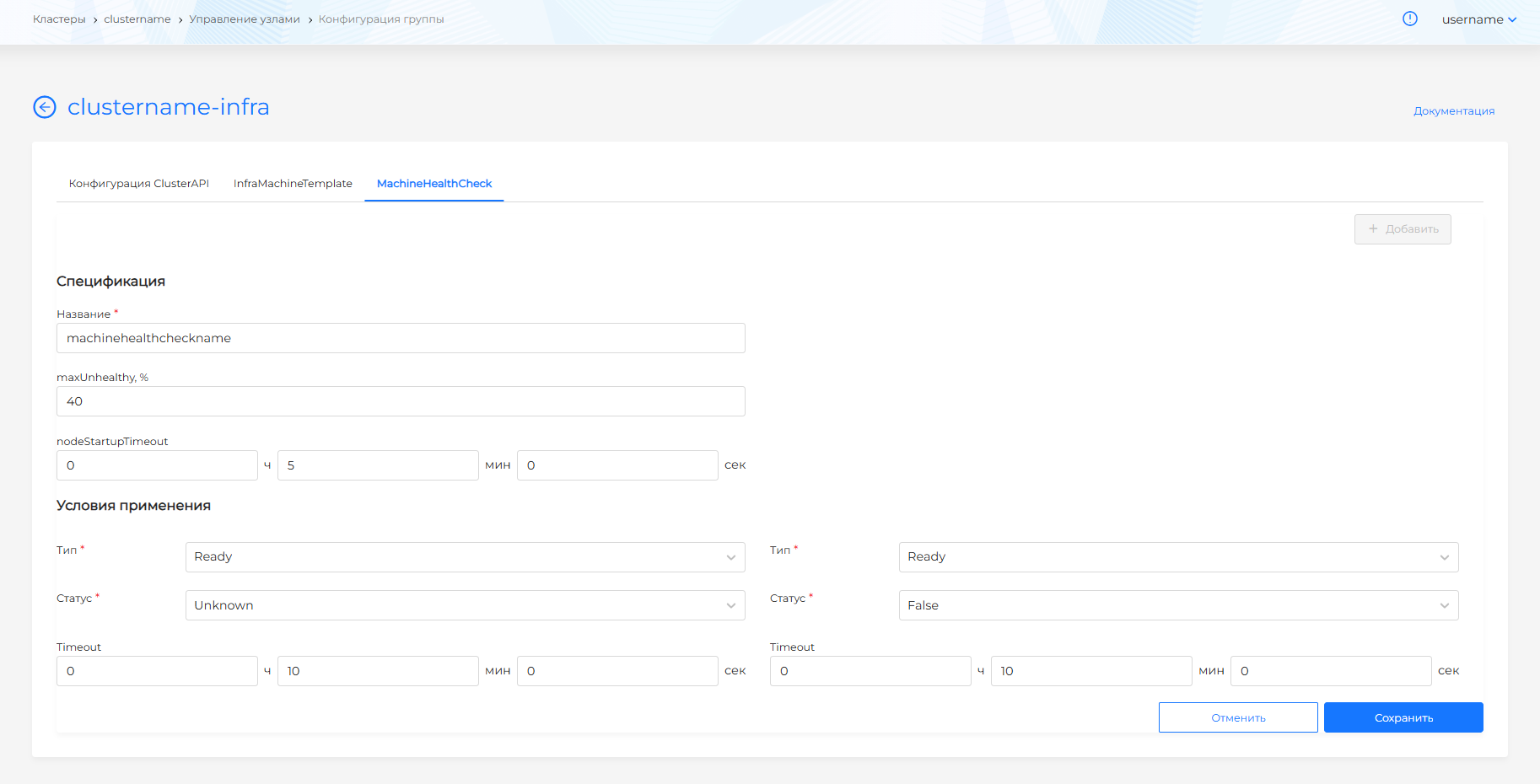
- configure different MachineHealthCheck configurations to check the health of machines. When installing a client cluster, the default MachineHealthCheck is mounted for each group of Worker nodes. To configure additional MachineHealthChecks, click +Add. When multiple configurations have been created, the tab displays a list of MachineHealthChecks.
- go to viewing and editing the MachineHealthCheck configuration.
To configure MachineHealthCheck:
- set the name MachineHealthCheck. Once saved, the name cannot be changed.
- you can set maxUnhealthy in %. The parameter determines the maximum percentage of unhealthy nodes in the group.
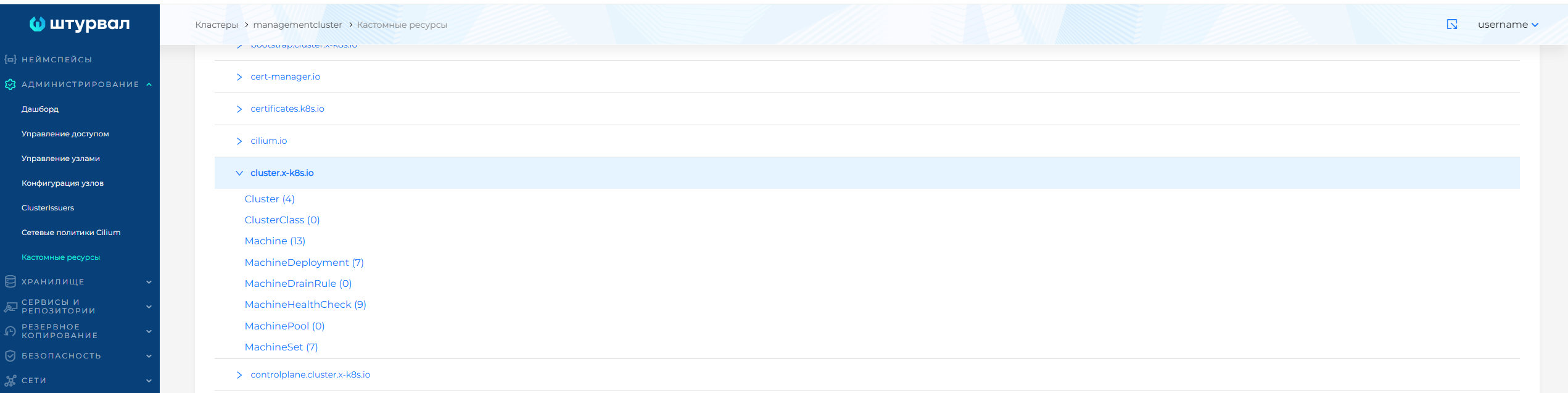
More detailed parameters for MachineHealthChecks can be configured in the management cluster in the Administration/Custom Resources section using the custom MachineHealthCheck resource in the cluster.x-k8s.io API group.
Screenshot
Please note! MachineHealthCheck will not restore nodes if the number of unhealthy Worker nodes in the group is greater than that specified in maxUnhealthy.
Examples
- you can set nodeStartupTimeout to wait for a node to join the cluster. A value that is too small may result in the virtual machine not having enough time to create and attach, and attempts to attach a node will end up in a loop.
Example
- in the Conditions of use (unhealthyConditions) block, configure the parameters for checking nodes, subject to which the node will be considered unhealthy:
- select Type of node state. Available types: NetworkUnavailable, DiskPressure, MemoryPressure, PIDPressure, Ready.
- select Status of the node state: True, False, Unknown.
- set Timeout - the waiting time after which the node status will be considered valid. It is recommended not to set the Timeout period too short to avoid false restarts while the node is returning to a healthy state. A long Timeout period can result in workload downtime on an unhealthy node.
Example
Once created, MachineHealthCheck will be added to the list of checks on the MachineHealthCheck tab.
To view and edit, click on the line called MachineHealthCheck. In the window that opens, you can change the parameters maxUnhealthy, nodeStartupTimeout and Timeout in the conditions for using MachineHealthCheck.
When you are finished making changes, click Save.
How to disable MachineHealthCheck
Disable MHC for the group so the machine is not restarted or recreated when the node becomes NotReady.
Temporarily
On the MachineHealthCheck tab, set maxUnhealthy, % to 0 and click Save.
The recovery condition cannot be met, and nodes are not recreated automatically. To turn MHC back on, set the previous value.
Please note! Control Plane and each Worker group have an MHC, so set 0 for every group where MHC should be disabled.
Permanently
Delete all MachineHealthCheck objects of the cluster. The command can only be run from the management cluster. The MHC namespace matches the cluster name:
kubectl -n <cluster-name> delete machinehealthchecks.cluster.x-k8s.io --all
Please note! The command deletes all MHC objects of the cluster, both Control Plane and Worker groups. Automatic node recreation does not resume until the MHC objects are created again.