About Workers groups
Worker node groups are groups of nodes that run the cluster workload. By default, 2 groups of Worker nodes are created in the Shturval platform: Infra and Default, and it is also possible to create additional groups. A group of infrastructure nodes will preferably be used to deploy the cluster’s infrastructure services. If there are no free nodes in the group, services will be deployed on Worker nodes of other groups. The default group of Worker nodes, as well as any additional groups, can be used to deploy custom workloads.
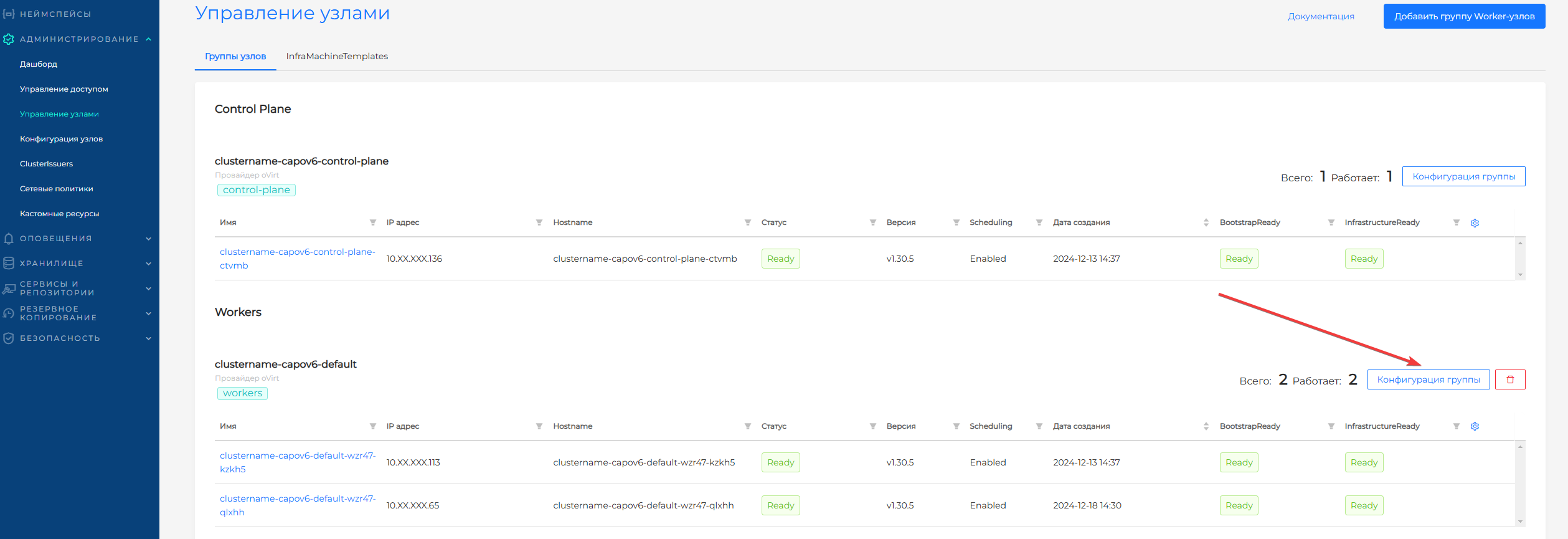
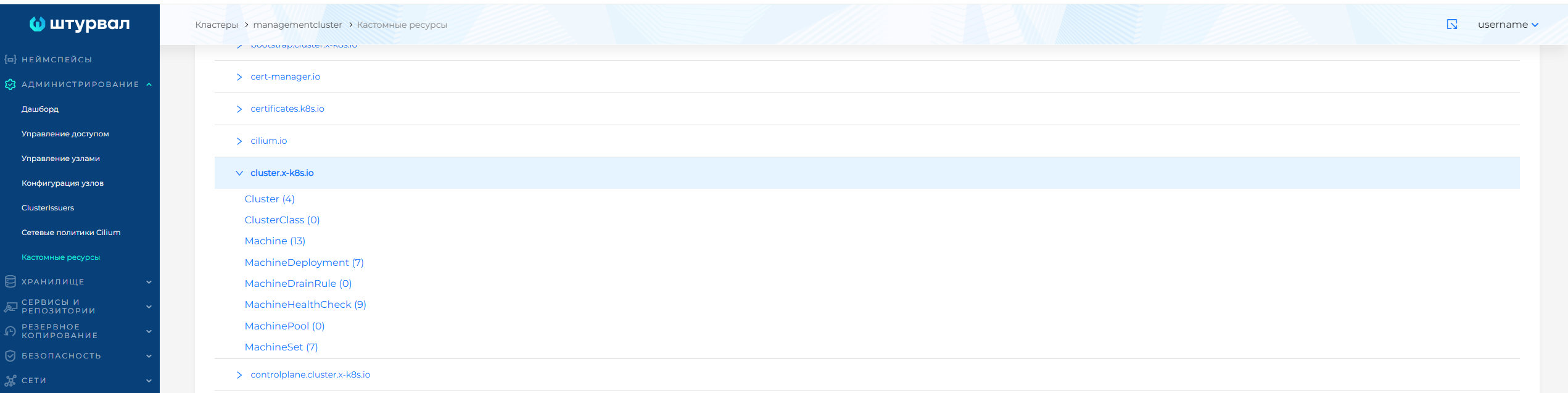
Information about each node group/its status can be monitored on the Node Management page of the cluster being viewed, as well as in the management cluster in the Administration/Custom Resources section using the MachineDeployment custom resource in the cluster.x-k8s.io API group.
Screenshot
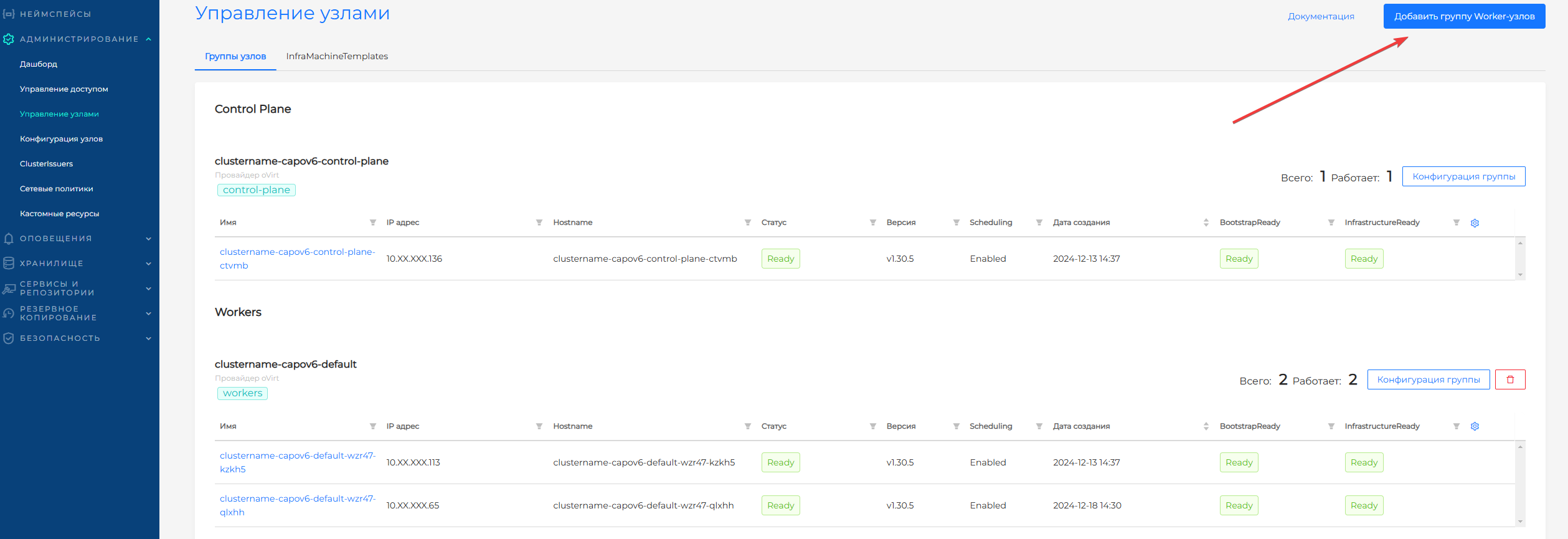
On the Manage Nodes page you can delete a previously created one, add a new one, or change the configuration parameters of previously created groups of Worker nodes.
- To add a new group of Worker nodes, click on Add group of Worker nodes. On the page for creating a new node group, the following is available: ClusterAPI configuration and InfraMachineTemplate.
Screenshot
- To change configuration parameters, to the right of the name of the group of Worker nodes, click on the “Group Configuration” button. The configuration includes: the number of nodes, parameters for joining a node to a group, sizing of nodes and the self-healing mechanism. Managing the number of nodes in a group is available on the ClusterAPI Configuration tab. The following tabs are available on the page that opens:
Screenshot