Recovered copies
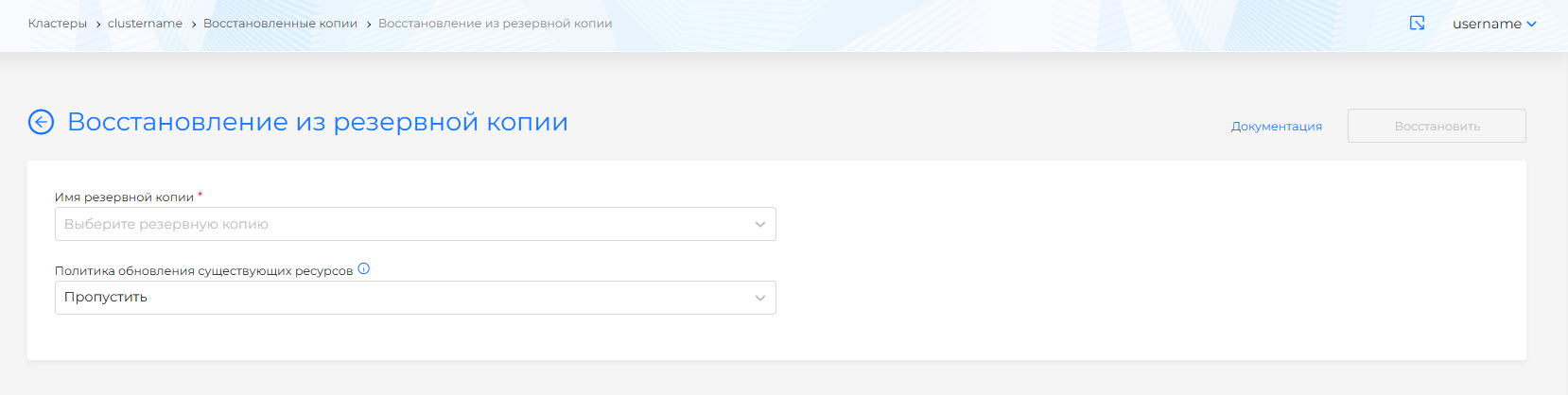
If you need to restore from a backup, go to the Backup and Restore section on the Restored Copies page, click the “Restore from Backup” button. The button is only available if there is at least 1 backup created in this scope.
Screenshot
Please note! If, when restoring a backup copy, there are PVs that are used in running loads (Deployment, StatefulSet, Pod), then such PVs will not be restored, because this may interrupt applications.
On the page that opens, define the field values:
- The name of the backup from which you want to restore (drop-down list of names of backup copies of this scope)
- Policy for updating existing resources: Skip (default) or Update.
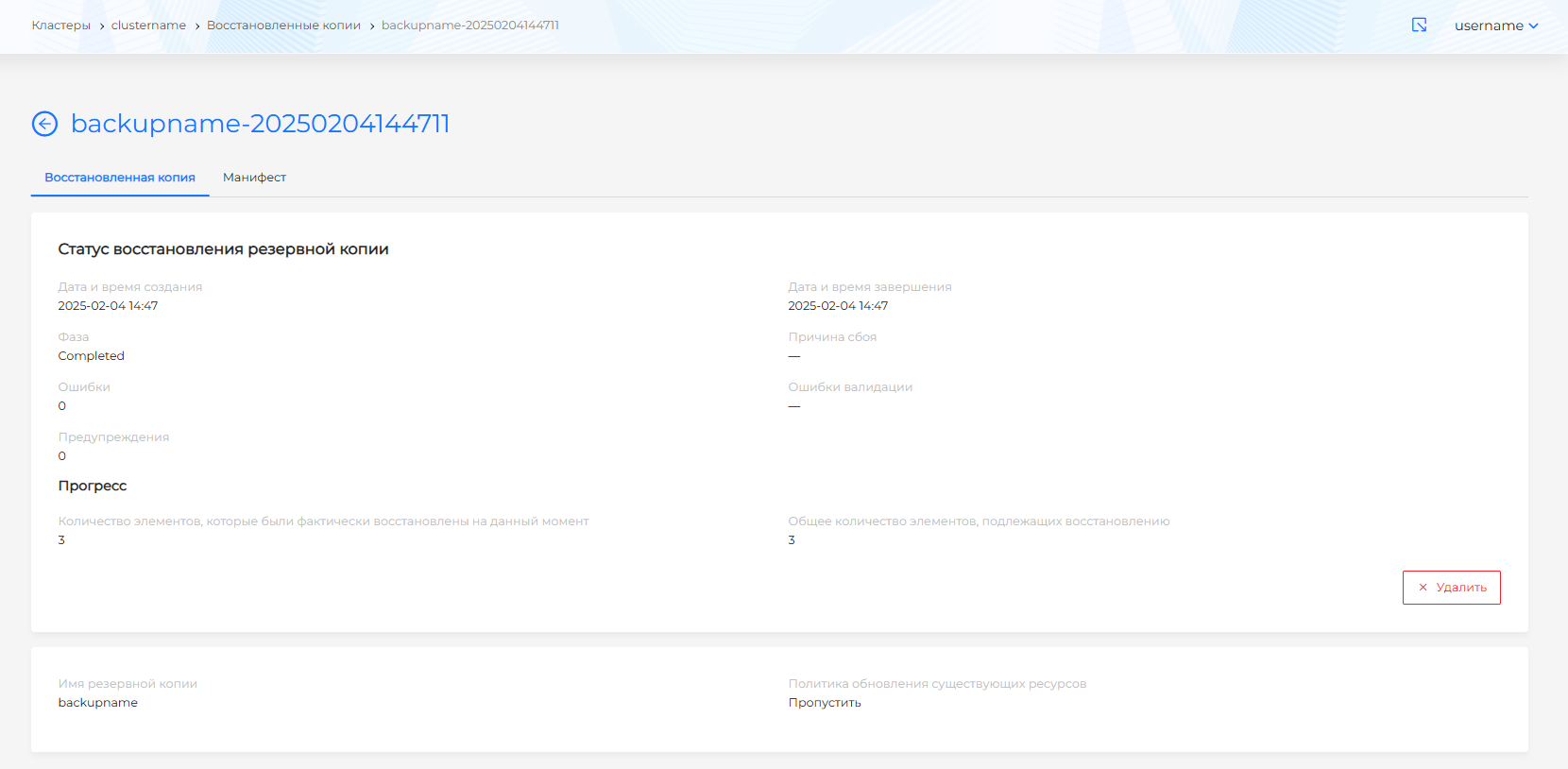
Running a restore creates a restore resource that asynchronously restores the requested resources. The recovery process can be tracked in the resource status.
Once created, the restored copy cannot be edited.
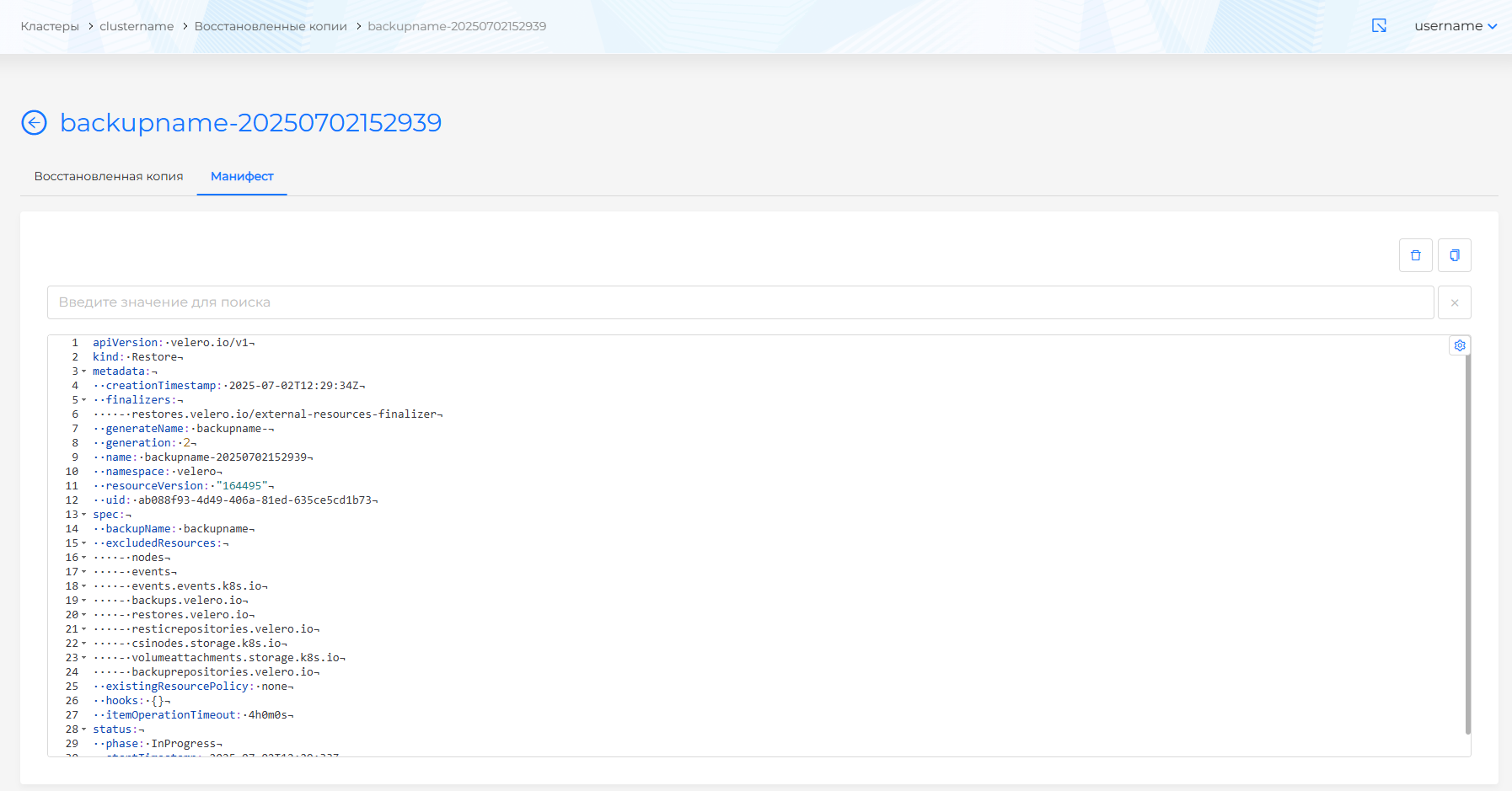
The following tabs are available on the page of the created restored copy:
- Restored copy. The tab displays the backup recovery status;
Screenshot
- Manifesto. The YAML manifest of the restored backup is available for viewing on the tab.
Screenshot
You can delete recovery or recovery data from a backup copy from a cluster in one of the following ways:
- on the Recovered copies page, clickin object string;
- on the page for viewing the restored copy, on the Recovered copy tab, click the Delete button;
- on the page for viewing the restored copy, go to the Manifest tab and click.