Planners
Scheduler is an object that requests the creation of scheduled backups.
Creating a scheduler
To create a backup scheduler, go to the Backup and Restore section on the Schedulers page and click the “Add Scheduler” button.
Please note! The namespace velero will be automatically excluded from the backup copy, because restoring the velero namespace results in an error.
Screenshot
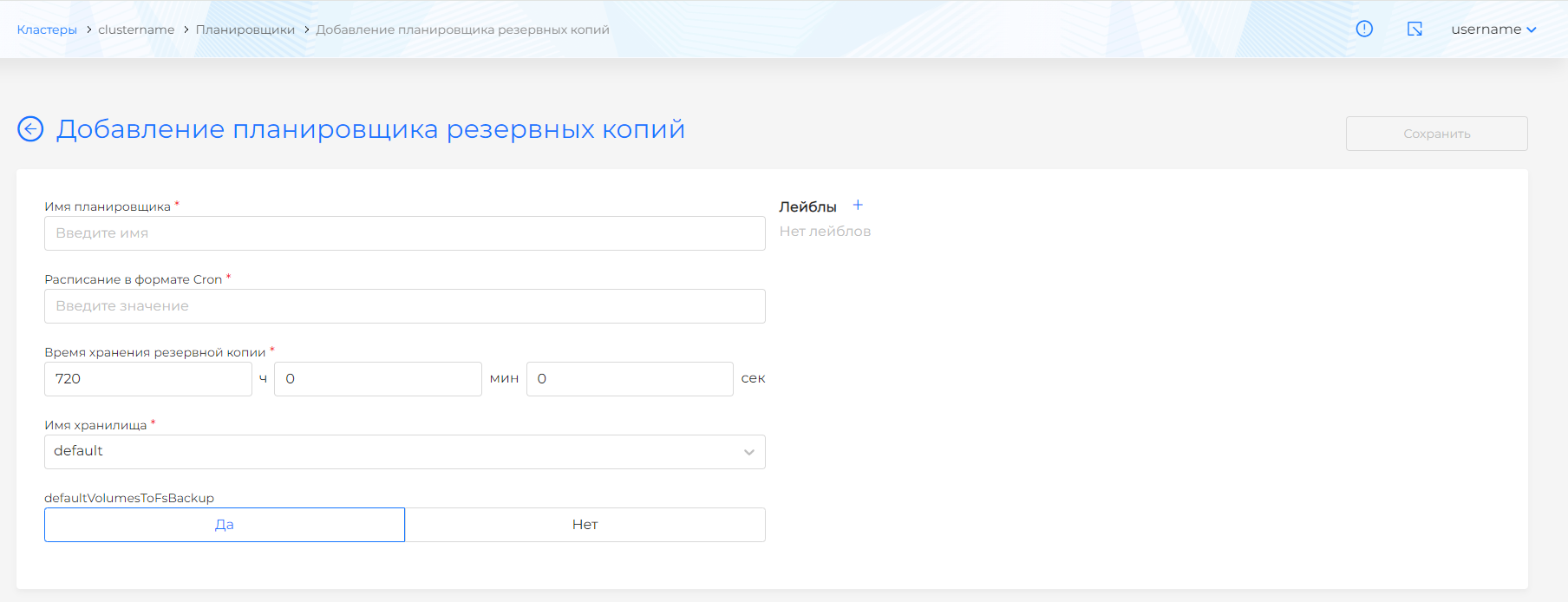
On the page that opens, you can fill out a schedule for creating backups in cron format, as well as select the configuration of the backups to be created:
- Scheduler name. Required field.
- Schedule in cron format. Required field.
- Backup storage time (TTL).
- Storage name. Required field. Previously created S3 storages are available for selection.
- defaultVolumesToFsBackup - Whether to use a backup copy of the module volume file system for all volumes by default / By default yes (true).
- Backup labels.
- Object selector. The selector type “and” is used. Those. Selected objects of clusters, namespaces and objects that have selected labels corresponding to the selected expressions will be added to the backup copy.
In the blocks for selecting namespaces, namespace and non-namespace resources, there are two ways to select objects:
- Only selected (inclusive);
- Except the selected ones (exclusive).
The blocks contain complete lists of resources included in the scope, as well as available namespaces. Determine which resources and namespaces should be included in the backup copy.
View and edit the scheduler
In the saved planner you can change:
- Schedule;
- Labels;
- Object selector;
- Selecting objects to copy.
- Labels.
The changes will be applied to new backups created.
It is also possible to change data using the object manifest. To do this, go to the Manifest tab.
Screenshot
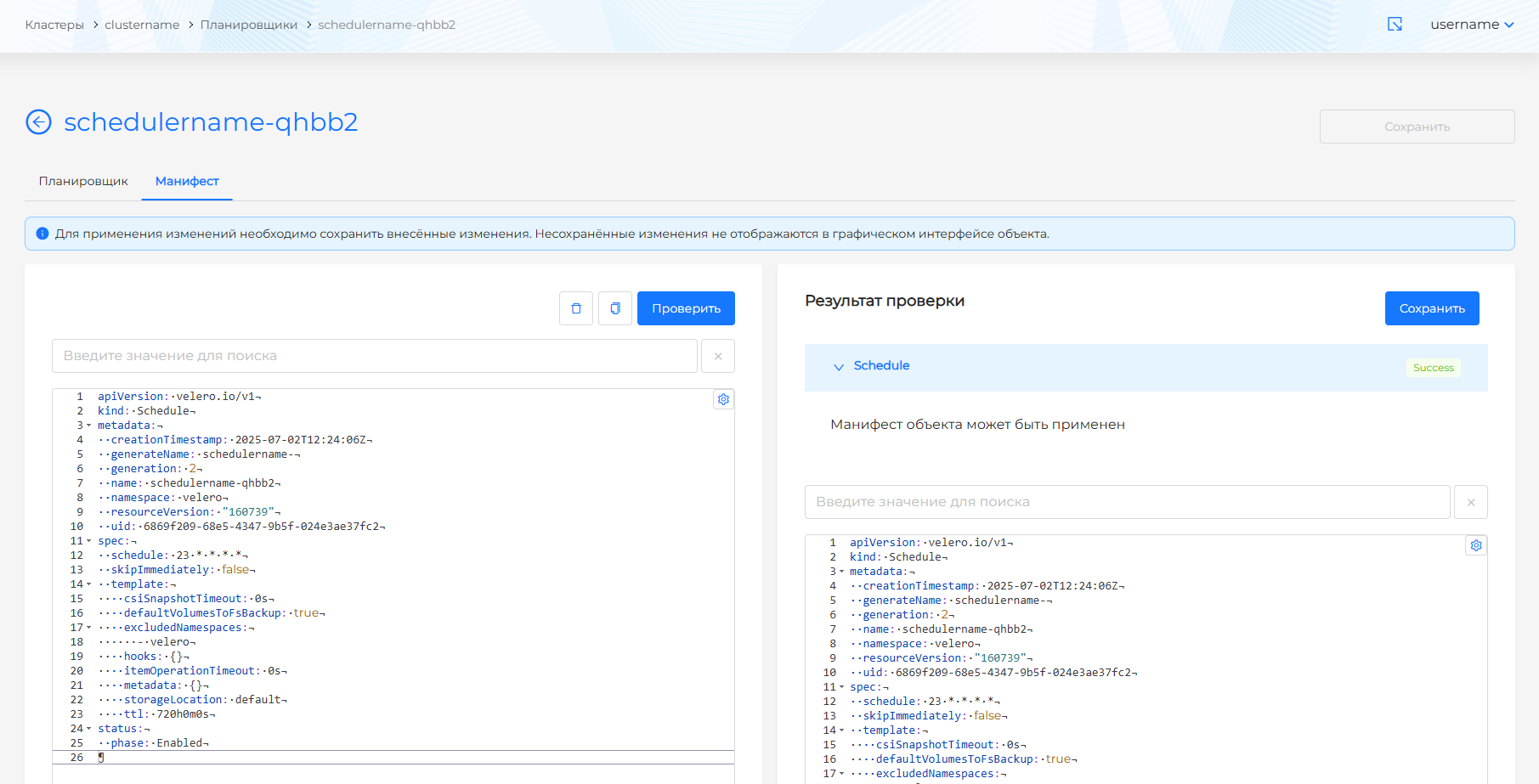
After making changes to the manifest, run a review. The test result will be available on the right side of the screen. Expand the verification result block to see the full manifest. If scheduler manifest format validation fails, manifest validation is not available.
You can remove a scheduler from a cluster in one of the following ways:
- on the Schedulers page, clickin object string;
- on the scheduler viewing page, on the Scheduler tab, click the Delete button;
- on the scheduler viewing page, go to the Manifest tab and click.