Checking the operation of local alerting
You can check the operation of local alerting in the client cluster or control cluster, for example, using a webhook, which writes incoming messages to the container logs.
- Load manifests of objects
Deployment,Serviceinto the cluster using manifest import.
Deployment
apiVersion: apps/v1
kind: Deployment
metadata:
  name: demo-webhook
  namespace: monitoring
  labels:
    app: demo-webhook
spec:
  replicas: 1
  selector:
    matchLabels:
      app: demo-webhook
  template:
    metadata:
      creationTimestamp: null
      labels:
        app: demo-webhook
    spec:
      terminationGracePeriodSeconds: 30
      automountServiceAccountToken: false
      containers:
      - name: demo-webhook
        image: quay.io/mgoerens/demo-webhook-receiver-alertmanager:0.0.1
        imagePullPolicy: IfNotPresent
        env:
        - name: PORT
          value: "8080"
        livenessProbe:
          httpGet:
            path: /healthz
            port: 8080
        readinessProbe:
          httpGet:
            path: /healthz
            port: 8080
        resources:
          limits:
            cpu: 10m
            memory: 30Mi
          requests:
            cpu: 10m
            memory: 30Mi
        securityContext:
          capabilities:
            drop:
              - ALL
          allowPrivilegeEscalation: false
Service
apiVersion: v1
kind: Service
metadata:
  name: demo-webhook
  namespace: monitoring
  labels:
    app: demo-webhook
spec:
  ports:
  - port: 80
    targetPort: 8080
    protocol: TCP
    name: http
  selector:
    app: demo-webhook
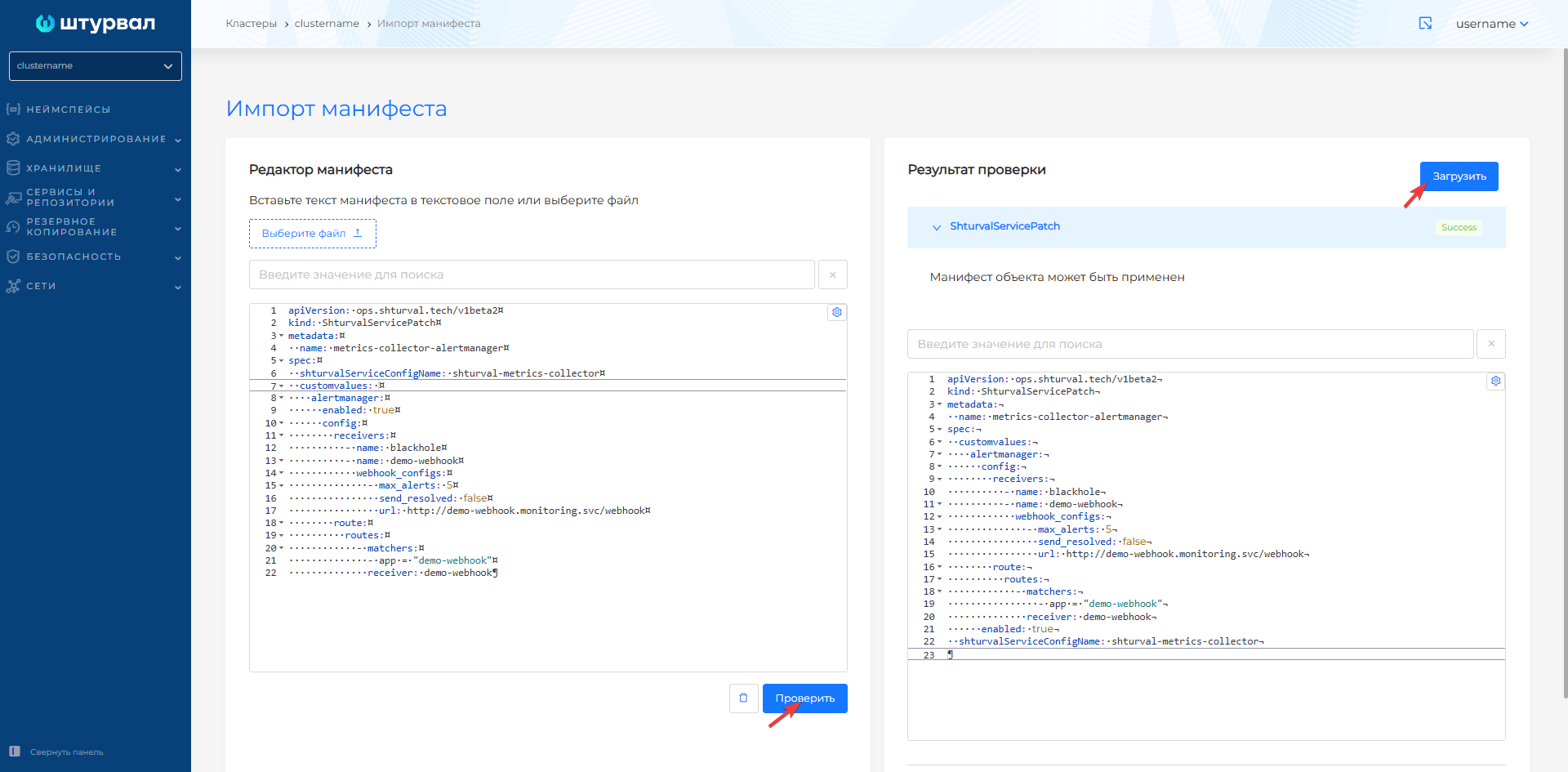
- Prepare a ShturvalServicePatch to apply to the Monitor Module Control Component (
shturval-metrics-collector) specification (ssc), where set the required configuration inalertmanager.
ShturvalServicePatch
apiVersion: ops.shturval.tech/v1beta2
kind: ShturvalServicePatch
metadata:
  name: metrics-collector-alertmanager
spec:
  shturvalServiceConfigName: shturval-metrics-collector
  customvalues:
    alertmanager:
      enabled: true
      config:
        receivers:
          - name: blackhole
          - name: demo-webhook
            webhook_configs:
              - max_alerts: 5
                send_resolved: false
                url: http://demo-webhook.monitoring.svc/webhook
        route:
          routes:
            - matchers:
              - app = "demo-webhook"
              receiver: demo-webhook
- In the cluster, load the prepared ShturvalServicePatch using import manifests.
Screenshot
VMRule for client cluster
apiVersion: operator.victoriametrics.com/v1beta1
kind: VMRule
metadata:
  labels:
    app: demo-webhook
    role: user
  name: example-alert
  namespace: victoria-metrics
spec:
  groups:
    - concurrency: 1
      interval: 1m
      labels:
        app: demo-webhook
        ruletype: alert
      name: example
      rules:
        - alert: ExampleAlert
          expr: vector(1)
      type: prometheus
VMRule of the management cluster
apiVersion: operator.victoriametrics.com/v1beta1
kind: VMRule
metadata:
  labels:
    cluster: clustername
    monitoringid: "0"
    app: demo-webhook
    role: user
  name: example-alert
  namespace: victoria-metrics
spec:
  groups:
    - concurrency: 1
      interval: 1m
      labels:
        app: demo-webhook
        ruletype: alert
      name: example
      rules:
        - alert: ExampleAlert
          expr: vector(1)
      type: prometheus
- In the namespace
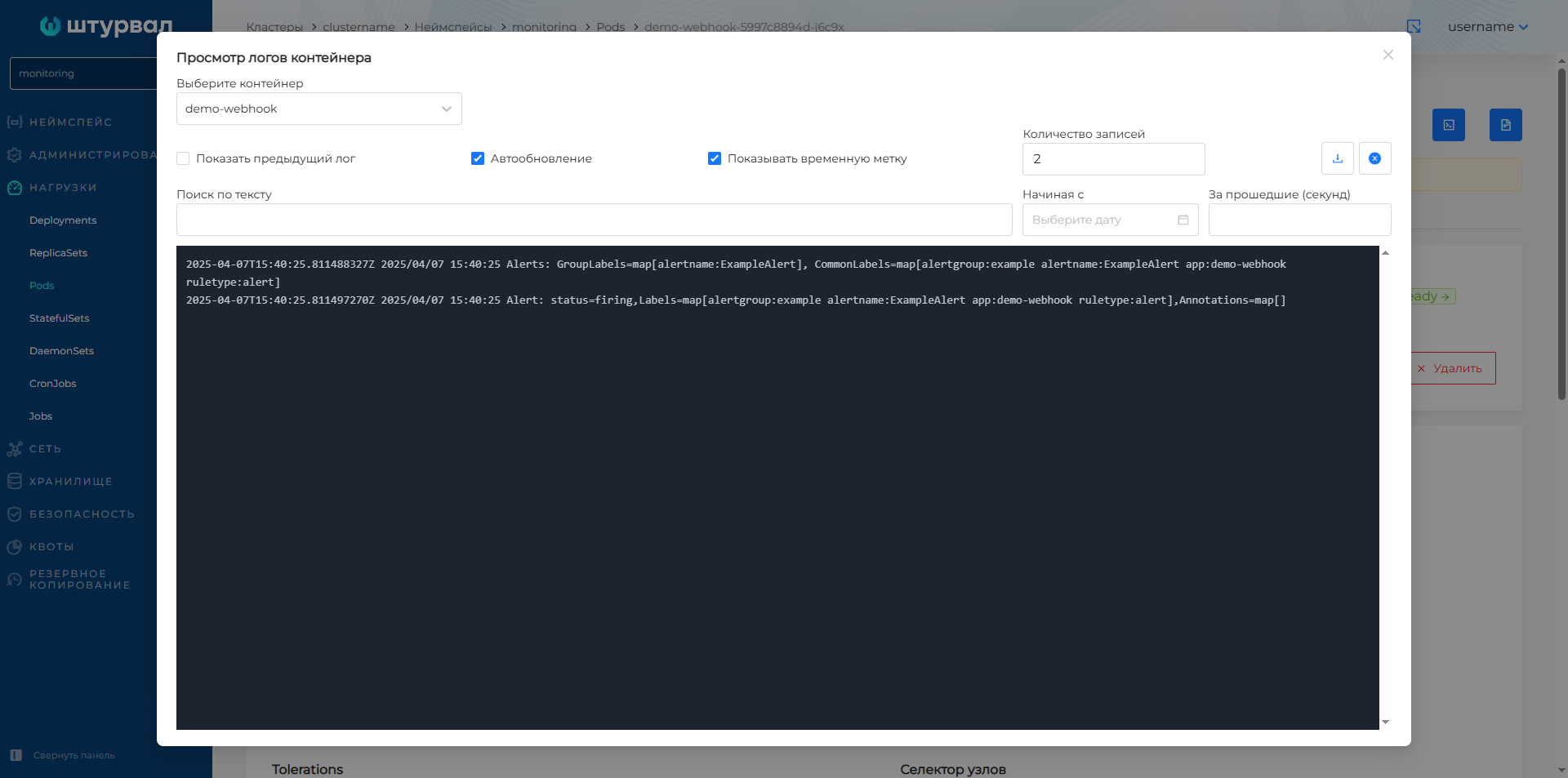
monitoringof the cluster, go to view the pod with the namedemo-webhook. Open the container log viewer. The logs will contain messages about triggered alerts in the cluster.
Screenshot