In the client cluster (local alerting)
In the “Shturval” platform, centralized alerting is implemented by default for client clusters with metrics and alert rules located in the management cluster. When using centralized alerting, setting up alert rules from the cluster interface is available.
If the management cluster is unavailable, centralized alerting is disabled, or centralized alerting is not required, you can configure local alerting in the client cluster. In that case, the GUI for configuring notification rules, routes, and silences is unavailable.
- Prepare a ShturvalServicePatch to apply to the Monitoring Engine Control Component (
shturval-metrics-collector) specification (ssc) where include the localvmsinglemetrics storage database and required components as in the following example, using your parameter values.
Example ShturvalServicePatch
apiVersion: ops.shturval.tech/v1beta2
kind: ShturvalServicePatch
metadata:
  name: <resource name>
spec:
  shturvalServiceConfigName: shturval-metrics-collector
  customvalues:
    alertmanager:
      enabled: true
    defaultRules:
      create: true
    vmagent:
      additionalRemoteWrites:
        - url: <your parameter value>
    vmalert:
      enabled: true
    vmsingle:
      enabled: true
| Parameter | Description | Data type | Example |
|---|---|---|---|
metadata.name | Name of the created PatchSSC | string | metrics-collector-vmsingle |
additionalRemoteWrites.url | Victoria Metrics Insert URL as specified in the pre-change specification | string | https://vminsert.clustername.ip-10-11-12-13.shturval.link/insert/2452490585/prometheus/ |
The additionalRemoteWrites.url parameter must be specified so that metrics are sent not only to the local cluster database, but also centrally to the management cluster.
- In the cluster, load the prepared ShturvalServicePatch using import manifests.
Screenshot
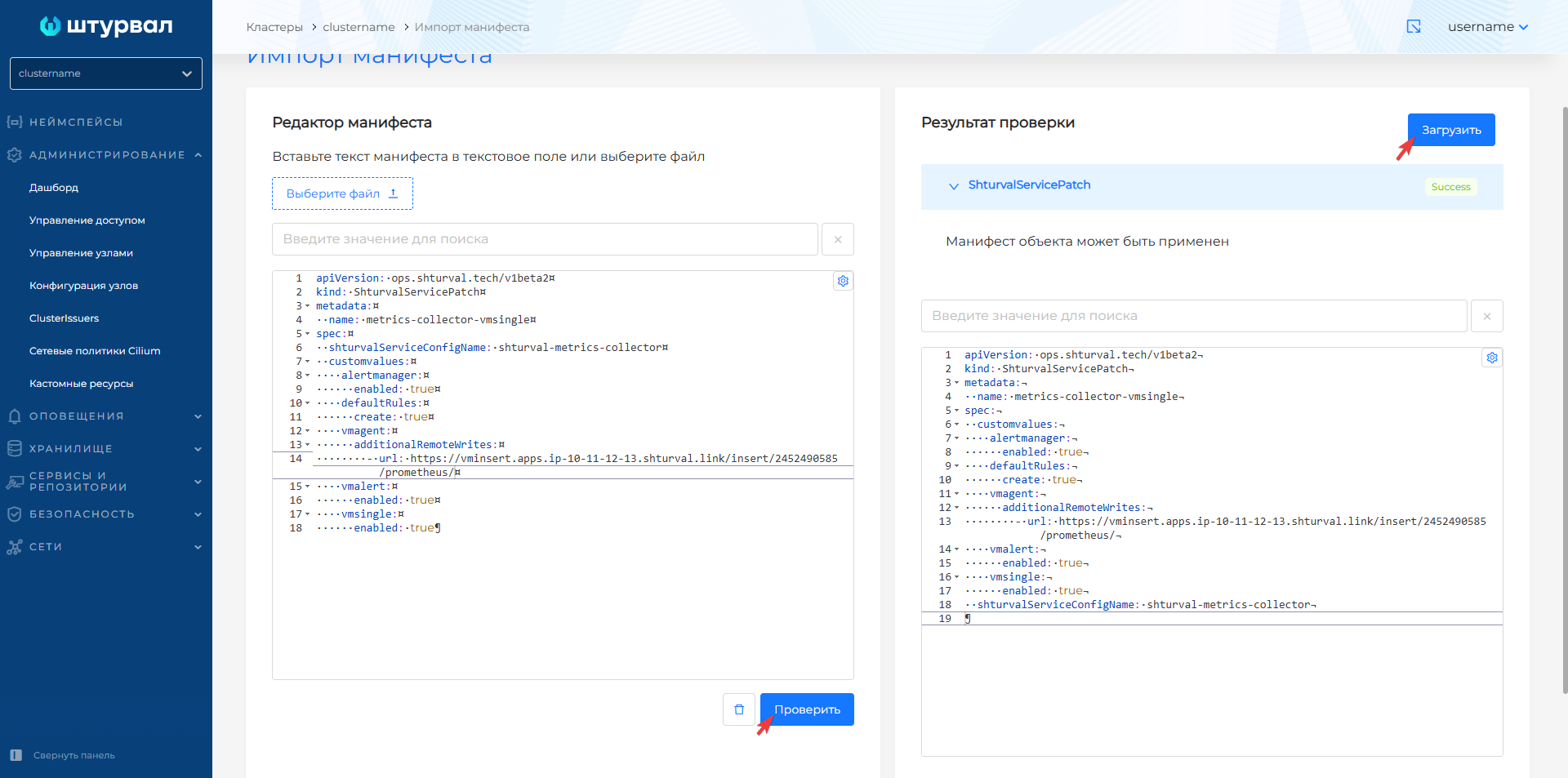
After downloading ShturvalServicePatch it will take time for the changes to take effect.
As a result:
- metrics will be sent to the local VM Single database and (if centralized storage is available), then additionally to the management cluster;
- custom resources of the API group “operator.victoriametrics.com” have been added to the client cluster: VMAlertmanager, VMAlert, VMSingle and system rules VMRule.
- it is possible to configure the local alerting configuration.
Please note!
- In the graphical interface from the Alerts section, you can only configure centralized alerting.
- Local alerting configuration must be configured in ssc (specification)
shturval-metrics-collector. - If you need to create a new rule for local alerting, you must add the rule to the client cluster by importing the VMRule object manifest.
- To configure routes, recipients, alert blocking, prepare a ShturvalServicePatch to apply to the Monitor Module Control Component (
shturval-metrics-collector) specification (ssc), where set the required configuration inalertmanager.
Example configuration in ShturvalServicePatch, where the recipient is a webhook
apiVersion: ops.shturval.tech/v1beta2
kind: ShturvalServicePatch
metadata:
  name: <resource name>
spec:
  shturvalServiceConfigName: shturval-metrics-collector
  customvalues:
    alertmanager:
      enabled: true
      config:
        receivers:
          - name: blackhole # Default receiver. Must be specified
          - name: <your parameter value>
            webhook_configs:
              - max_alerts: <your parameter value>
                send_resolved: false
                url: <your parameter value>
        route:
          routes:
            - matchers:
              - <your parameter value>
              receiver: <your parameter value>
| Parameter | Description | Data type | Example |
|---|---|---|---|
metadata.name | Name of the created PatchSSC | string | metrics-collector-config |
receivers.name | Alert Recipient Name | string | example-webhook |
receivers.webhook_configs.max_alerts | The maximum number of alerts included in a single webhook message. Alerts exceeding thisvalue, cut off. Default 0 (unlimited number, all alerts will be included in the message) | int | 5 |
receivers.webhook_configs.url | URL: endpoint for sending HTTP requests to webhook | string | http://example-webhook.svc/webhook |
route.routes.matchers | List of recipient labels where alerts will be routed | string | app = “example-webhook” |
route.routes.receivers | Alert recipient name value | string | example-webhook |
- In the cluster, load the prepared ShturvalServicePatch using import manifests.
Screenshot
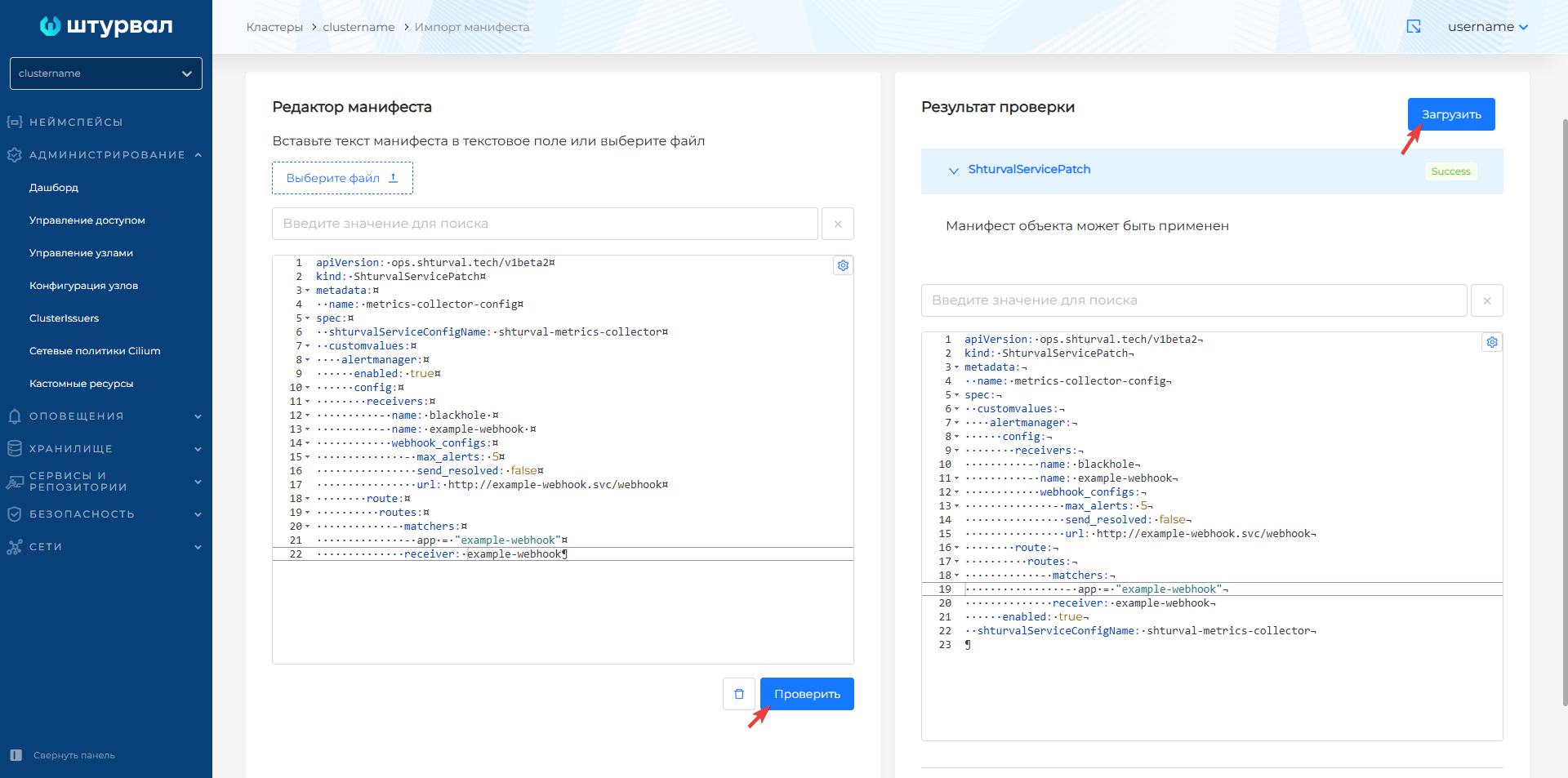
- Perform a check of local alerting settings and, if necessary, check its work, for example, using a webhook.