Alert based on cluster logs
In the “Shturval” platform for clusters (client, management) log storage is implemented in VLogs. Cluster logs are available on the Logs tab of the cluster dashboard.
If necessary, you can configure notification (alerting) based on cluster (client, management) logs. To do this:
In the management cluster, by importing manifests for the cluster where log alerting is required, load custom resources VMRule and VMAlert using your parameter values.
VMRule example
apiVersion: operator.victoriametrics.com/v1beta1
kind: VMRule
metadata:
  labels:
    cluster: <your parameter value>
    role: user
    vmalert-type: vlogs
  name: <your parameter value>
  namespace: <your parameter value>
spec:
  groups:
    - headers:
        - <your parameter value>
      interval: 5m
      name: <your parameter value>
      type: vlogs
      rules:
        - alert: <your parameter value>
          annotations:
            description: 'SSC {{ index $labels "objectRef.name" }} was updated by {{ index $labels "user.username" }} in the last {{$for}}'
          expr: objectRef.resource:"shturvalserviceconfigs" verb:~"patch|update" | stats by(objectRef.name, objectRef.resource, user.username) count() as updateSSC | filter updateSSC:>1
          labels:
            source: vlogs
According to the established rule in expr, notifications will be sent when there is a change in the services of the cluster.
| Parameter | Description | Data type | Example |
|---|---|---|---|
metadata.cluster | Name of the cluster where alerting is requiredlogam | string | clustername |
metadata.name | Rule name | string | vlogs |
groups.name | Rule group name | string | vlogsgroup |
groups.headers | Project (ProjectID) in VLogs. Please note! It is possible to specify only one project | array | ProjectID: 4 |
rules.alert | Alert name | string | vlogrule |
VMAlert Example
apiVersion: operator.victoriametrics.com/v1beta1
kind: VMAlert
metadata:
  annotations:
  labels:
    cluster: <your parameter value>
  name: vlogs
  namespace: <your parameter value>
spec:
  datasource:
    url: <your parameter value>
  evaluationInterval: 30s
  externalLabels:
    cluster: <your parameter value>
  extraArgs:
    rule.defaultRuleType: vlogs
  image: {}
  notifiers:
    - url: http://vmalertmanager-shturval-metrics-collector.victoria-metrics:9093
  remoteRead:
    url: <your parameter value>
  remoteWrite:
    url: <your parameter value>
  resources:
    limits:
      cpu: <your parameter value>
      memory: <your parameter value>
    requests:
      cpu: <your parameter value>
      memory: <your parameter value>
  ruleSelector:
    matchLabels:
      vmalert-type: vlogs
      cluster: <your parameter value>clustername
  ruleNamespaceSelector: {}
  selectAllByDefault: false
| Parameter | Description | Data type | Example |
|---|---|---|---|
metadata.namespace | Name of the cluster namespace in which log alerting is configured | string | clustername |
metadata.labels.cluster | Name of the cluster in which log alerting is configured | string | clustername |
spec.datasource.url | Cluster Log Source URL | string | http://vlogs-logs.clustername:9428 |
externalLabels.cluster | Name of the cluster in which log alerting is configured | string | clustername |
spec.remoteRead.url | Victoria Metric Select URL. Instead of monitoring_id, specify the value of the cluster annotation with this key | string | http://shturval-monitoring-vmselect.victoria-metrics:8481/select/monitoring_id:3/prometheus |
spec.remoteWrite.url | Victoria Metrics Insert URL. Instead of monitoring_id, specify the value of the cluster annotation with this key | string | http://shturval-monitoring-vminsert.victoria-metrics:8480/insert/monitoring_id:3/prometheus |
spec.resources | Resources requests and limits | string[]object | limits: cpu: 200m memory: 256Mi requests: cpu: 100m memory: 128Mi |
Screenshot
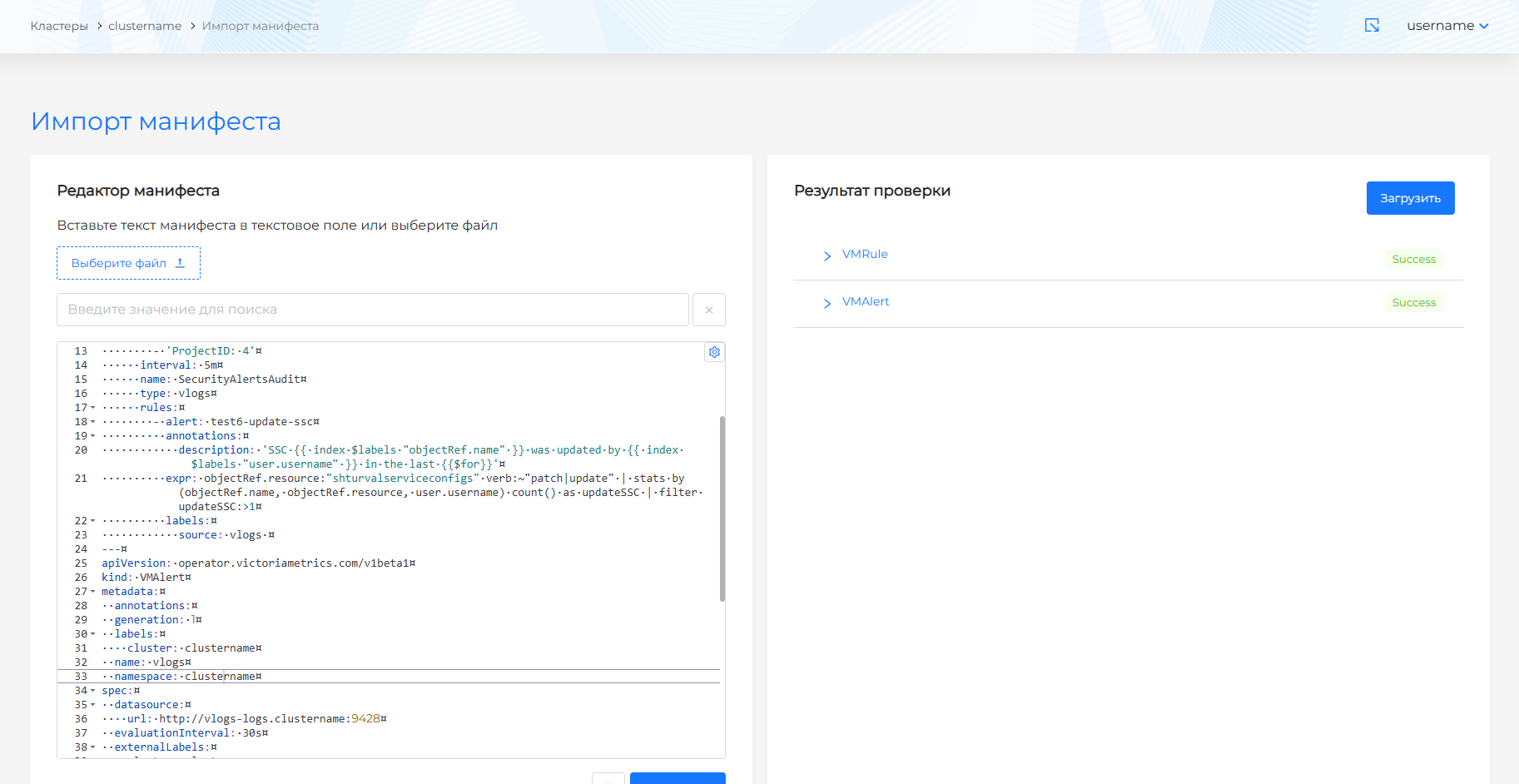
Click Check and Save.
You can check alerts based on logs using a notification on devmail. Instructions for setting up devmail are located in the Email section on the Processing notification rules page.