Local alerting
In the “Shturval” platform, centralized alerting is implemented by default for the management cluster with placement of metrics and alert rules in the management cluster. When using centralized alerting, setting up alert rules from the cluster interface is available. If necessary, you can configure local alerting. In that case, the GUI for configuring notification rules, routes, and silences is unavailable.
Configuring local alerting is possible using a custom resource VMRule and applying changes to the specification (ssc) monitoring module control component (VM Agent) (shturval-metrics-collector).
- Prepare a ShturvalServicePatch to apply to the Monitoring Module Control Component (
shturval-metrics-collector) specification (ssc) where include the localvmsinglemetrics storage database and requiredcomponents as shown in the example.
Example ShturvalServicePatch
apiVersion: ops.shturval.tech/v1beta2
kind: ShturvalServicePatch
metadata:
  name: metrics-collector-vmsingle
spec:
  shturvalServiceConfigName: shturval-metrics-collector
  customvalues:
    defaultRules:
      create: true
    vmalert:
      enabled: true
    vmsingle:
      enabled: true
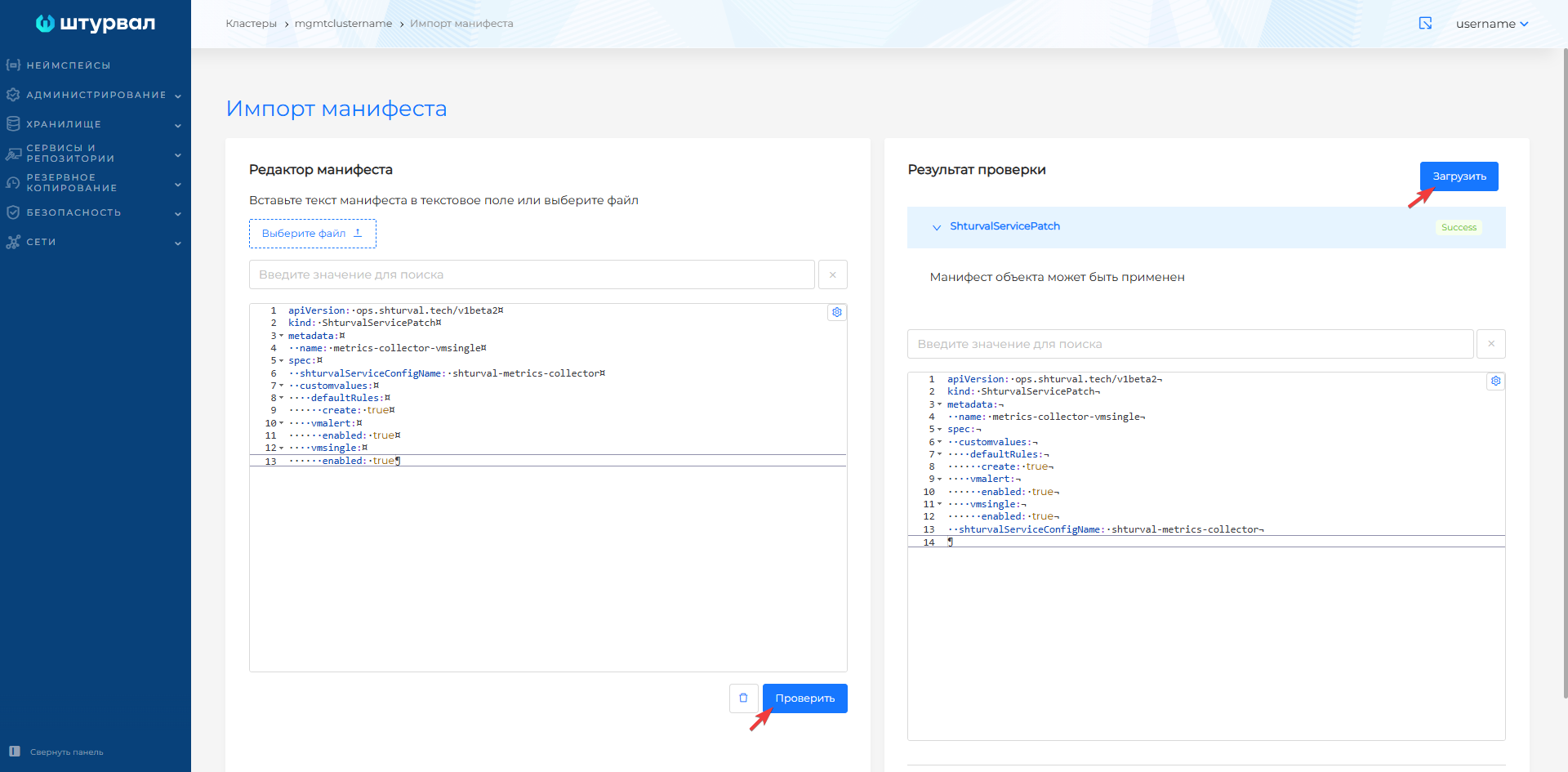
- Load the prepared ShturvalServicePatch into the management cluster using import manifests.
Screenshot
- Upload the custom VMRule resource to the management cluster using manifest import.
VMRule example
apiVersion: operator.victoriametrics.com/v1beta1
kind: VMRule
metadata:
  labels:
    cluster: clustername
    monitoringid: "0"
    role: user
  name: <your parameter value>
  namespace: victoria-metrics
spec:
  groups:
    - name: <your parameter value>
      rules:
        - alert: <your parameter value>
          annotations:
            message: <your parameter value>
          expr: <your parameter value>
          for: <your parameter value>
          labels:
            <your value>
| Parameter | Description | Data type | Example |
|---|---|---|---|
metadata.name | Rule name | string | shturval-backup |
groups.name | Rule group name | string | shturval-backup |
rules.alert | Alert name | string | VeleroBackupPartialFailures |
rules.annotations.message | Text of the message in the notification to the user | string | Velero backup {{ $labels.schedule }} has {{ $value | humanizePercentage }} partialy failed backups |
rules.expr | Rule that will trigger an alert | string | velero_backup_partial_failure_total{schedule!=""} / velero_backup_attempt_total{schedule!=""} > 0.25 |
rules.for | Timeout period before sending an alert | string | 15m |
rules.labels | Labels rules | string | severity: warning |
- Set up the alerting configuration, for example, route and recipient.
You can check local alerting is working.