Where to start
The Shturval platform is compatible with external authentication services using the OIDC OAuth 2.0 protocol.
To connect an external authentication service, follow the steps for preparing to configure the connection of an external service in the platform.
You can connect external authentication services:
When services such as ArgoCD, Grafana are running in the management cluster, then when changing the authentication service, changes in ssc will not be required.
If the external authentication service stops working, you can disable it and restore access for users. Follow steps instructions.
Preparing to configure the connectionIncluding an external service in the platform
Requirements for external service
For correct integration with the Shturval platform, the following fields must be configured in access_token on the side of the external authentication service (Blitz, Keycloak):
- sub, where the username of the user is indicated;
- claims - user group attribute;
- aud - client_id;
- name - usually corresponds to the Display name field. Can match samAccountName;
- email - must match the mail field;
- preferred_username - must match the samAccountName field;
- iss - URL issuer of the authentication provider;
- jti, exp, iat - must be formed in accordance with RFC 7519.
Please note! To log into Grafana, you must provide an email address for your account. Make sure the email field is filled in for all accounts that require access, including service and technical accounts.
Error when trying to authenticate in Grafana with an account without an email address
User sync failed
External service configuration requirements
Before connecting an external authentication service in the “Shturval” platform:
- PrepConfigure the external provider. To do this:
Obtain the root CA certificate of the external authentication service, encoded in base64. You can request a certificate from the administrator of the external authentication service or obtain it using the following method:
- In the command line interface, connect via SSH to the authentication service and obtain a base64 encoded certificate.
Command
cat <path-to-external-authentication-service-certificate-file> | base64
For example, the path to the external authentication service certificate file: /usr/share/keycloak/cert/keycloak.shturval.crt.
Example answer
LS0tLS1CRUdJTiBDRVJUSUZJQ0FURS0tLS0tClvRgdC10YDRgtC40YTQuNC60LDRgiDQstC90LXRiNC90LXQs9C+INGB0LXRgNCy0LjRgdCwINCw0YPRgtC10L3RgtC40YTQuNC60LDRhtC40LhdCi0tLS0tRU5EIENFUlRJRklDQVRFLS0tLS0=
- Generate the external provider configuration according to the example, using your parameter values.
External provider configuration example
{
  "name": <your parameter value>,
  "issuerUrl": <your parameter value>,
  "codeVerifyMethod": <your parameter value>,
  "client": {
    "clientId": <your parameter value>,
    "clientSecret": <your parameter value>
  },
  "insecureSkipVerify": <your parameter value>,
  "caBundle": <your parameter value>
}
| Parameter | Description | Example |
|---|---|---|
name | Configuration name (specify any) | keycloak |
issuerUrl | URL issuer of the authentication provider. For example, for Keycloak, Issuer is located in the Identity providers section in the OpenID Connect settings | https://keycloak.ip-XX-XX-XX-XX.shturval.link/realms/shturval |
codeVerifyMethod | If Proof Key for Code Exchange Code (PKCE) Challen is enabled in Keycloakge Method, specify Challenge Method in the codeVerifyMethod parameter. Only S256 and plain are supported. When Challenge Method is not enabled, leave codeVerifyMethod empty or omit it. | S256 |
client.clientId | External Authentication Service Authentication Provider Client ID | shturval_unikeycloak_backend_client_id |
client.clientSecret | Client secret of the authentication provider of the external authentication service. For example, for Keycloak, clientSecret is located in the Clients section on the client page, Credentials tab in the Client Secret field | HG0rxJMKopmAGSasDxDtkJYQH |
insecureSkipVerify | Whether to establish a tls connection | true |
caBundle | The base64 encoded root CA certificate of the external authentication service. Add to caBundle the resulting base64 encoded certificate. | * |
*LS0tLS1CRUdJTiBDRVJUSUZJQ0FURS0tLS0tClvRgdC10YDRgtC40YTQuNC60LDRgiDQstC90LXRiNC90LXQs9C+INGB0LXRgNCy0LjRgdCwINCw0YPRgtC10L3RgtC40YTQuNC60LDRhtC40LhdCi0tLS0tRU5EIENFUlRJRklDQVRFLS0tLS0=
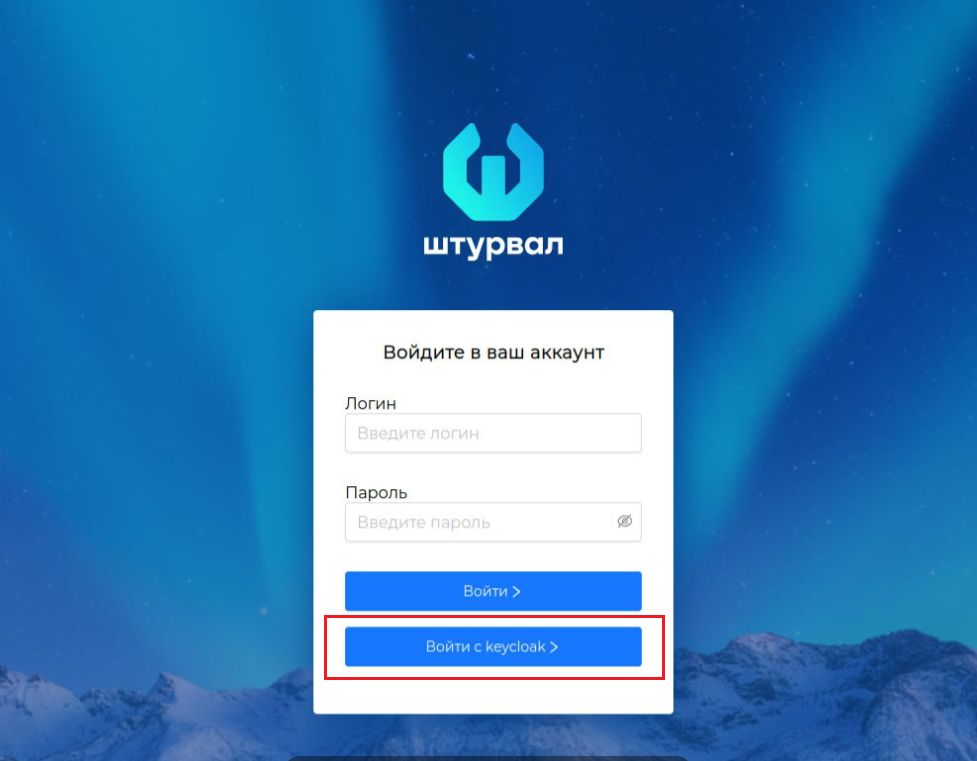
If users have the option to select an authentication service (external, internal) in the graphical interface, the specified value in the name parameter will be displayed in the authentication window.
Screenshot
Encode the configuration prepared in the previous step into base64.
Download and save the current kubeconfigs clusters (client clusters, management cluster). Kubeconfig will be required to connect to the cluster from the console.