Upgrade Kubernetes version
After the cluster upgrade completes, update the Kubernetes version in the node group’s InfraMachineTemplate. The cluster node configuration daemon (std) automatically updates Kubernetes on cluster nodes, but the InfraMachineTemplate keeps the previous version. Replace the virtual machine template in the InfraMachineTemplate so that newly created Machines run the updated Kubernetes version.
You need access to:
- to the virtualization platform;
- provider instance configuration. Platform administrators manage platform providers.
Please note! Updating the Kubernetes version in the InfraMachineTemplate will automatically trigger the re-creation of nodes in the cluster.
In the virtualization platform
Create and configure a virtual machine template. Specify a version that matches the updated cluster version. For more information, see Creating virtual machine templates.
In the Shturval GUI
Once the template is ready:
- Open the platform dashboard and go to the Provider Configuration page. Select the provider instance on which the cluster is deployed and open the instance configuration page.
Screenshot
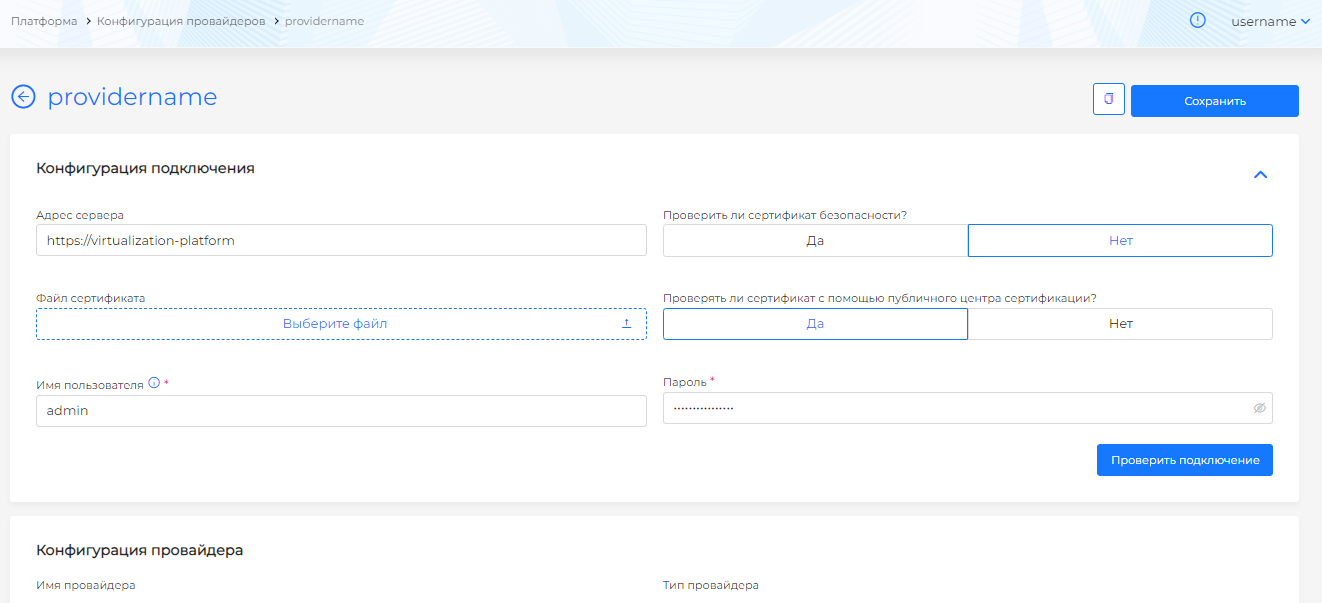
- In the provider instance configuration, connect to the virtualization platform using an account with the permissions required by the provider.
Screenshot

- Add the prepared virtual machine template to the provider configuration:
- click “+” in the Virtual machine templates block;
- in the side window, select the name of the prepared virtual machine template from the drop-down list;
- select the Kubernetes version that matches the updated cluster version. See Shturval Platform architecture for version mapping. Click Add.
Screenshot
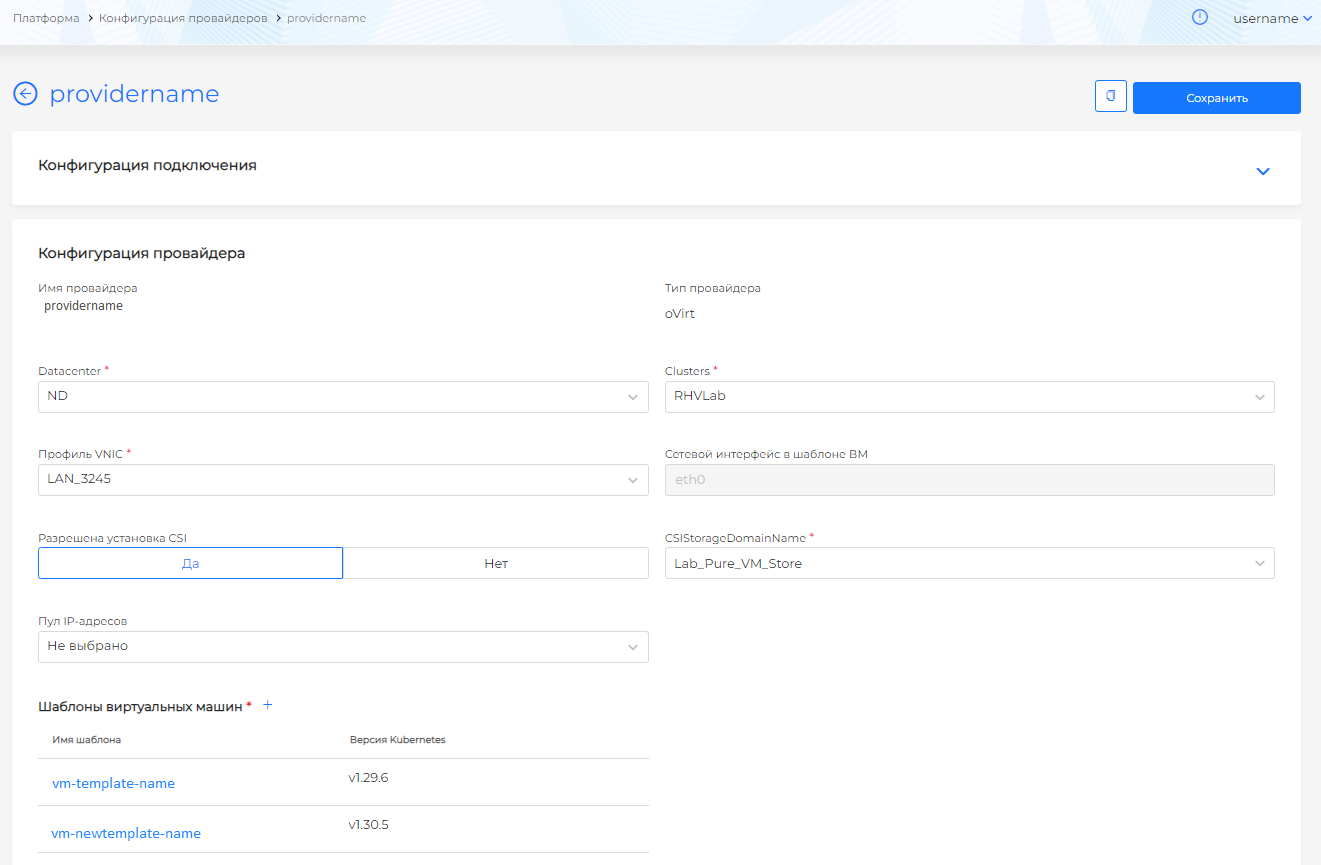
- After you add the new template, save the provider instance configuration by clicking Save.
- In the cluster, expand the “Administration” section and go to the Node Management page.
Screenshot
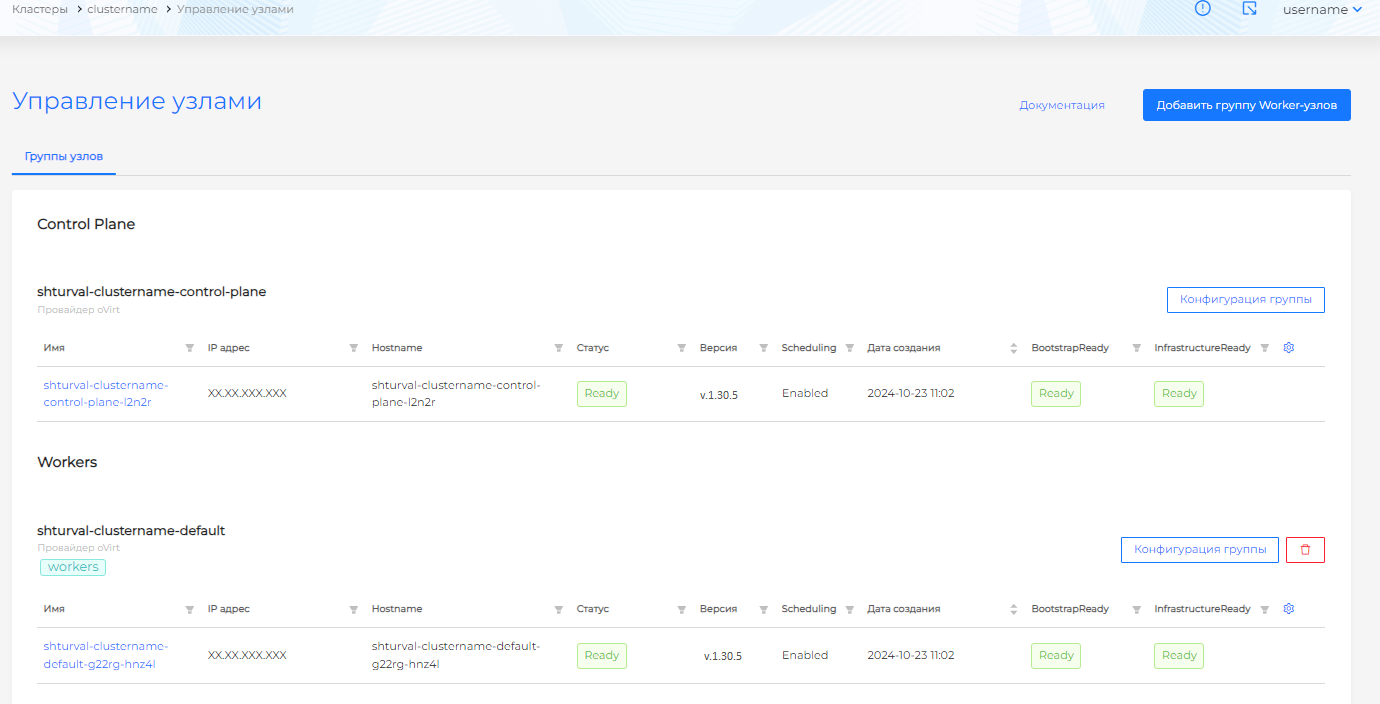
Perform the following steps for the Control Plane node group and every Worker node group.
- Open the node group configuration page and go to the InfraMachineTemplate tab.
Screenshot
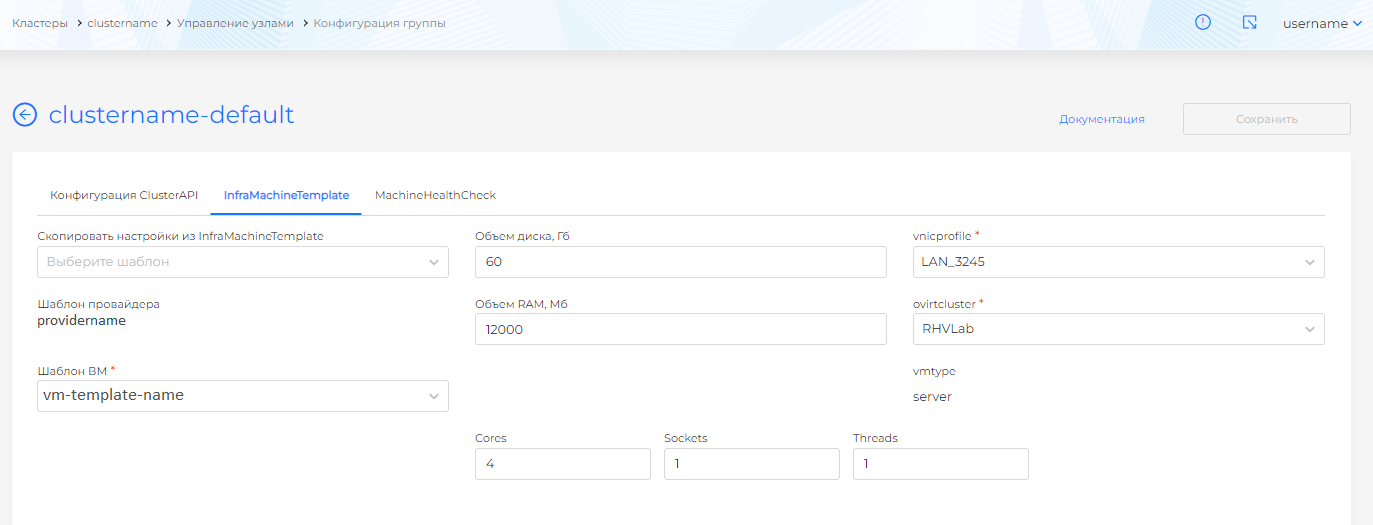
- In the VM Template field, replace the virtual machine template with the one newly added to the provider instance and save the group configuration changes.
Screenshot
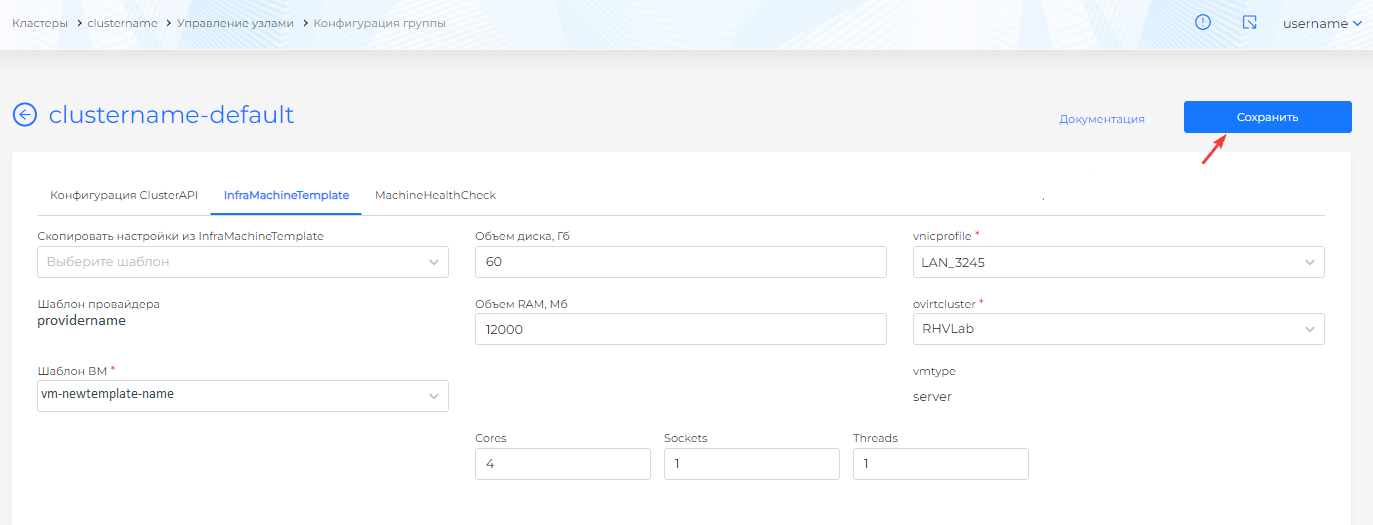
Please note! A change in the node group configuration will trigger automatic re-creation of the nodes to apply the changes.
If you do not have the required permissions, ask your platform administrator to prepare and add a virtual machine template to the provider instance. Then continue from step 4 in your cluster.