Connect Hashicorp Vault for secrets
HashiCorp Vault is a comprehensive secrets lifecycle management solution. To access Vault secrets, you can use the Vault Secrets Operator in a Kubernetes cluster. The operator synchronizes secrets between Vault and Kubernetes in the cluster namespace.
Helm chart vault-secrets-operator is not supplied with the Shturval platform. You can install an operator into a cluster from the console and configure integration between Vault and Kubernetes. To set up integration, you must have a connected Vault server.
For convenience, all actions according to the instructions are performed from the console. Creating a namespace and managing namespace resources is also available in the graphical interface of the “Shturval” platform.
HashiCorp Vault has restrictions for users from the Russian Federation, so integration is possible by directly installing the vault-secrets-operator chart, if you have access to it, or from a mirror.
Setting up a chart
- Log in to the cluster from the console using the cluster kubeconfig. Learn more about how to get kubeconfig on the Cluster Actions page.
- After successful authorization, create a namespace in the cluster, for example, with the name
vault-operator, where vault-secrets-operator will be installed.
Command
kubectl create namespace vault-operator
Screenshot

- Download the helm repository of the
vault-secrets-operatorchart.
Command
git clone https://github.com/hashicorp/vault-secrets-operator.git
Screenshot

- Install the chart
vault-secrets-operatorinto the previously created namespacevault-operator.
Command
# Change to the chart directory
cd vault-secrets-operator/chart
# Install
helm install -n vault-operator vault-operator .
Screenshot

- Make sure that the operator is running and get the name of the Service Account created during installation.
Command
kubectl get pod -n vault-operator
kubectl get sa -n vault-operator
Screenshot

- Add the cluster role
system:auth-delegatorto the Service Account by creating a ClusterRoleBinding.
Command
kubectl apply -f - <<EOF
apiVersion: rbac.authorization.k8s.io/v1
kind: ClusterRoleBinding
metadata:
  name: system:auth-delegator
subjects:
    kind: ServiceAccount
    name: name-service-account
    namespace: vault-operator
roleRef:
  apiGroup: rbac.authorization.k8s.io
  kind: ClusterRole
  name: system:auth-delegator
> EOF
Screenshot

- Create a secret with the certificate authority (CA) certificate that signed the Vault certificate. Please indicate:
- the name of the Service Account created when installing the chart;
- secret type
kubernetes.io/service-account-token; - name of the namespace
vault-operator, where vault-secrets-operator is installed.
Command
kubectl apply -f - <<EOF
apiVersion: v1
kind: Secret
metadata:
  name: name-vault-secret
  namespace: vault-operator
  annotations:
    kubernetes.io/service-account.name: name-service-account
type: kubernetes.io/service-account-token
EOF
Screenshot

Integration setup
After installing the vault-secrets-operator operator in the namespace, you need to configure an authentication method on the Vault server side that will allow authentication using the Kubernetes Service Account token.
- To configure the authentication method, you will need the token and certificate of the Kubernetes cluster certification authority (CA) from the secret created in the chart installation step.
Command
# Get the ServiceAccount JSON Web Token (JWT) used by vault-secrets-operator
kubectl get secret -n vault-operator name-vault-secret -o jsonpath='{.data.token}' | base64 --decode
# Get the Kubernetes cluster certificate authority (CA) certificate
kubectl get secret -n vault-operator name-vault-secret -o jsonpath="{.data.ca\.crt}" | base64 --decode
Screenshot
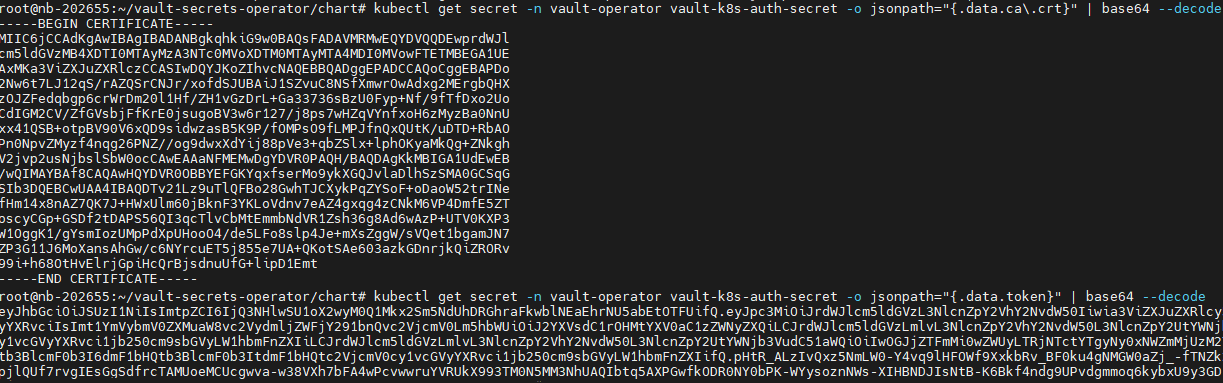
- Go to the Vault server and configure a new authentication method, for example named kubernetes. When setting up, you will need the token and certificate obtained in step 1 of this section. In the configuration, specify the name of the Service Account created when installing the chart.
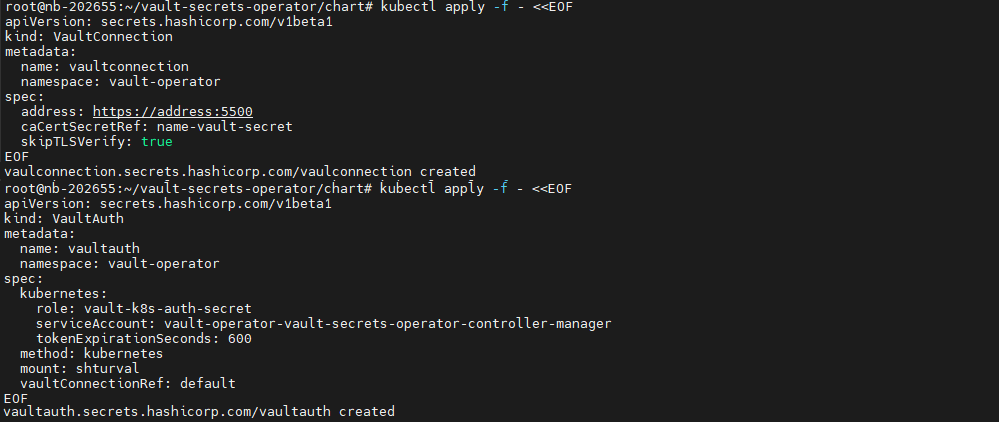
- When you have finished configuring the method on the Vault server, return to the console. In the
/vault-secrets-operator/chartchart directory, complete the configuration of integration with Vault by creating two custom resources VaultConnection and VaultAuth.
Command
# Create the VaultConnection custom resource.
# Specify the Vault server URL in the address parameter and the certificate secret name in spec
kubectl apply -f - <<EOF
apiVersion: secrets.hashicorp.com/v1beta1
kind: VaultConnection
metadata:
  name: nameVaultConnection
  namespace: vault-operator
spec:
  address: https://address:5500
  caCertSecretRef: name-vault-secret
  skipTLSVerify: true
EOF
# Create the VaultAuth custom resource.
# Specify values according to the authentication method configured on the Vault server
kubectl apply -f - <<EOF
apiVersion: secrets.hashicorp.com/v1beta1
kind: VaultAuth
metadata:
  name: nameVaultAuth
  namespace: vault-operator
spec:
  kubernetes:
    role: name-vault-secret
    serviceAccount: name-service-account
    tokenExpirationSeconds: 600
  method: kubernetes
  mount: namepath
  vaultConnectionRef: default
EOF
Screenshot
- To test the integration, you can create a custom resource Vaultstaticsecret with a request to create a Kubernetes secret.
Example Vaultstaticsecret
apiVersion: secrets.hashicorp.com/v1beta1
kind: VaultStaticSecret
metadata:
  name: vault-static-secret
spec:
  vaultAuthRef: nameVaultAuth
  mount: namepath
# Vault secret storage type
  type: type-secret
# Path to the secret in Vault
  path:  path-secret
  refreshAfter: 10s
  destination:
    create: true
# Name of the secret that will be created in Kubernetes
    name: name-secret-kubernates