Access to client clusters when the management cluster is lost
When all Control Plane nodes of the management cluster are unresponsive, you can restore access to client clusters if backups exist in the management cluster for:
- client cluster namespaces in S3 storage;
- infrastructure providers;
- ClusterRoles.
See backup recommendations for restoring access.
To restore access, follow these steps:
- Install the Shturval platform according to the console installation or UI installation instructions, where:
- 1.1 the IP address of the unresponsive management cluster must be used as the API server IP address;
- 1.2 the number and characteristics of nodes must match the parameters of the unresponsive management cluster;
- 1.3 install the backup and restore module.
- Configure access to S3 storage using the backup and restore interface in the management cluster.
Screenshot
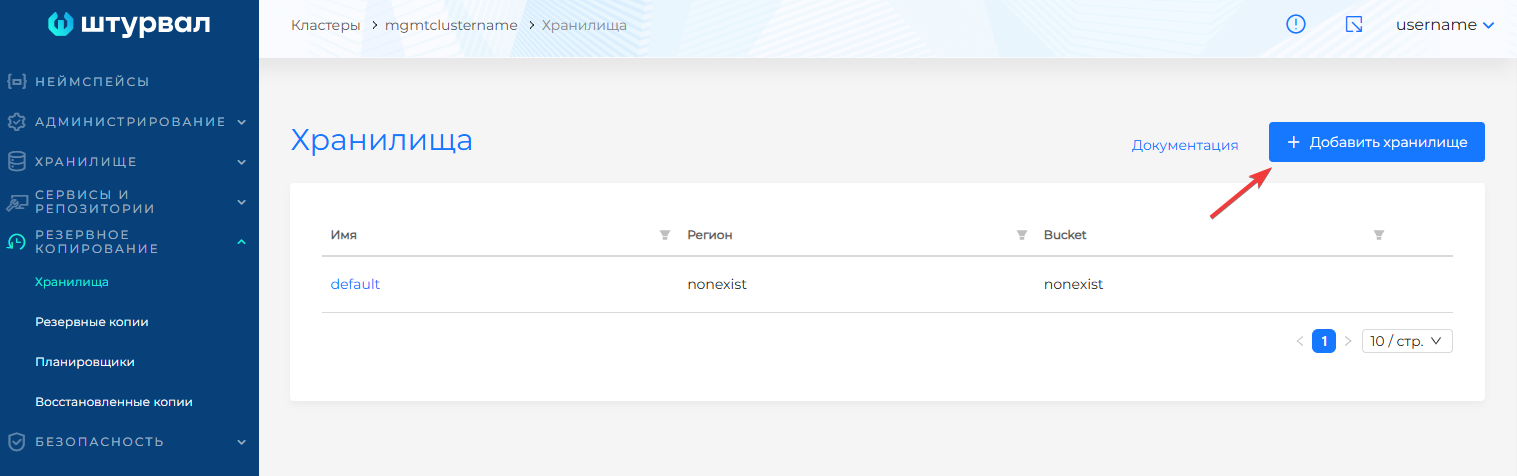
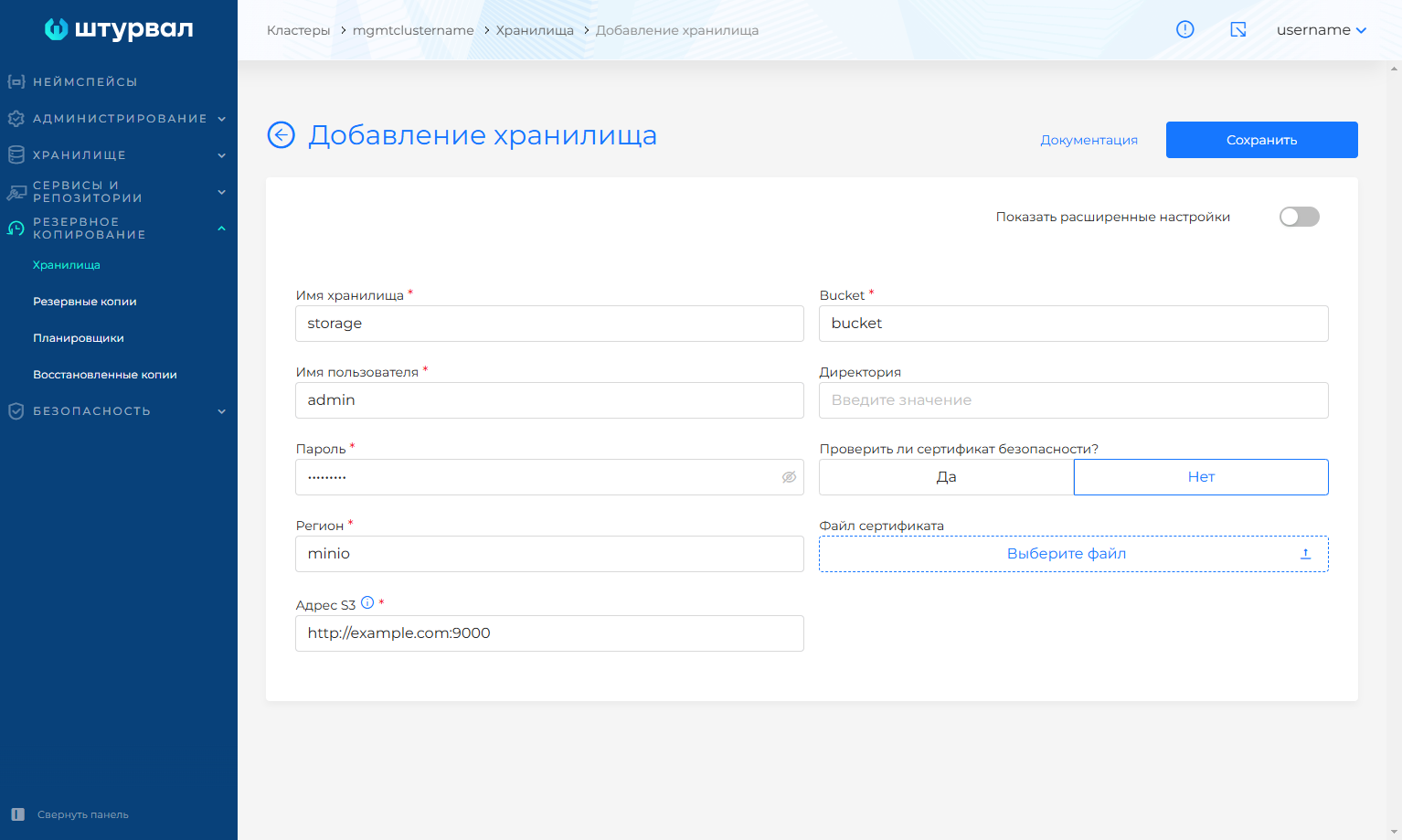
- Restore the backup containing client cluster namespace data, infrastructure providers, and ClusterRoles.
Screenshot
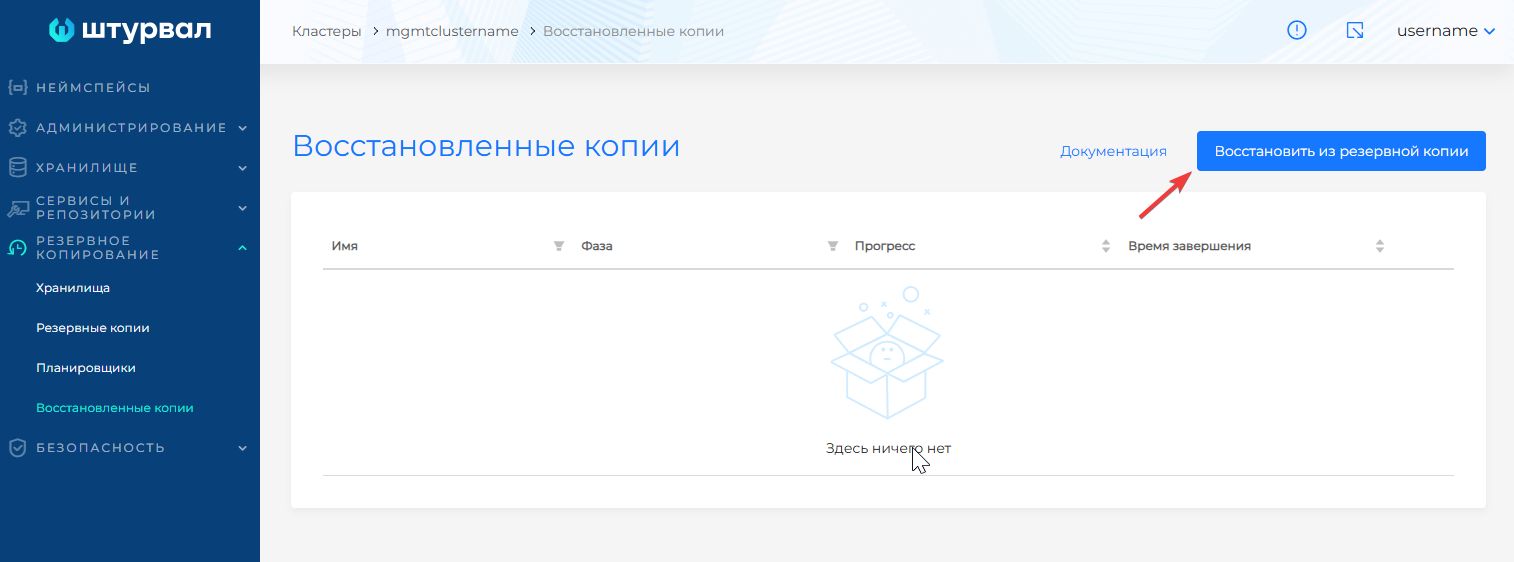
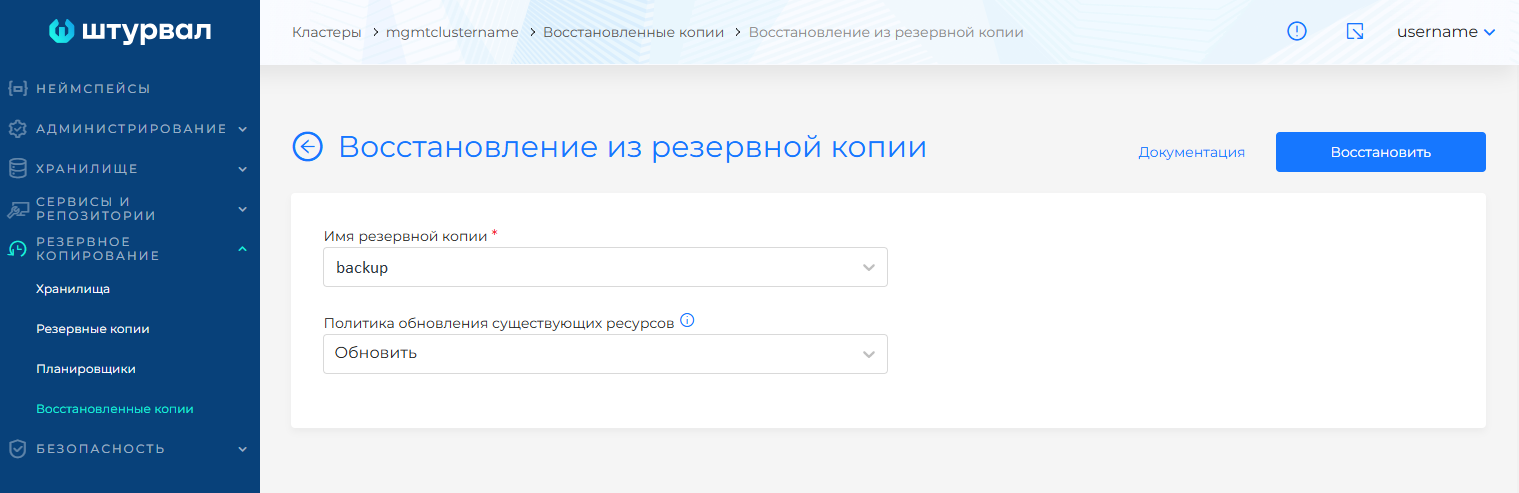
Access to managing client clusters should be restored.