Client cluster configuration profile (ClusterProfile)
When creating client clusters, the default configuration settings are applied. Starting with release 2.13, the Shturval platform has implemented the ability to define the configuration at the stage of cluster deployment. Using a cluster profile (ClusterProfile), you can specify which object manifests need to be applied to the cluster (client and/or management) during initialization.
Custom profiles can be useful, for example, for use in different environments or for mass use of a standard configuration.
ClusterProfile - custom API group resourcecluster.shturval.tech, which is managed in the management cluster. By default, a default profile with the namedefault-client-cluster-profile.
In the GUI, client cluster configuration profiles are available for selection at the client cluster creation, step “Basic data” and in advanced settings mode.
Screenshot of profile selection
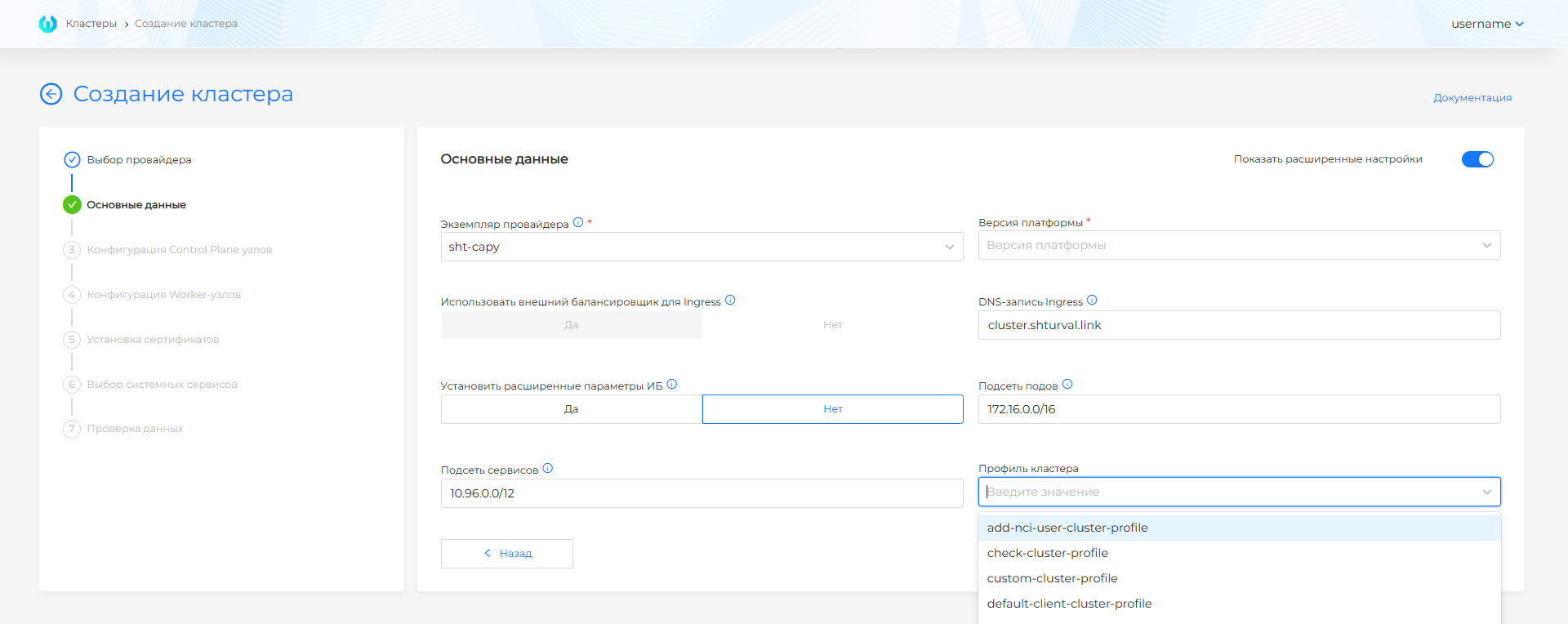
Create a cluster profile
To add the required configuration to apply during the cluster creation phase:
- Prepare manifests of the objects that need to be created. For example, you can define for the client cluster being created:
- settings of installed services using PatchSSC;
- Cilium network policies and Kyverno security policies;
- configuration of cluster nodes using NCI;
- MachineHealthCheck.
NCI Manifest Example
Please note! If you need to substitute the cluster name into the manifest, which will be applied when initializing the cluster, use the placeholder {{.ClusterName}}.
For example, this may be required when the client cluster uses manifests for objects that are managed by the management cluster.
Example manifest with placeholder
- In namespace
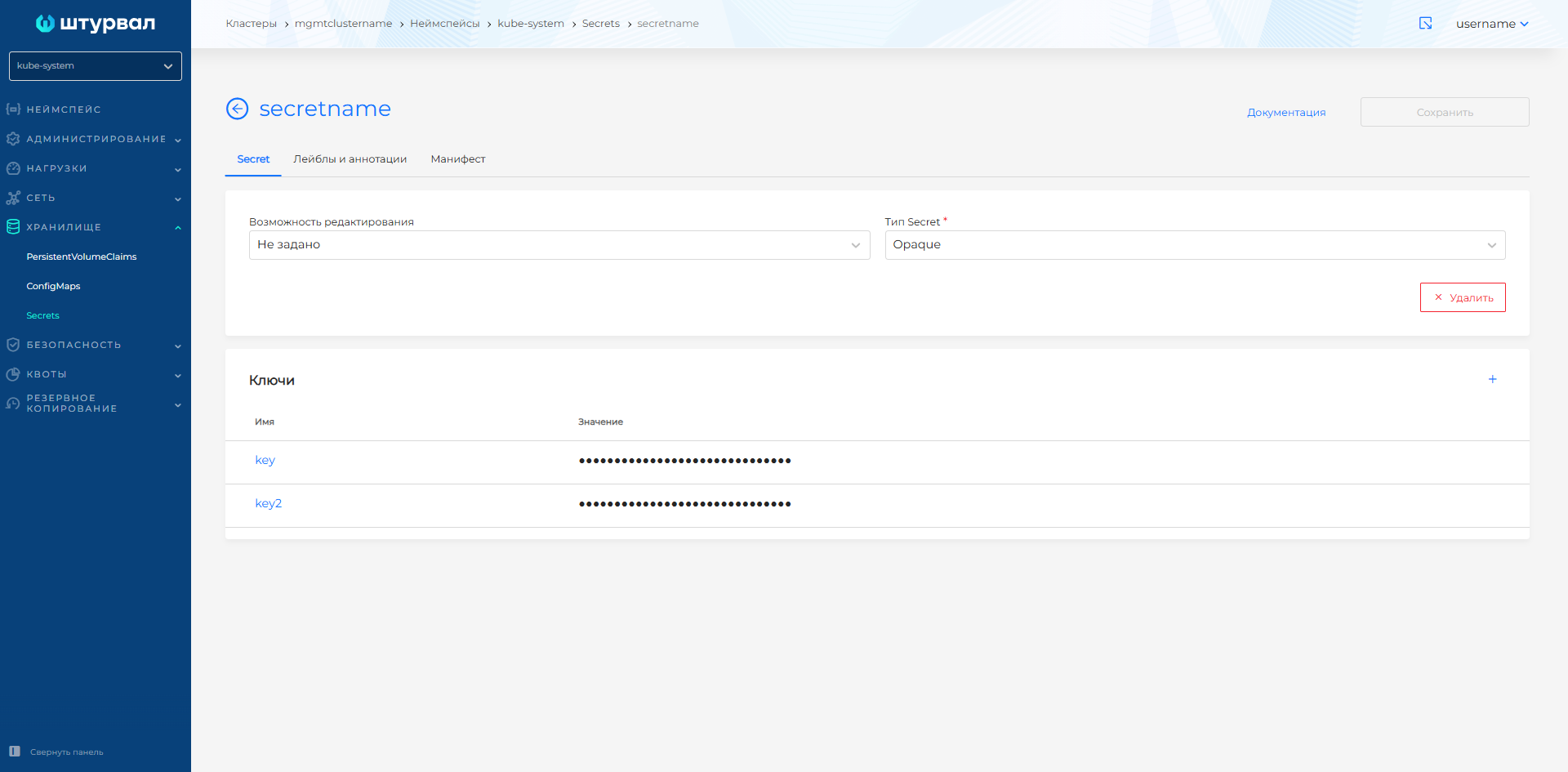
kube-systemmanagement cluster, create a Secret with type Opaque. Add keys whose values include prepared manifests.
Secret example with NCI and Namespace manifests
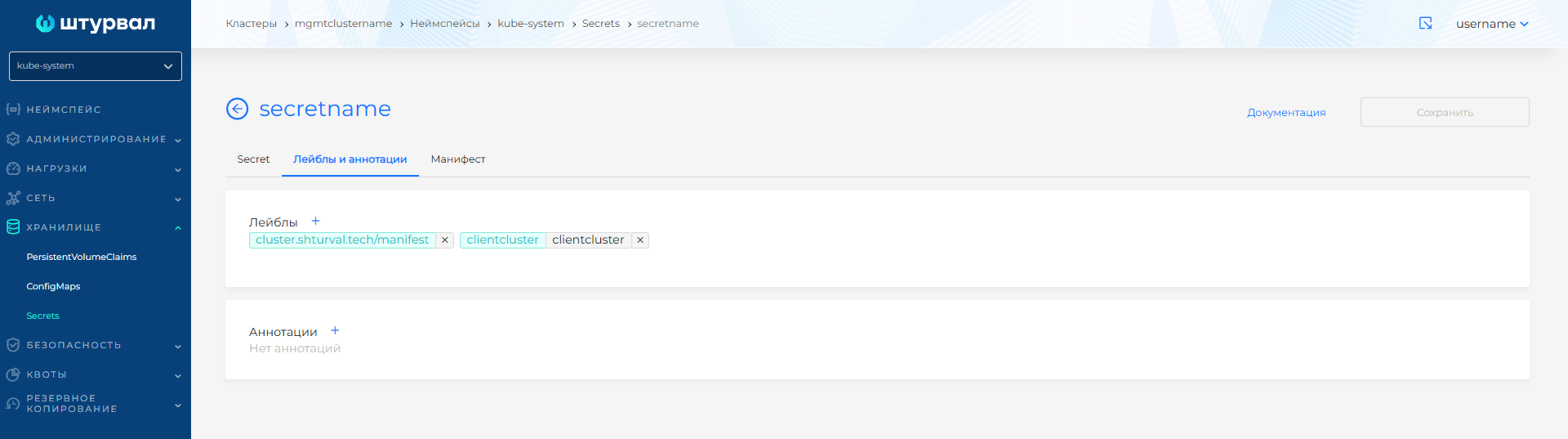
Secrets must be assigned a default label"cluster.shturval.tech/manifest": "". Secrets without the default label will be ignored.
If necessary, add more labels for flexible management of secrets in different profiles.
Screenshot
- Prepare a ClusterProfile manifest, where:
- indicate the profile name and namespace
kube-system; - in the block
CustomManifestsset matching Secrets labels;- If at least one label is specified in the label selector (matchLabels), it is possible not to add to
matchExpressiondefault label. It will be assigned automatically. - If only the default label is used
cluster.shturval.tech/manifest, it must be added to the label selector.
- If at least one label is specified in the label selector (matchLabels), it is possible not to add to
- specify in which cluster (client, management) manifests from Secret should be deployed:
clientManifestsSelectororplatformManifestsSelector.
- indicate the profile name and namespace
Please note! The label selector works on the principle of union. The selected object must have all of the specified labels.
Custom ClusterProfile example
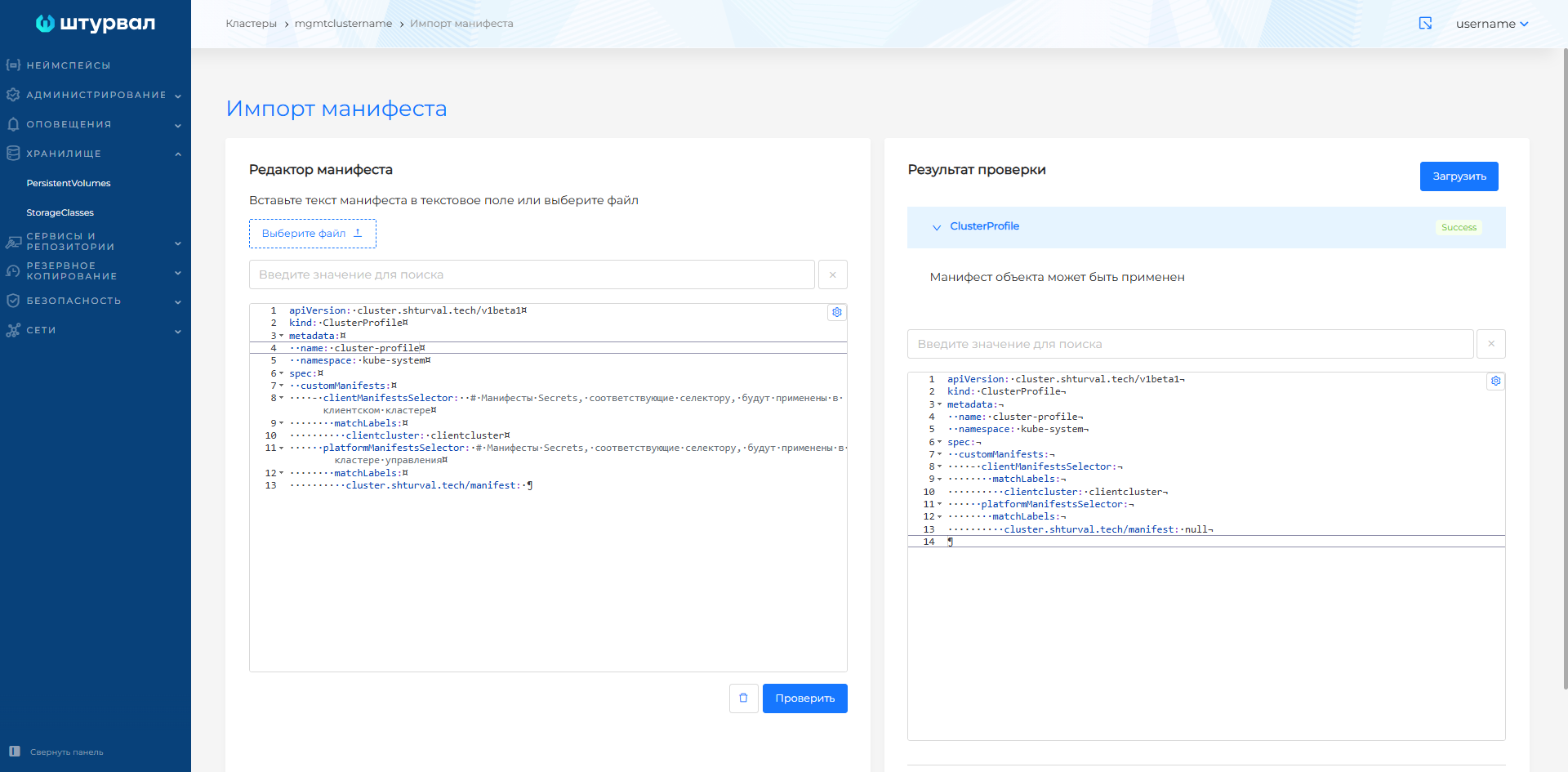
- Upload the ClusterProfile to the management cluster, for example, in the GUI using manifest import.
Screenshot
Pay attention!
- Override the configuration of the default ClusterProfile with the name
default-client-cluster-profilestrictly prohibited. This may result in errors when creating client clusters. - After creating a custom profile with settings for applying manifests, profile configuration
default-client-cluster-profilewill be added by default. - Using a custom profile with overridden configuration parameters (except for setting the application of manifests) can lead to cluster initialization errors.
Example of ClusterProfile applied
Features of profiles
- The results of validation of manifests of objects included in Secret are displayed in the ClusterProfile status.
- Updates to the ClusterProfile configuration, Secrets specified in it, and object manifests in Secrets will not lead to changes in the configuration of previously created client clusters with this profile.
- Any changes (updating, creating new ones) of Secrets corresponding to the selector in the cluster profile will lead to an automatic update in the profile.
- Resources from API groups can be created into the management cluster
auth.shturval.techAndcuster.x-k8s.iofor use in a client cluster. - The application phase of manifests cannot be overridden (deployPhase: postsscdeploy), it is set by default. Manifests are applied after services are installed in the cluster.
- Manifests of resources managed by the management cluster are created only in the namespace of the client cluster; the specified namespace in the manifest is ignored.