Basic information
Working with container orchestration clusters involves creating, modifying, and deleting client clusters.
Starting with release 2.11.0, creating a management cluster is available from the graphical interface. Instructions on the page Installation with the shtil utility.
Before you start creating a client cluster:
- check out system requirements and dedicated networks when creating a cluster.
- make sure that an instance of infrastructure provider, on which you plan to roll out the cluster. If you do not have access to Platform/Providers, go to the cluster creation interface. A selection of providers will be available if appropriate provider instances have been created.
You can create a client cluster with the provider:
- VMware vSphere;
- oVirt (zVirt, HostVM, ED Virtualization, ROSA Virtualization);
- OpenStack (VK Cloud, Selectel);
- Basis Dynamix;
- Shturval v2 - physical nodes and pre-deployed virtual machines;
- VMware vCloud Director;
- Yandex Cloud.
You can create a management cluster with the provider:
- VMware vSphere;
- oVirt (zVirt, HostVM, ED Virtualization, ROSA Virtualization);
- OpenStack (VK Cloud, Selectel);
- Shturval v2 - physical nodes and pre-deployed virtual machines.
FQDN
In the cluster, FQDNs are formed according to one of the options for the specified Ingress:
- If, when creating a cluster, the Ingress DNS record is specified: *.
. - If, when creating a cluster, a VIP address for Ingress is specified: *.<CLUSTER_NAME>.ip-
.shturval.link, where CLUSTER_NAME is the specified cluster name.
List of default domains in the cluster
If the Ingress VIP address was specified when creating the cluster
| FQDN | Example |
|---|---|
| docs.<CLUSTER_NAME>.ip- | docs.clustername.ip-10-11-12-13.shturval.link |
| shturval.<CLUSTER_NAME>.ip- | shturval.clustername.ip-10-11-12-13.shturval.link |
| argocd.<CLUSTER_NAME>.ip- | argocd.clustername.ip-10-11-12-13.shturval.link |
| dashboards.<CLUSTER_NAME>.ip- | dashboards.clustername.ip-10-11-12-13.shturval.link |
| vminsert.<CLUSTER_NAME>.ip- | vminsert.clustername.ip-10-11-12-13.shturval.link |
| logs.<CLUSTER_NAME>.ip- | logs.clustername.ip-10-11-12-13.shturval.link |
Creating client clusters
In the “Cluster” section on the Client Clusters tab, click the add cluster button to create a new cluster.
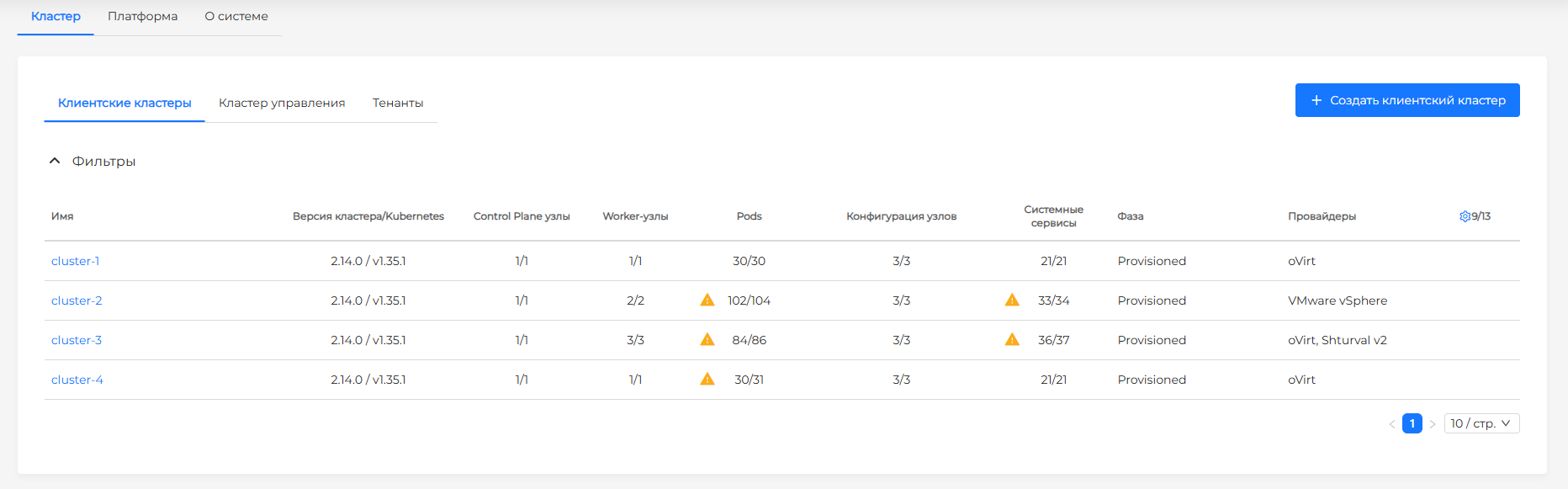
The process of creating a cluster is divided into stages (steps) corresponding to the screens:
- Choosing a provider;
- Provider configuration (only when creating a management cluster);
- Basic data;
- Configuration of Control Plane nodes;
- Configuration of Worker nodes;
- Installation of the certificate;
- Selection of services;
- Data verification.
Use the Continue or Back arrows to move to the next step or return to the previous one. To proceed to the next step, fill in the required fields. When moving between steps forward and backward, the entered data is saved.
Choosing a provider
In the first step Selecting a provider specify the name of the cluster. Select your infrastructure provider. To do this, click on the button with the name of the provider.
Providers are available if corresponding instances of [providers] are created in Platform/Providers/2.13/en/platform-admin/interface/providers/aboutproviders/).
Screenshot
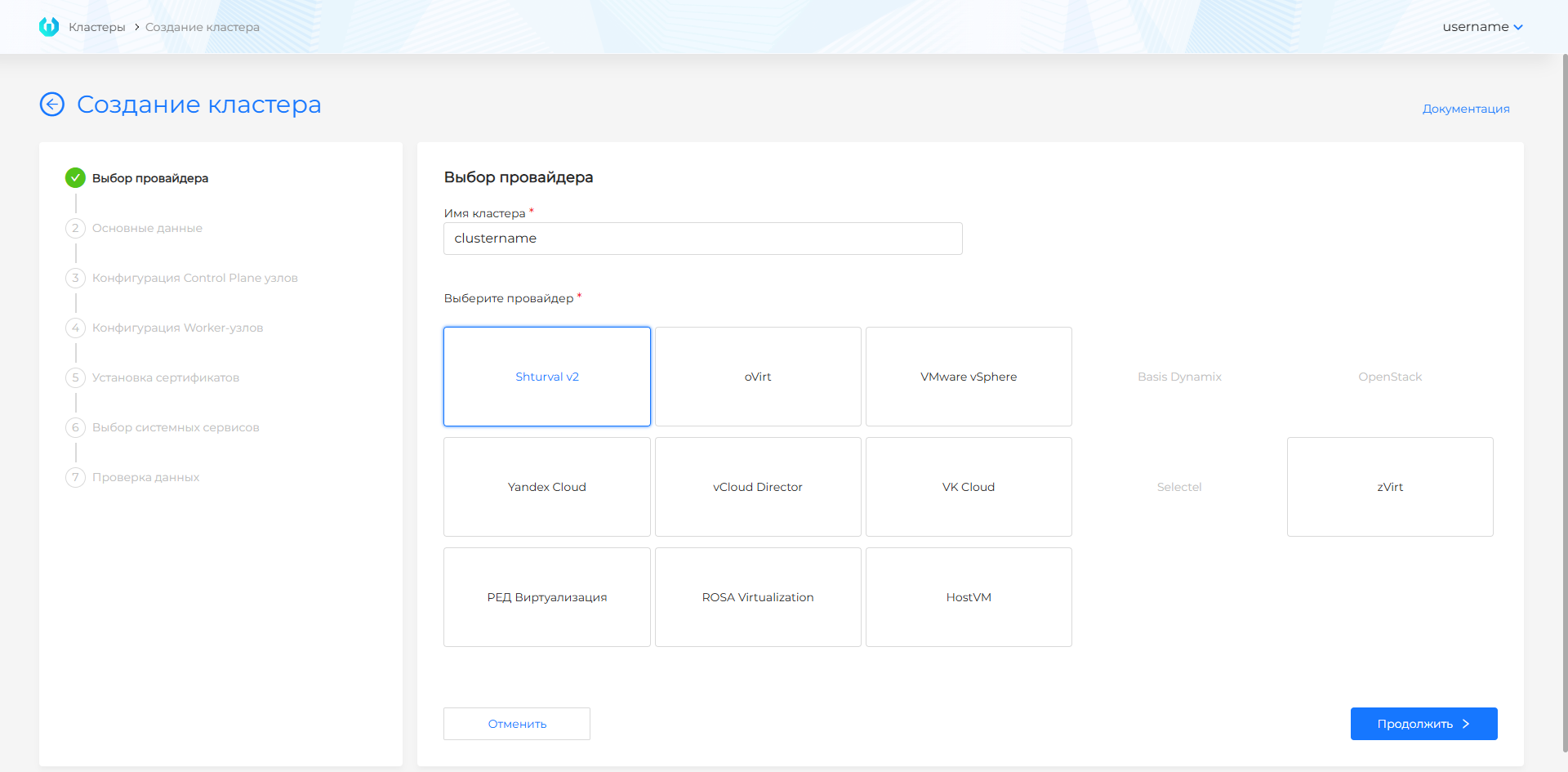
It is possible to create client clusters with providers:
- oVirt (zVirt, HostVM, ED Virtualization, ROSA Virtualization);
- vSphere;
- OpenStack (VK Cloud, Selectel);
- Basis Dynamix;
- Shturval v2;
- Yandex Cloud;
- vCloud Director.
It is possible to create a management cluster with providers: