Log storage component (VLogs)
Starting with release 2.11.0, the centralized log storage component (OpenSearch) has been replaced by VLogs. Architecturally, logs are still stored in the management cluster, but each cluster now has its own log storage instance.
In this release, the management component of the monitoring module Victoria Metrics Agent (shturval-metrics-collector) is responsible for deploying the log storage instance.
Cluster logs are available in the graphical interface on the Logs tab of the cluster dashboard if the following conditions are met:
- The local log collection module Vector (
shturval-log-collector) is enabled in the cluster. - The management component of the monitoring module Victoria Metrics Agent (
shturval-metrics-collector) is running in the management cluster.
Log rotation
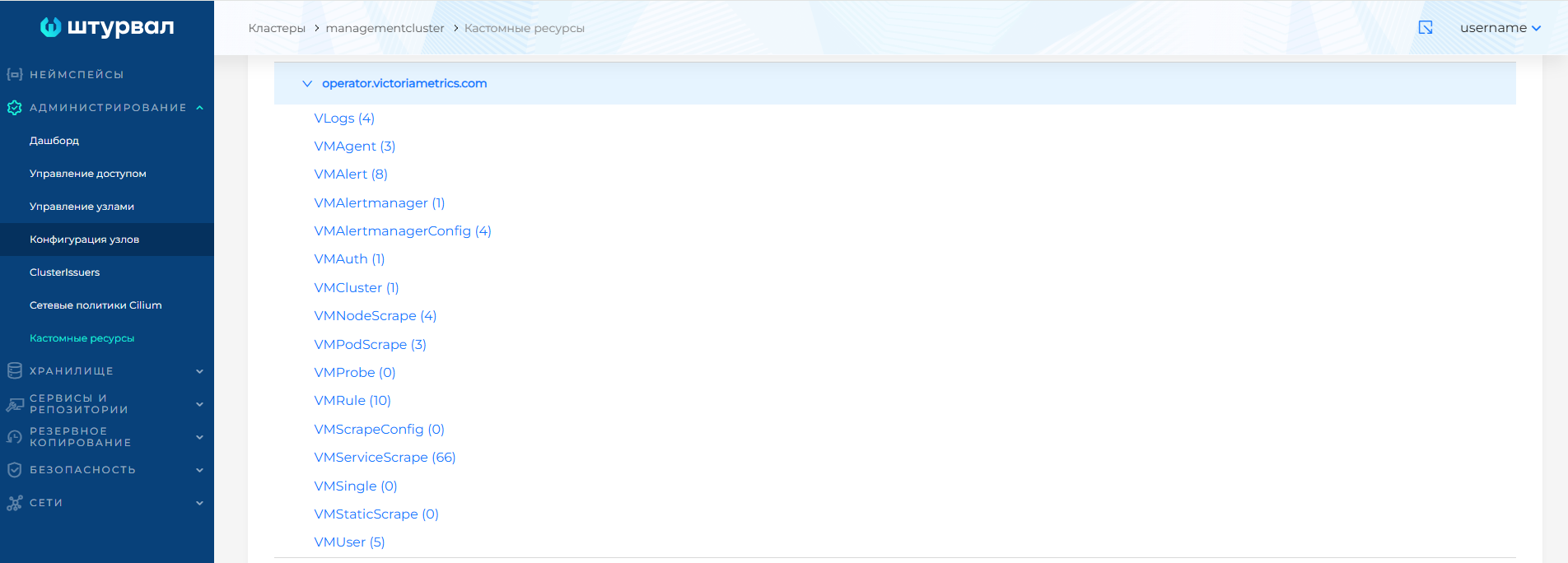
An instance of VictoriaLogs is launched in the cluster namespace (client or management) and is controlled by the operator using the custom resource VLogs: logs API group operator.victoriametrics.com. To manage, go to the management cluster, section Administration to the Custom Resources page. Select a VLogs cluster instance located in the namespace with the name of the cluster required for the cluster configuration.
Screenshots
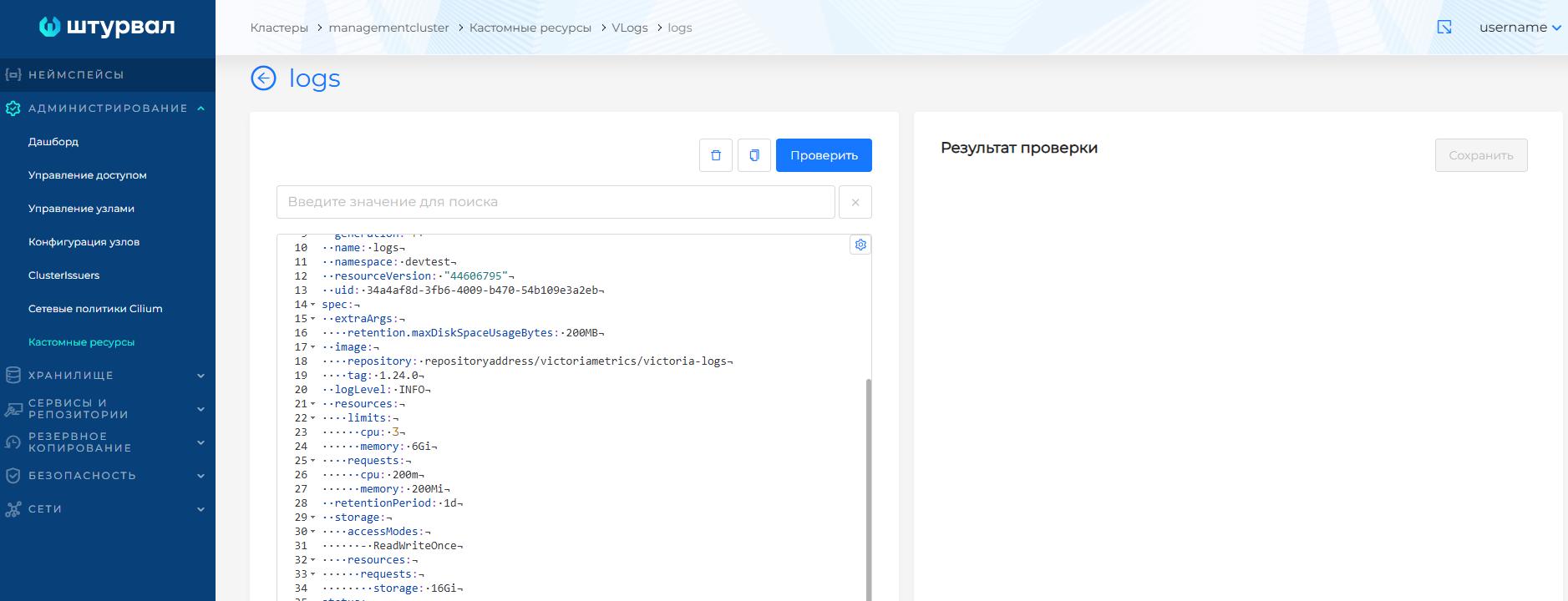
The following options are available to configure log rotation:
Shelf life
Can take values from 1d (one day) to 100y (one hundred years).
spec:
 retentionPeriod: 1d
Maximum amount of data at which partitions for previous periods are deleted
spec:
  extraArgs:
    retention.maxDiskSpaceUsageBytes: 10MB
Total disk size available for storing logs
spec:
  storage:
    resources:
      requests:
        storage: 3Gi