Application Monitoring Test
When application monitoring is configured on a cluster, you can check its operation using any application with metrics in the OpenMetrics format. The instructions use a demo application from VictoriaMetrics.
To check monitoring using the VictoriaMetrics application, you will need:
- host/machine/computer with git and docker utilities installed. This is necessary to download the source code and build the application image;
- local or public Registry, to host the assembled application image. As a Registry, you can use a local mirror in a closed loop or hub.docker.com in an open installation.
- Go to the Namespaces section in your cluster, create a namespace
demo-app, in which the VictoriaMetrics demo applicationdemo-appwill be deployed:
Screenshot

- From the command line interface, connect to the cluster and run the commands to download the application, assemble it into a container, and push it to the local mirror repository using your parameter values.
Command example
git clone https://github.com/VictoriaMetrics/demo-app
cd demo-app/
REGISTRY=<YOUR-PARAMETER-VALUE> TAG=<YOUR-PARAMETER-VALUE> make docker-push
| Parameter | Description | Data type | Example |
|---|---|---|---|
| REGISTRY | Local or public Registry | string | mirror.shturval.local |
| TAG | Demo application build version | string | 1.2 |
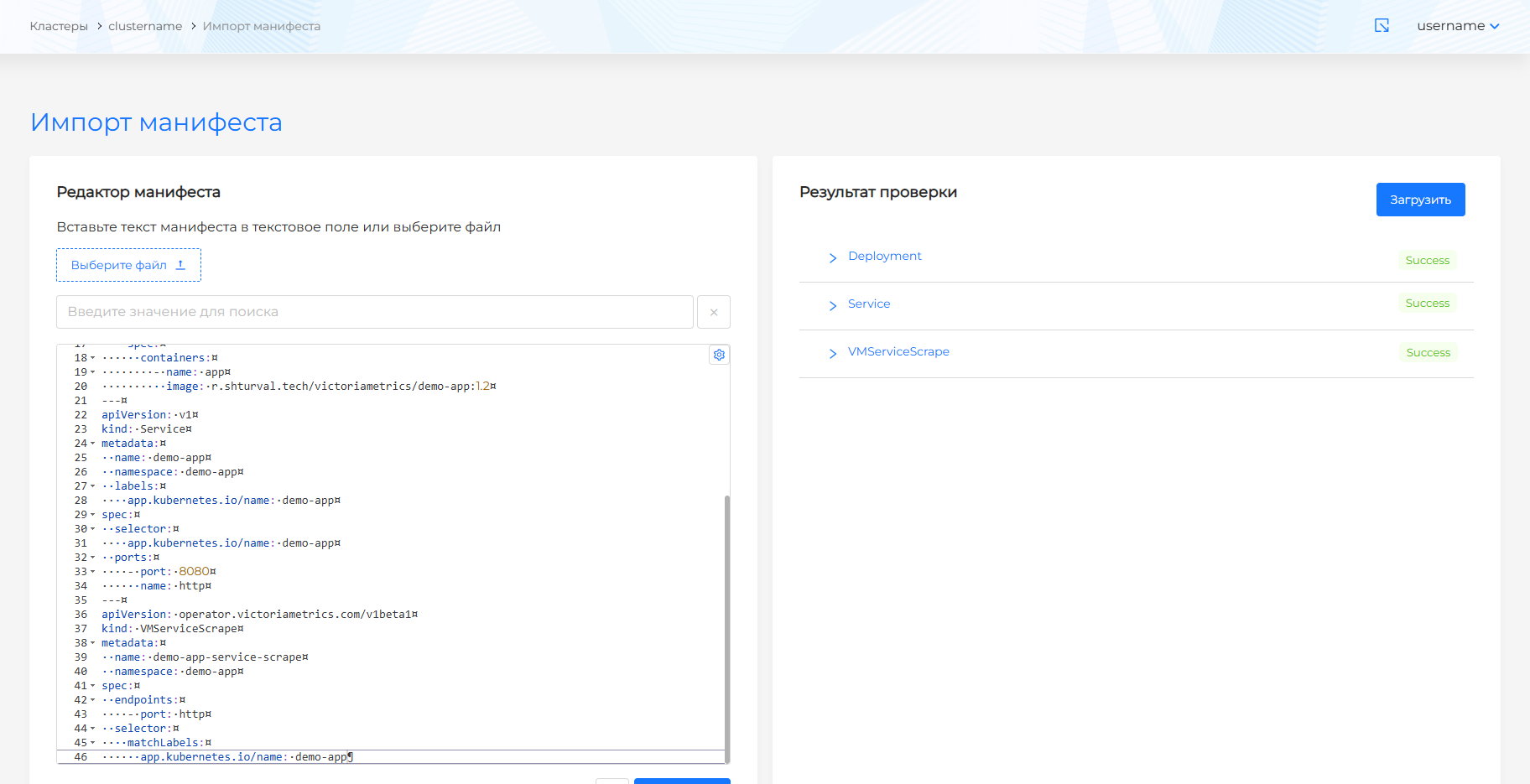
- In the GUI, using import manifests, load into the cluster: Deployment, Service, VMServiceScrape, as follows (without changing the parameters).
An example of a deployment manifest for the VictoriaMetrics demo application
apiVersion: apps/v1
kind: Deployment
metadata:
  name: demo-app
  namespace: demo-app
  labels:
    app.kubernetes.io/name: demo-app
spec:
  replicas: 1
  selector:
    matchLabels:
      app.kubernetes.io/name: demo-app
  template:
    metadata:
      labels:
        app.kubernetes.io/name: demo-app
    spec:
      containers:
        - name: app
          image: r.shturval.tech/victoriametrics/demo-app:1.2
---
apiVersion: v1
kind: Service
metadata:
  name: demo-app
  namespace: demo-app
  labels:
    app.kubernetes.io/name: demo-app
spec:
  selector:
    app.kubernetes.io/name: demo-app
  ports:
    - port: 8080
      name: http
---
apiVersion: operator.victoriametrics.com/v1beta1
kind: VMServiceScrape
metadata:
  name: demo-app-service-scrape
  namespace: demo-app
spec:
  endpoints:
    - port: http
  selector:
    matchLabels:
      app.kubernetes.io/name: demo-app
Screenshot