Cluster Network Management Module (Cilium CNI)
The networking module provides networking functionality and communication between various cluster components such as containers, pods, nodes and services.
To configure Cilium in the management cluster interface of the Shturval platform:
- in the side menu, open the Services and repositories section;
- go to the Installed services page.
- find the Cluster Network Management Module.
To configure Cilium in the client cluster interface of the Shturval platform:
- in the side menu, open the Services and repositories section;
- go to the Installed services page.
- find the Cluster Network Management Module.
Please note! If you are using both Cilium CNI and Multus CNI in a cluster, then prepare and load into the cluster using manifest import ShturvalServicePatch for the Cluster Network Management Module (shturval-networking). In customvalues, set the value for cni.exclusive as follows.
ShturvalServicePatch
apiVersion: ops.shturval.tech/v1beta2
kind: ShturvalServicePatch
metadata:
  name: shturval-networking-cni
spec:
  shturvalServiceConfigName: shturval-networking
  customvalues:
    cni:
      exclusive: false
Screenshot

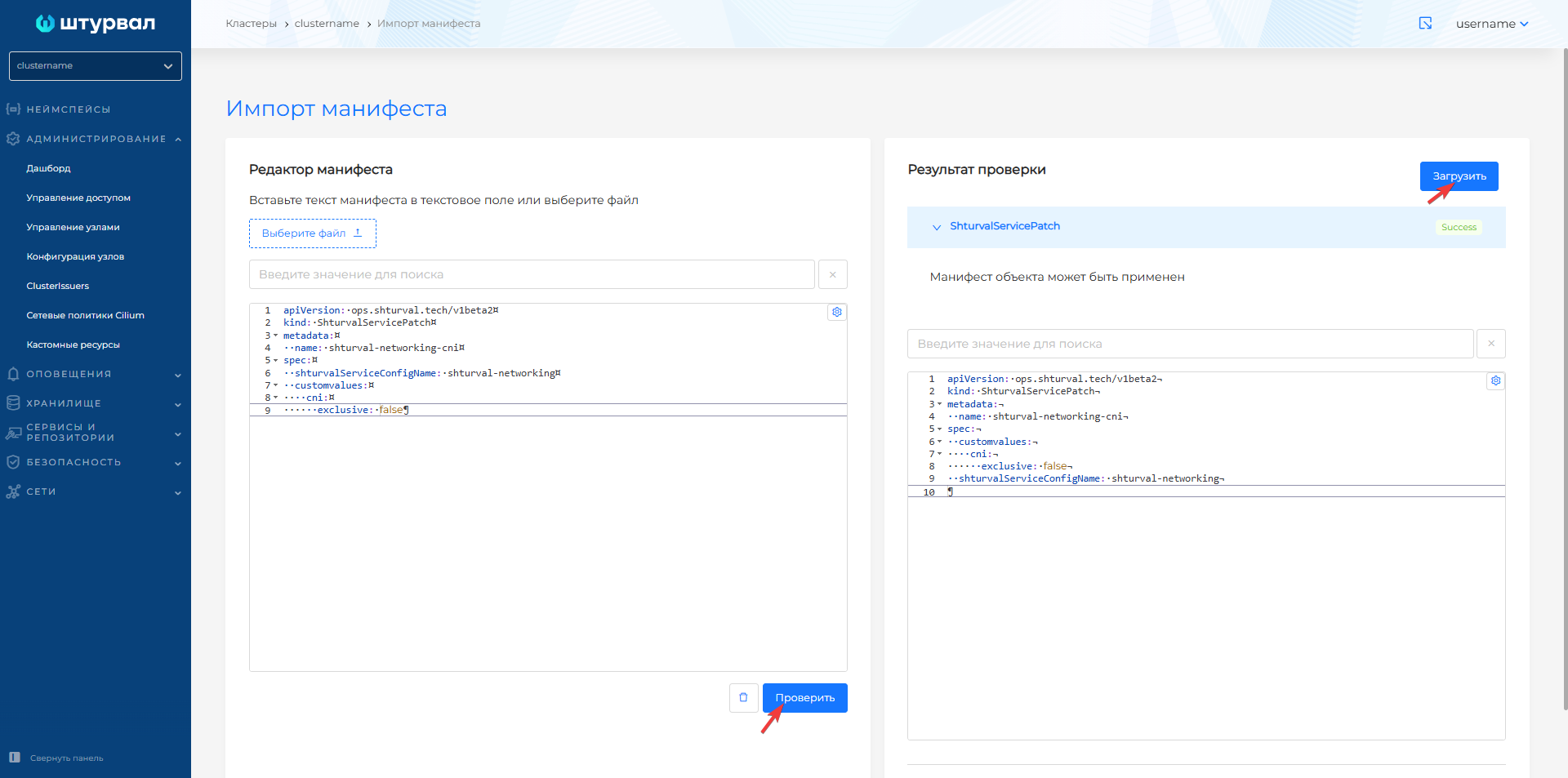
After downloading the manifest, from the Services and repositories section, open the Installed services page, find the Cluster network management module (shturval-networking) and go to management. The Applied PatchSSC tab will display the loaded ShturvalServicePatch. When ShturvalServicePatch is applied, the status on the Service tab will be Patched.
Screenshot
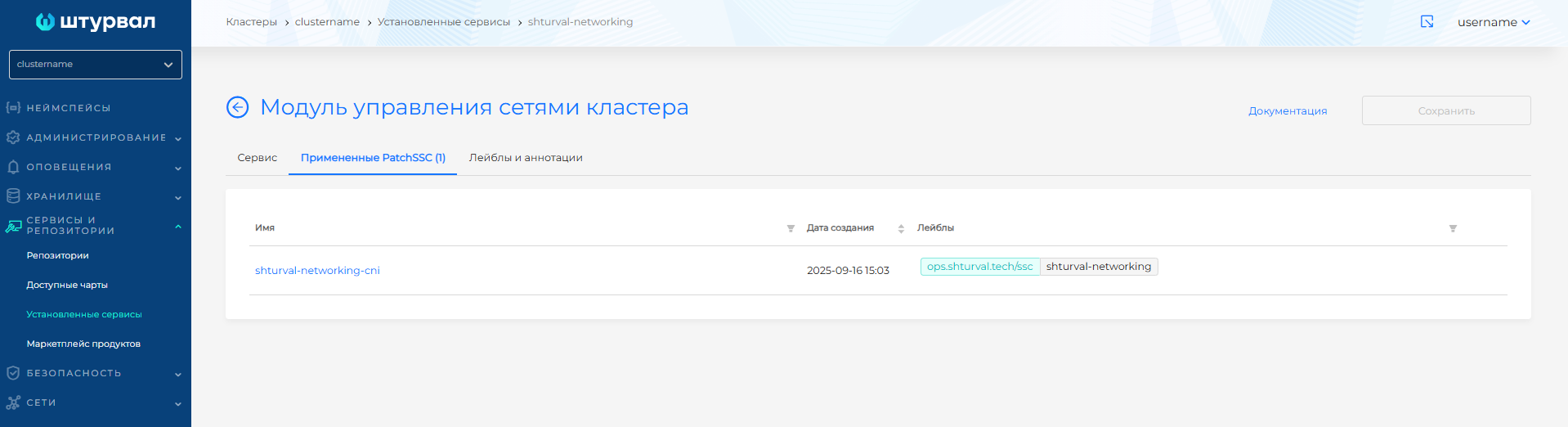
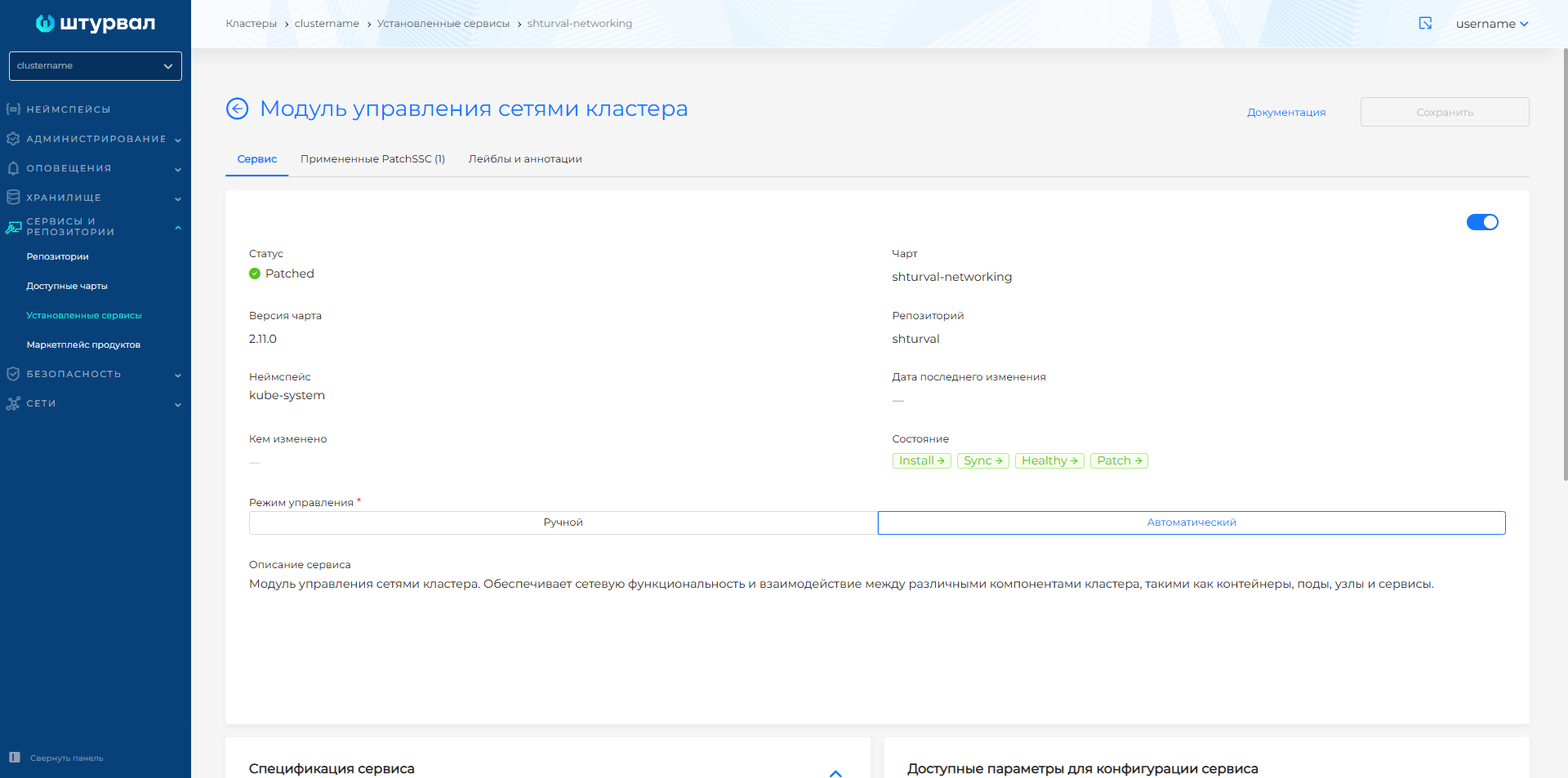
Cilium Hubble
Hubble provides visibility into network communication between cluster components and network infrastructure. To enable hubble for Cilium, load into the cluster using import manifests ShturvalServicePatch for the Cluster Network Management Module (shturval-networking). In customvalues, enter the parameters, as in the example below.
ShturvalServicePatch
apiVersion: ops.shturval.tech/v1beta2
kind: ShturvalServicePatch
metadata:
  name: shturval-networking-hubble
spec:
  shturvalServiceConfigName: shturval-networking
  customvalues:
    hubble:
      enabled: true
      relay:
        enabled: true
      ui:
        enabled: true
Screenshot
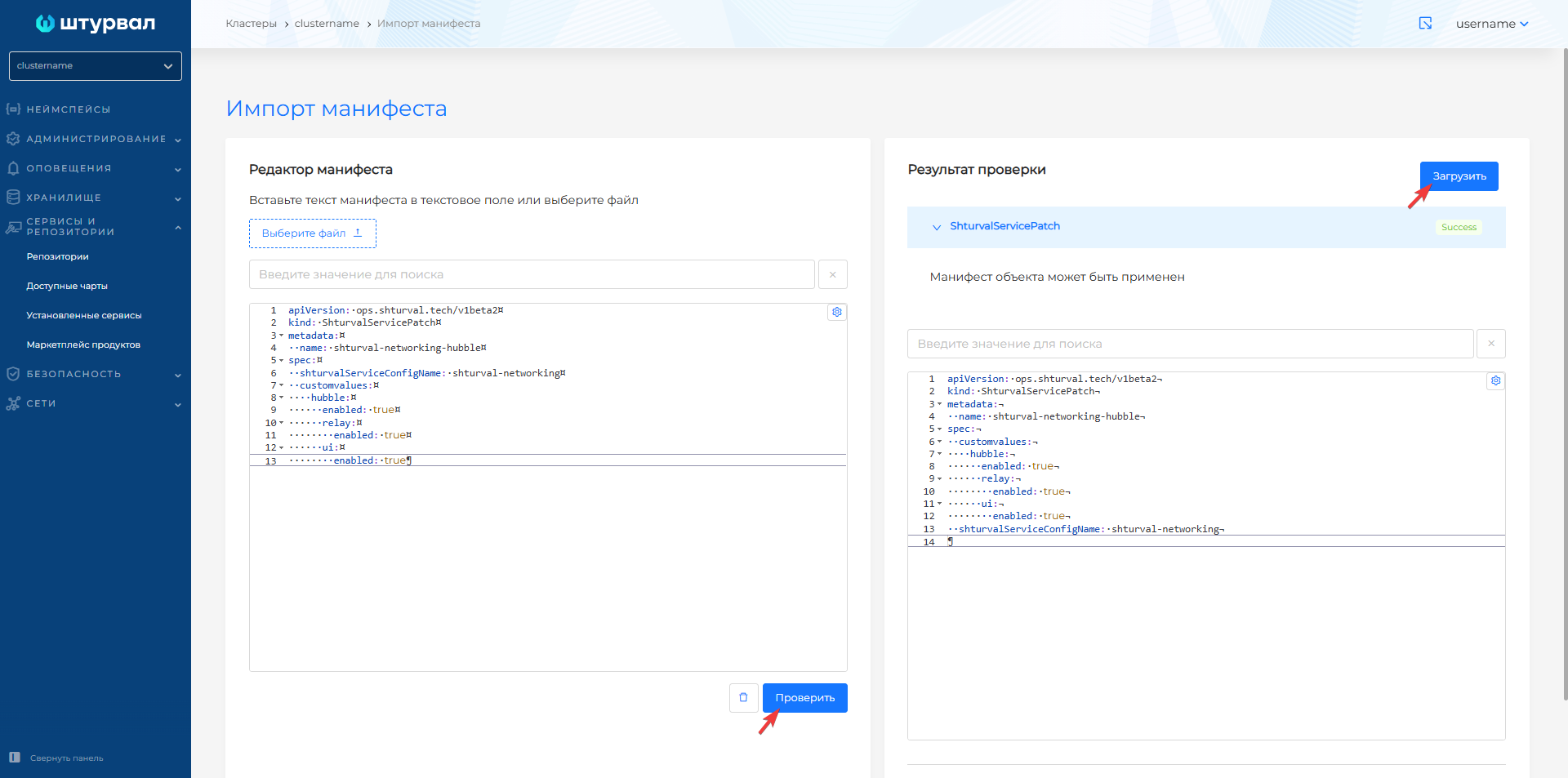
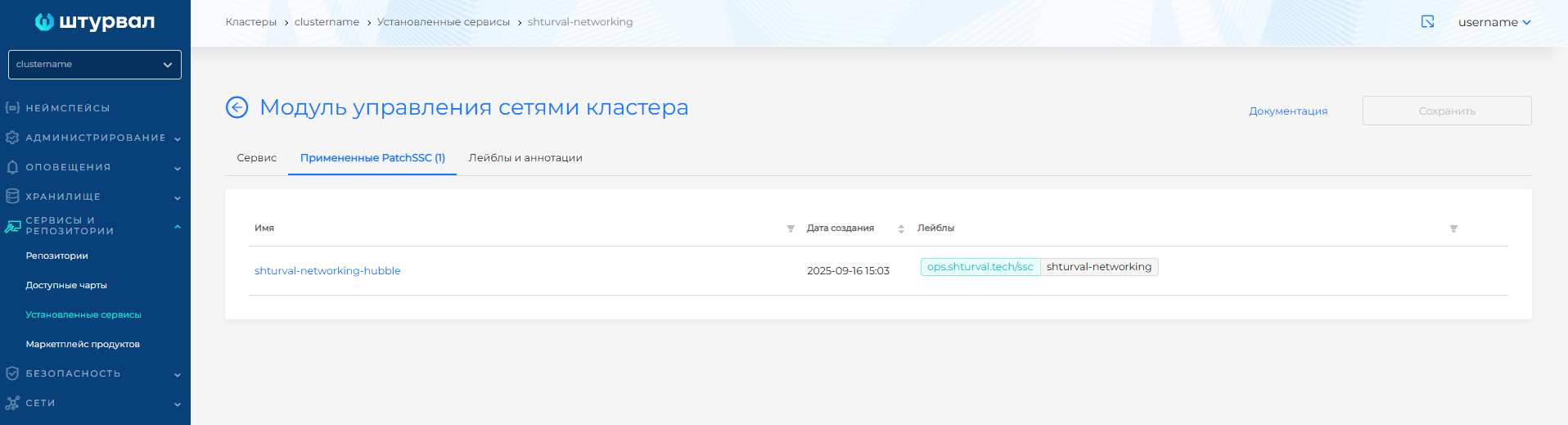
After downloading the manifest, from the Services and repositories section, open the Installed services page, find the Cluster network management module (shturval-networking) and go to thelaziness. The Applied PatchSSC tab will display the loaded ShturvalServicePatch. When ShturvalServicePatch is applied, the status on the Service tab will be Patched.
Screenshot
To temporarily forward a port from your workstation to the Hubble UI, enter the command in the CLI:
Command
kubectl -n kube-system port-forward services/hubble-ui 12000:80
Cilium Hubble will be available at: http://127.0.0.1:12000
Additional information can be found on official website.