Backup and recovery module (Velero)
The backup and recovery module is based on Velero, which provides the creation of backup copies (not snapshots!), scheduling and restoration of data from previously created backups, as well as the transfer of cluster resources to other clusters, replication of the production cluster to development and testing clusters.
To configure Velero in the management cluster/client cluster interface of the Shturval platform:
- in the side menu, open the Services and repositories section;
- go to the Installed services page.
Find the Backup and Restore module. If the module is not displayed, open the Services and repositories section in the side menu and go to the Available charts page, find the “shturval-backup” chart and click “Install”.
Period for deleting backups
Backups are deleted within 1 hour after their storage period expires.
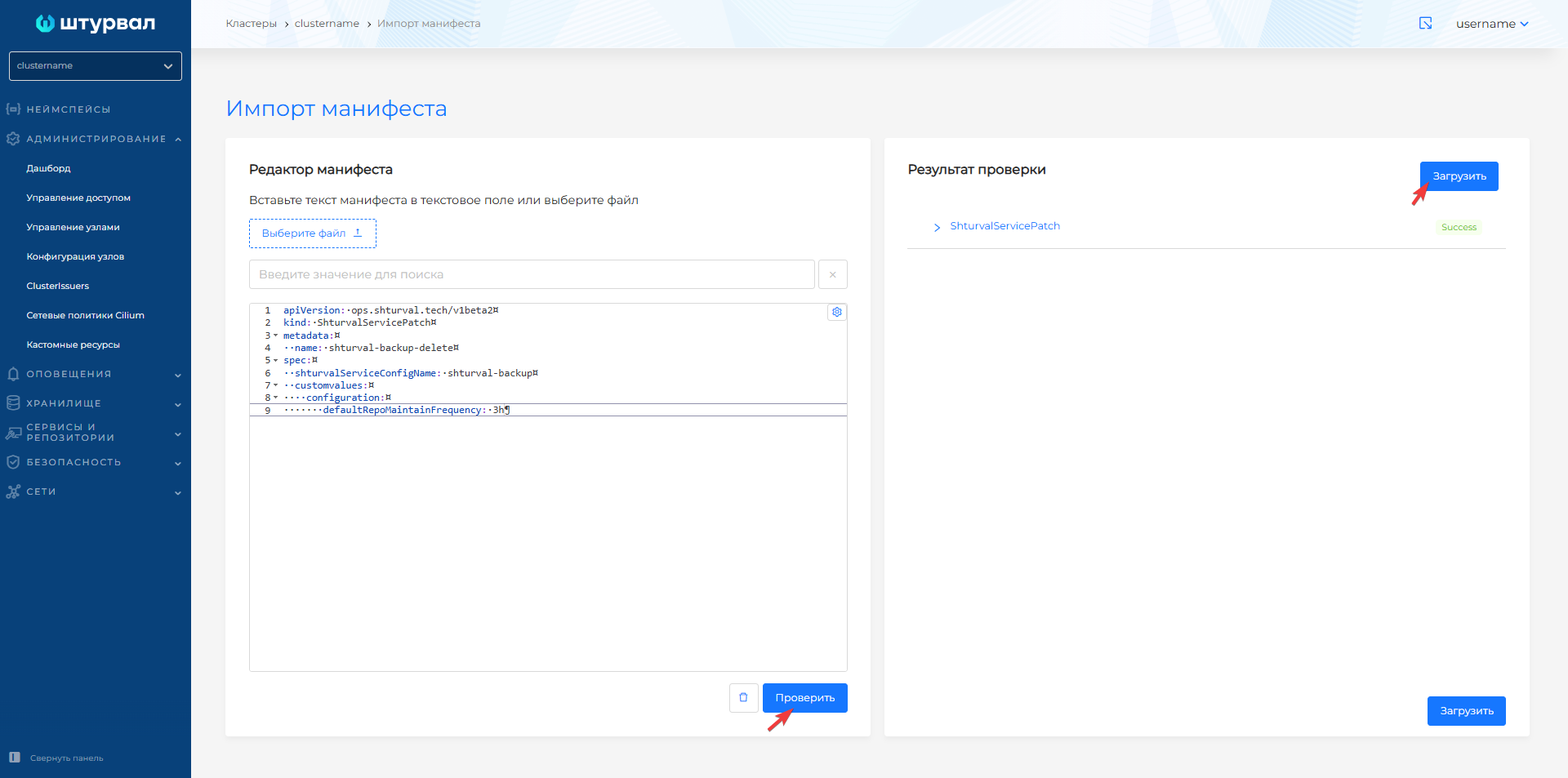
If you want to change the default deletion period, prepare and upload to the cluster using import manifests ShturvalServicePatch for Backup and Restore Module (Velero) (shturval-backup). In customvalues, set the value for defaultRepoMaintainFrequency as shown in the example below.
Example ShturvalServicePatch
apiVersion: ops.shturval.tech/v1beta2
kind: ShturvalServicePatch
metadata:
  name: <resource-name>
spec:
  shturvalServiceConfigName: shturval-backup
  customvalues:
    configuration:
       defaultRepoMaintainFrequency: "<your-parameter-value>"
| Parameter | Description | Data type | Example |
|---|---|---|---|
metadata.name | Name of the created PatchSSC | string | shturval-backup-delete |
defaultRepoMaintainFrequency | The period of time after which backups will be deleted. Default 1 hour | string | 3h |
Screenshot
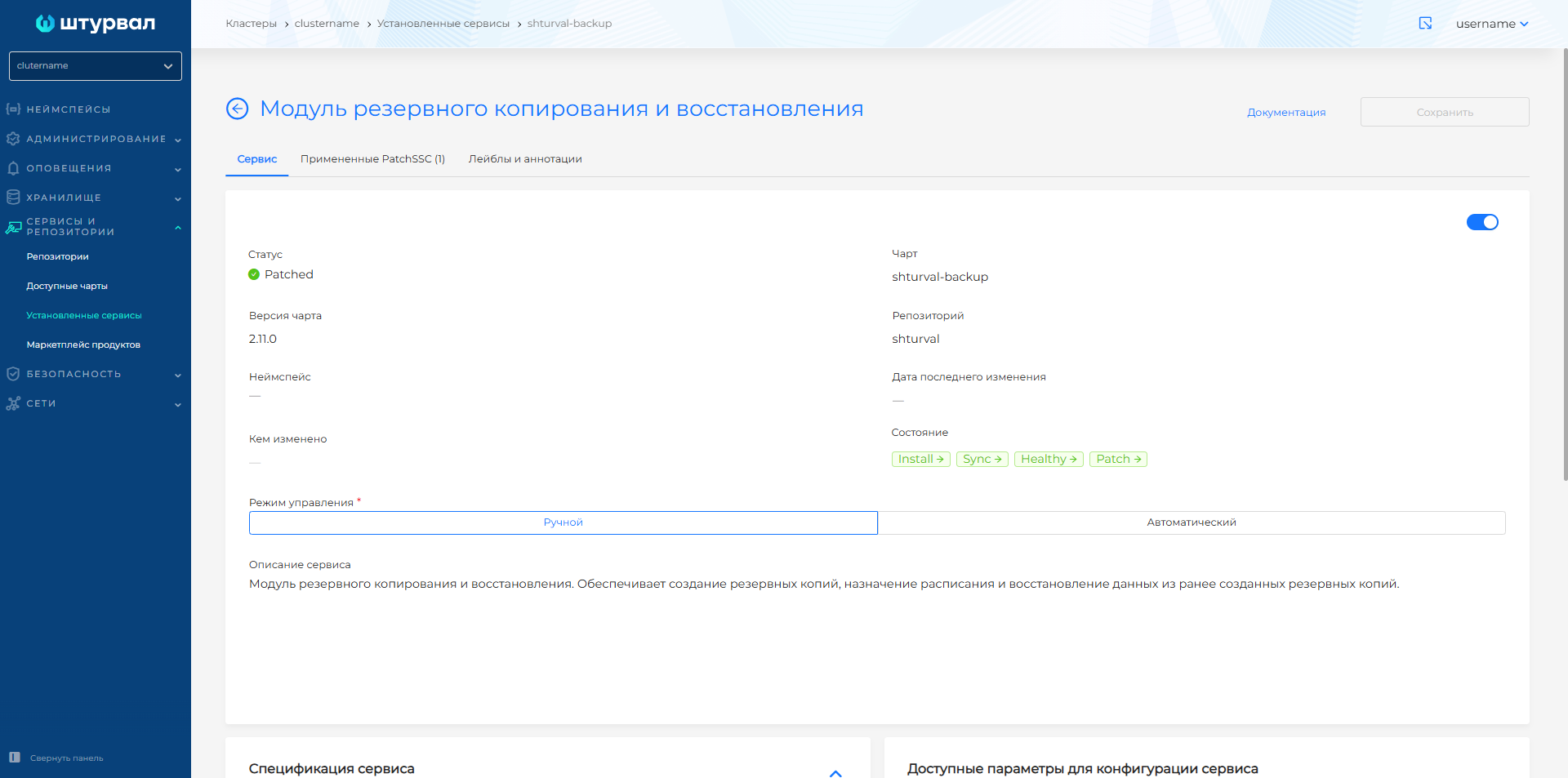
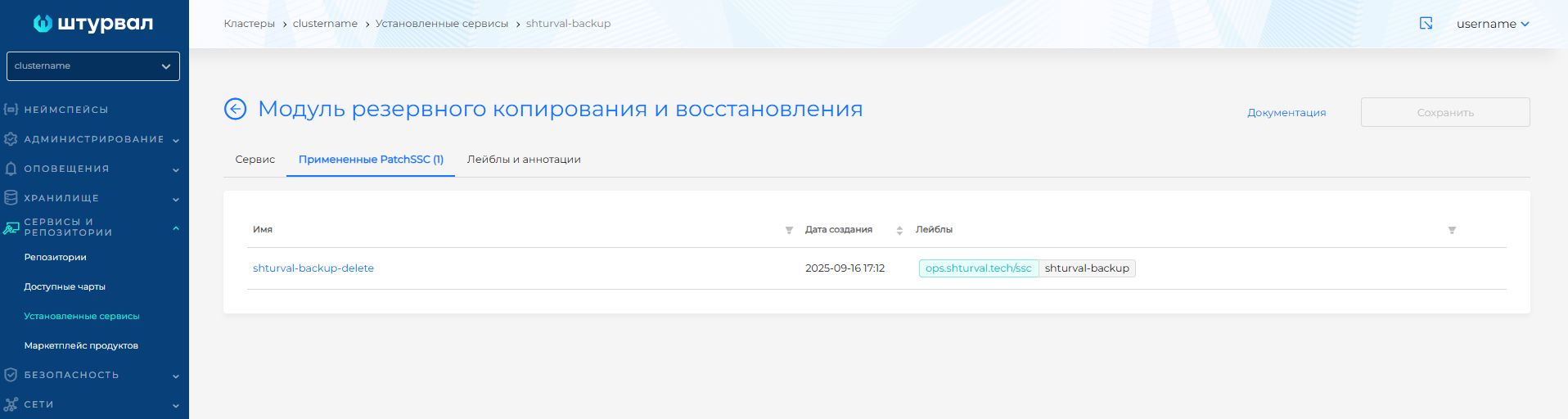
To view the applied ShturvalServicePatch:
- In the cluster from the Services and repositories section, open the Installed services page.
- Find Backup and Restore Module (
shturval-backup) and go to management. - When ShturvalServicePatch is applied, the Service tab status will update to Patched, and the Applied PatchSSC tab will display the loaded ShturvalServicePatch in the list.
Screenshot
Troubleshooting
“Error checking repository for stale locks”
This may be due to the fact that you deleted data from S3 (from the restic directory) without deleting the repositories corresponding to this data (BackupRepository). In this case, it is recommended to either delete these resources along with the data, or not manually delete the data from S3.
“error checking if volume is a hostPath volume”
This error indicates that the pod containing the hostPath indication in the volumes container was not added to the backup. This happens because Velero cannot write backups from hostPath
The occurrence of this error does not interrupt the operation of the backup module.
If you want to exclude pods with hostPath from the backup, you need to manually add annotations to the Deployment/DaemonSet pod template, which create pods with the following mounts:
Annotations
backup.velero.io/backup-volumes-excludes:name1,name2,name3
Where in name1, name2 … nameN you need to enter, separated by commas, all the names from the volume that refer to the hostPath.
“pod volume backup failed: getting pod trivy-system/scan-vulnerabilityreport-*”
The Trivy vulnerability scanner periodically creates pods. It is possible that during the backup process, pods could have been deleted or recreated.
Additional information can be found on official website.