Custom resources
CRD (Custom Resource Definition) is a special resource that lets you create new resource types to extend platform functionality.
You can manage custom resources in your namespace. Open Custom resources under Administration. The page lists CRDs created in the client cluster, grouped by API group. For each CRD, the list shows the number of namespace-scoped custom resources. Resources are sorted alphabetically by default. The Show only when data exists toggle hides CRDs with no custom resources.
Screenshot
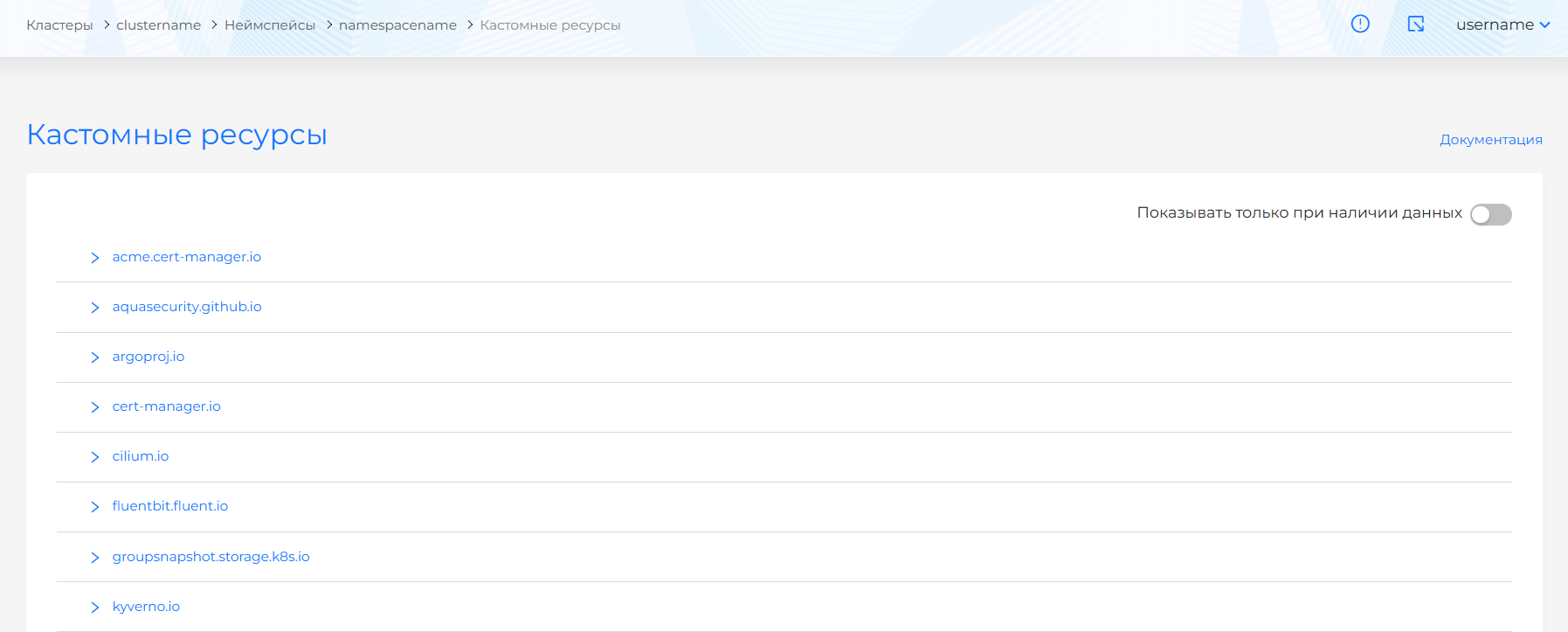
Click a CRD name to open the list of custom resources for that CRD.
To add a custom resource, use manifest import and upload the custom resource manifest to apply it in the cluster namespace. For more about manifest import, see Cluster actions. The created custom resource appears in the CRD’s custom resource list.
On the custom resource view page you can edit the manifest or copy it. After changing the manifest, run validation. The result appears on the right side of the screen. Expand the validation result block to see the full manifest. If custom resource manifest format validation fails, manifest validation is unavailable.
Screenshot
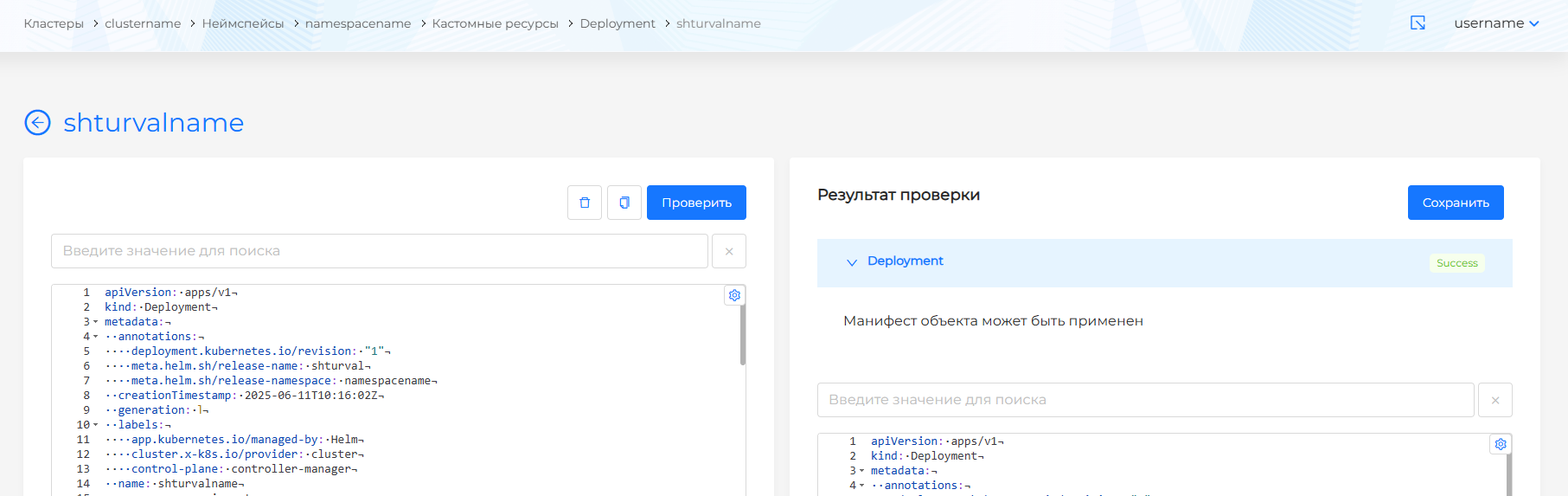
Save changes to the custom resource manifest. Changes are not applied until you save.
To delete a namespace custom resource, click in the object row on the custom resource list page, or open the custom resource view page, go to the Manifest tab, and click .