Restores
To restore from a backup, open Restores and click Restore from backup. The button is available only if at least one backup exists in this scope.
Screenshot
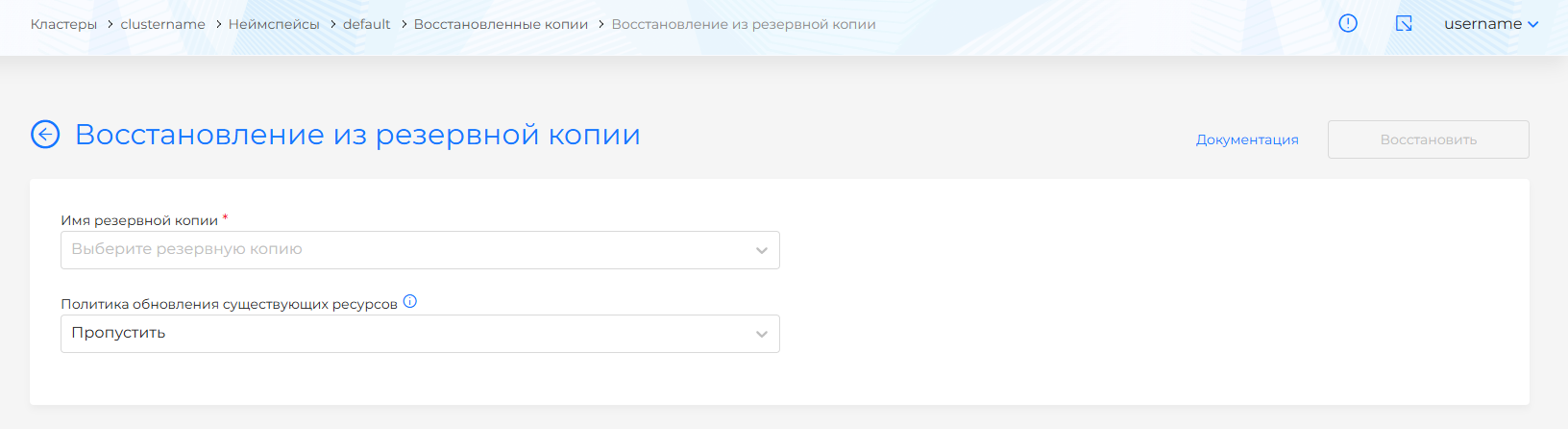
On the page that opens, set:
- Backup name to restore from (dropdown of backup names in this scope).
- Existing resource update policy: Skip (default) or Update.
Starting restore creates a restore resource that asynchronously restores the requested resources. Track progress via the resource status.
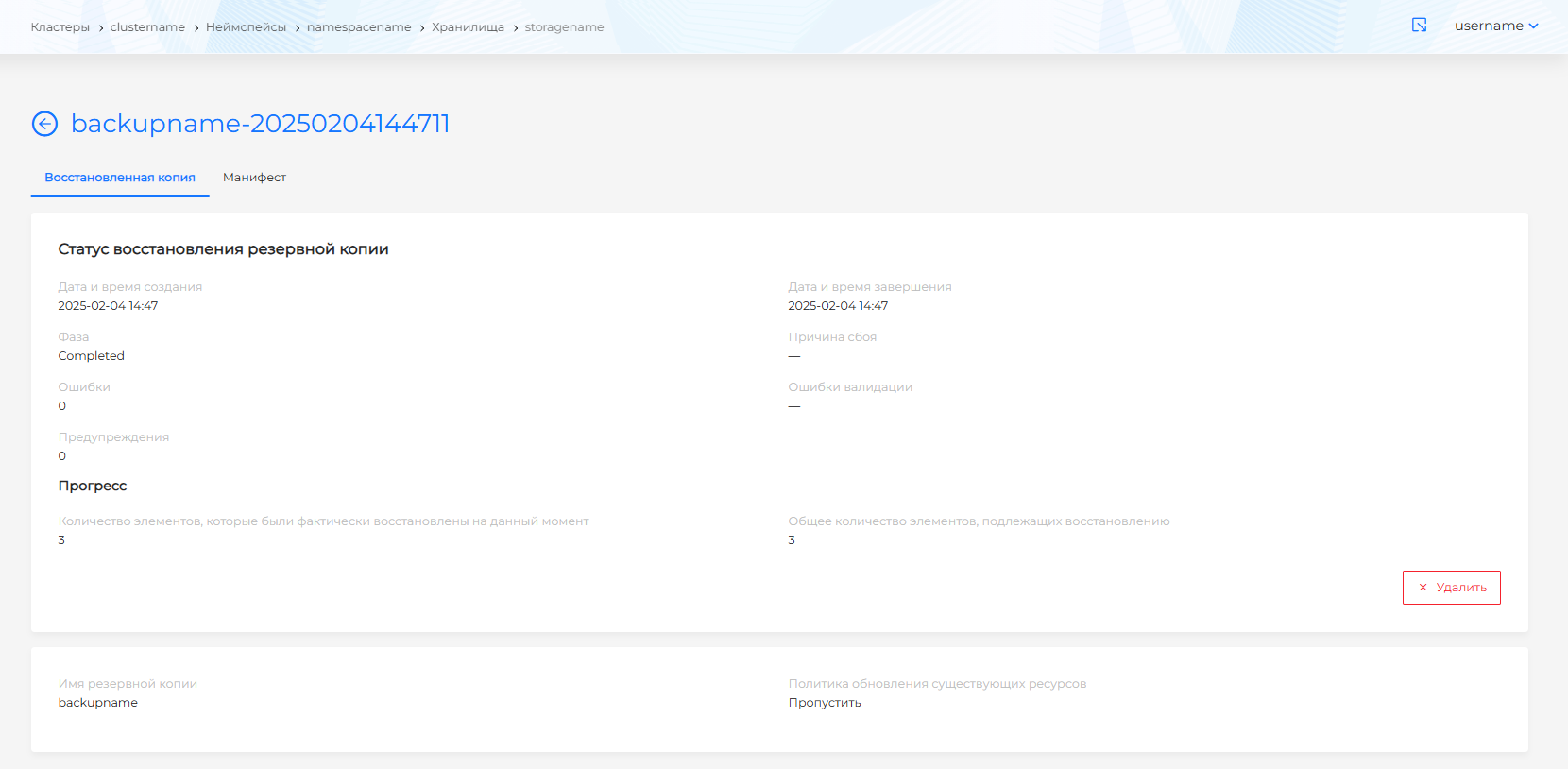
After creation, a restore cannot be edited. The restore page shows restore status.
Note! If the backup contains PVs in use by running workloads (Deployment, StatefulSet, Pod), those PVs are not restored because restore could interrupt application operation.
After creation, a restore cannot be edited.
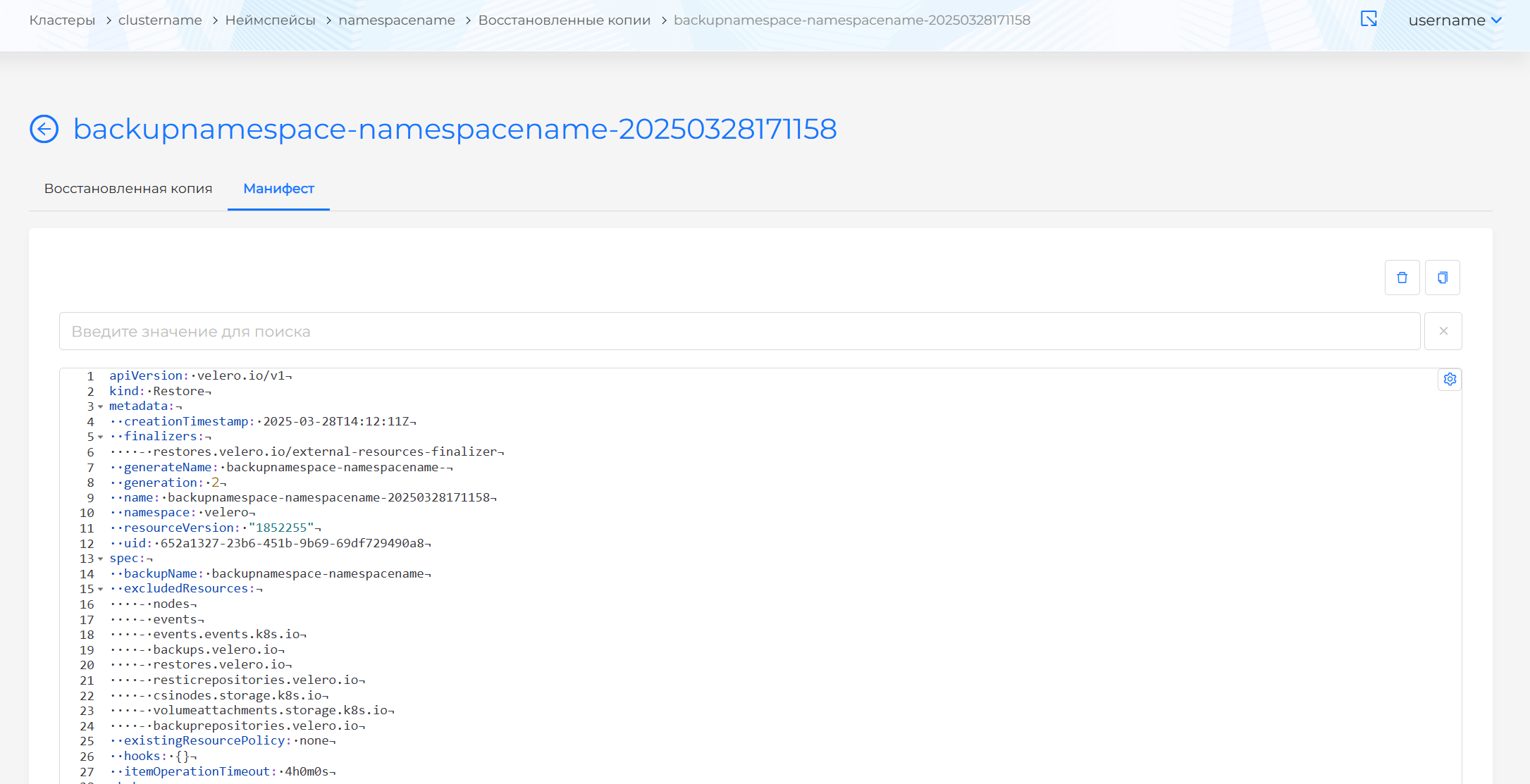
The restore page has tabs:
- Restore — restore status.
Screenshot
- Manifest — YAML manifest of the restored backup for viewing.
Screenshot
You can delete a restore or restore record from the namespace in one of the following ways:
- On the Restores page, click in the object row.
- On the restore view page, on the Restore tab, click Delete.
- On the restore view page, open the Manifest tab and click .