About the namespace
The namespace page is a dashboard that shows essential namespace resources in a compact form.
The namespace dashboard has these tabs:
- Namespace;
- Network policies;
- Labels and annotations;
- Events;
- Security.
At the top of the dashboard page you see a header with the namespace name. Below it are the namespace creation date and time and namespace status.
Screenshot

If the continuous application delivery module is installed and running in the cluster, the platform or cluster administrator can create an Argo CD project for this namespace. Users with access to this namespace receive access to the created project according to their namespace permissions. To create a project on the namespace page, click Create Argo CD project. Project creation and role assignment happen automatically in the background.
After the project is created successfully, the Go to Argo CD button becomes available. Clicking Go to Argo CD opens the continuous application delivery module interface (Argo CD). SSO authentication is used.
Namespace tab
Workloads
The central element of the Namespace tab shows application details:
- Which workloads are created, the ratio of healthy pods to requested count, and whether they have vulnerabilities;
- Relationships between workloads and services;
- Relationships between services and Ingresses.
Screenshot
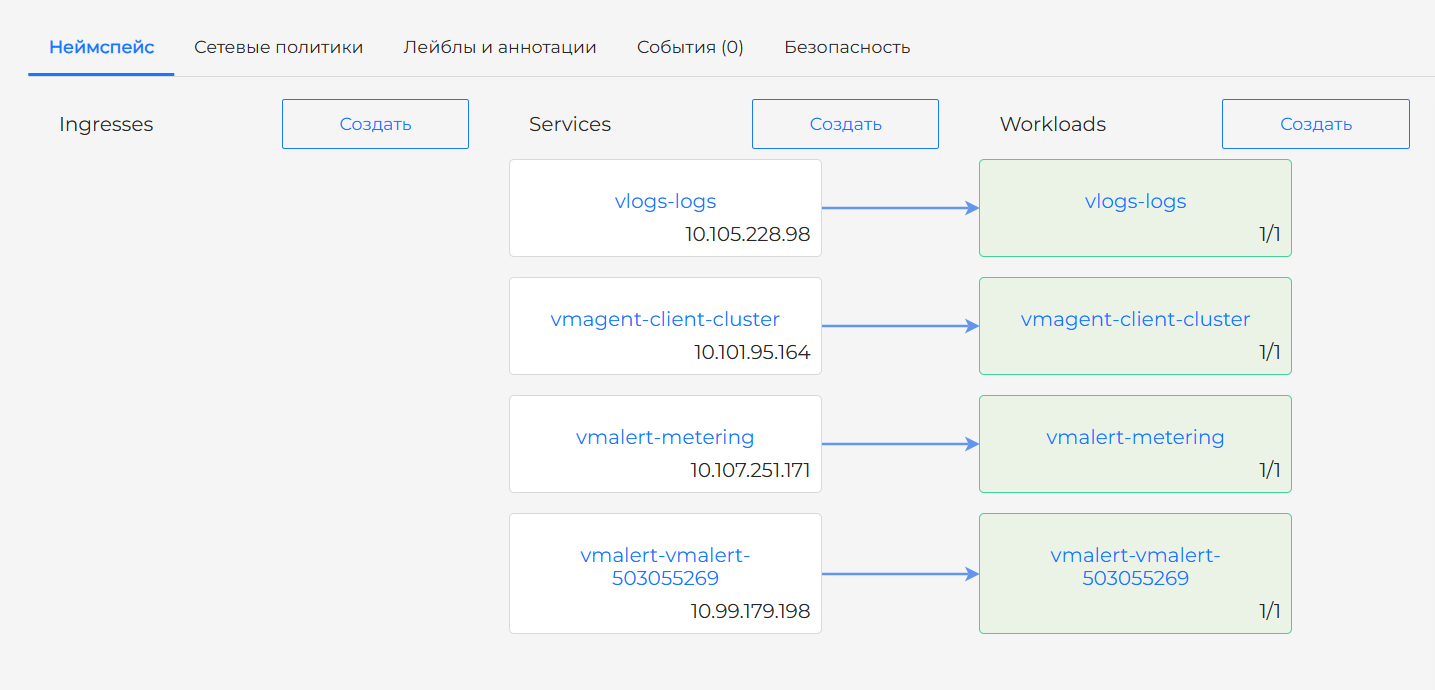
ReplicaSets, Jobs, and CronJobs are not shown because ReplicaSet data would duplicate information, and Jobs and CronJobs are not used to publish applications.
If the Container Image Scanning module is enabled and running in the cluster, detected vulnerabilities are shown as a lightning icon on the workload name block.
Buttons next to the Ingresses and Services headings open dialogs to create the corresponding objects. A button next to the Workloads heading opens a dialog to create one of these workloads:
- Deployment;
- StatefulSet;
- DaemonSet;
- Pod.
Screenshot
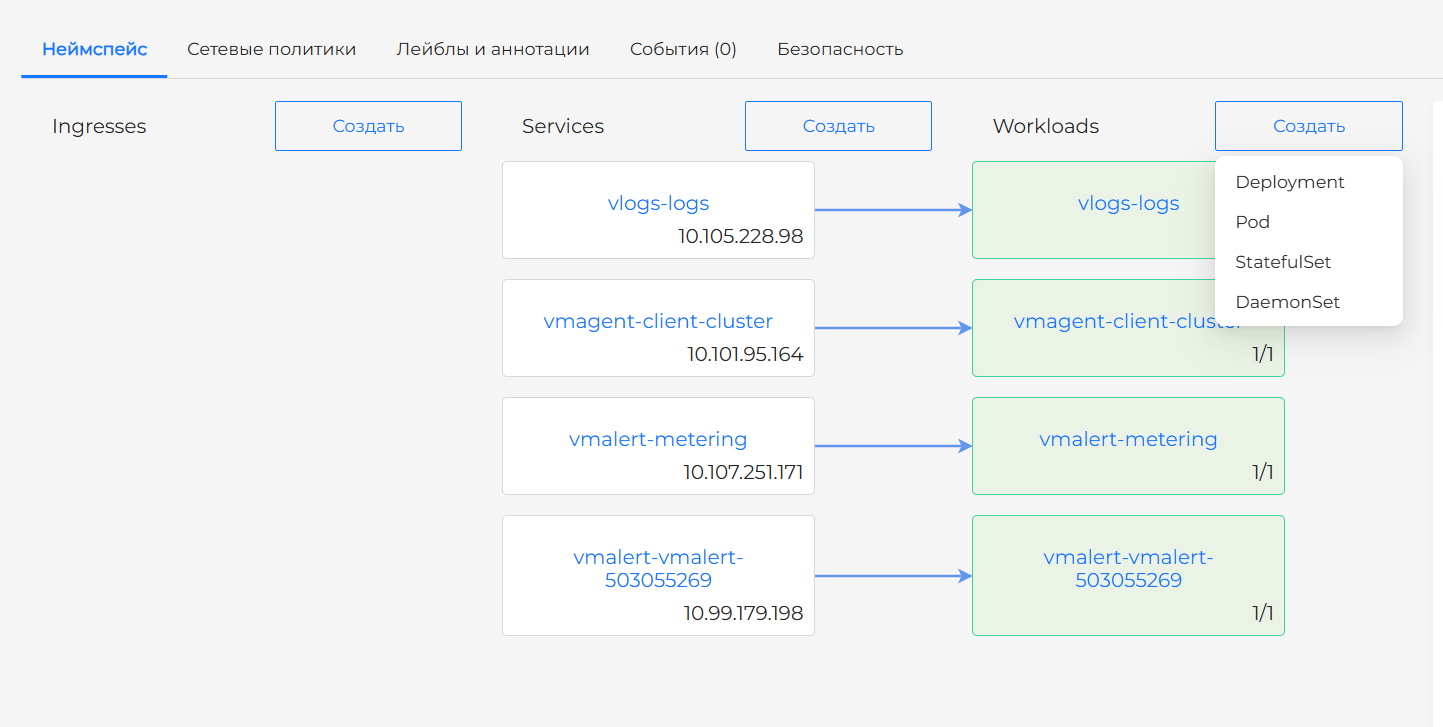
You can also create workloads from the left menu under Workloads.
Metrics
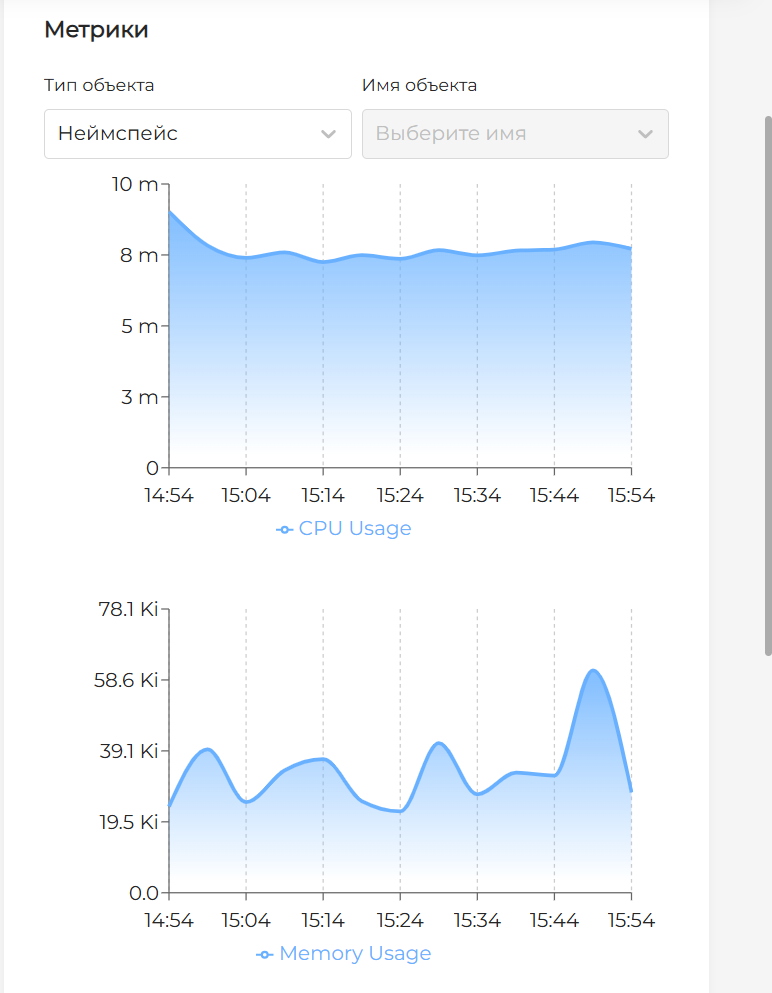
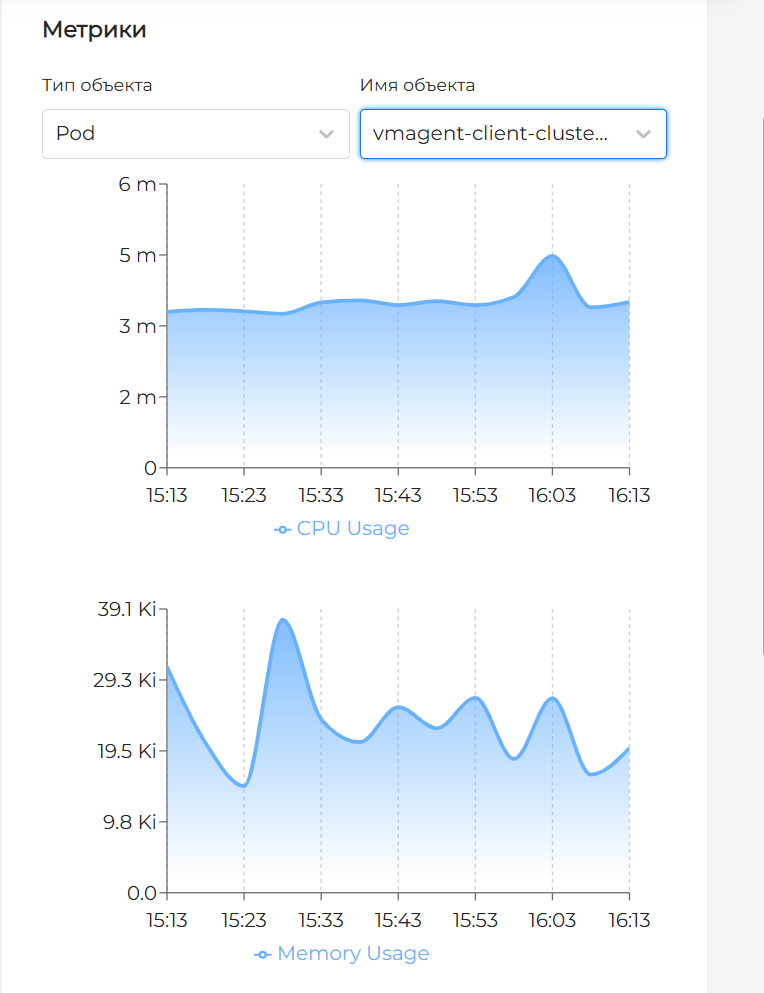
The Metrics block on the right side of the screen shows CPU Usage and Memory Usage for the entire namespace and for all available namespace workloads over the past hour. To select a workload, choose its type and name from the drop-down lists.
Screenshots
Quotas
The Quotas block in the lower-right corner shows aggregated utilization of resource quotas set in the namespace. To configure quotas, go to Quotas in the left menu.
Network policies tab
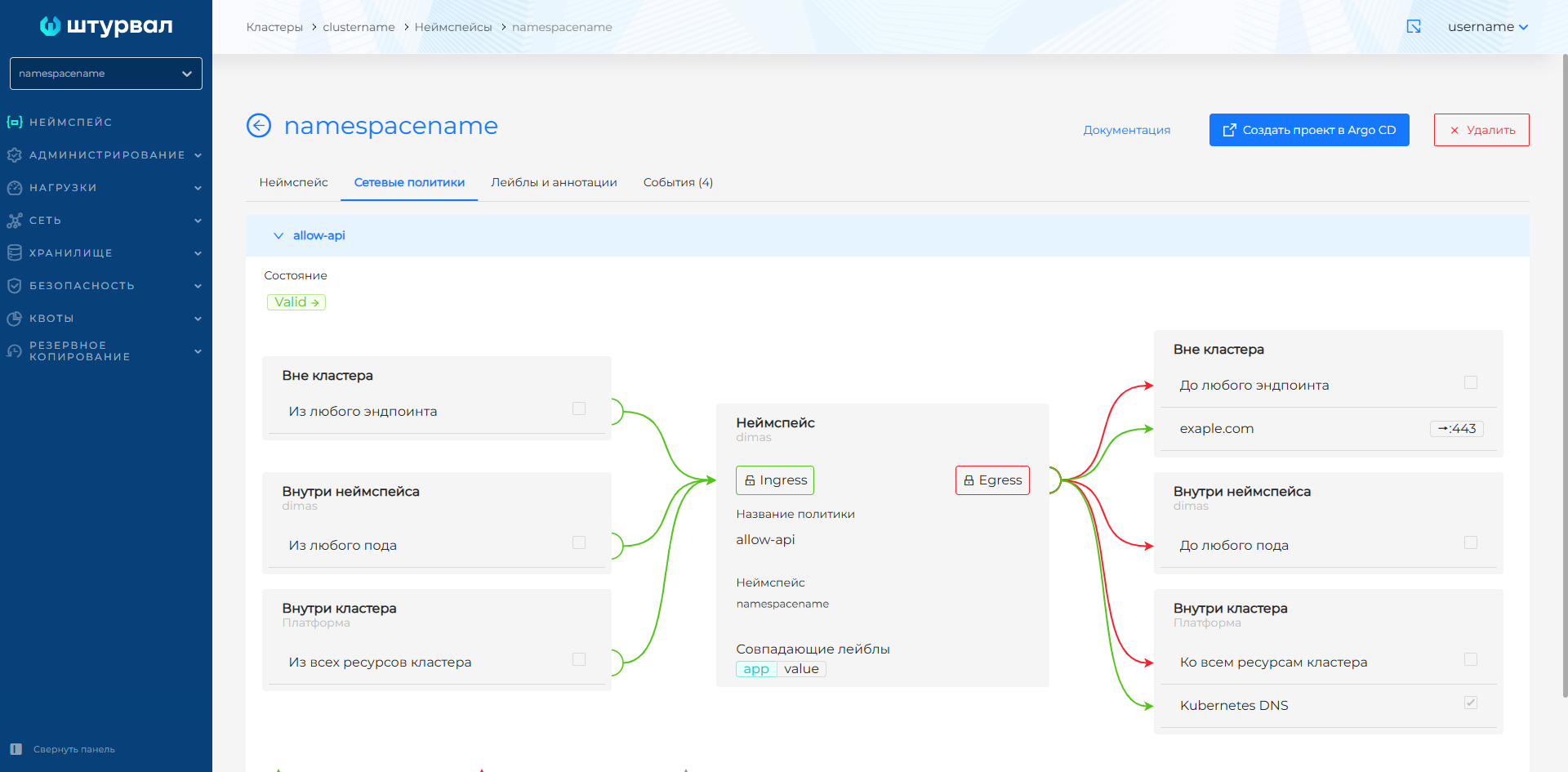
The Network policies tab shows network policies (Ciliumnetworkpolicies) configured for the namespace. Policies created in this interface are view-only. Create policies from the cluster Network policies interface.
Screenshots
Labels and annotations tab
The Labels and annotations tab shows namespace labels and annotations.
Events tab
The Events tab shows events for all namespace objects. The tab name includes a count of events available for viewing.
Security tab
The Security tab shows:
- Image vulnerability scan results for objects in this namespace (shown only if the Container Image Scanning module is installed in the cluster);
- Security policy compliance analysis results for objects in this namespace (shown only if the Application Configuration Analysis module is installed in the cluster).