ConfigMaps
ConfigMap is a Kubernetes resource used to store non-confidential data as key-value pairs. Pods use ConfigMaps as environment variables, command-line arguments, or configuration files in a volume. Other objects can also use ConfigMaps for configuration without direct pod access.
ConfigMap does not provide secrecy or encryption. For confidential data, use a Secret or third-party tools instead of ConfigMap.
Screenshot
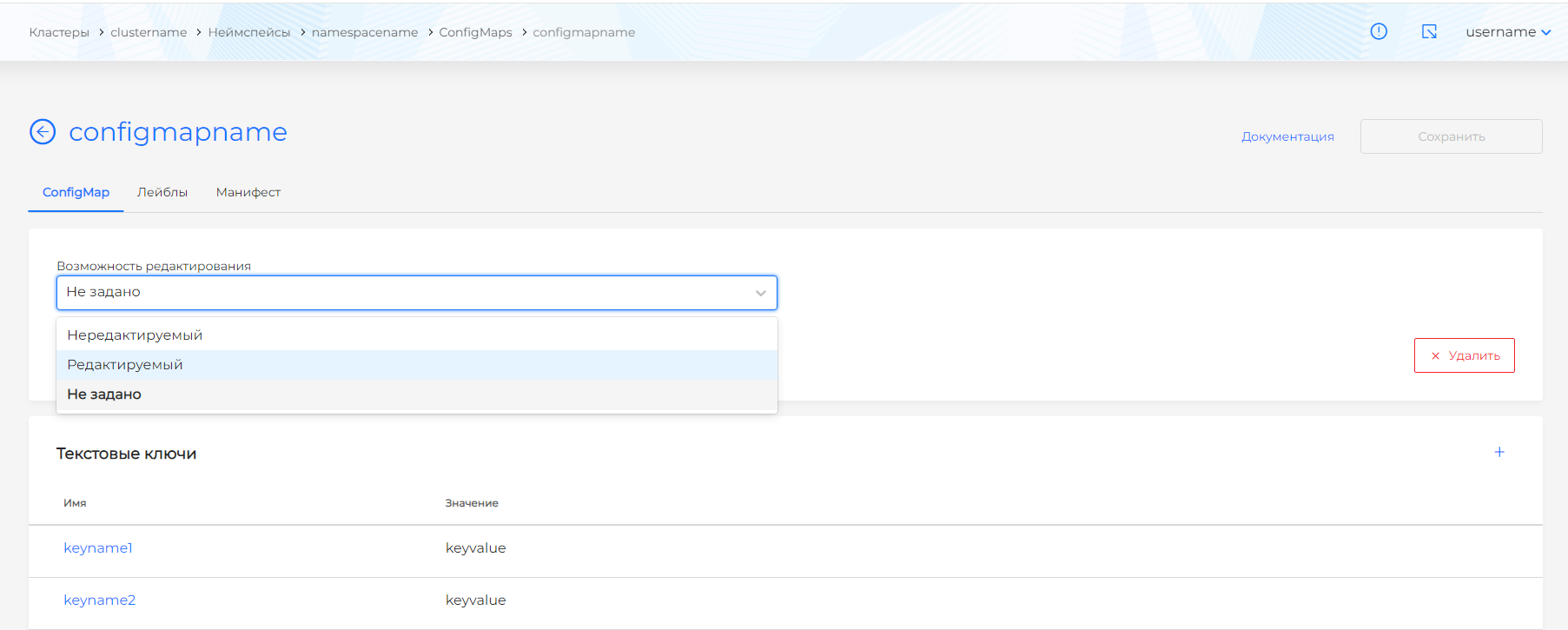
On the ConfigMaps page you can create, edit, delete, or view existing ConfigMaps.
Creating a ConfigMap
To create a ConfigMap, click + Add ConfigMap.
In the dialog you can set:
- ConfigMap name.
- Editability.
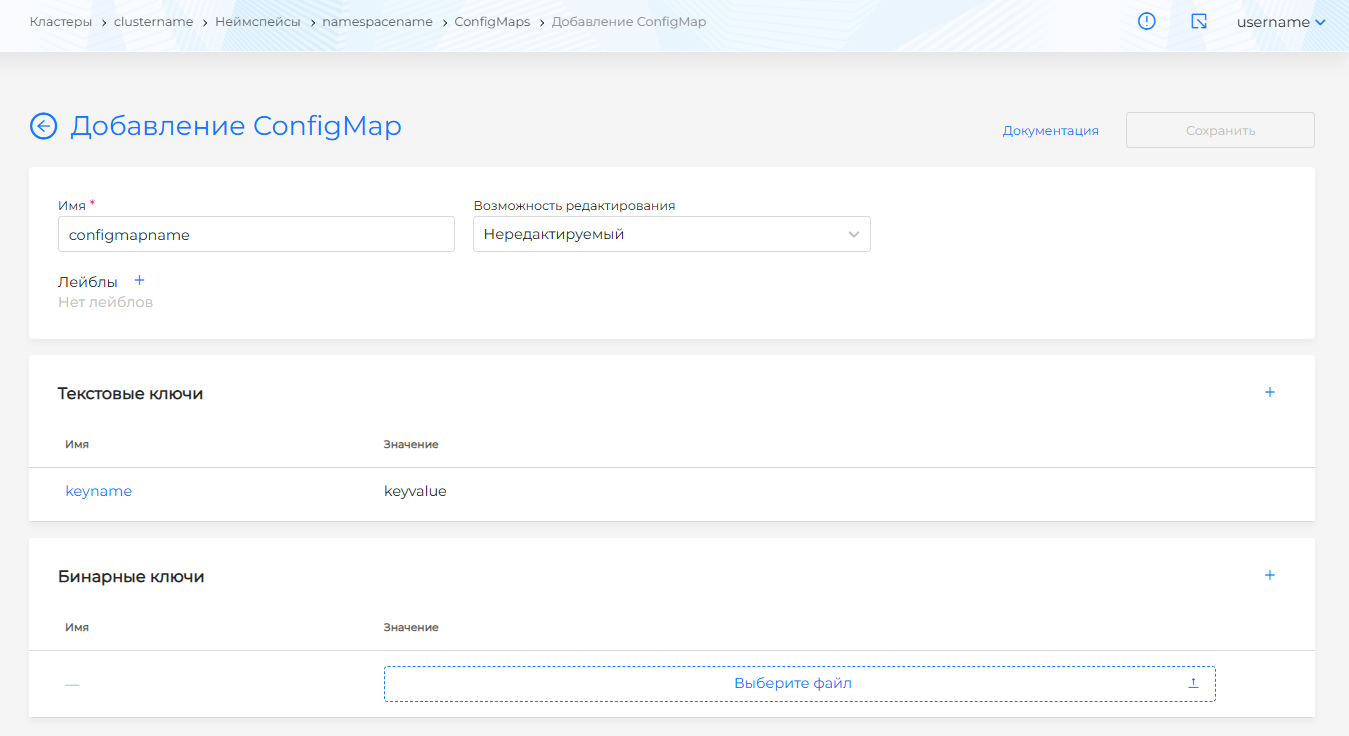
- Text keys.
- Binary keys.
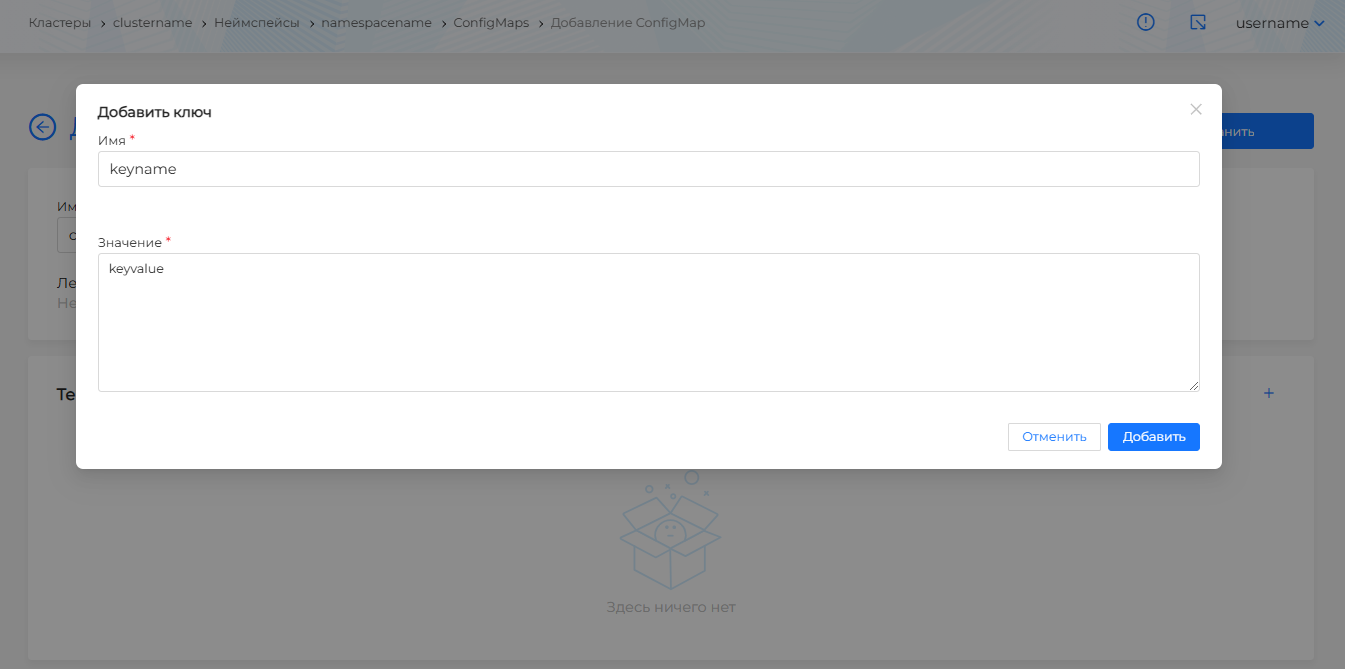
To add a text key, click +, enter the key and value in the modal dialog, and click Add.
Screenshot
To upload a binary key, click + and upload the key in bin format.
Screenshot
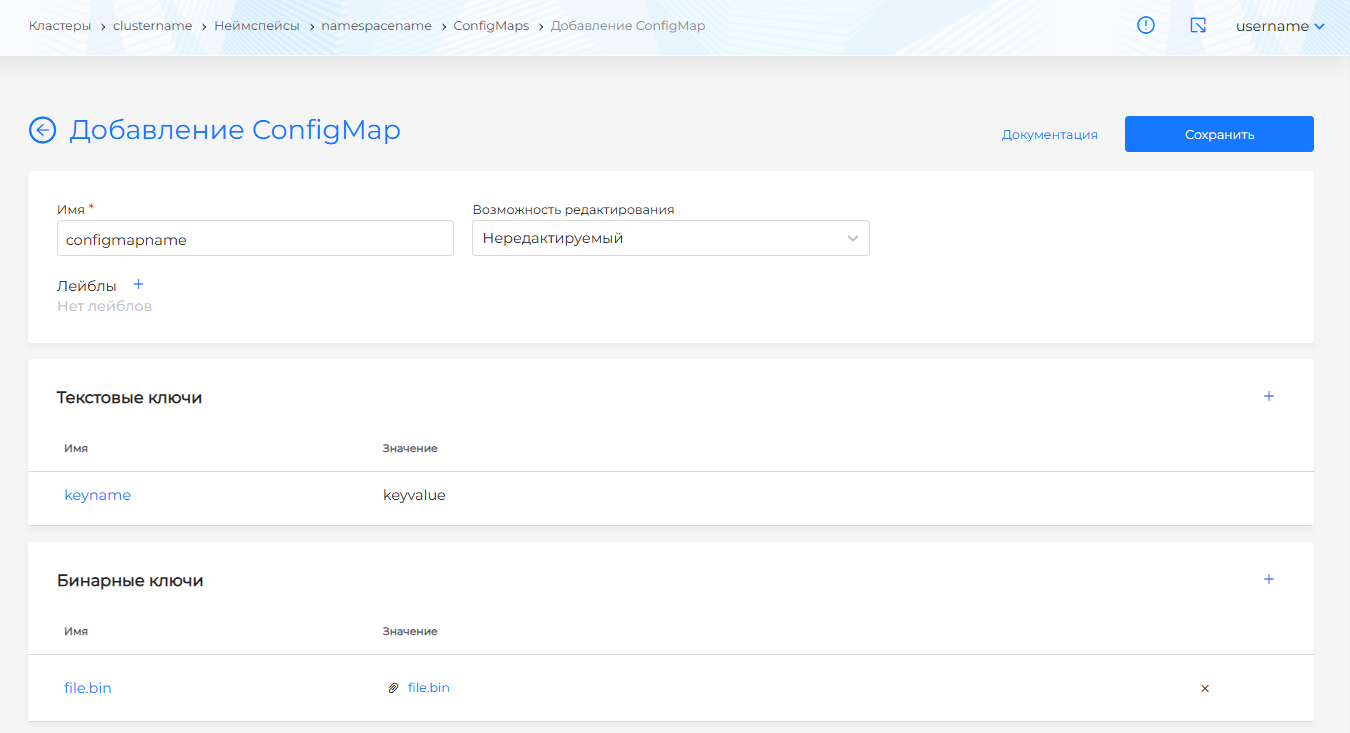
Note! If you set Editability to Non-editable, the ConfigMap cannot be changed.
You can delete a ConfigMap in one of the following ways:
- On the ConfigMaps page, click in the object row.
- On the ConfigMap view page, on the ConfigMap tab, click Delete.
- On the ConfigMap view page, open the Manifest tab and click .
After creating the ConfigMap, click Save.
Editing a ConfigMap
After creation you can view and edit ConfigMaps.
Open the Manifest tab to change ConfigMaps with a YAML manifest. After editing, run validation. The result appears on the right side of the screen. Expand the validation result block to see the full manifest. If Issuer manifest format validation fails, manifest validation is unavailable.
Screenshot
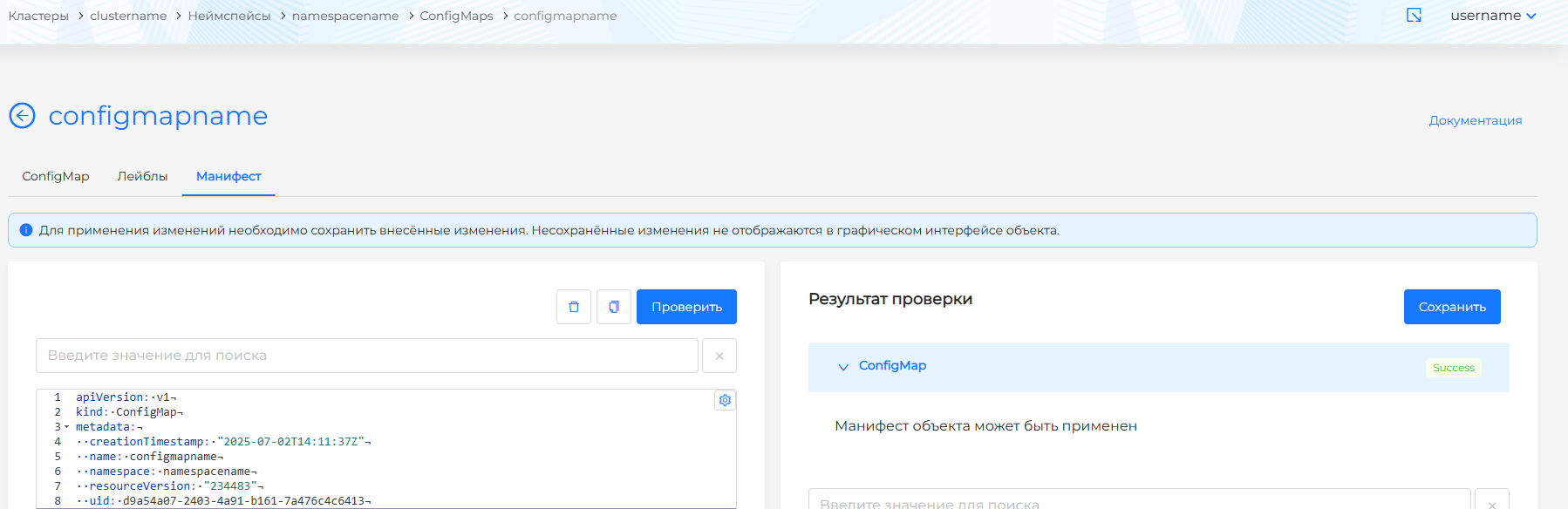
Save manifest changes. Unsaved data is not applied.