PersistentVolumeClaims
PersistentVolumeClaim (PVC) is a Kubernetes resource used to provision PVs automatically. When using the Shturval platform GUI, increasing the requested storage size is allowed after PVC creation.
Screenshot
On the PersistentVolumeClaims page you can create, edit, delete, or view existing PersistentVolumeClaims.
You can delete a PersistentVolumeClaim in one of the following ways:
- On the PersistentVolumeClaims page, click in the object row.
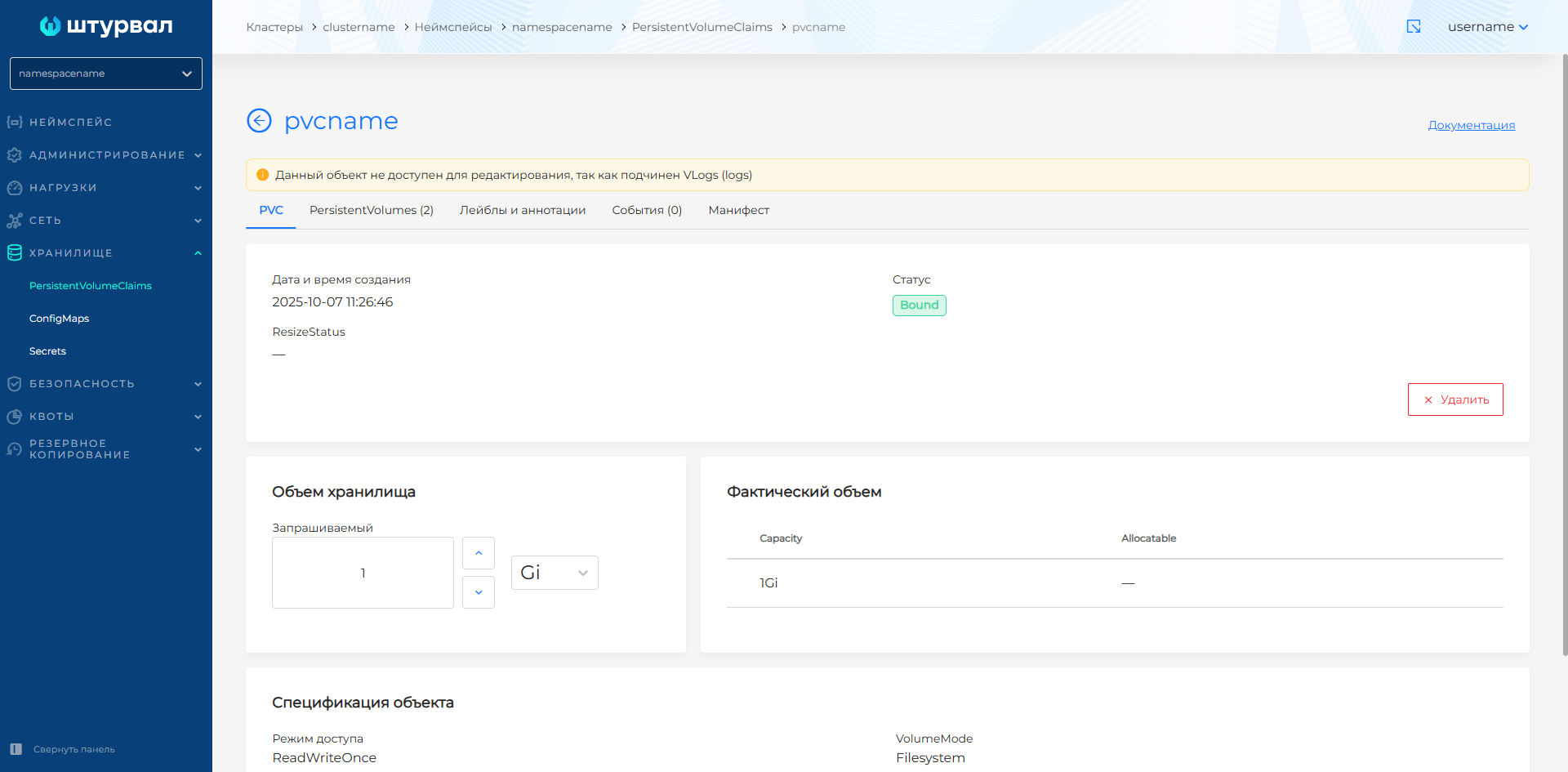
- On the PVC view page, on the PVC tab, click Delete.
- On the PVC view page, open the Manifest tab and click .
Creating a PersistentVolumeClaim
To create a PersistentVolumeClaim, click + Add PersistentVolumeClaim.
Required fields: PersistentVolumeClaim name, access mode, requested storage size, and StorageClass name.
- AccessMode — dropdown with values: ReadWriteOnce, ReadWriteMany, ReadOnlyMany.
- ReadWriteOnce — the PV can be mounted for read/write by a single pod.
- ReadOnlyMany — the PV can be mounted by many pods in read-only mode.
- ReadWriteMany — the PV can be mounted by many pods for read and write.
- StorageClass name — dropdown of StorageClasses created in the cluster.
- Requested storage (Storage capacity). To set storage size:
- Select a standard Kubernetes unit: byte (B), kibibyte (Ki), mebibyte (Mi), gibibyte (Gi).
- Enter the requested storage size.
- VolumeName — dropdown of PVs created in the cluster. Used to force-bind a PVC to an existing PV. Also requires a matching reference on the PV side.
Optionally you can:
- Set PVC labels and annotations.
- In the PV selector block, set matching labels and expressions for PVs to define which PVs the PersistentVolumeClaim can bind to. Note! Label selectors use logical AND. The selected object must have all specified labels.
Viewing a PersistentVolumeClaim
The PVC view page has tabs: PVC, PersistentVolumes, Labels and annotations, Events, and Manifest.
PVC statuses use color indicators:
- Pending — the PVC is waiting to bind to a PersistentVolume.
- Bound — the PVC is successfully bound to a PersistentVolume.
- Lost — the link to the PersistentVolume was lost.
The Manifest tab shows the PVC manifest for viewing and copying. You can delete the PVC.
If an administrator deletes a PVC used by a pod, deletion is deferred until the PVC is no longer used by pods.