StatefulSets
A StatefulSet is an object that deploys and manages a set of pods that run in a stateful mode—that is, pods with unique identifiers that retain their data across restarts. A StatefulSet also guarantees unique names and IP addresses for each pod, which simplifies working with databases and other applications that depend on stable identifiers.
Creating a StatefulSet
To create a StatefulSet, click + Create StatefulSet.
In the dialog that opens, in the Description block, set the StatefulSet name.
If needed, define labels and matching pod labels in the Pod selector block. Note! Label selectors use logical AND. The selected object must have all specified labels.
Set the StatefulSet specification:
- number of replicas;
- number of partitions;
- minimum ready time in seconds (minReadySeconds);
- revisionHistoryLimit — limits how many old replica revisions are stored (default is 10);
- pod management policy (podManagementPolicy):
- OrderedReady (selected by default)
- Parallel
- serviceName;
- PersistentVolumeClaim retention policy, including:
- whenDeleted:
- Retain (selected by default)
- Delete
- whenScaled:
- Retain (selected by default)
- Delete
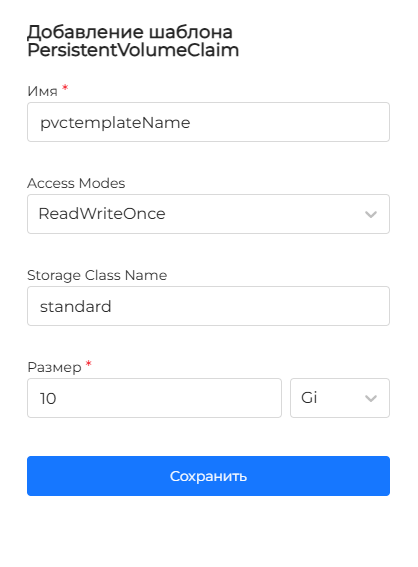
Define PersistentVolumeClaim templates. To add a new template, click +.
In the dialog that opens, set the template name. Define Access Modes (ReadWriteOnce is selected by default). Set Storage Class Name, size, and click Save.
Access Modes: Kubernetes supports four access modes for PersistentVolumeClaim:
- ReadWriteOnce (RWO): allows read and write, but only from a single node (attached to one node).
- ReadOnlyMany (ROX): allows read-only access and can be used by many nodes (attached to multiple nodes).
- ReadWriteMany (RWX): allows read and write and can be used by many nodes at the same time (attached to multiple nodes).
- ReadWriteOncePod (RWOP): allows read and write, but only for a single pod on a node.
Storage Class Name examples:
- “standard” — a general-purpose storage class with common parameters.
- “fast” — a storage class with faster parameters, such as SSD.
- “slow” — a storage class with slower parameters, such as HDD.
Size is the storage volume requested for the PVC. To set the size:
- choose a Kubernetes-standard unit: byte (B), kibibyte (Ki), mebibyte (Mi), gibibyte (Gi);
- enter the requested storage volume.
Screenshot
Define init containers and/or containers, and the pod template. If needed, assign Volumes. For section settings, see the Pods page.
Editing a StatefulSet
Screenshot
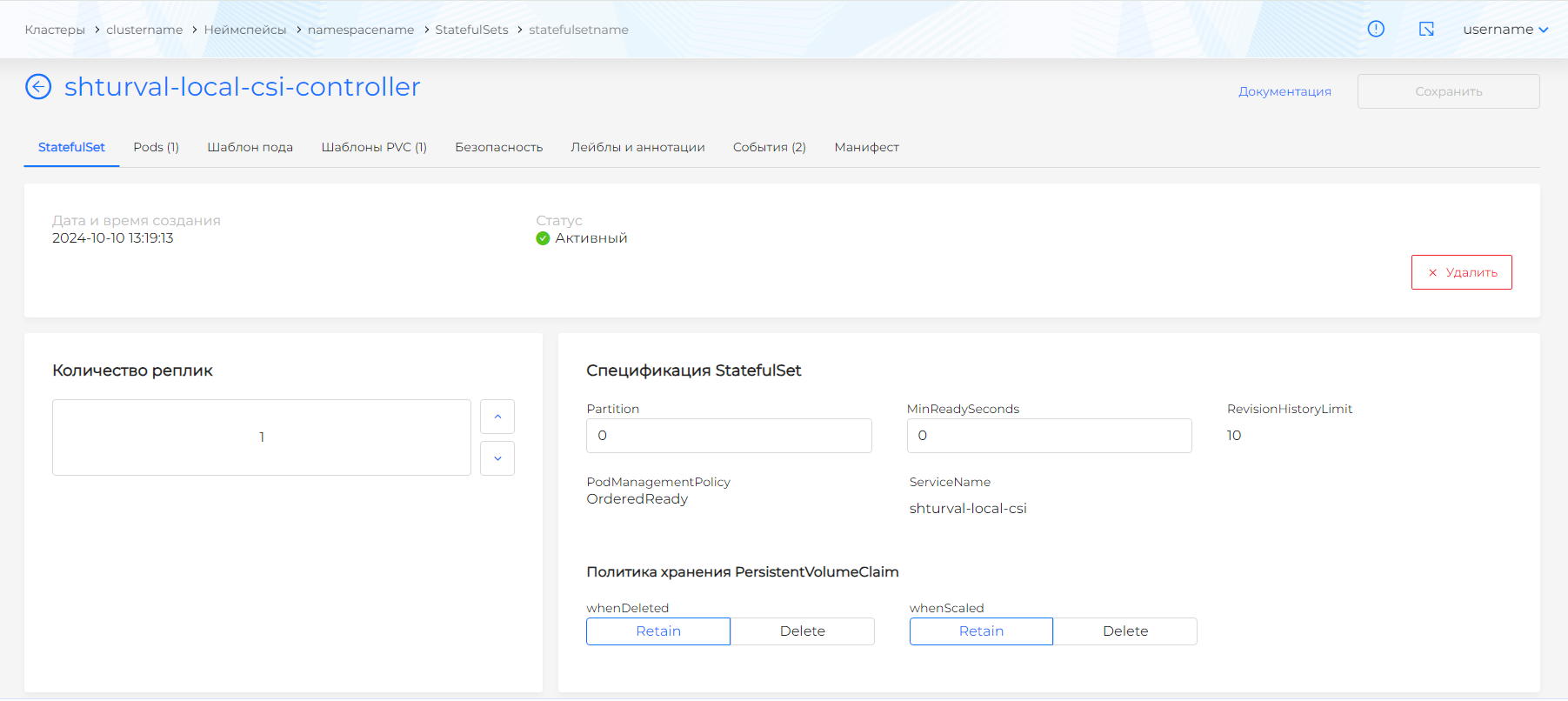
The following settings are available for editing:
- StatefulSet specification, including:
- number of replicas;
- number of partitions;
- minimum ready time in seconds (minReadySeconds). Minimum time in seconds for a newly created pod to become available without any of its containers failing. Default is 0 (the pod is considered available as soon as it is ready);
- PersistentVolumeClaim retention policy, including:
- whenDeleted
- whenScaled
- Pod template;
- Init containers;
- Containers;
- Volumes;
You can delete a StatefulSet in one of the following ways:
- on the StatefulSets page, click in the object row;
- on the StatefulSet view page, on the StatefulSet tab, click Delete;
- on the StatefulSet view page, open the Manifest tab and click .
You can also edit a StatefulSet using a YAML manifest. Open the Manifest tab. After changing the manifest, run validation. The validation result appears on the right side of the screen. Expand the validation result block to see the full manifest. If StatefulSet manifest format validation fails, manifest validation is unavailable.
Save the changes made to the manifest. Unsaved data will not be applied.
Viewing a StatefulSet
The StatefulSet view page has tabs:
- StatefulSet;
- Pods (shows a count; lists pods owned by the StatefulSet). Click a pod name to open the pod view page;
- Pod template (includes Containers, Init containers, and Volumes);
- PVC templates (shows a count);
- Security;
- Labels and annotations (list of StatefulSet labels and annotations);
- Events (shows a count);
- Manifest.
StatefulSet tab
The StatefulSet tab shows StatefulSet details, creation date and time, and status.
Screenshot
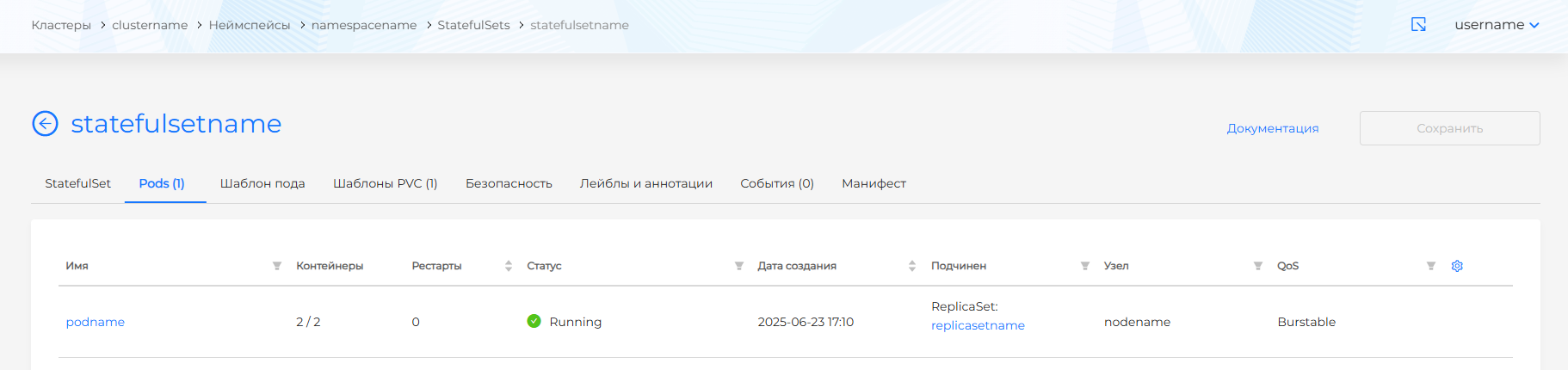
The StatefulSet specification block includes:
- Partition;
- minReadySeconds;
- revisionHistoryLimit;
- podManagementPolicy;
- serviceName.
PersistentVolumeClaim retention policy:
- whenDeleted;
- whenScaled.
The scaling block lets you change the number of replicas.
The Monitoring metrics block shows CPU Usage and Memory Usage for all StatefulSet objects combined over the past hour.
The Pod selector block shows the values set when the StatefulSet was created.
Pods tab
Screenshot
Lists pods owned by the StatefulSet with details:
- Pod name (filterable).
- Ratio of running containers to total containers in the pod.
- Pod restart count (sortable).
- Creation date (sortable).
- Namespace (filterable). Clicking the namespace name opens the namespace dashboard. Enter a value to filter pods by namespace. To clear namespace filtering, click Cancel in the filter, then Apply.
- Status (filterable). Filter values: Running, Pending, Terminating, CrashLoopBackOff, Completed, Failed, Unknown.
- Parent object (filterable). When the pod belongs to a workload, clicking the workload name opens its view page.
- Node where the pod runs (filterable). Clicking the node opens the node view page if you have access.
- Pod QoS (Quality of Service) (filterable: Guaranteed, Burstable, BestEffort). For more about QoS, see Pods.
- Pod labels (the Labels column is hidden by default). To show pod labels, click the gear icon in the table corner and enable the Labels column.
Click a pod row to open the pod view page.
Pod template tab
Screenshot
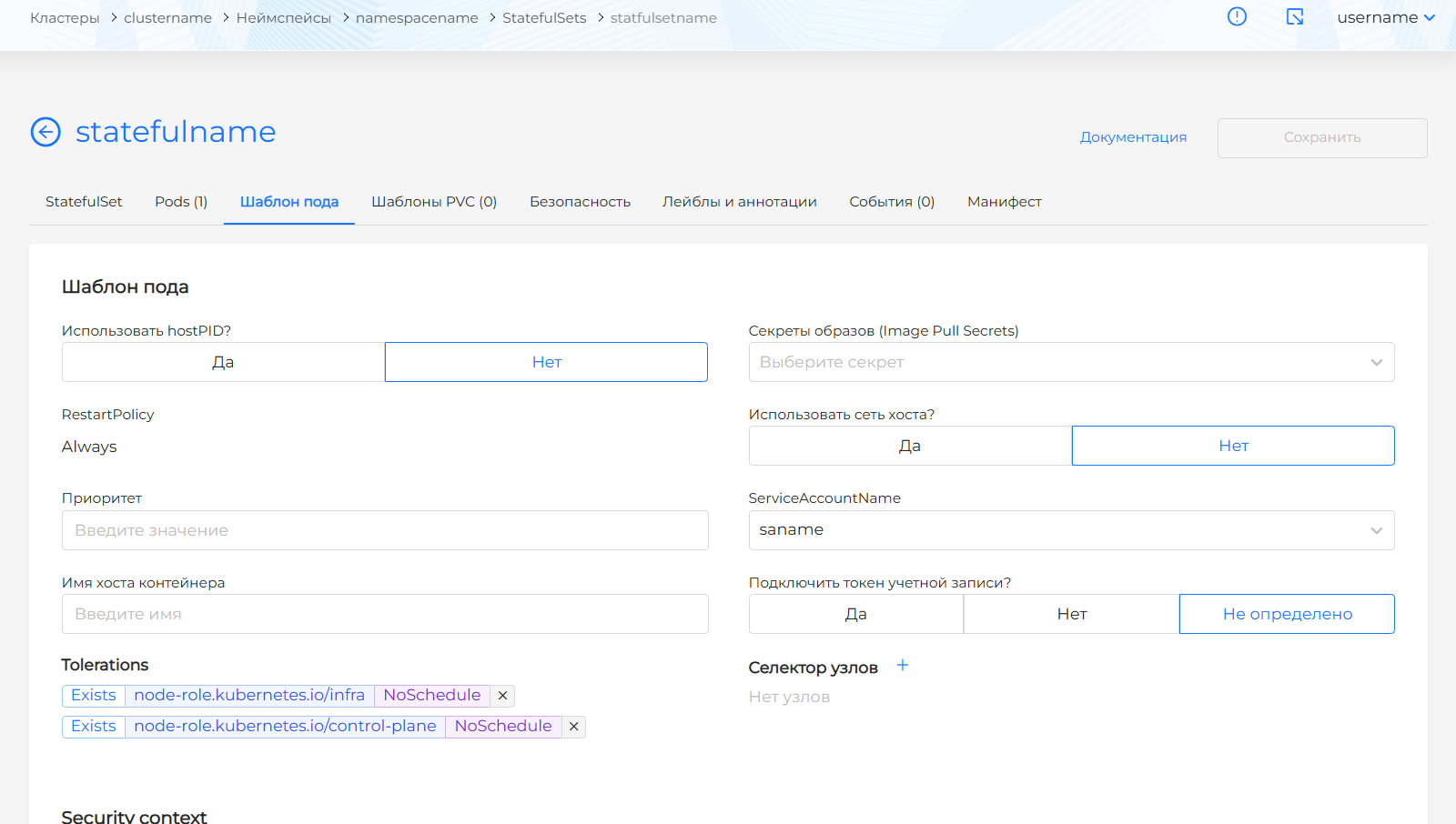
Shows the pod template, containers, init containers, and volumes of the StatefulSet.
Security tab
Screenshot
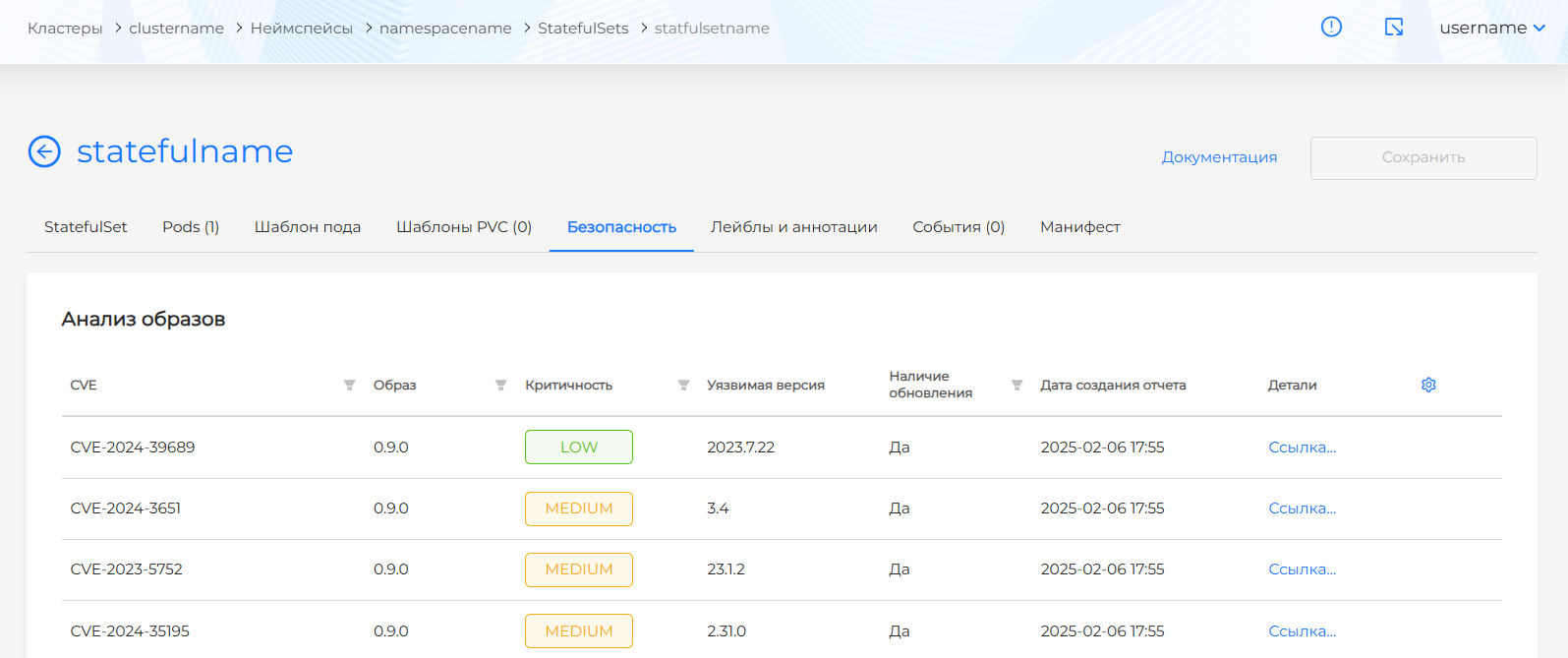
The Security tab shows:
- image vulnerability scan results for objects in this StatefulSet (shown only if the Container Image Scanning module is installed in the cluster);
- policy compliance analysis results for objects in this StatefulSet (shown only if the Application Configuration Analysis module is installed in the cluster).
Events tab
Screenshot
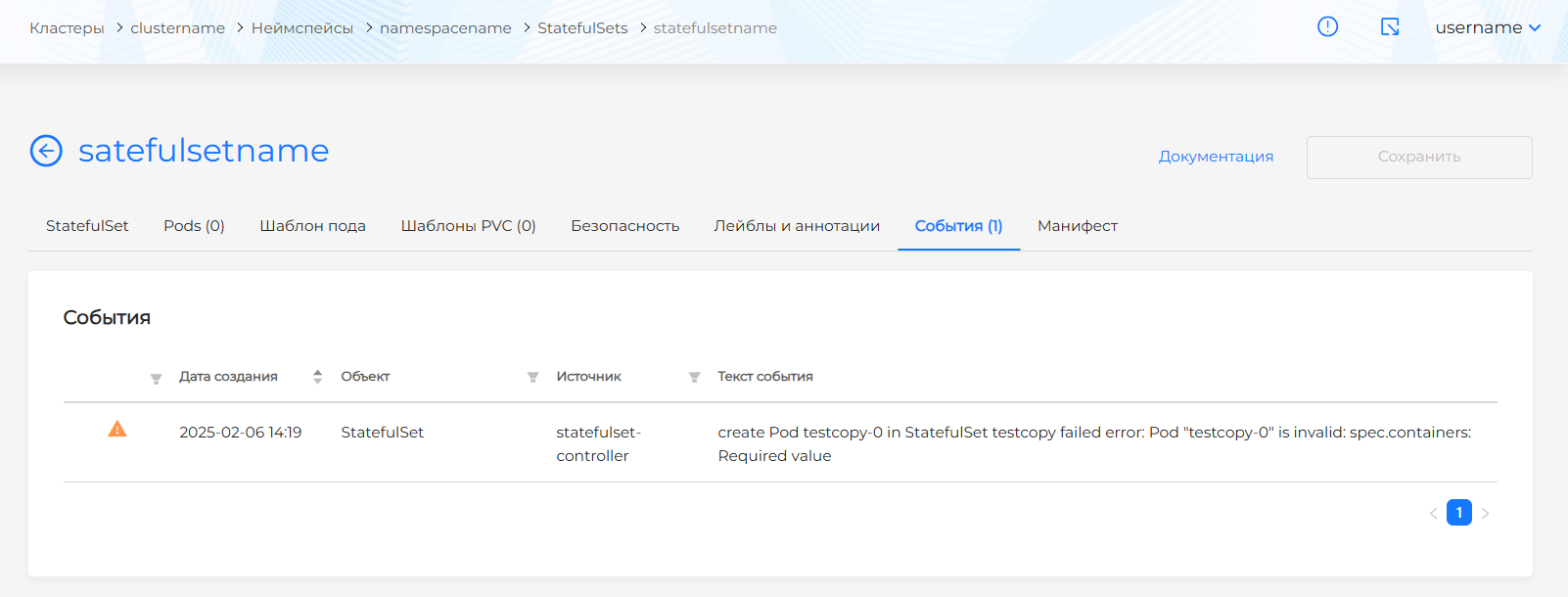
The Events tab lists StatefulSet events with details:
- event type indicator;
- date and time;
- event source;
- event message text.
Manifest tab
Screenshot
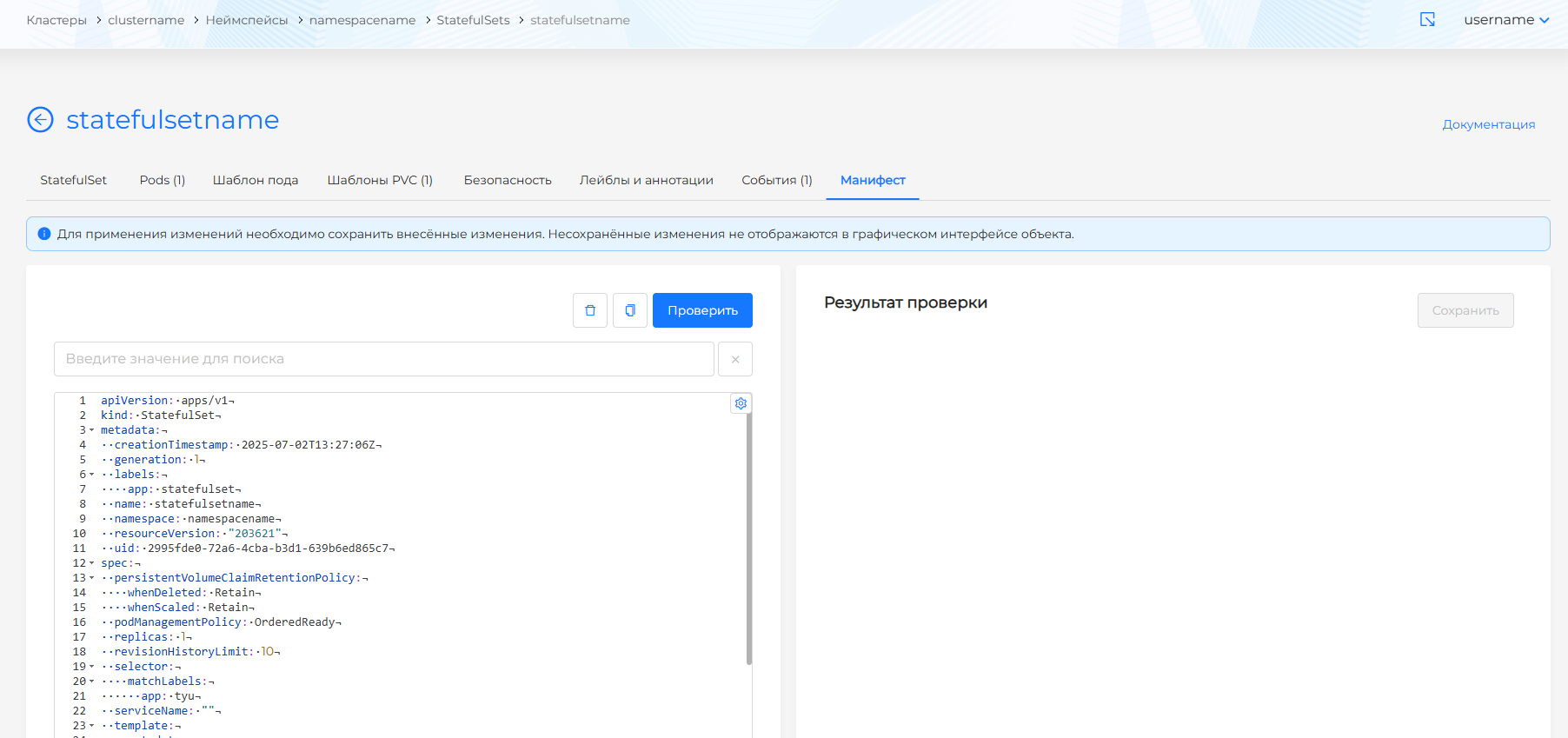
On the Manifest tab of the view and edit pages for an existing StatefulSet, you can change the YAML manifest, copy the manifest, or delete the StatefulSet. If the StatefulSet has at least one privileged container, that information is shown on the tab.