Installing Docker
To learn why Docker is required, see the requirements page.
You can install Docker in several ways. This guide shows an example of installing Docker Engine using an apt repository. If needed, choose another installation method in the official documentation.
- Configure the Docker apt repository.
Commands
# Add Docker's official GPG key:
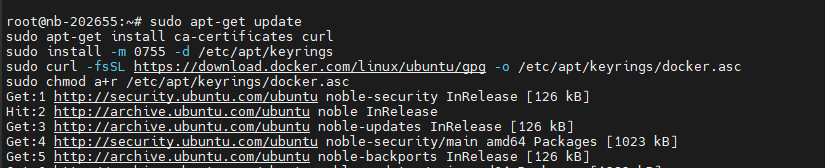
sudo apt-get update
sudo apt-get install ca-certificates curl
sudo install -m 0755 -d /etc/apt/keyrings
sudo curl -fsSL https://download.docker.com/linux/ubuntu/gpg -o /etc/apt/keyrings/docker.asc
sudo chmod a+r /etc/apt/keyrings/docker.asc

# Add the repository to Apt sources:
echo \
  "deb [arch=$(dpkg --print-architecture) signed-by=/etc/apt/keyrings/docker.asc] https://download.docker.com/linux/ubuntu \
  $(. /etc/os-release && echo "${UBUNTU_CODENAME:-$VERSION_CODENAME}") stable" | \
  sudo tee /etc/apt/sources.list.d/docker.list > /dev/null
sudo apt-get update
Screenshot
- Install the packages.
Command
sudo apt-get install docker-ce docker-ce-cli containerd.io docker-buildx-plugin docker-compose-plugin
Screenshot

Command
sudo systemctl status docker
Screenshot
