Basis Dynamix provider configuration
Before configuring a Basis Dynamix provider instance in the Shturval platform:
To add a provider instance, go to Providers → Provider configuration and click Add provider instance. Select + Basis Dynamix.
In the Connection configuration block, set:
- Server address (corresponds to DecordAddress).
- Server SSO (corresponds to DecordSSO).
- Application ID.
- API key.
- Whether to validate the security certificate (default is no).
Screenshot
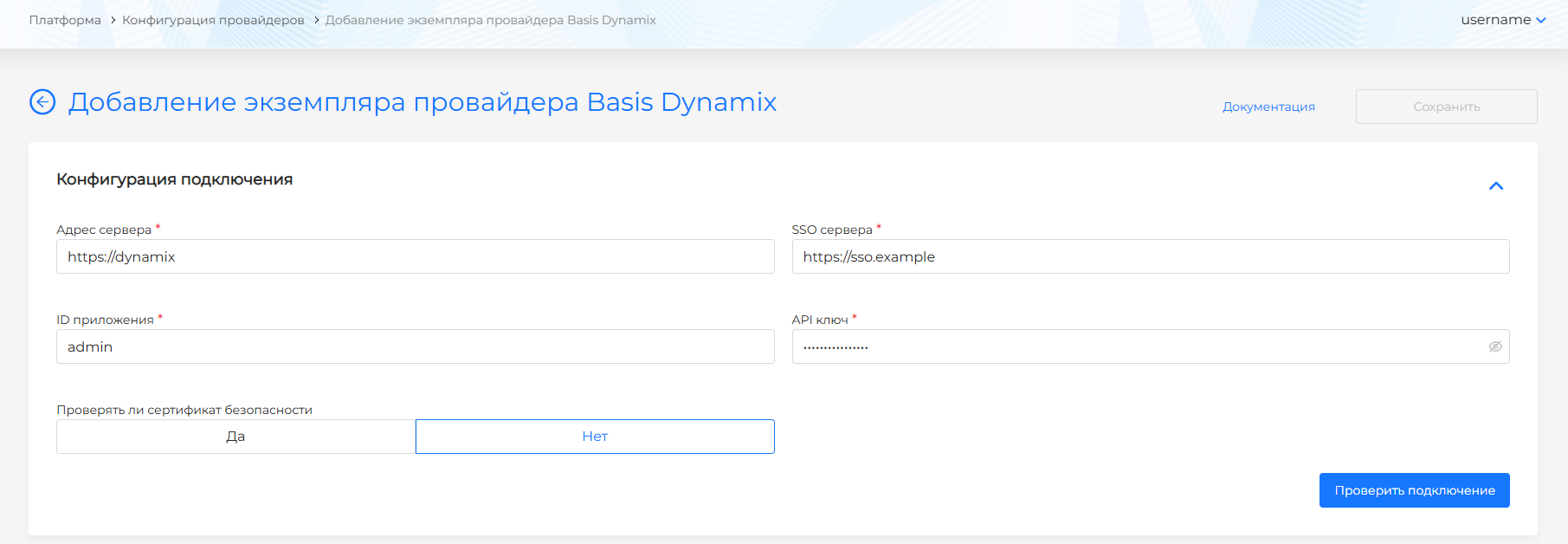
After configuring the connection, test it by clicking Test connection.
After a successful connection, the Provider configuration block allows you to:
- set the Provider name (used to select the template when creating a cluster).
- select the Account name.
- select the Resource group (corresponds to ResourceGroup name).
- select the VINS name (internal network name; corresponds to name in ViNS of the selected resource group and account).
- select the ExtNet name (external network name; corresponds to name in External Networks; specify if needed).
The VM template network interface eth0 is set by default and cannot be changed.
Screenshot
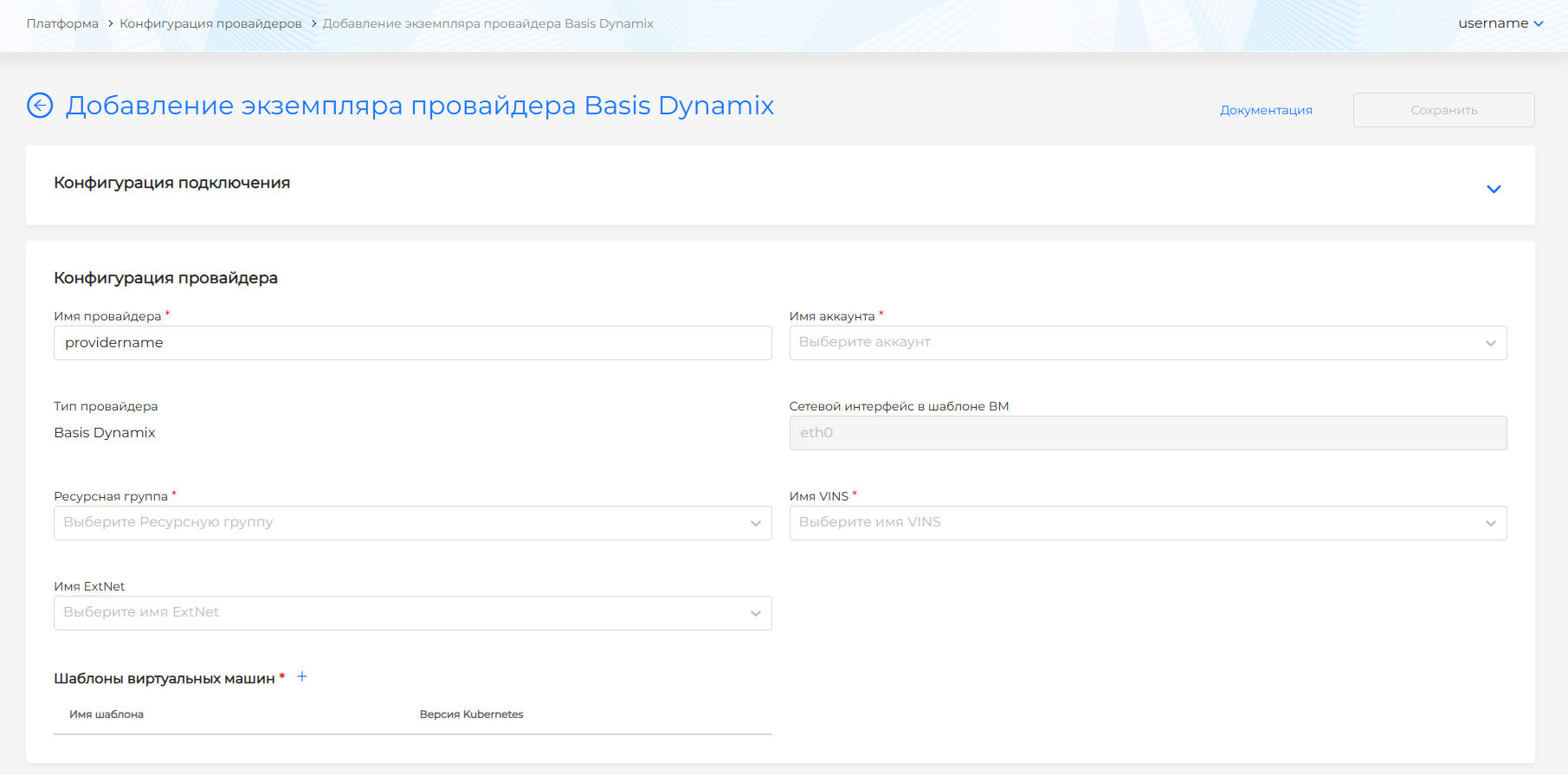
Both fields (VINS name and ExtNet name) can be filled in at the same time.
Next is the Virtual machine templates block. Add templates created in the virtualization platform. Only one VM template per Kubernetes version is allowed.
See Uploading a VM template to the Shturval platform for adding a VM template to a provider instance and choosing a Kubernetes version.
After creating the provider template, you can change data only after a successful connection test.
To update the Kubernetes version on cluster nodes, follow Updating the Kubernetes version.