vCloud Director configuration
Before configuring a vCloud Director provider instance in the Shturval platform:
To create a vCloud Director provider instance from the platform GUI:
Go to Providers → Provider management, click Add provider, and select vCloud Director.
On the provider instance creation page, in Connection configuration, set:
Screenshot
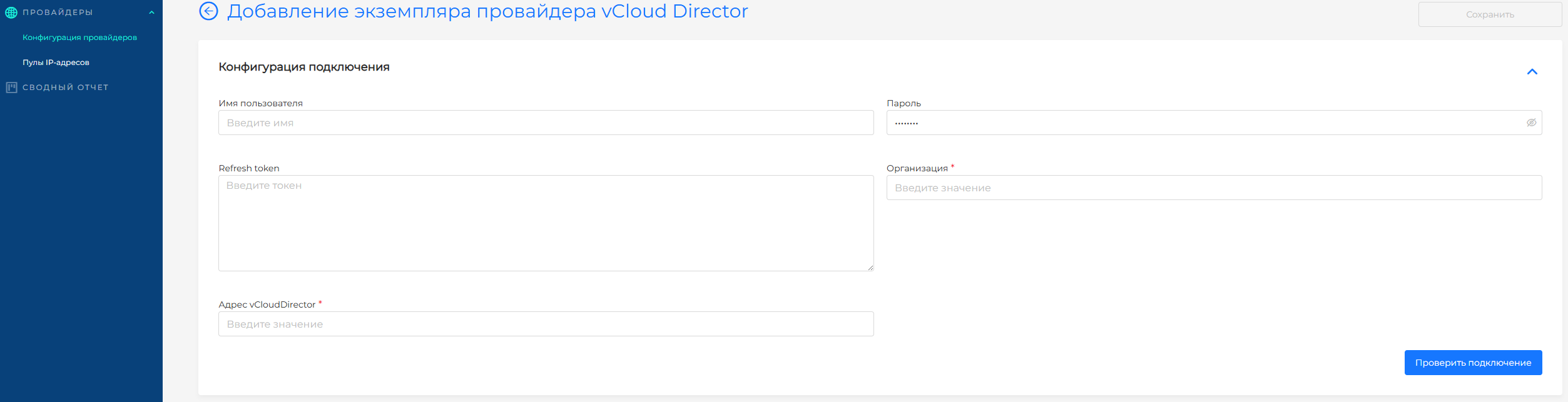
To connect to VMware vCloud Director, fill in:
- Refresh token or credentials (login, password) for the service account;
- vCloud Director address;
- Organization (where the project will be deployed).
- Test the connection by clicking Test connection.
If the test fails, verify service account credentials and permissions in the virtualization environment.
- After a successful connection, configure the provider. In Provider configuration:
- Set the provider instance name in Provider name;
- Select catalog (image catalog);
- Select sizingPolicy (resource management policies available when creating clusters);
- Select ovdc (virtual datacenter);
- Select network (node subnet).
If virtualization account credentials are correct, you can select a virtual machine template in Virtual machine templates. Add templates created in the virtualization platform. Only one VM template per Kubernetes version is allowed.
See Uploading a VM template to the Shturval platform for adding a VM template to a provider instance and choosing a Kubernetes version.
To update the Kubernetes version on cluster nodes, follow Updating the Kubernetes version.