Yandex Cloud provider configuration
Before configuring a Yandex Cloud provider instance in the Shturval platform:
To create a Yandex Cloud provider instance from the platform GUI:
Go to Providers → Provider management, click Add provider, and select Yandex Cloud.
On the provider instance creation page, in Connection configuration, set:
Screenshot
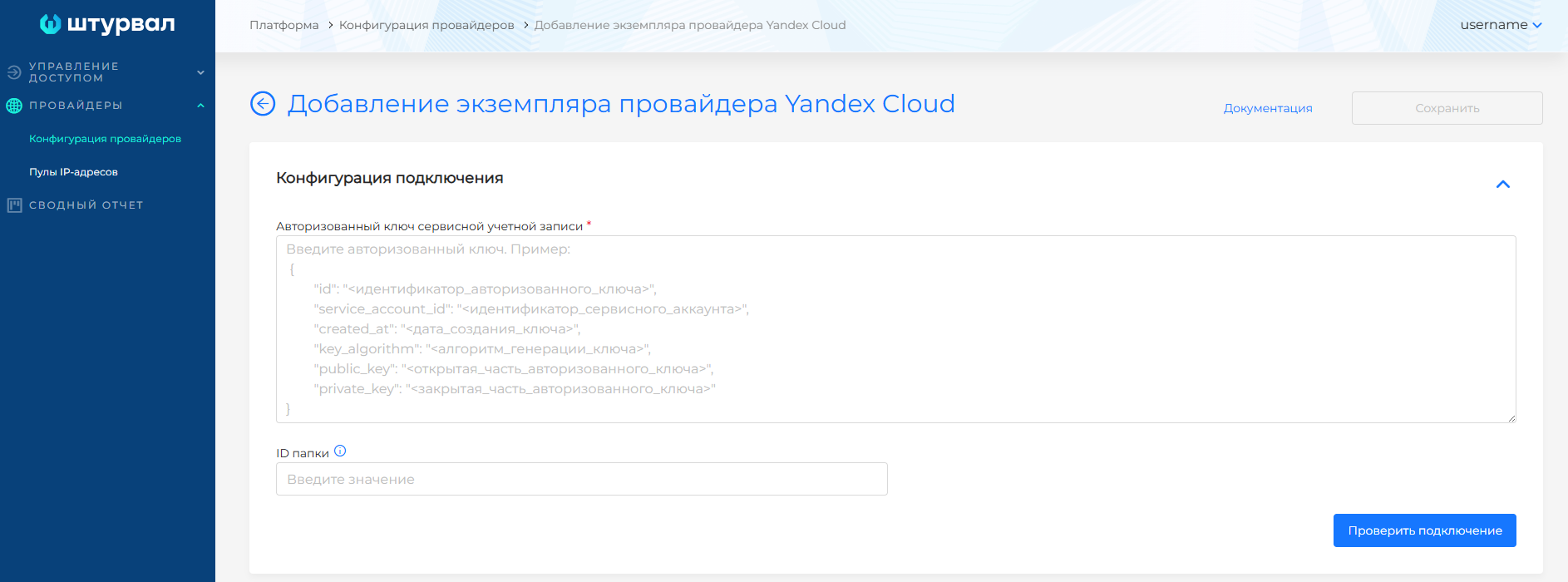
- Service account authorized key.
- If the service account cannot list all cloud folders, specify the folder ID directly in Folder ID.
- Test the connection by clicking Test connection.
If the test fails or no folders are available, verify the key and the service account’s access to list folders.
- After a successful connection, configure the provider. In Provider configuration:
Screenshot
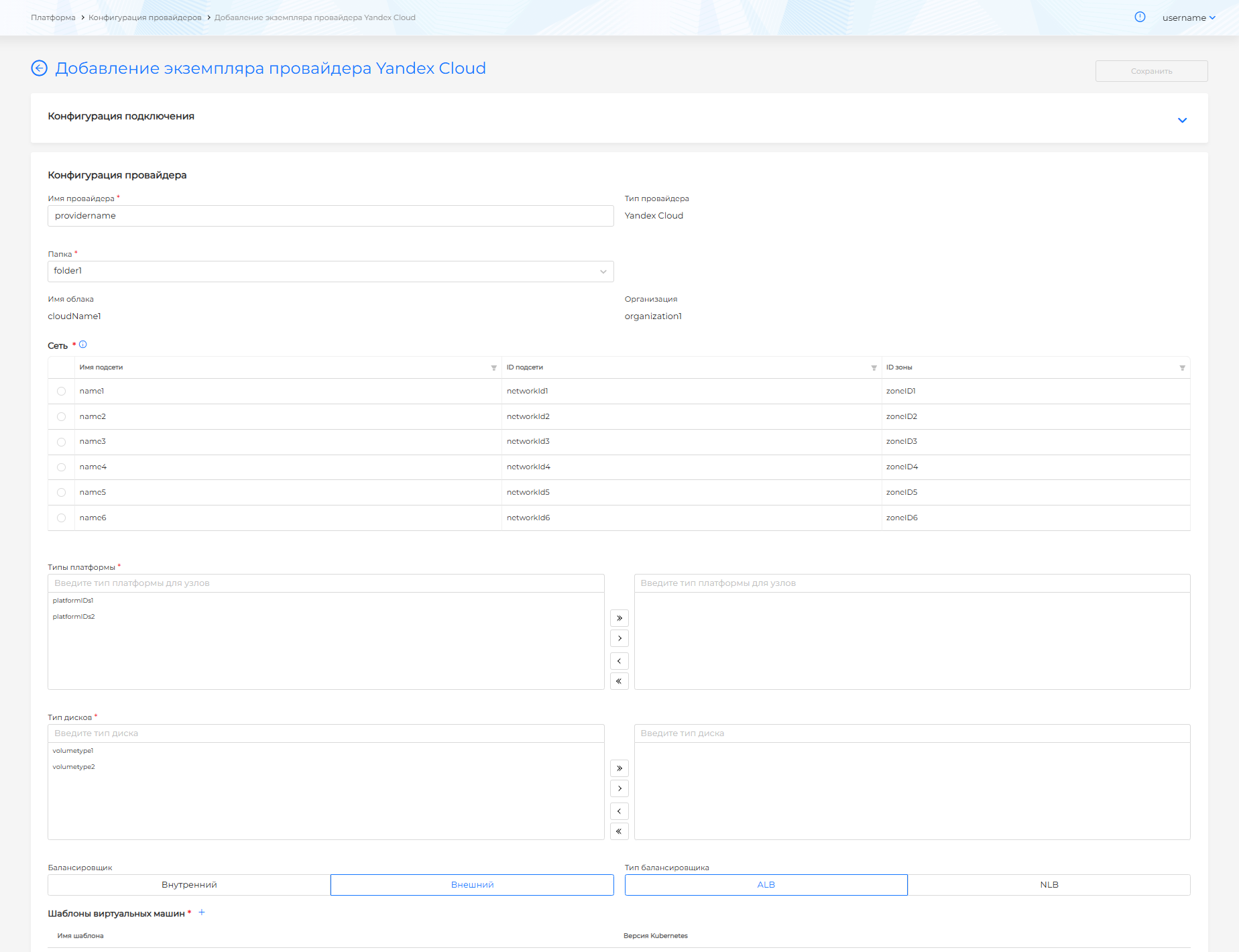
- Set the provider instance name in Provider name.
- In Folder, select the cloud folder where Yandex Cloud resources are grouped. After selecting a folder, cloud and organization data appear and network selection becomes available. If the service account has access to only one folder specified during connection, that folder ID is shown in Folder and cannot be changed.
- Select a subnet (IP range in the cloud network). Note the subnet availability zone when selecting.
- Set Platform types available when creating a cluster with the Yandex Cloud provider.
- Set Disk types available when creating a cluster with the Yandex Cloud provider.
- Select External or Internal network load balancer (default is External)
- Select load balancer type: Yandex Network Load Balancer (NLB) or Yandex Application Load Balancer (ALB) (default is ALB).
- In Virtual machine templates, add templates created in the virtualization platform. Only one VM template per Kubernetes version is allowed.
Screenshot
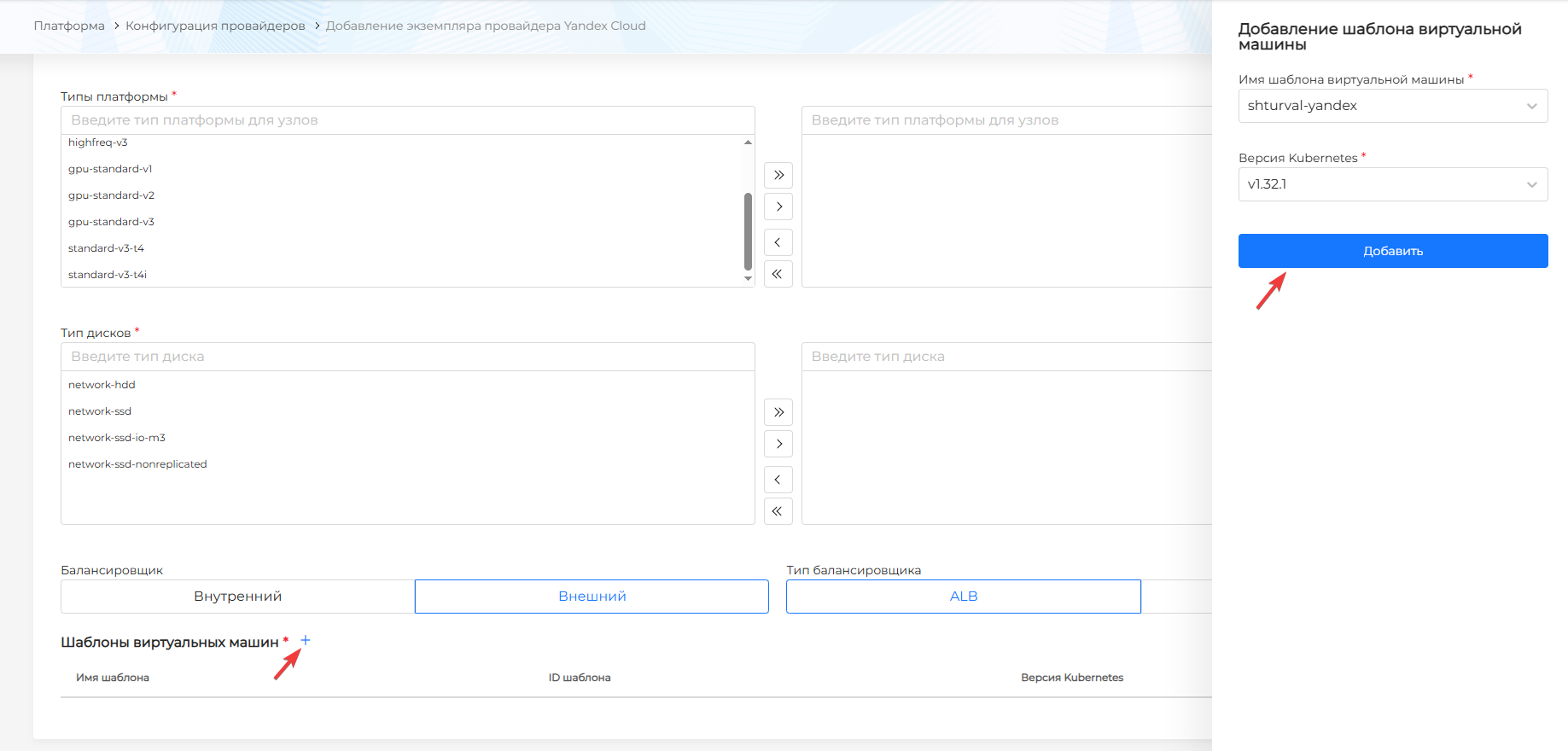
See Uploading a VM template to the Shturval platform for adding a VM template to a provider instance and choosing a Kubernetes version.
To update the Kubernetes version on cluster nodes, follow Updating the Kubernetes version.