Cluster image analysis summary report
The platform Cluster image analysis page shows container image scan results for all platform clusters using Trivy. See Built-in cluster security assessment tools for details.
On the page you can:
- filter by platform clusters;
- download a CSV report based on the configured filters.
Screenshot
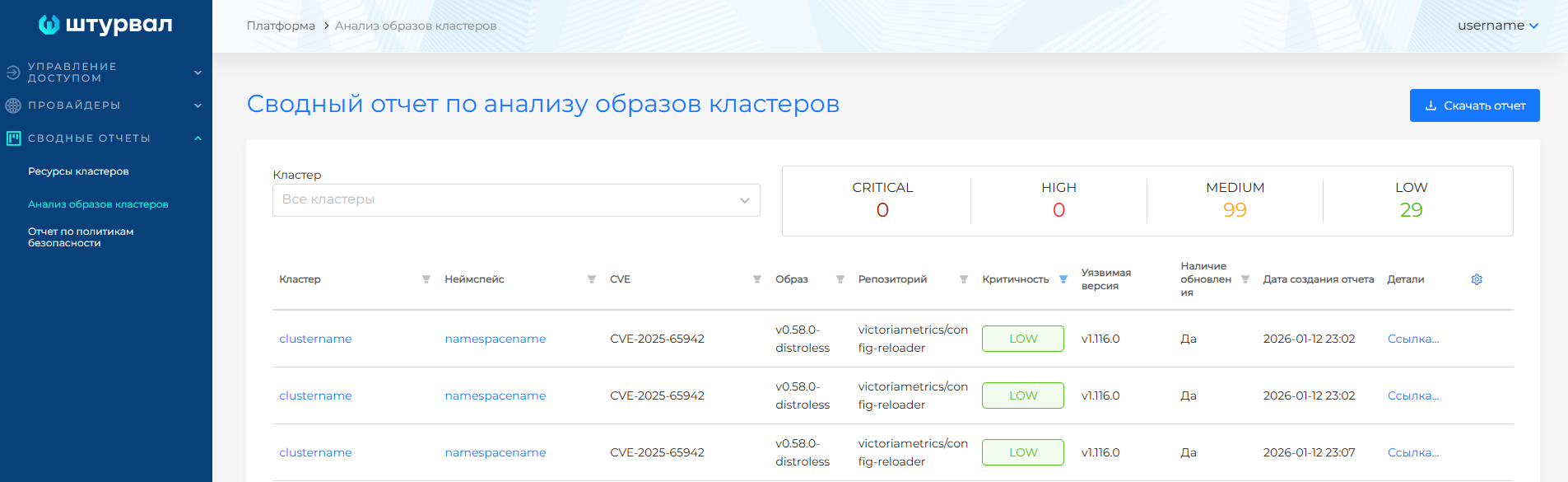
The web UI shows a summary report for all clusters from a single scan only. Each new summary report replaces the previous one.
Vulnerabilities are grouped by severity.
Trivy vulnerability severity classification
0-2.9: Low. Vulnerabilities with this rating can be deferred indefinitely or mitigated with firewalls, integrity controllers, and similar controls.3.0-6.9: Medium. Vulnerabilities with this rating may lead to potential system compromise and require additional protection.7.0-8.9: High. Vulnerabilities with this rating may degrade system performance and/or lead to unconditional system compromise.9.0-10.0: Critical. Vulnerabilities with this rating may allow an attacker to gain full control of the system.
Vulnerability reports may show High and Critical findings that do not apply to Shturval platform component container images. To exclude such vulnerabilities from the report, follow the steps in the instructions.
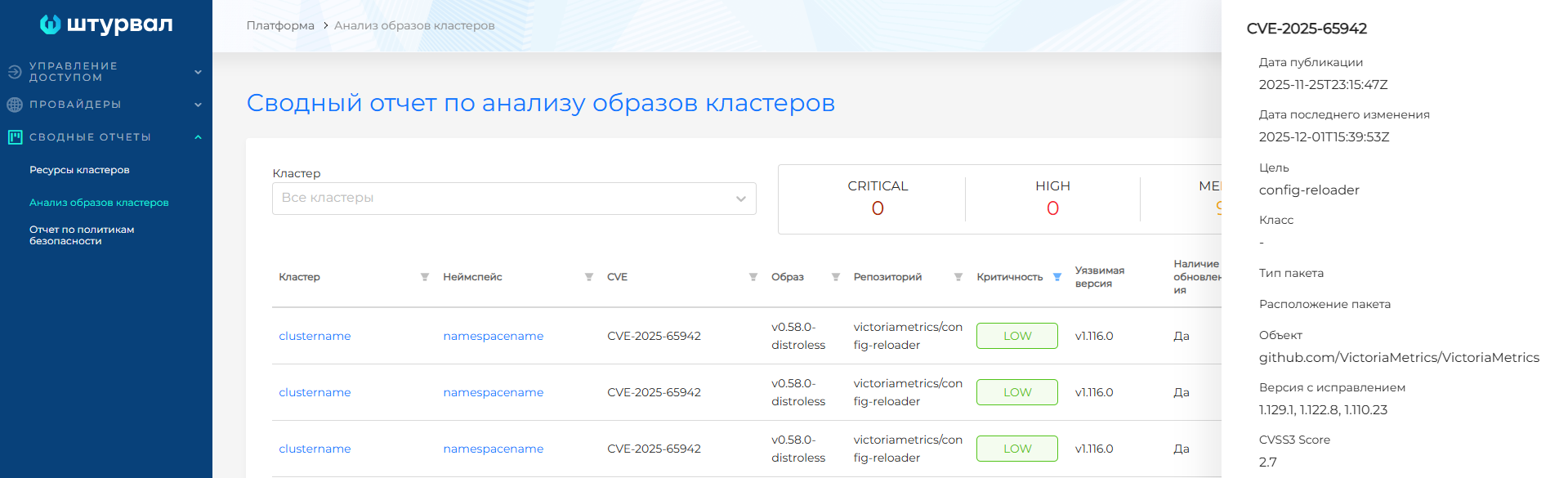
Clicking a vulnerability row opens a side panel with additional information. Clicking a cluster or namespace name opens the cluster or namespace dashboard page.
Screenshot
CSV report
To import a CSV report into MS Excel:
- If needed, configure table filters and download the report from the page by clicking Download report.
- Create a new MS Excel file and open the Data tab.
- On the left side of the ribbon, select Get external data, then From text, choose the downloaded report file, and click Import.
- In the Text Import Wizard dialog, select Delimited and click Next.
- Select Comma as the delimiter and click Next.
- Select General as the column data format and click Finish.
Instructions for configuring container image scan intervals and report retention are on the Container image scanning module (Trivy) page.