Security policy summary report
In Summary reports, the Security policy report page shows a summary of Kyverno security policies. See Built-in cluster security assessment tools for details.
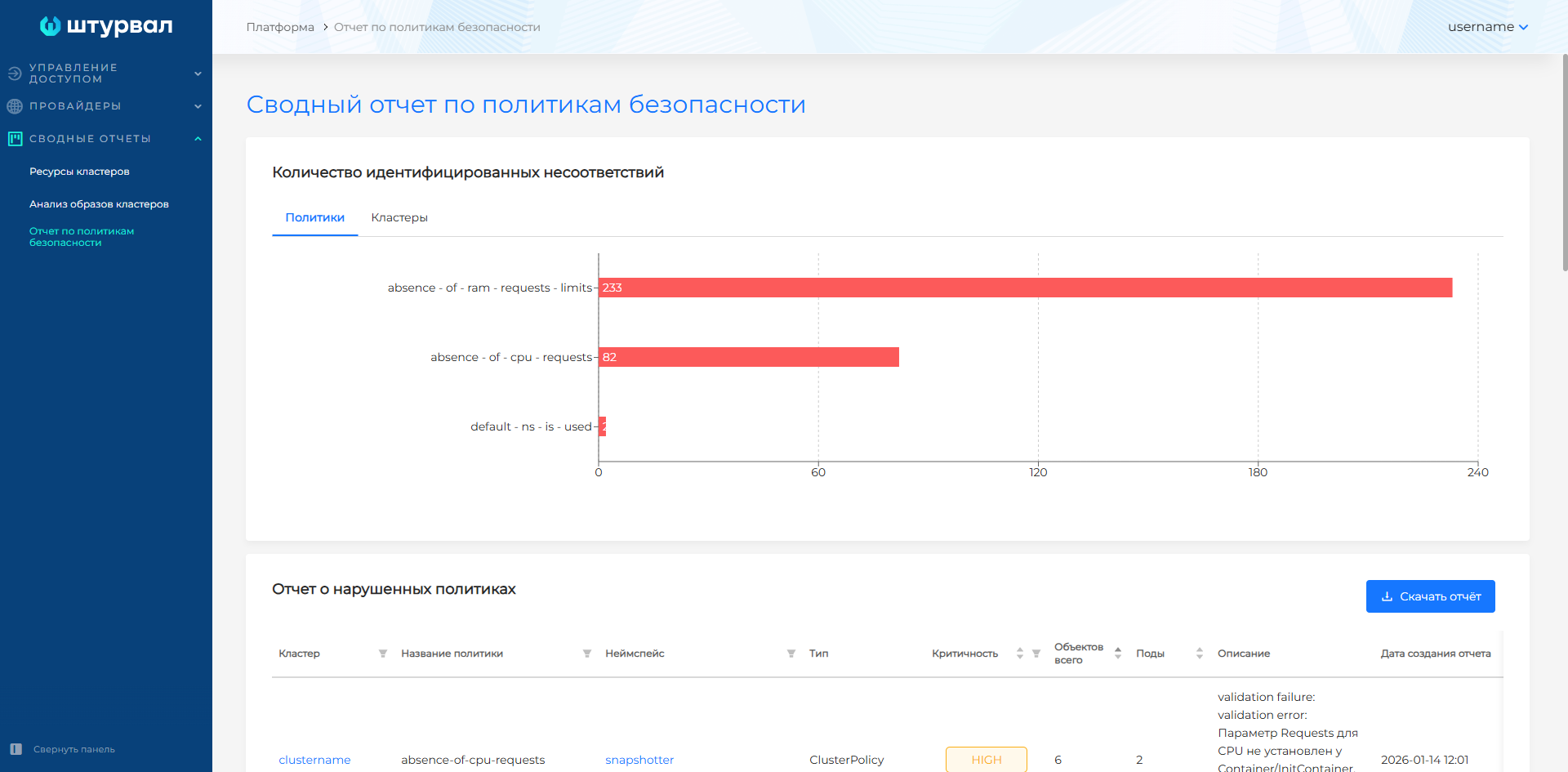
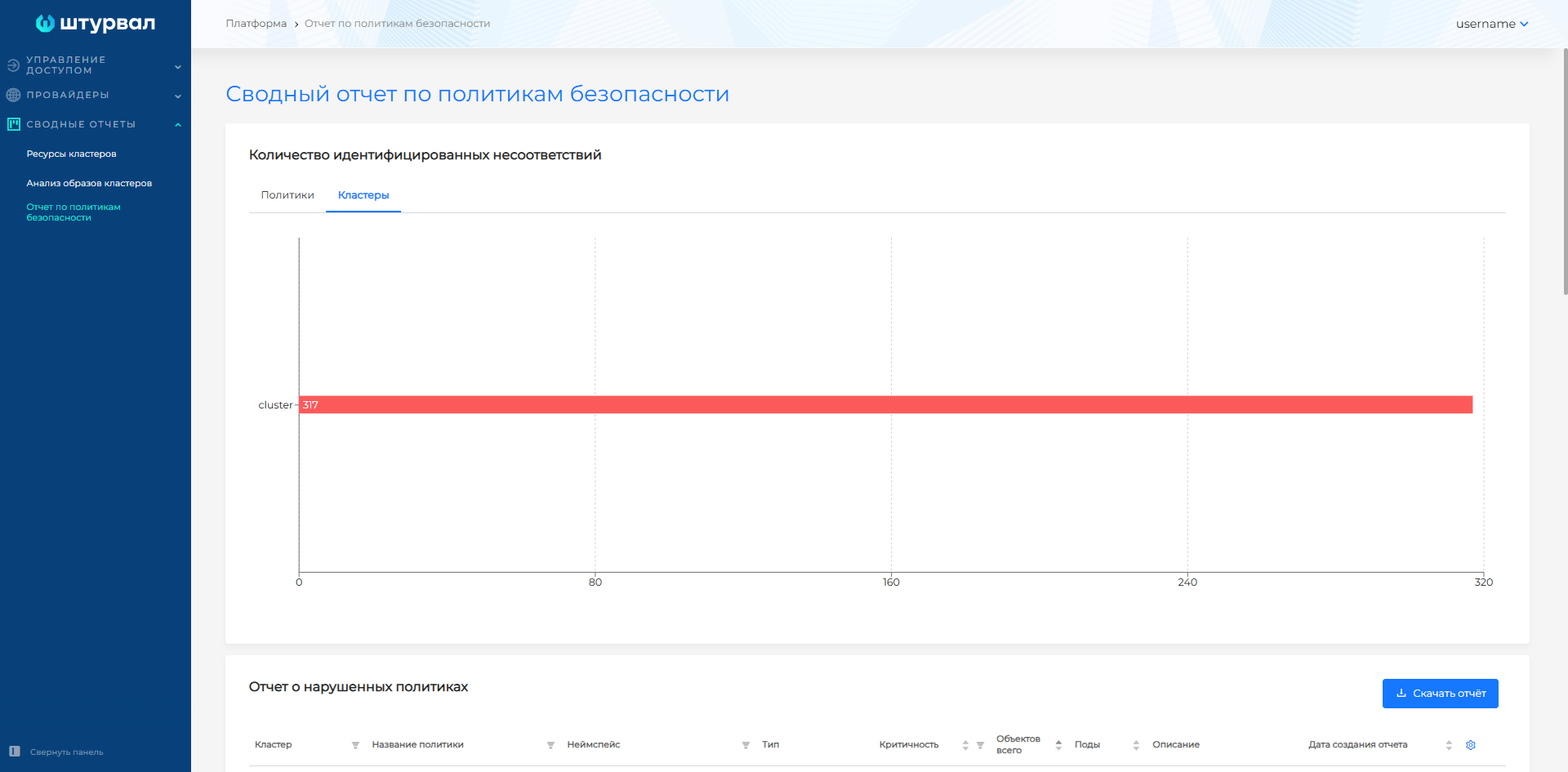
The summary report page collects results of Kyverno security policy analysis across all platform clusters. You can view the number of identified noncompliance issues:
- by security policy. If platform clusters have policies with the same names, the chart shows noncompliance counts for each cluster separately.
Screenshot
- by platform cluster.
Screenshot
Clicking a cluster or namespace name opens the cluster or namespace dashboard page. The list of recommended policies to load into a cluster is on the Security policies page.
If there are no security policy reports in clusters, the summary report is not generated.
You can download the full CSV report or a filtered CSV report from the page.
MS Excel 2019 and later
To import a CSV report into MS Excel 2019 or later:
- Create a new MS Excel file and open the Data tab.
Screenshot

- On the left side of the ribbon, select From text, choose the downloaded report file, and click Import.
Screenshot

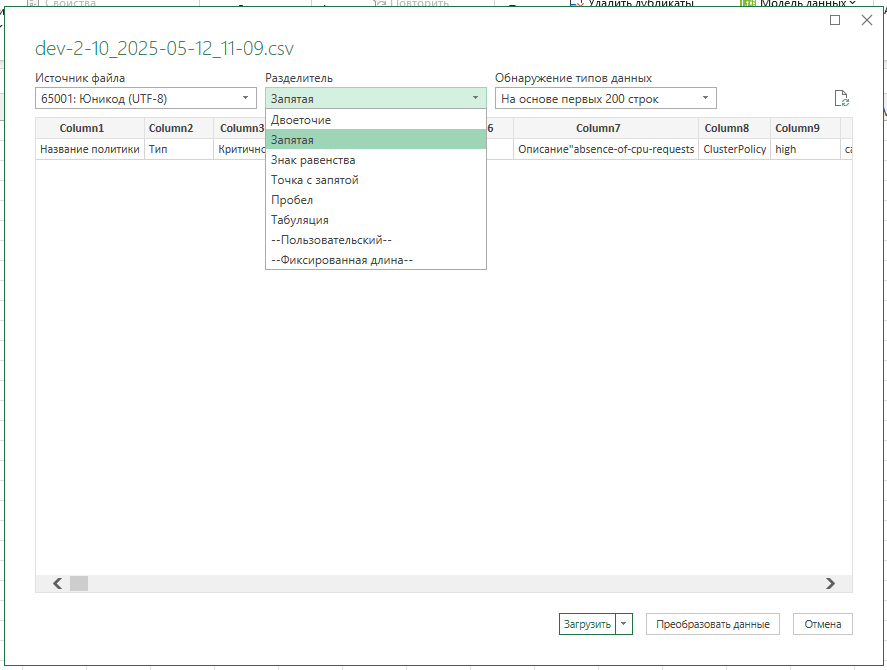
- In the dialog that opens, select Comma as the delimiter and click Load.
Screenshot
MS Excel 2018 and earlier
To import a CSV report into MS Excel 2018 or earlier:
- Create a new MS Excel file and open the Data tab.
Screenshot

- On the left side of the ribbon, select From text, choose the downloaded report file, and click Import.
Screenshot
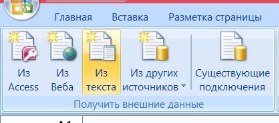
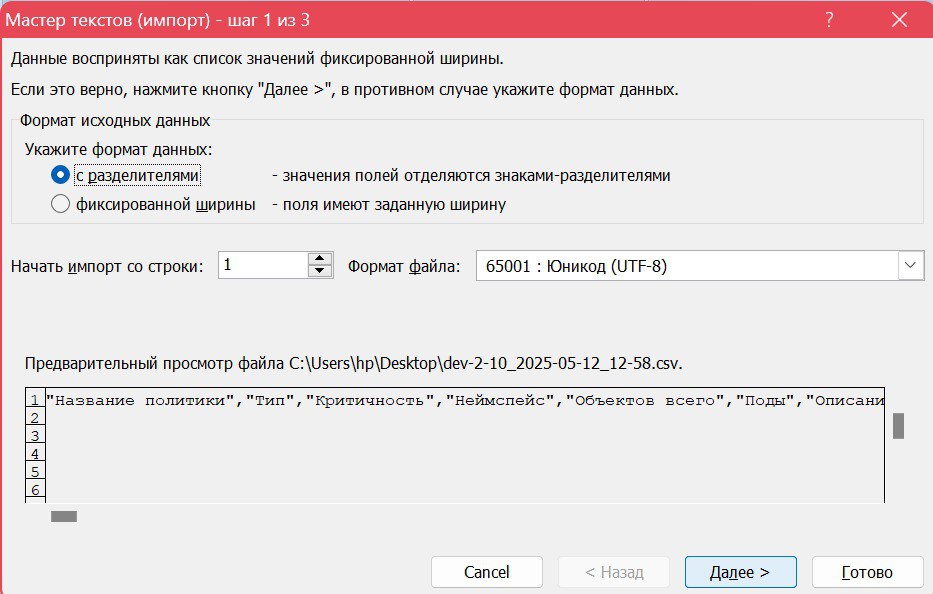
- In the Text Import Wizard dialog, select Delimited and click Next.
Screenshot
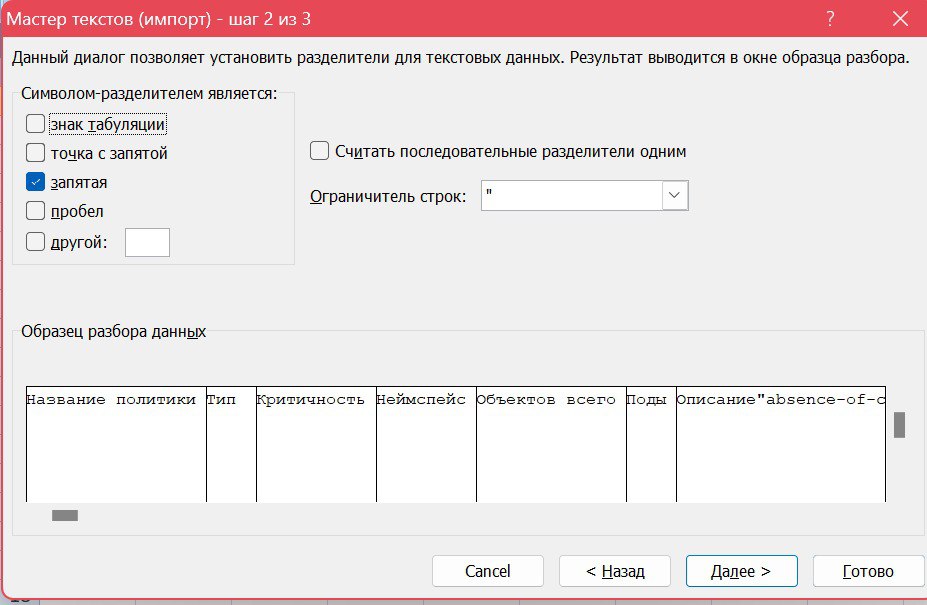
- Select Comma as the delimiter and click Next.
Screenshot
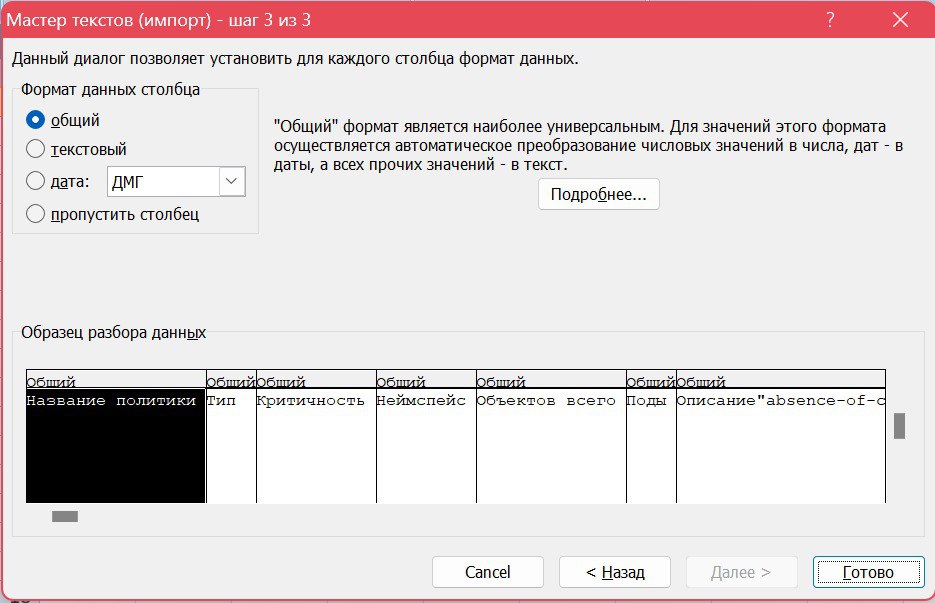
- Select General as the column data format and click Finish.
Screenshot
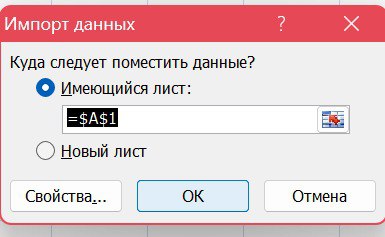
- Select the worksheet and starting cell for import and click OK.
Screenshot