Client cluster resource report
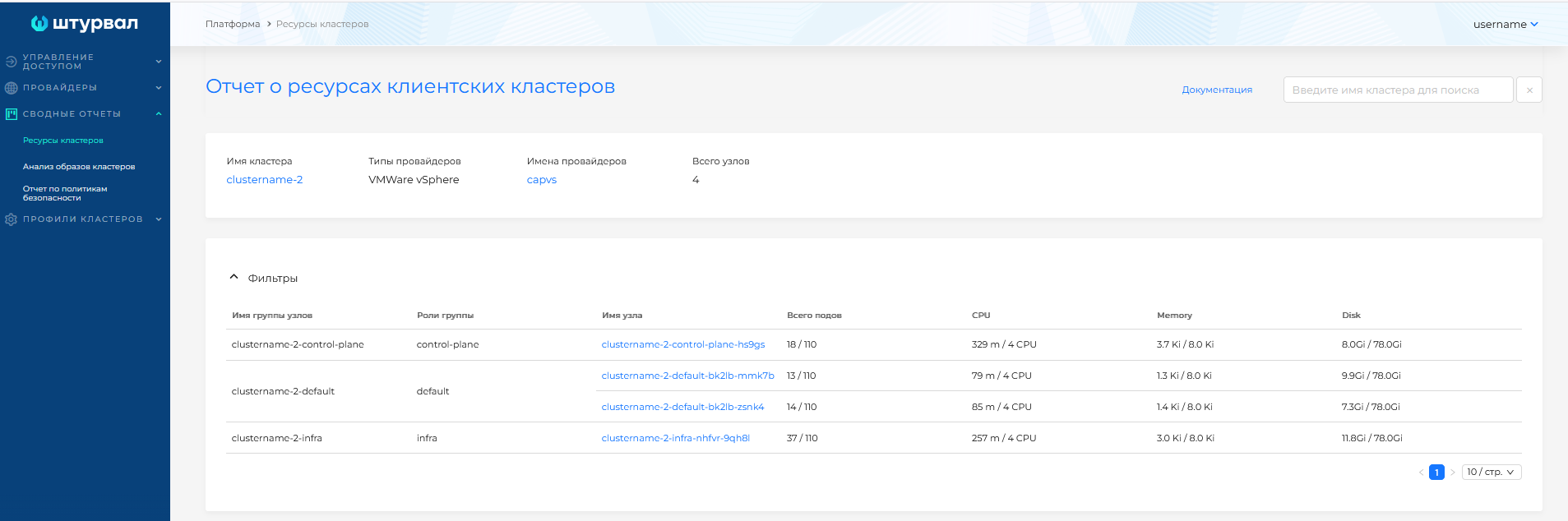
The summary report provides detailed information about all client clusters deployed in Shturval. Information is grouped by:
- Client cluster name;
- Infrastructure provider type;
- Infrastructure provider template name;
- Number of nodes in the cluster;
- Node group name (filterable);
- Node group roles (filterable);
- List of nodes by group (filterable);
- Number of pods;
- CPU;
- Memory;
- Disk.
The report shows only created, running nodes.
Clicking a provider template name, cluster name, or node name opens the corresponding object page.
If client clusters have a local metrics collection module installed and running, and the management cluster has a centralized metrics storage module enabled and running, the node summary report shows actual usage relative to allocated resources.
Screenshot
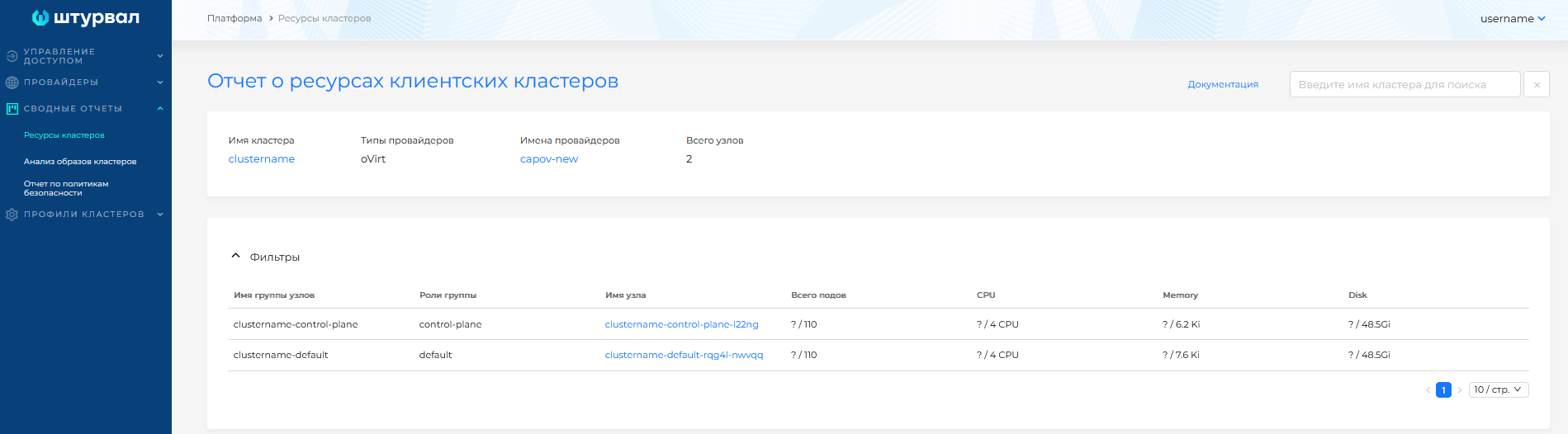
If metrics are unavailable, only the requested node capacity is shown.
Screenshot
You can filter by cluster. To search, enter a cluster name in the field in the upper-right corner of the page. Search matches from the first character entered.
Screenshot
