Web interface start page
The Shturval Platform web interface start page provides the following sections:
- Cluster — work with the management cluster and client clusters;
- Platform — manage access rights and cluster infrastructure;
- About — information about third-party components used by the platform.
About
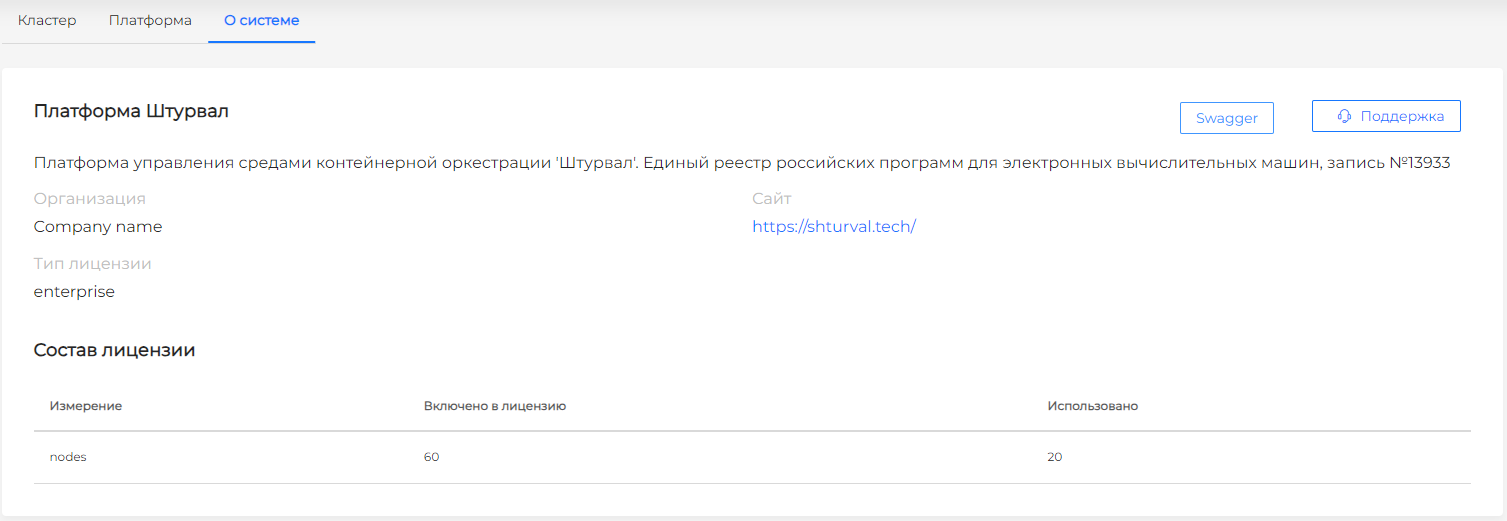
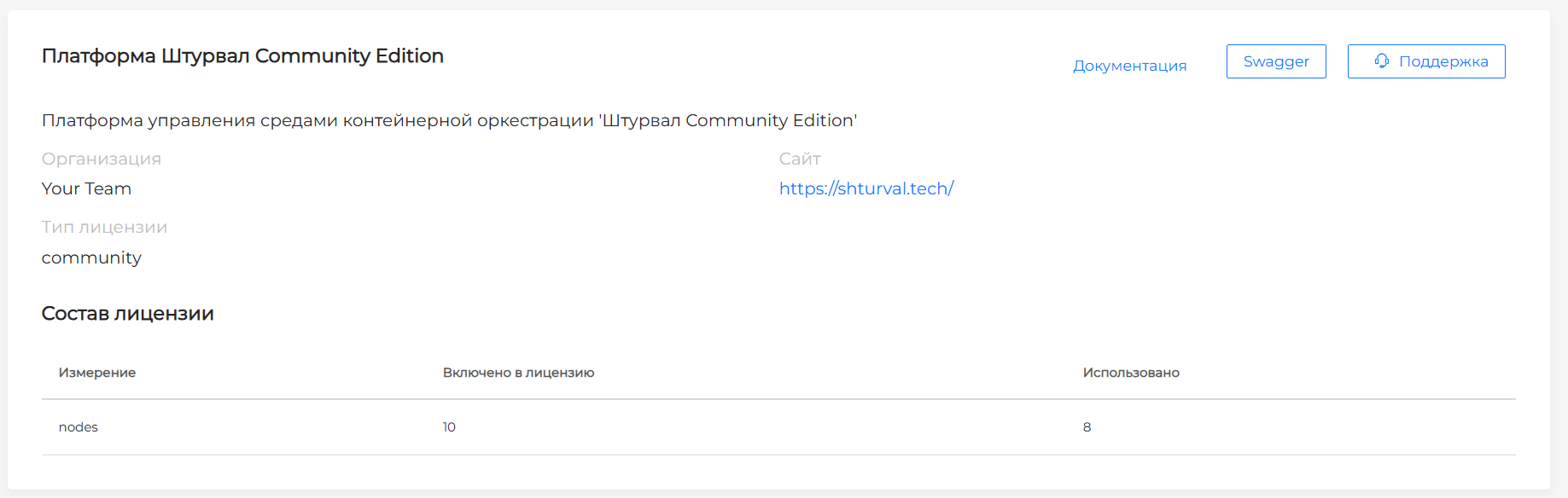
The About page shows license information, node count, and open-source components used. Please note! If the Worker node or vCPU limit is exceeded, a notification asking you to contact the vendor to change the license package appears on all UI screens.
At the top of the page, a button opens Service Desk, where you can submit a request to the Shturval platform developers. Service Desk also includes a knowledge base where developers publish technical details.
Please note! Service Desk is not available in the Community edition installation. A Telegram channel is available instead, where you can get answers from the development team.
Enterprise edition screenshot
Community edition screenshot
Swagger
A platform administrator can enable Swagger by clicking Enable Swagger.
Enable Swagger screenshot

If Swagger was enabled earlier, all users can open Swagger from the page.
Enabled Swagger screenshot

Open Source components used
- Kubernetes
- CoreDNS
- Containerd
- Cilium
- Nginx Ingress Controller
- Envoy
- Open Policy Agent
- Kube VIP
- Kubernetes Descheduler
- Cluster API
- Cluster API Provider vSphere
- Kubernetes Autoscaler
- Raw File Provisioner
- Cert-manager
- Velero
- Trivy
- Kyverno
- Kubernetes State Metrics
- VictoriaMetrics
- Victoria Metrics Agent
- Grafana
- ArgoCD
- Cluster API Provider OpenStack
- SR-IOV Network Operator
- Multus
- Whereabouts
- Argo Rollouts
- Vector Operator
- NFS CSI driver
- Ceph CSI
- oVirt CSI driver
- CSI driver for vSphere
- X.509 Certificate Exporter
- Trust manager
- Kubernetes DNS
- Api Server
- ETCD
- CSI Snapshotter
- CSI Cinder driver
Service version distribution by Shturval platform version is documented on Shturval repository services.
Platform
Screenshot
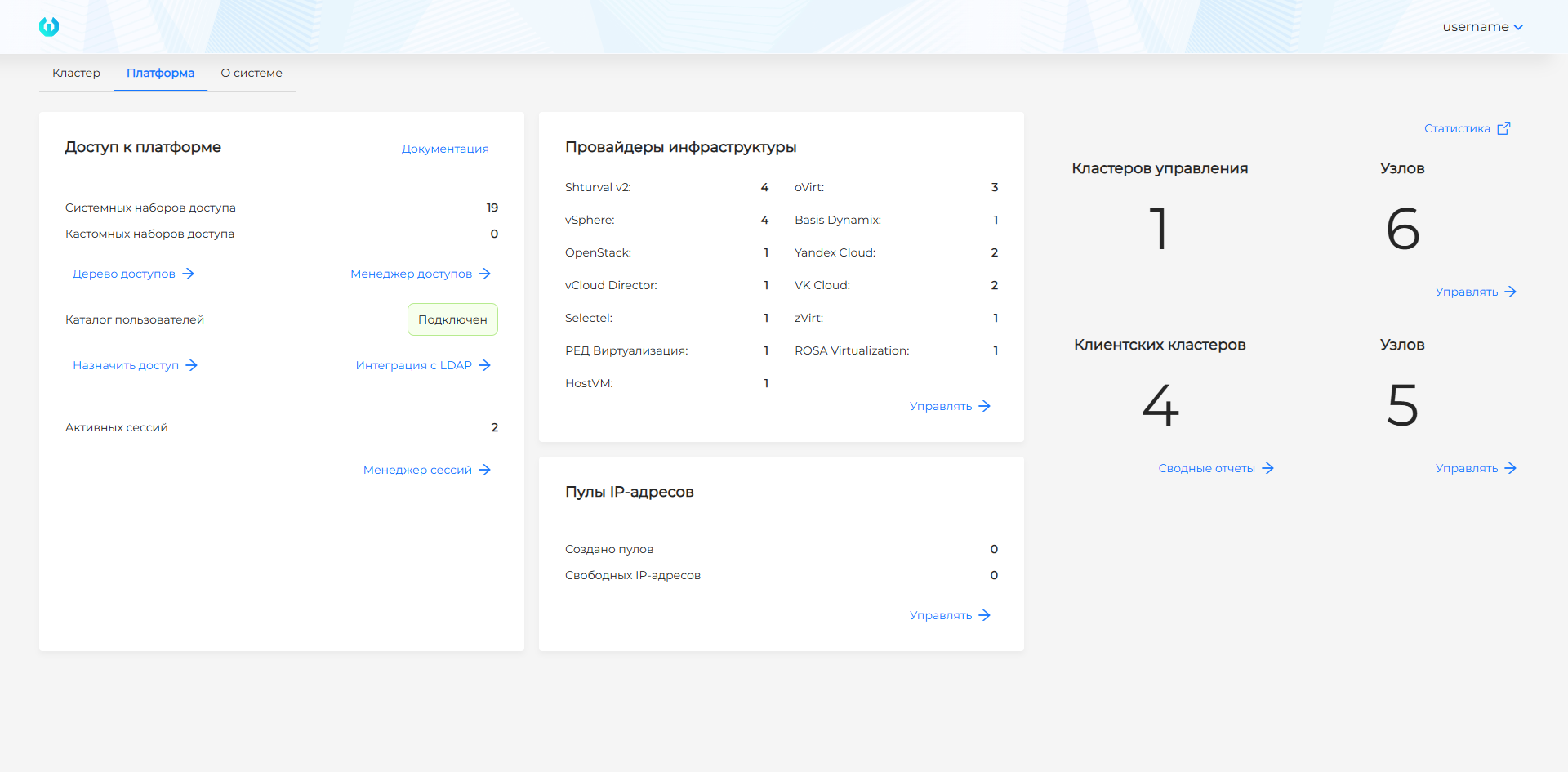
The Platform page shows:
- The Platform access block shows how many system and custom access sets exist in the platform, whether an external user directory is connected, and how many active UI sessions there are. Access rights can be assigned on cluster access management pages.
- The Infrastructure providers block shows how many provider instances are connected.
- The IP address pools block shows how many IP pools are connected and how many free IP addresses are available in the pools.
- Counters for management clusters and management cluster nodes.
- Counters for client clusters and client cluster nodes.
- Links to reports:
If monitoring services are connected and running, a button to open the Grafana UI is available:
- The Statistics button is available when the Metrics Visualization module (Grafana) (
shturval-dashboards) and Monitoring module. Centralized metrics collection (Victoria Metrics) (shturval-monitoring) services are installed and enabled in the management cluster.