Scan results
The Scan Results page provides a visual display of cluster configuration analysis results using Trivy.
Trivy checks whether the cluster complies with Kubernetes-based security standards.
By default, a detailed Compliance report is generated every 6 hours per the cron schedule. You can change the schedule in the specification of the container image scanning module (Trivy). Immediately after cluster deployment, the detailed report does not run right away and becomes available after the first full scheduled run.
The page displays charts and information from Trivy reports (ClusterComplianceReports):
- Cluster summary. The chart shows check results across all report types.
- Summary of passed checks. The chart shows check results distributed by report.
Screenshot
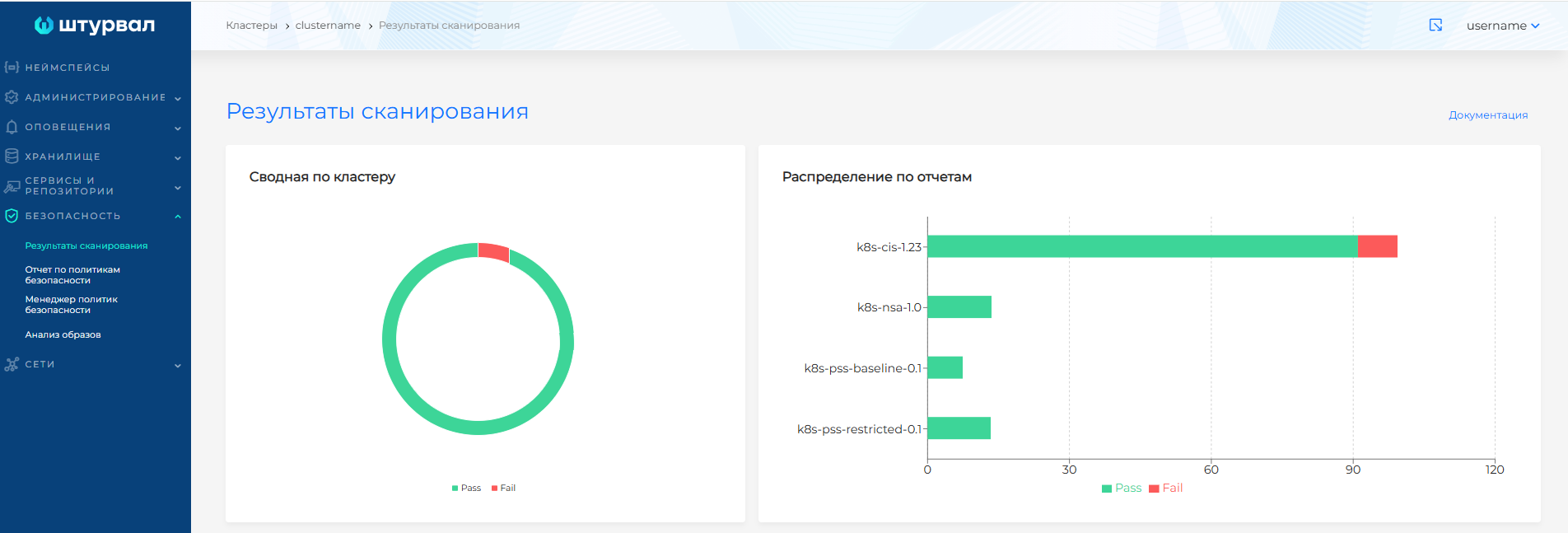
- Detailed check results by Trivy report type. Each report type has a separate tab:
- k8s-cis-1.23 — CIS Kubernetes Benchmark compliance report. The standard provides recommendations for building a robust security posture for Kubernetes-based software.
- k8s-nsa-1.0 — compliance report based on the NSA Kubernetes security hardening guide.
- k8s-pss-baseline-0.1 — compliance report for the Kubernetes Pod Security Standards Baseline policy.
- k8s-pss-restricted-0.1 — compliance report for the Kubernetes Pod Security Standards Restricted policy.
Screenshot
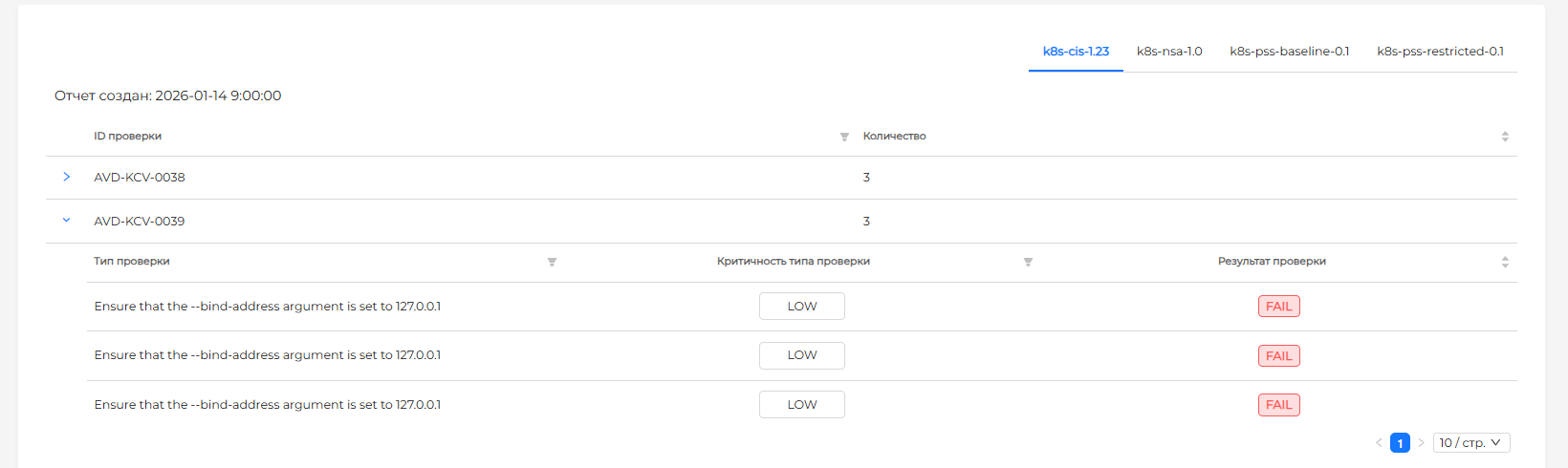
On the report tabs, results are grouped by check ID. For each check, the page shows:
- Check type;
- Check severity;
- Check result. If the check finds a configuration mismatch, the status is Fail. Click a check row to view remediation recommendations.
Reports support filtering by:
- Check type;
- Check ID;
- Check severity.
When a cluster is first deployed, report data appears after a short delay (once the initial scan completes).
Note: Check IDs are displayed only for failed checks. For passed checks, the check ID is shown as a dash —.
CIS Kubernetes Benchmark standards include Kubernetes configuration recommendations, including:
- Configuring authentication and authorization in Kubernetes.
- Prohibiting unmanaged container images.
- Restricting container privileges to reduce system-level exploit opportunities.
- Ensuring access to the Kubernetes API only over secure protocols.
- Restricting Kubernetes API access to required roles and permissions only.
- Restricting Kubernetes data storage access to users with the necessary permissions.