Creating backups
Prerequisites
- S3 storage is connected.
- The shturval-backup service is installed and running (Auto mode), see overview of services.
Backup resource (one-time backup)
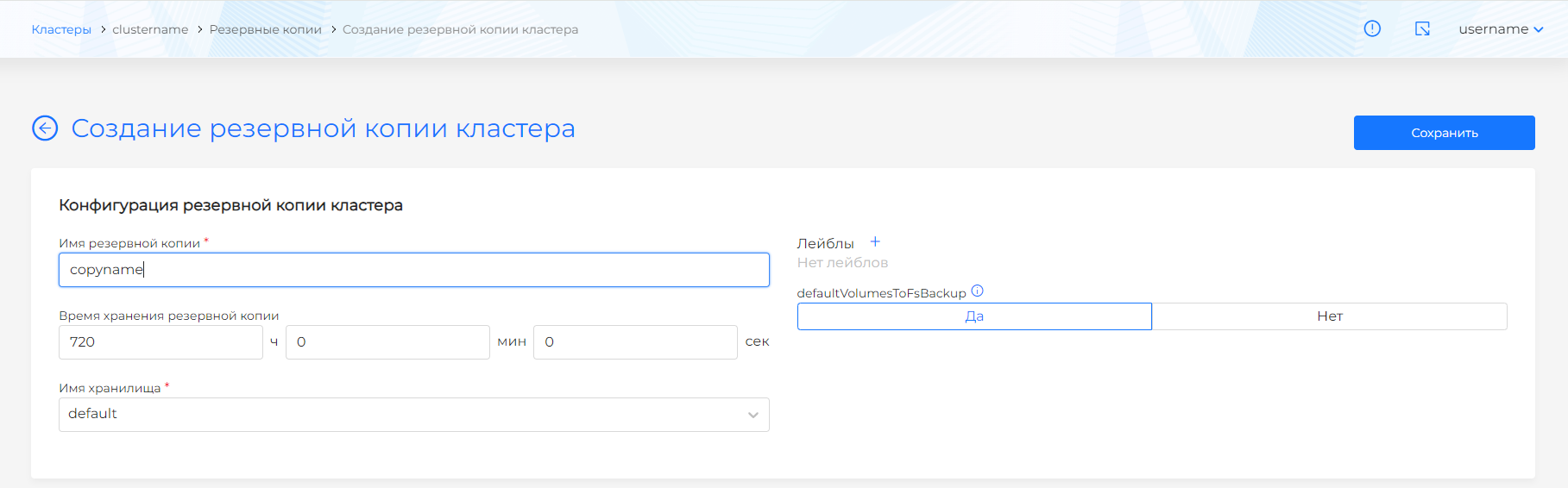
Name, TTL, storage, backup labels, and object selector (namespaces, resource types, labels) define what is included. The form selector uses AND logic: selected cluster/namespace objects and objects with matching labels or expressions are included in the backup.
For complex backup configurations, it is recommended to use a YAML manifest. You can load it into the GUI via import manifests.
In the cluster or namespace GUI
| Action | Path |
|---|---|
| One-time backup | Backup and Restore → Backups → Add Backup |
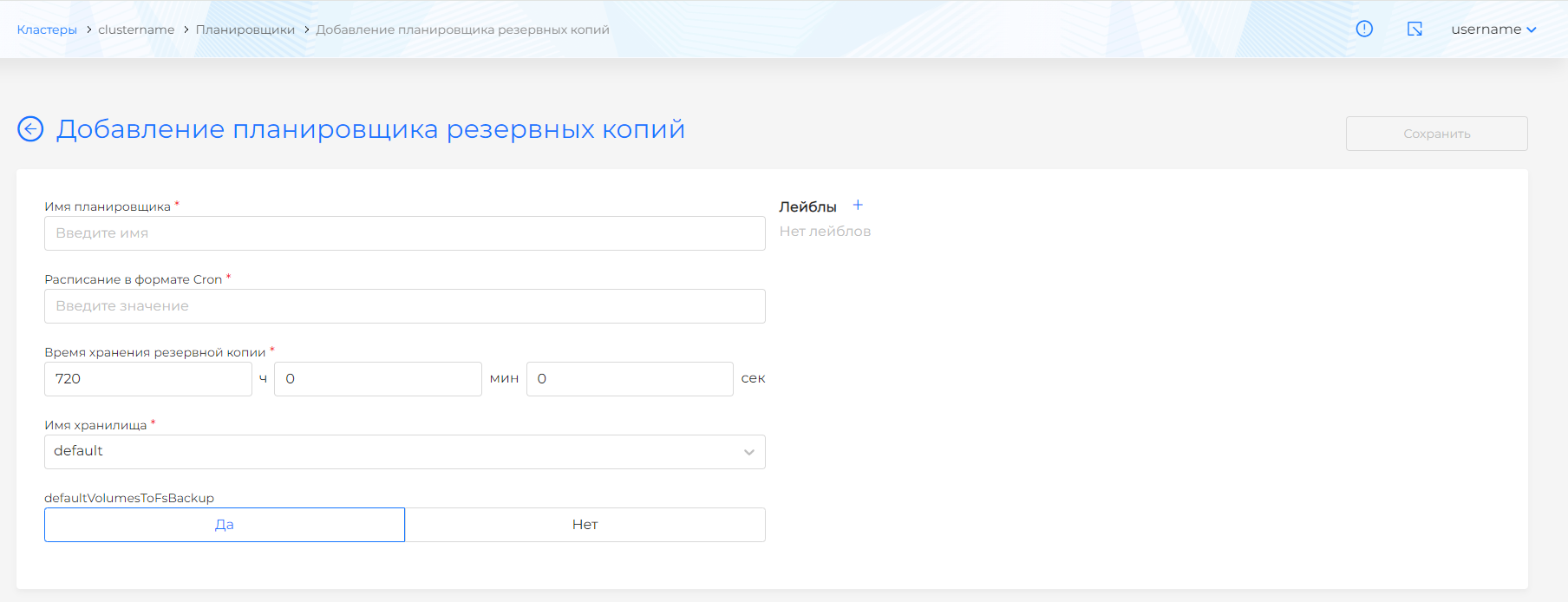
| Scheduler | Backup and Restore → Schedulers → Add Scheduler |
Screenshots

Options
| Parameter | Description |
|---|---|
| Name | Required: lowercase Latin letters and numbers, starting with a letter. Does not change after creation. |
| TTL | Lifetime of a backup in storage. |
| Storage | Selected BackupStorageLocation. |
| defaultVolumesToFsBackup | Backup volumes via the pod file system (enabled by default). For a full backup of a cluster with PV, it is recommended to disable to reduce the risk of errors during recovery (see reference). |
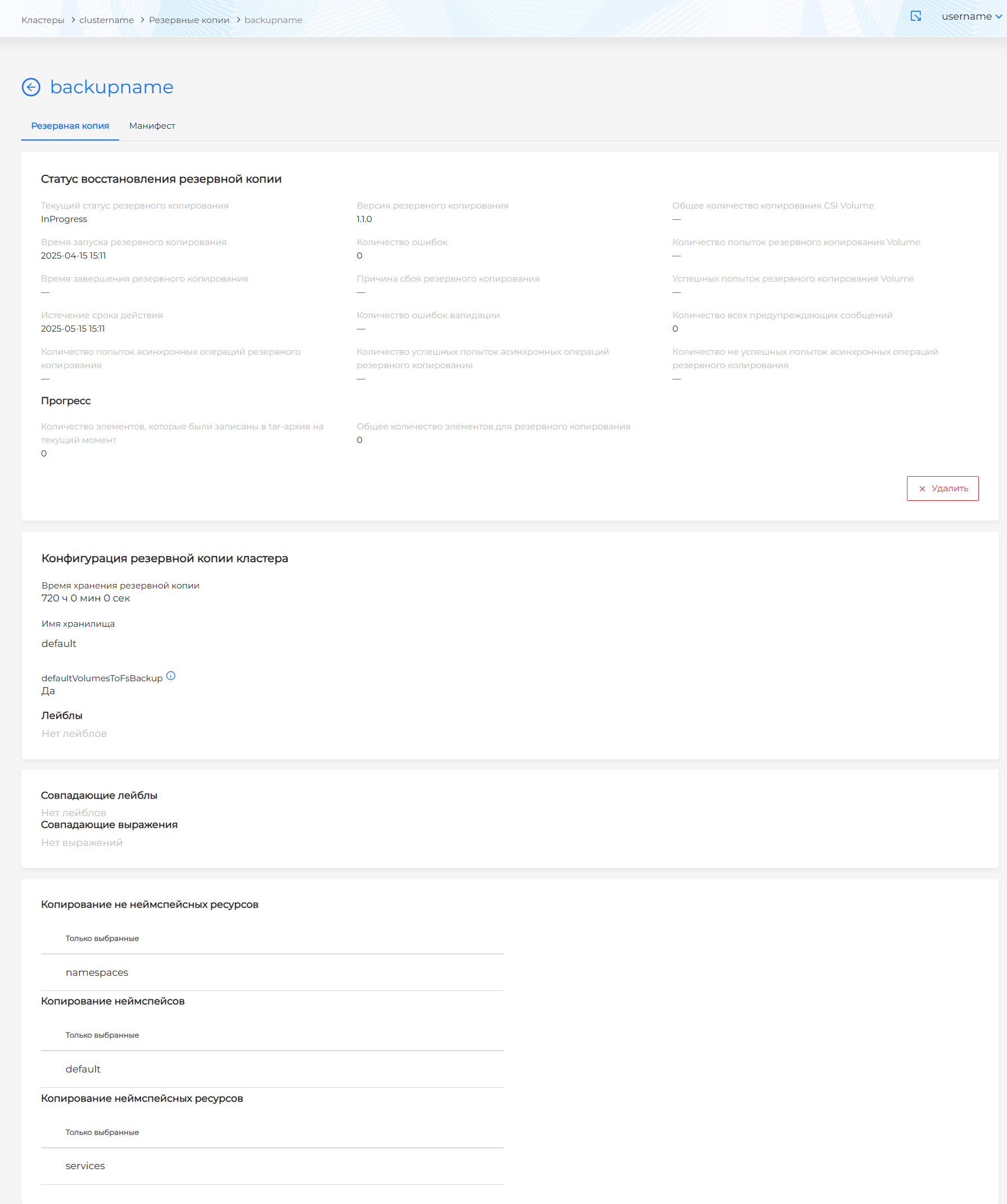
| Selector | Inclusive or exclusive lists of namespaces and resources. |
| Backup Labels | Labels placed on the created object are Backup. |
Namespace velero is excluded automatically - restoring it results in an error.
Dependent objects: when you select PVC, the associated PV is included in the namespace resources in the backup.
Excluding an object by label (Velero)
A separate object can be excluded from the backup using the velero.io/exclude-from-backup=true label (applicable if the object falls under the general selector). Details and command example - Backup Reference (v1.17).
Status and manifest
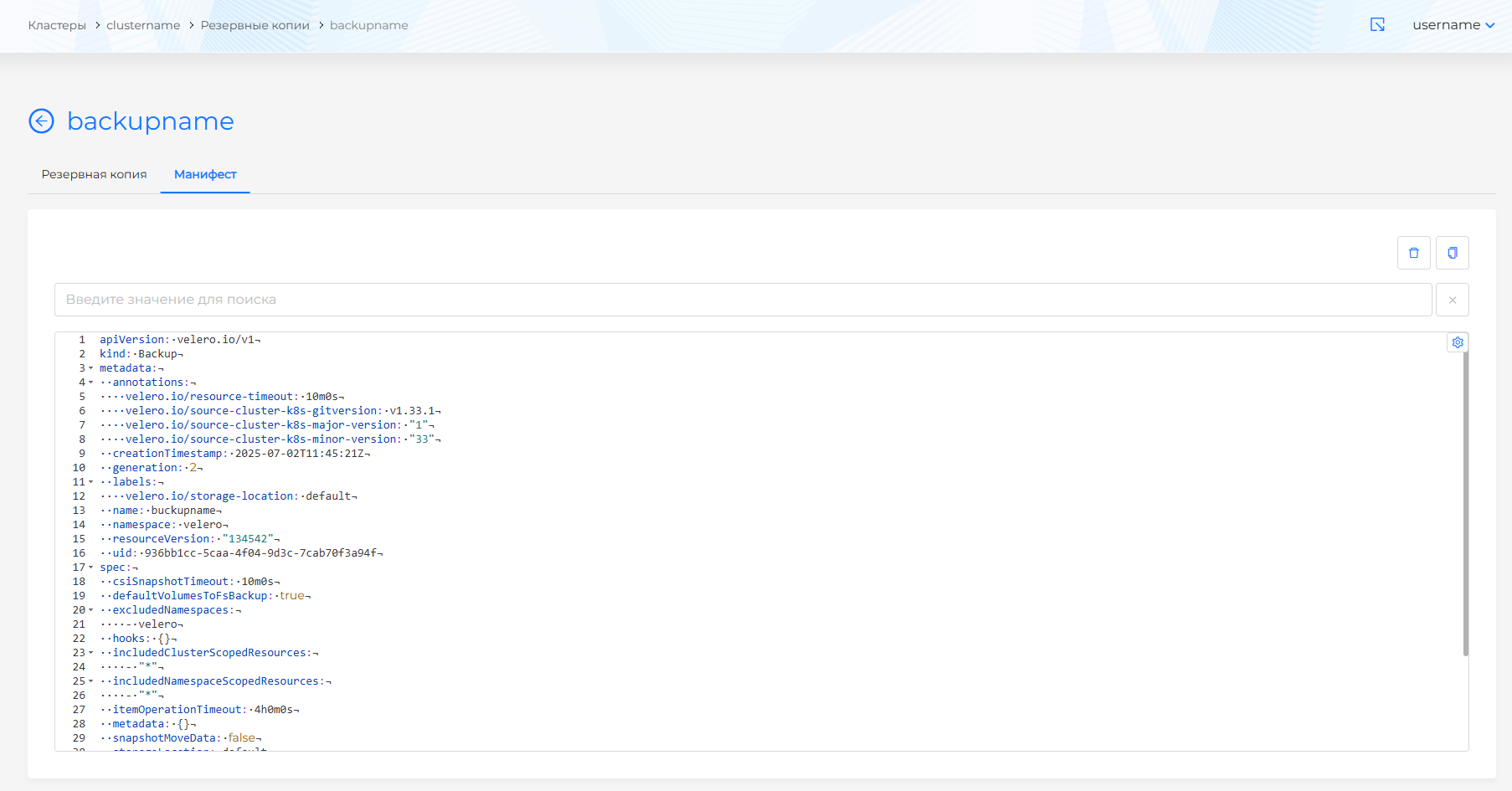
Completion status is shown on the Backup resource. YAML is available on the Manifest tab. Delete a backup entry from the backup list, the backup detail page, or by deleting the object on the manifest tab.
Deleting only CR Backup through kubectl delete backup does not delete data from object storage; complete deletion of data - via velero backup delete <name> (Backup Reference (v1.17)).
After editing a backup or scheduler manifest in the GUI, click Check. If the manifest format is invalid, validation is unavailable.
Example: Backup (YAML)
The name in spec.storageLocation must match the name of the connected storage (BackupStorageLocation).
apiVersion: velero.io/v1
kind: Backup
metadata:
  name: backup-my-namespace
  namespace: velero
spec:
  storageLocation: default
  ttl: 720h
  includedNamespaces:
  - my-app
  defaultVolumesToFsBackup: false
Import: Import manifests.
Schedule resource (scheduler)
The scheduler creates backups according to a schedule in the cron format. The set of fields (TTL, storage, defaultVolumesToFsBackup, labels, selector) matches the one-time backup. Changes in the saved scheduler are applied to new backups; already created ones are not rebuilt.
For complex scheduler configuration, it is recommended to use a YAML manifest. You can load it into the GUI via import manifests.
Example: Schedule (YAML)
apiVersion: velero.io/v1
kind: Schedule
metadata:
  name: daily-my-app
  namespace: velero
spec:
  schedule: "0 3 * * *"
  template:
    ttl: 168h
    storageLocation: default
    includedNamespaces:
    - my-app
    defaultVolumesToFsBackup: false
In case of failures, see Troubleshooting.