Connecting S3 storage
Purpose
S3-compatible storage specifies the location for storing metadata and backup data Velero. In Kubernetes, it is represented by the resource BackupStorageLocation in the namespace velero. The location name is then indicated in the backups (the spec.storageLocation field or an equivalent in the form).
Checking in a cluster:
kubectl get backupstoragelocation -n velero
In the cluster or namespace GUI
Backup and Restore → Storages → Add Storage.
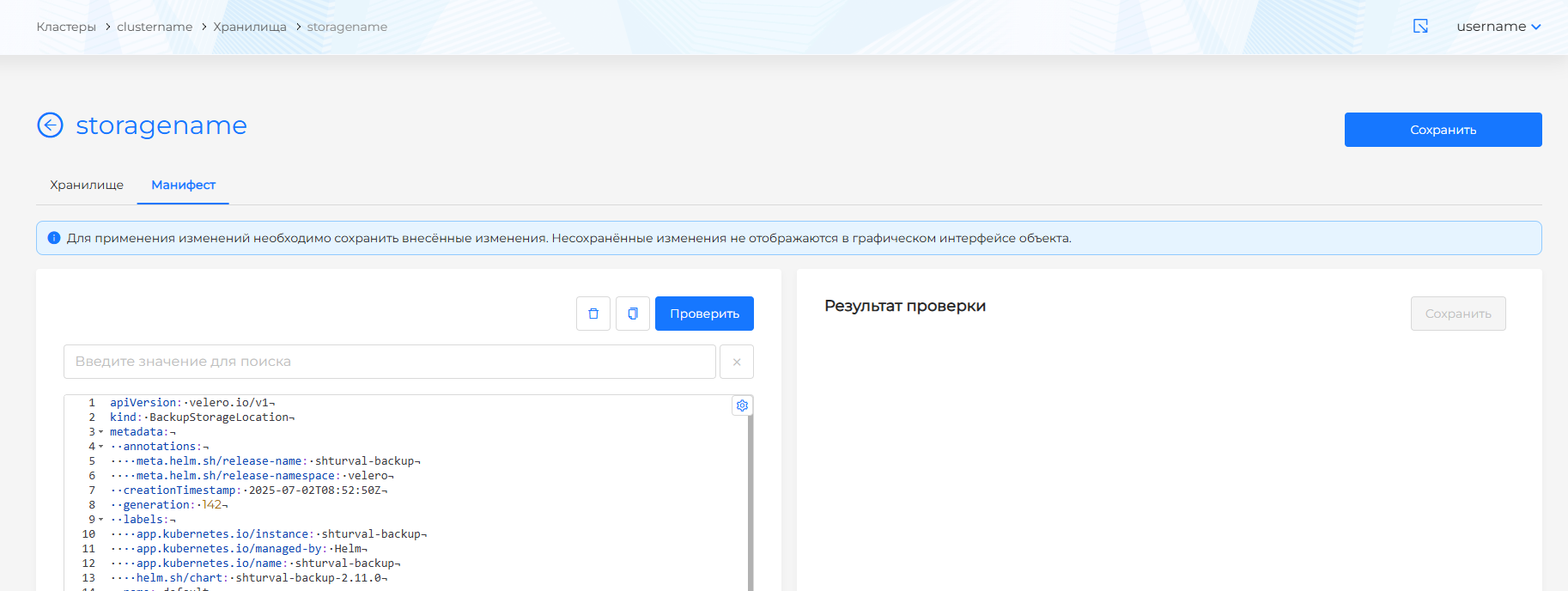
Screenshots (list, form, manifest)
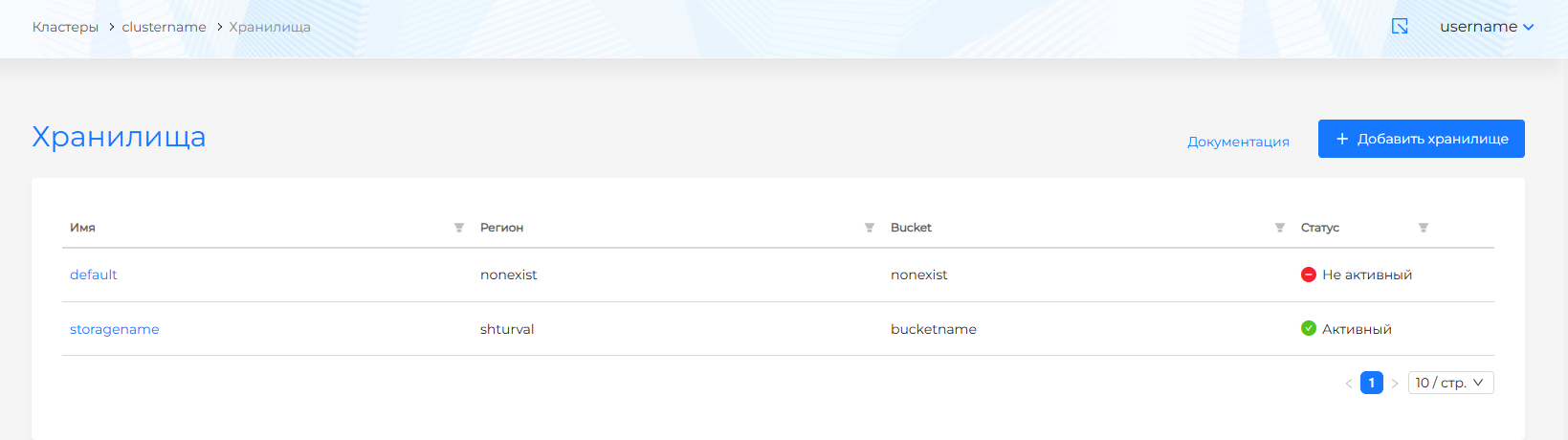
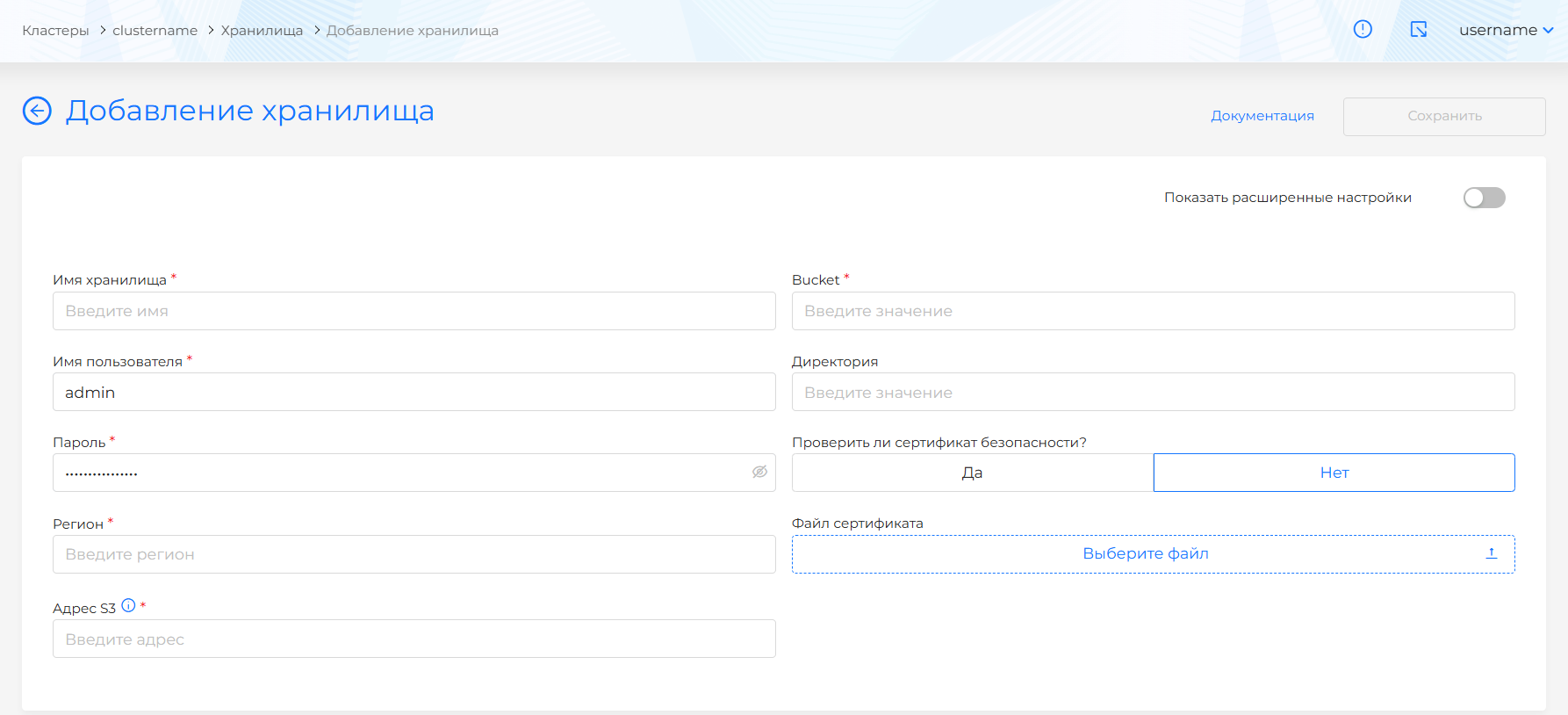
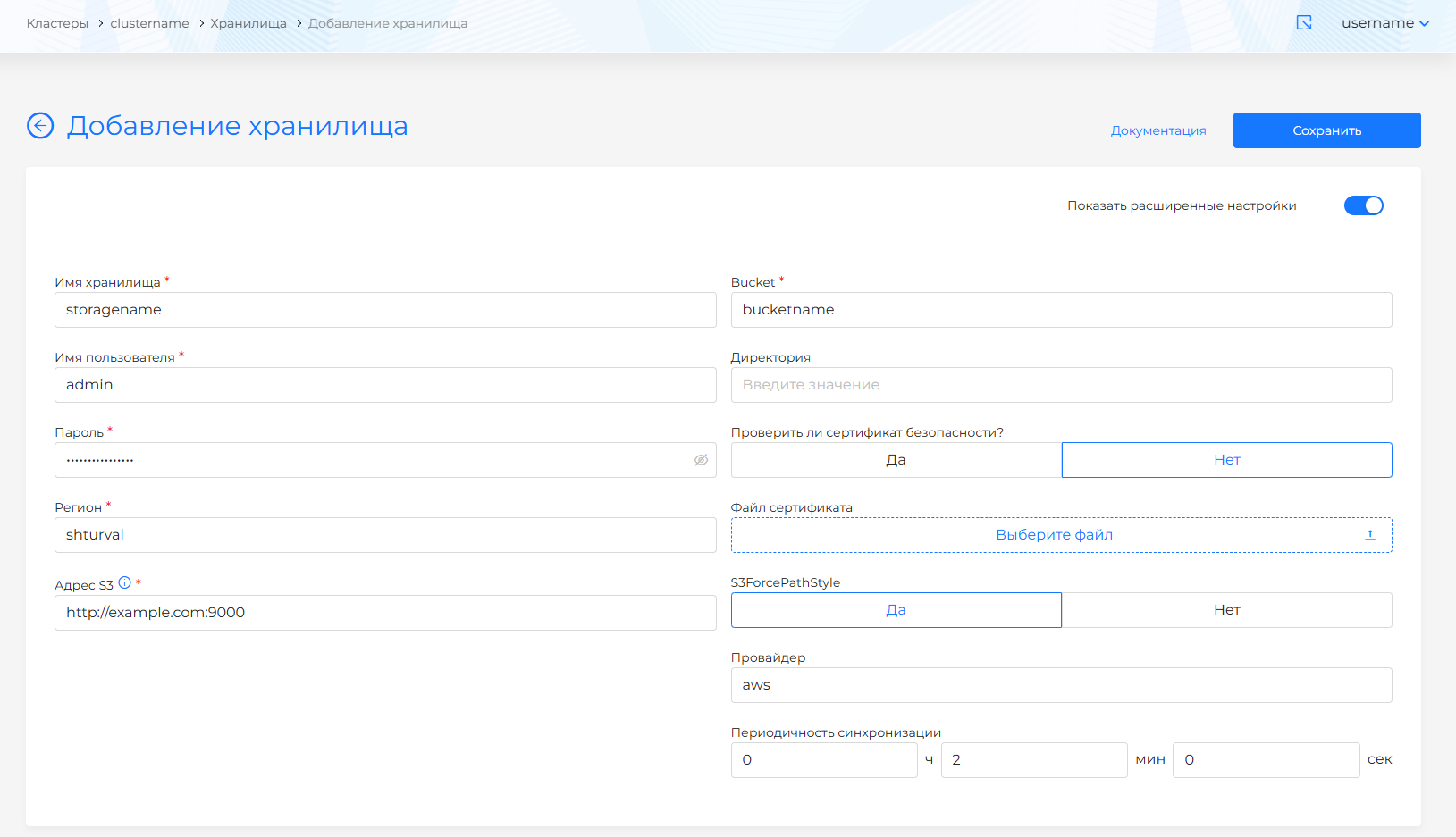
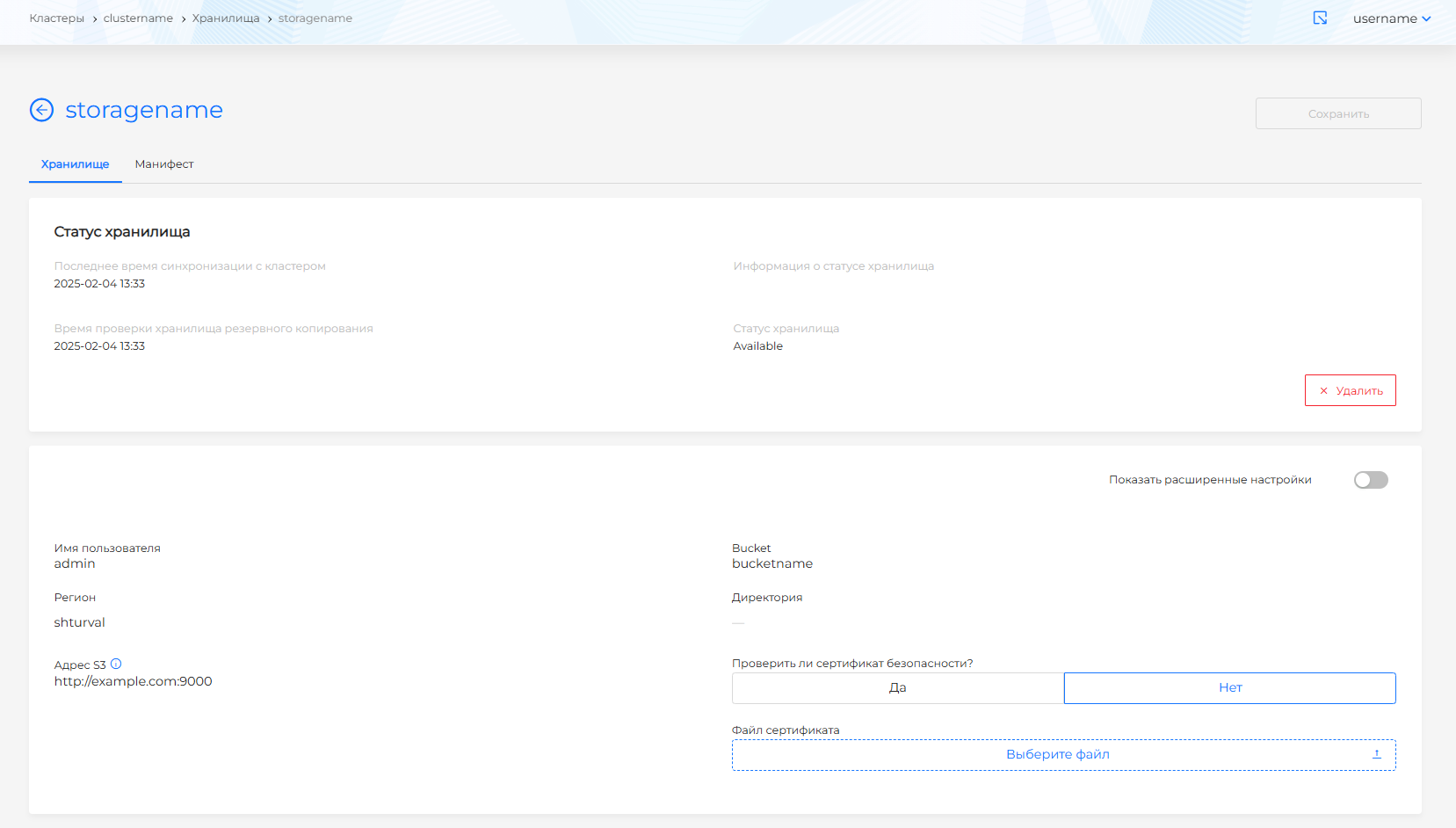
Connection parameters (basic mode in the GUI)
| Parameter | Required | Description |
|---|---|---|
| Storage name | Yes | Unique name. Cannot be changed after saving. |
| Bucket | Yes | Bucket where backups are stored. |
| Directory | No | Subfolder in the bucket for backups. |
| Username | Yes | S3 account. Cannot be changed after saving. |
| Password | Yes | Access secret. Cannot be changed after saving. |
| Region | Yes | Storage region. |
| S3 address | Yes | URL (FQDN or IP). Examples: http://example.com:9000, https://11.11.111.11. |
| Verify certificate | — | Whether to validate the TLS certificate. |
| Certificate file | No | CA certificate for verification, if needed. |
If you connect without TLS, you can skip the certificate download.
Advanced options
| Parameter | Description |
|---|---|
| S3ForcePathStyle | Path-style addressing to S3 (default - yes). |
| Provider | Natively supported by AWS, MinIO |
| Synchronization interval (backupSyncPeriod) | Interval for syncing the backup catalog with object storage. |
View and change
The status and parameters are shown on the storage page. After creation, connection fields in the form may not be editable directly: to change certificate verification, certificate file, or synchronization interval, edit the BackupStorageLocation manifest.
After editing the manifest in the GUI, click Check; the result appears on the right. If manifest validation fails, checking is unavailable. Save changes or they will not apply.
Delete a storage from the list page, the detail page (Delete), or by deleting the resource on the manifest tab.
Note: deleting backups from storage on the platform side is asynchronous and may fail. If the bucket already contained backups when the storage was connected, they may appear in the GUI after synchronization.
Example values for MinIO / S3-compatible storage
| Parameter | Example |
|---|---|
| Bucket | velero-backups |
| S3 address | https://minio.example.com:9000 |
| Region | minio or AWS region (for example us-east-1) |
| S3ForcePathStyle | Yes for MinIO and many compatible servers |