Install a trusted certificate
A trusted certificate is the root certificate of a certificate authority (CA) used to verify other certificates. Trusted certificates are stored in dedicated directories at the Linux OS level.
To make the OS trust certificates issued by your corporate CA, add the CA root certificate to the platform as a trusted certificate. For example, do this when you add a repository or registry hosted with an enterprise certificate.
Creating a trusted certificate
Creation uses the NCI resource on the Node Configuration page.
- Create an NCI object.
- In the node selector, select “kubernetes.io/os: linux”.
- In the “Custom sections” block, select Trusted certificates.
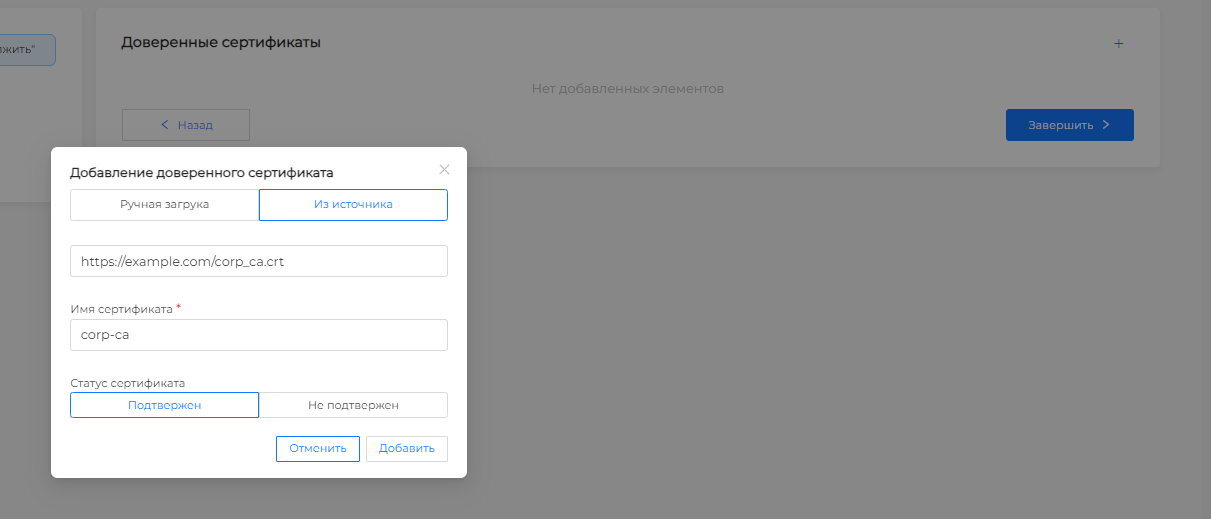
- Add a trusted certificate and specify the details of your corporate CA certificate in the modal window.
Screenshot: trusted certificate
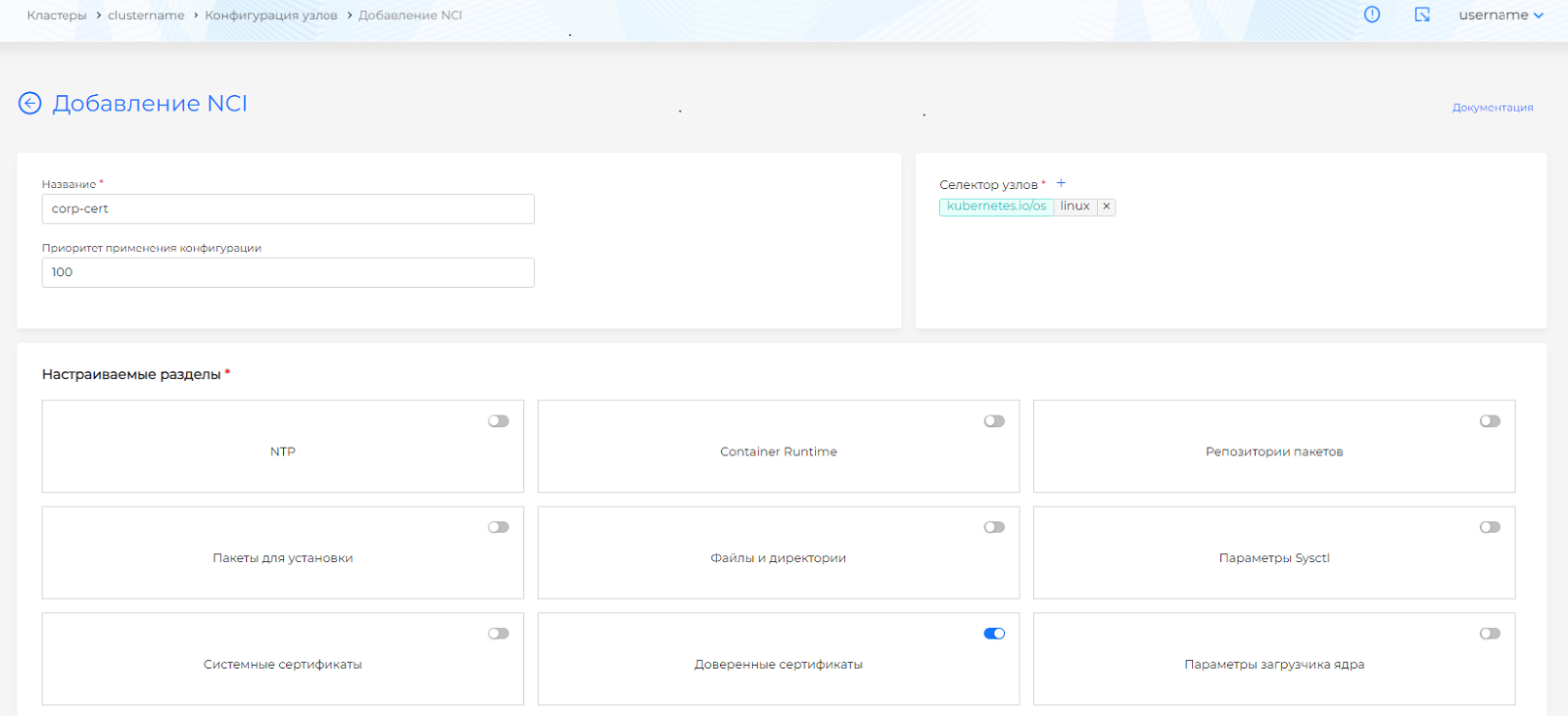
Options for adding a trusted certificate:
- From source: specify the path (URL) to the location of the root certificate of the certification authority in your directory. Enter a URL with or without the https protocol. For example,
https://example.com/corp_ca.crt. If the protocol is not specified, specify the port. If the protocol and port are not specified, port 443 will be automatically added.
Screenshot: certificate from source
- Manual upload: upload the trusted certificate file.
Screenshot: manually uploading a certificate

See node configuration (NCI) for details.
Example NodeConfigItem (NCI) that declares a corporate CA as trusted
apiVersion: node.shturval.tech/v1beta2
kind: NodeConfigItem
metadata:
  name: corp-ca
spec:
  certificates:
  - exist: true
    name: cert.crt
    url: https://example.com/corp_ca.crt
  nodeconfigselector:
    kubernetes.io/os: linux