How to set up application monitoring
Local collection of application metrics in the client cluster.
When shturval-metrics-collector (VictoriaMetrics Agent) is enabled in the cluster, you can configure application monitoring — collection of client application metrics. Deploy a dedicated VMAgent instance in the user-monitoring namespace.
You can check the work on any application with metrics in the OpenMetrics format; in the instructions - VictoriaMetrics demo application.
Note: Please note! To correctly collect metrics from client applications, requirements must be met.
Before you start
Before setting up, check:
- In the cluster installed and enabled shturval-metrics-collector.
- That the application is ready to collect metrics: see Application Requirements.
- You have permission to create custom resources and access to the cluster GUI or CLI.
What will be created
| Object | Namespace | Purpose |
|---|---|---|
| Namespace | — | user-monitoring - application monitoring isolation |
VMSingle | user-monitoring | Local Application Metrics Store |
VMAgent | user-monitoring | Collecting metrics and writing to VMSingle (or remoteWrite) |
ServiceAccount, ClusterRole, ClusterRoleBinding | user-monitoring + cluster | RBAC for VMAgent |
PodMonitor / ServiceMonitor / VMPodScrape / VMServiceScrape | application namespaces | Scrape configuration for application metrics |
Scheme:
- namespace
user-monitoringis created; - VMSingle (storage) and VMAgent (collection and remoteWrite) are deployed in it;
- objects are created for your applications that describe the collection of metrics (PodMonitor/ServiceMonitor or VMPodScrape/VMServiceScrape).
Step 1. Create a user-monitoring namespace
In the cluster GUI, go to the Namespaces section and create a new namespace user-monitoring.
Screenshot


Step 2. Import VMSingle and VMAgent
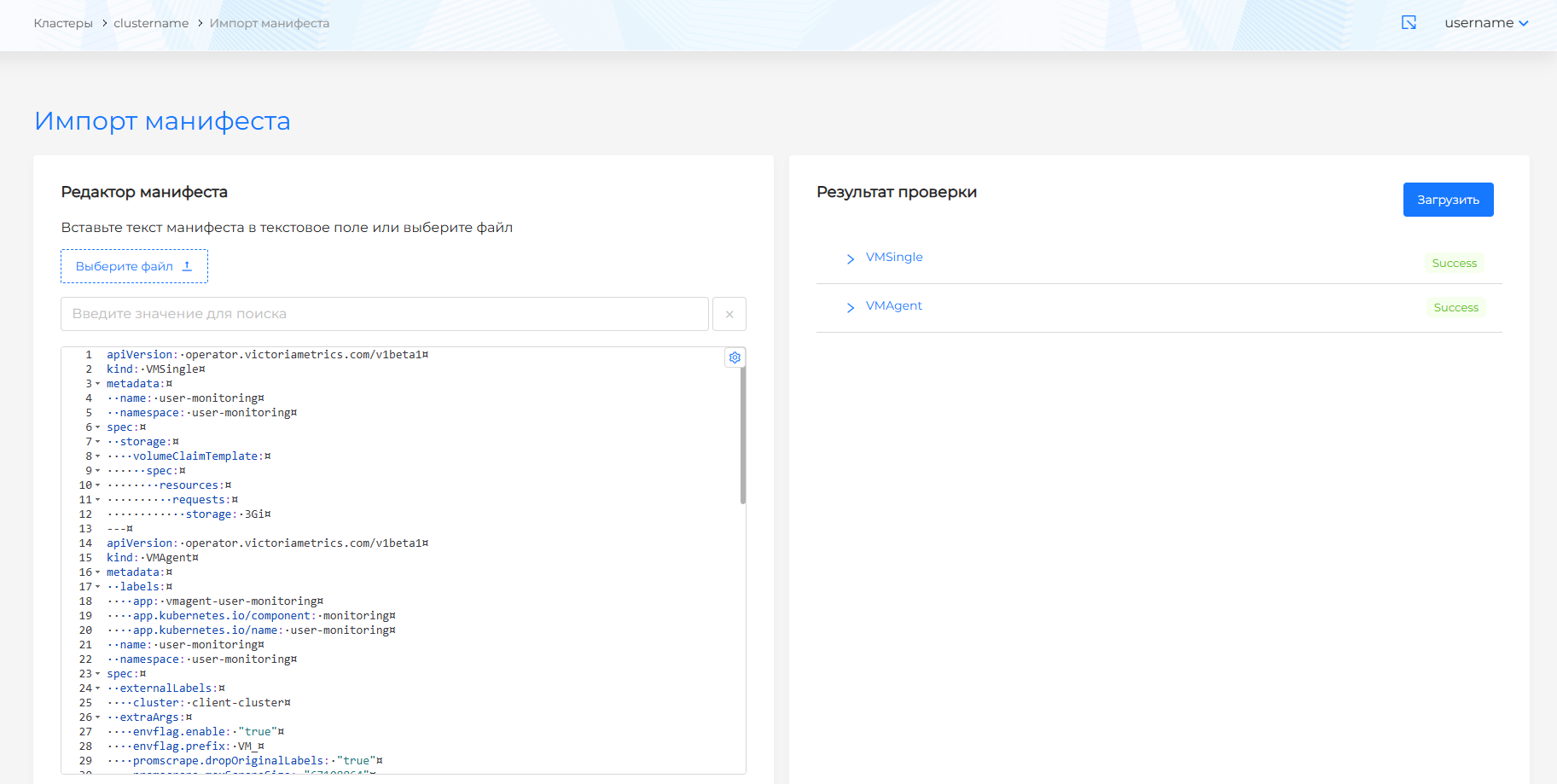
Using import manifests, import manifests VMSingle and VMAgent with the required parameters.
Example VMSingle:
apiVersion: operator.victoriametrics.com/v1beta1
kind: VMSingle
metadata:
  name: user-monitoring # Name cannot be changed
  namespace: user-monitoring
spec:
  storage:
    volumeClaimTemplate:
      spec:
        resources:
          requests:
            storage: <your parameter value>
| Parameter | Description | Type | Example |
|---|---|---|---|
requests.storage | Requested volume for storing application metrics | string | 3Gi |
VMAgent example:
apiVersion: operator.victoriametrics.com/v1beta1
kind: VMAgent
metadata:
  labels:
    app: vmagent-user-monitoring # Name cannot be changed
    app.kubernetes.io/component: monitoring
    app.kubernetes.io/name: user-monitoring
  name: user-monitoring
  namespace: user-monitoring
spec:
  externalLabels:
    cluster: client-cluster
  extraArgs:
    <your parameter value>
  logFormat: <your parameter value>
  logLevel: <your parameter value>
  nodeScrapeNamespaceSelector:
    matchExpressions:
      - key: shturval.tech/system-namespace
        operator: DoesNotExist
  podScrapeNamespaceSelector:
    matchExpressions:
      - key: shturval.tech/system-namespace
        operator: DoesNotExist
  port: "8429"
  probeNamespaceSelector:
    matchExpressions:
      - key: shturval.tech/system-namespace
        operator: DoesNotExist
  remoteWrite:
    - url: <your parameter value>
  replicaCount: <your parameter value>
  resources:
    limits:
      cpu: <your parameter value>
      memory: <your parameter value>
    requests:
      cpu: <your parameter value>
      memory: <your parameter value>
  scrapeConfigNamespaceSelector:
    matchExpressions:
      - key: shturval.tech/system-namespace
        operator: DoesNotExist
  scrapeInterval: <your parameter value>
  securityContext:
    fsGroup: 2000
    runAsGroup: 2000
    runAsNonRoot: true
    runAsUser: 1000
  serviceAccountName: vmagent-user-monitoring
  serviceScrapeNamespaceSelector:
    matchExpressions:
      - key: shturval.tech/system-namespace
        operator: DoesNotExist
  staticScrapeNamespaceSelector:
    matchExpressions:
      - key: shturval.tech/system-namespace
        operator: DoesNotExist
  tolerations:
    - effect: NoSchedule
      key: node-role.kubernetes.io/infra
      operator: Exists
  vmAgentExternalLabelName: ""
| Parameter | Description | Data type | Example |
|---|---|---|---|
extraArgs | List of additional launch arguments | []object | envflag.enable: "true", envflag.prefix: VM_, promscrape.dropOriginalLabels: "true", promscrape.maxScrapeSize: "67108864", promscrape.streamParse: "true", remoteWrite.tmpDataPath: /tmp |
logFormat | Log Format | string | default |
logLevel | Loglevel | string | INFO |
replicaCount | Number of replicas | integer | 1 |
remoteWrite | Links to remote metrics stores for recording | []object | url: vmcluster.local:8480/insert/123/prometheus |
resources | Resources requests and limits | []object | limits: cpu: 10, memory: 10Gi; requests: cpu: 50m, memory: 50Mi |
scrapeInterval | Metric collection frequency | integer | 15s |
Screenshot
Step 3. Import ServiceAccount, ClusterRole, and ClusterRoleBinding
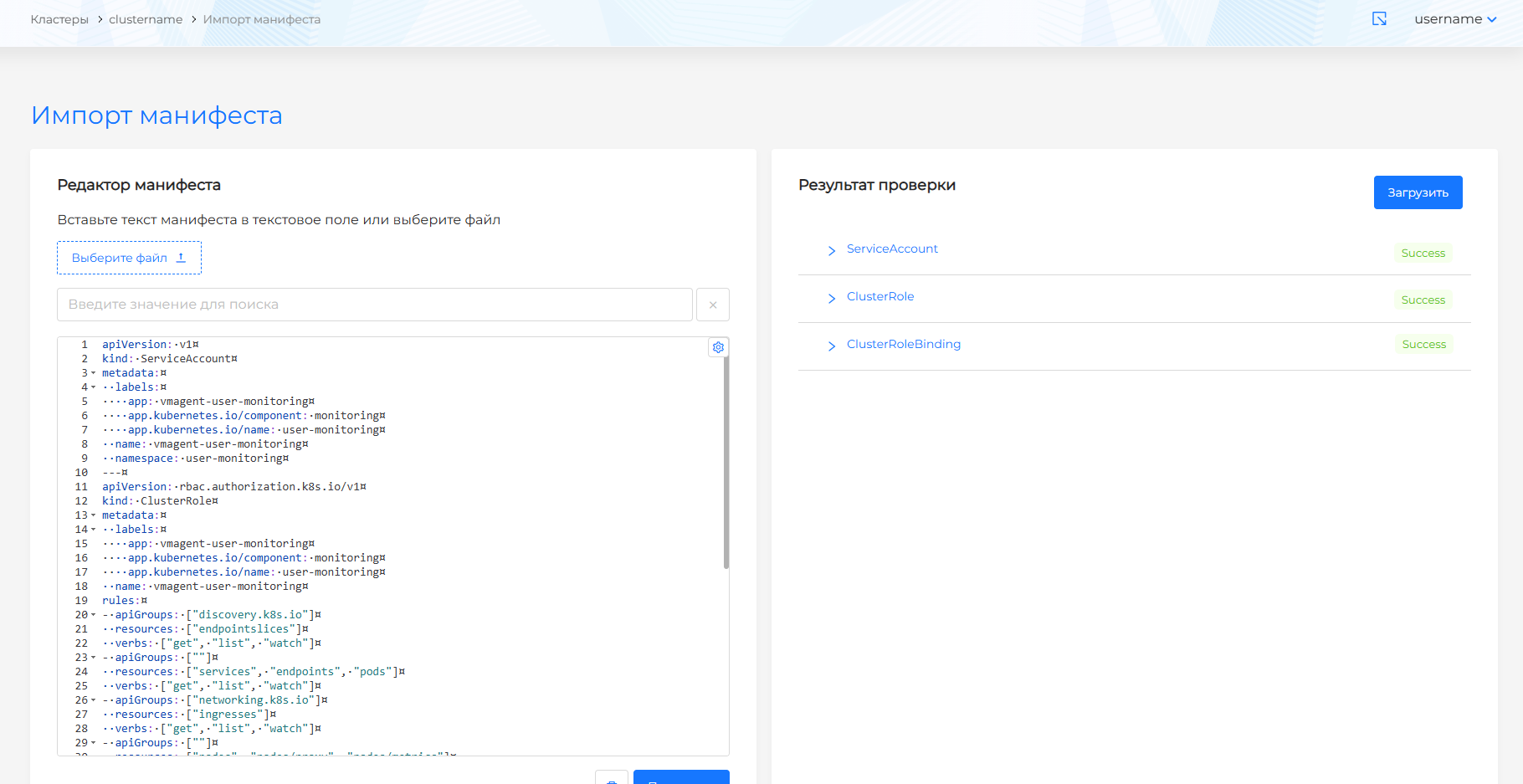
Using import manifests, import the resources below without changing parameters:
apiVersion: v1
kind: ServiceAccount
metadata:
  labels:
    app: vmagent-user-monitoring
    app.kubernetes.io/component: monitoring
    app.kubernetes.io/name: user-monitoring
  name: vmagent-user-monitoring
  namespace: user-monitoring
---
apiVersion: rbac.authorization.k8s.io/v1
kind: ClusterRole
metadata:
  labels:
    app: vmagent-user-monitoring
    app.kubernetes.io/component: monitoring
    app.kubernetes.io/name: user-monitoring
  name: vmagent-user-monitoring
rules:
- apiGroups: ["discovery.k8s.io"]
  resources: ["endpointslices"]
  verbs: ["get", "list", "watch"]
- apiGroups: [""]
  resources: ["services", "endpoints", "pods"]
  verbs: ["get", "list", "watch"]
- apiGroups: ["networking.k8s.io"]
  resources: ["ingresses"]
  verbs: ["get", "list", "watch"]
- apiGroups: [""]
  resources: ["nodes", "nodes/proxy", "nodes/metrics"]
  verbs: ["get", "list", "watch"]
- apiGroups: [""]
  resources: ["configmaps","secrets"]
  verbs: ["get", "list", "watch"]
- nonResourceURLs: ["/metrics"]
  verbs: ["get"]
---
apiVersion: rbac.authorization.k8s.io/v1
kind: ClusterRoleBinding
metadata:
  labels:
    app: vmagent-user-monitoring
    app.kubernetes.io/component: monitoring
    app.kubernetes.io/name: user-monitoring
  name: vmagent-user-monitoring
roleRef:
  apiGroup: rbac.authorization.k8s.io
  kind: ClusterRole
  name: vmagent-user-monitoring
subjects:
  - kind: ServiceAccount
    name: vmagent-user-monitoring
    namespace: user-monitoring
Screenshot
Then you can check the settings on a demo application: How to test application monitoring.