Gateway Classes
GatewayClass — class of available Gateways that defines which controller processes them. Each GatewayClass can implement one controller (for example, Nginx, Envoy, Istio).
Where to configure:
- cluster → section Networks → Gateway Classes.
- Through custom resources: cluster → section Administration → Custom Resources → API group gateway.networking.k8s.io → GatewayClass.
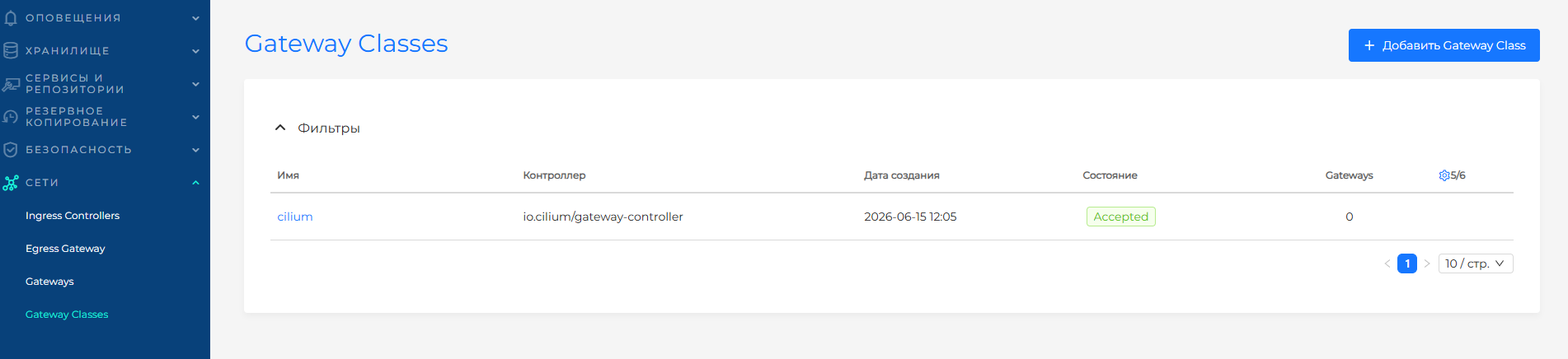
The Gateway Classes page displays a list of GatewayClass resources with information:
| Column | Description |
|---|---|
| Name | The name of a manually or automatically generated GatewayClass. GatewayClasses can be created automatically when you deploy the Gateway API Controller |
| Controller | Value spec.controllerName |
| Creation Date | Date and time of creation; sorting |
| State | Conditions GatewayClass (for example, Accepted) |
| Gateways | Number of Gateways associated with GatewayClass |
| Labels | GatewayClass Labels |
Screenshot: list of Gateway Classes
Creating a Gateway Class
To add a new resource, click + Add Gateway Class. On the page that opens, fill in:
- Name GatewayClass.
- Labels and Annotations if necessary.
In the Object specification block:
- Controller name (
spec.controllerName) - for example,istio.io/gateway-controller,io.cilium/gateway-controller. - Description — optional detailed information about the GatewayClass;
- Controller configuration parameters — additional settings for the Gateway API controller. You can add one link to a resource with configuration parameters. Click + and fill in the fields.
Fields for linking to a resource with configuration parameters
| Field | Required | Description |
|---|---|---|
| Resource name | Yes | Configuration resource name |
| Kind | Yes | Kind of resource with configuration, usually ConfigMap. A Kind of resource specific to a particular controller implementation can be used, for example, EnvoyProxy |
| API group | Yes | API Resource Group |
| Namespace | No | Namespace of the resource (for namespace objects) |
Click Save to create the GatewayClass.
View and edit
Click on the GatewayClass line in the list. The page contains tabs:
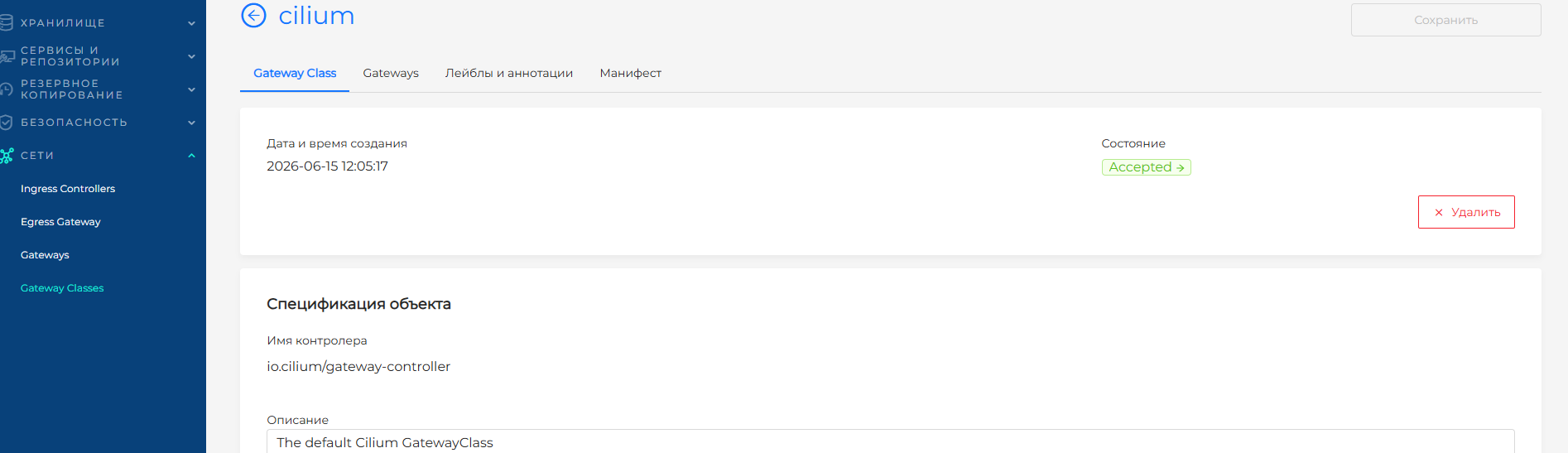
Gateway Class — GatewayClass status with color indication. Click a status to open a side panel with details. The controller name is not editable. You can update the description and controller configuration parameters if needed.
Gateways — list of Gateways that use this GatewayClass. Click a Gateway row to open the Gateway view page.
Labels and annotations.
Manifest of the created GatewayClass. Example:
apiVersion: gateway.networking.k8s.io/v1
kind: GatewayClass
metadata:
  name: cilium
spec:
  controllerName: io.cilium/gateway-controller
  description: The default Cilium GatewayClass
Screenshot: viewing GatewayClass
Delete
You can delete a GatewayClass even when Gateways are associated with it. Deletion shows a warning: GatewayClass is in use by Gateways.
You can remove GatewayClass from the list on the Gateway Classes page or from the view page.
Related topics
- Gateways - creating a Gateway and binding GatewayClass;
- Gateway API Routes - binding HTTPRoute and GRPCRoute routes to Gateway.
- Gateway API - overview and typical configuration scenario;
- CRD of the Gateway API module — installation of the CRD Gateway API in the cluster;
- Gateway API Controller in Cilium — enable the controller in shturval-networking.