Gateways
Gateway is a traffic-processing infrastructure instance. Its configuration defines addresses, listeners, and route binding policies (/2.14/en/developer/app-delivery/gateway-api-routes/). Each Gateway is associated with a GatewayClass, which describes the controller type that processes traffic for that Gateway.
Gateway is created in the cluster namespace, management is available at the cluster level. Where to configure:
- cluster → section Networks → Gateways.
- Through custom resources: cluster → Administration section → Custom resources → API group gateway.networking.k8s.io → Gateway.
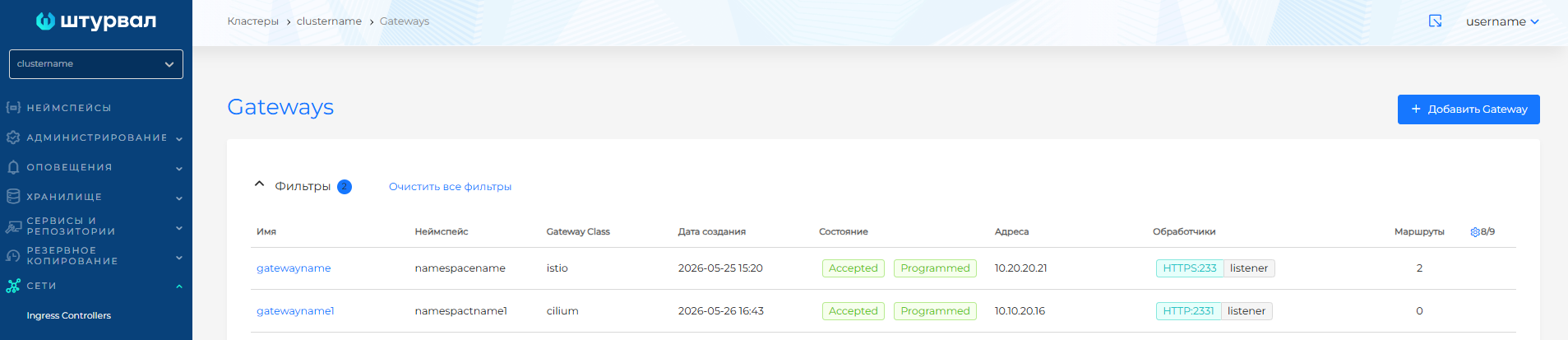
The Gateways page displays a list of Gateways created in the cluster.
Screenshot: list of Gateways
Creating a Gateway
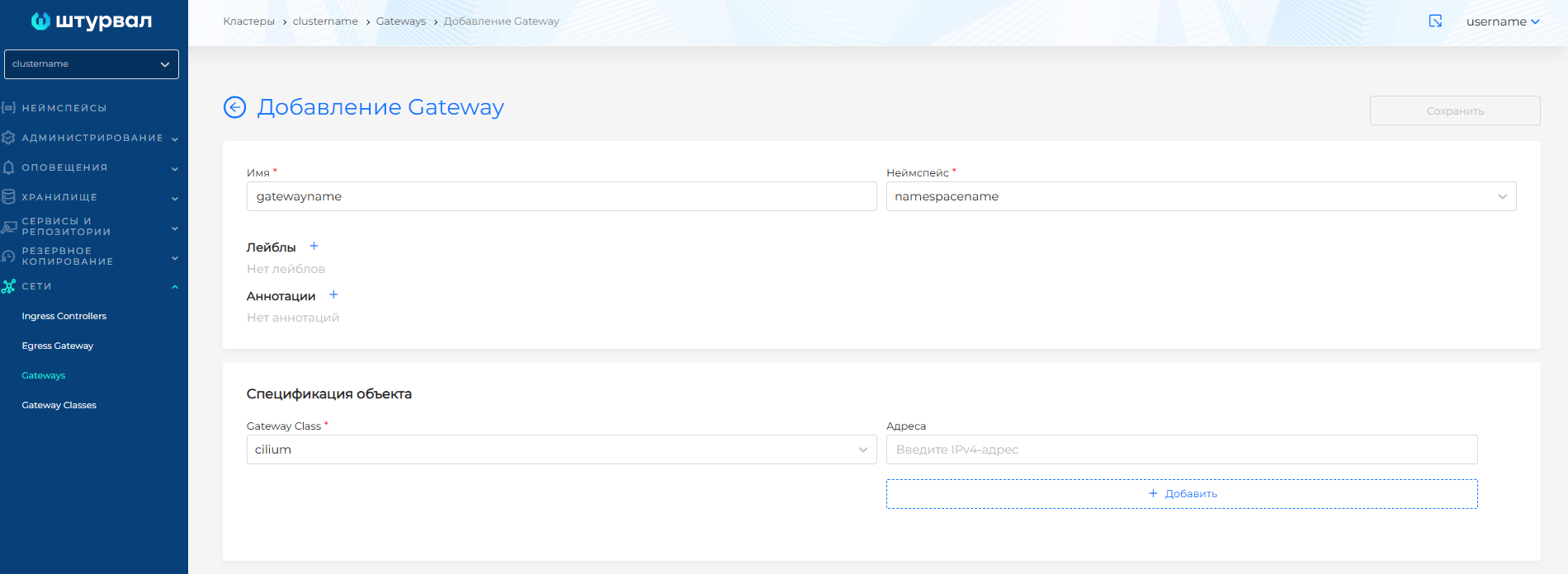
On the Gateways page, click + Add Gateway. On the page that opens, fill in:
- Name — Gateway name, does not change when editing.
- Namespace — select the Gateway namespace from the list of cluster namespaces, or create one with + Create namespace.
- Labels and Annotations - if necessary.
In the Object specification block, fill in:
- Gateway Class - select the GatewayClass created in the cluster.
- Addresses (optional) - one or more requested IPv4 addresses for accessing the Gateway. If left blank, an address or set of addresses (hostname) may be assigned automatically (implementation dependent).
Screenshot: Gateway
Listeners
Listeners describe how the Gateway accepts traffic. Routes (HTTPRoute, GRPCRoute) attach to listeners and define where traffic is sent.
- Traffic passing through the Gateway must match only one listener. Identical listener configuration in one Gateway leads to traffic processing errors.
- If traffic cannot be processed by the selected listener, it is discarded.
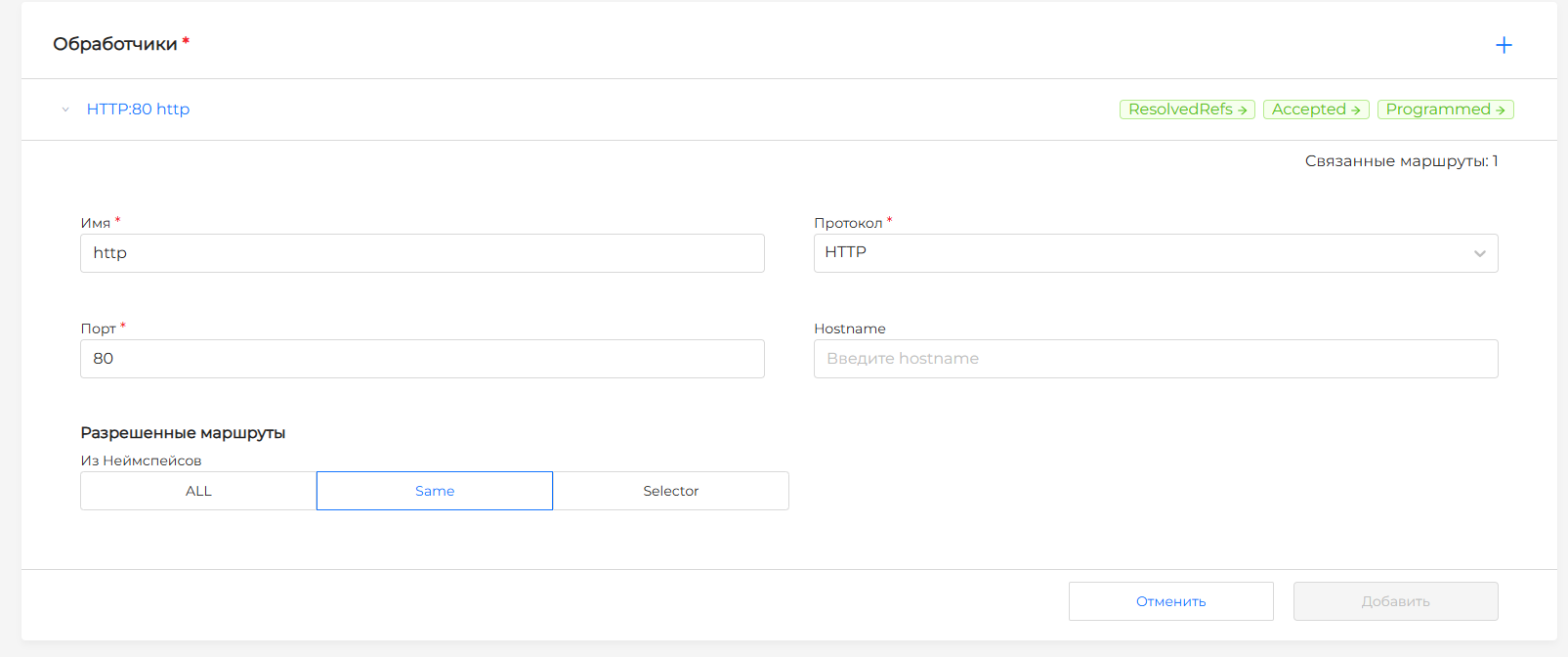
Gateway must have at least one listener configured. Available fields:
| Field | Required | Description |
|---|---|---|
| Name | Yes | Listener name. Must be unique in the Gateway |
| Protocol | Yes | Network protocol the listener accepts. Available protocols: HTTP, HTTPS |
| Port | Yes | Network port. Multiple listeners can use the same ports (for example, 80, 443) |
| Hostname | No | Hostname for which the listener accepts traffic. If omitted, all hostnames match. A name prefixed with *. is a suffix match: *.example.com matches test.example.com and foo.test.example.com, but not example.com. |
Uniqueness: for HTTP and HTTPS, the port, protocol, and hostname (if set) must be unique. If this rule is violated, you cannot add the listener.
Screenshot: HTTP listener
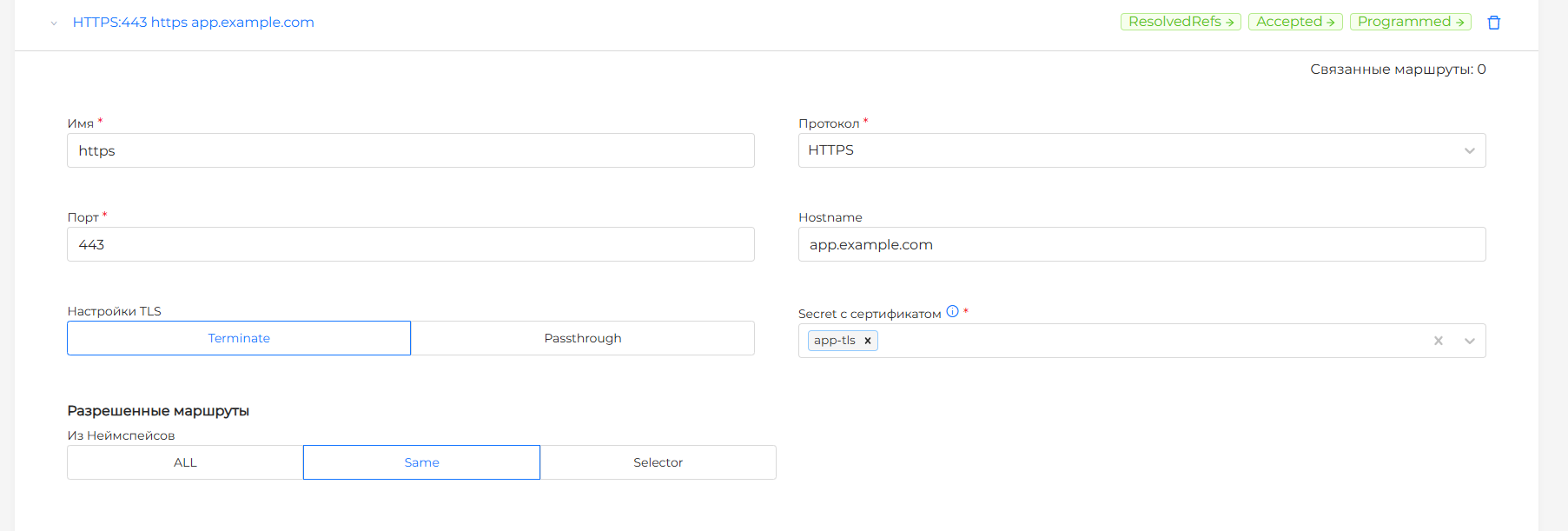
When you select the HTTPS protocol, you can configure TLS for the listener.
- TLS mode —
Terminate(default): the Gateway decrypts TLS traffic;Passthrough: the Gateway forwards encrypted traffic without decryption. - Secrets — Secrets with TLS certificates and keys. By default, secrets from the Gateway namespace are available.
Screenshot: HTTPS listener with TLS
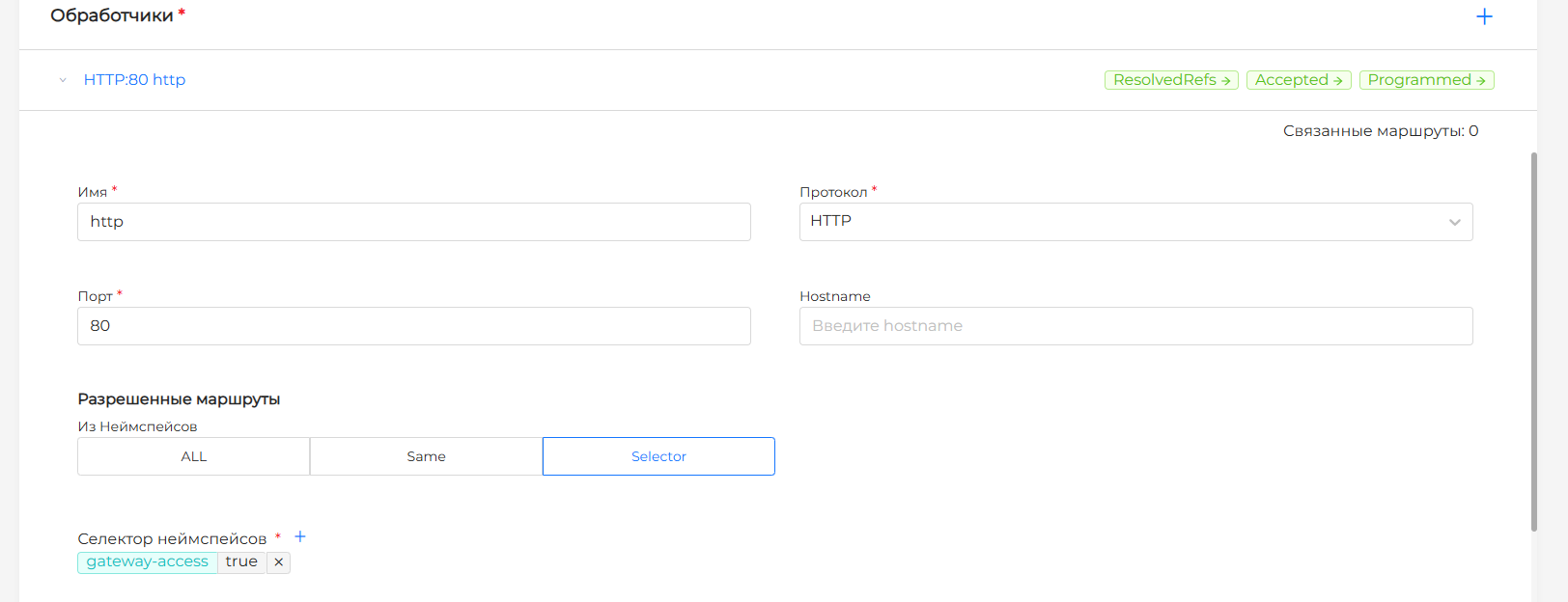
In the Allowed Routes block, configure which namespaces may attach routes to this listener.
| Value | Description |
|---|---|
| ALL | Routes from any namespace can attach to the listener |
| Same | Only routes from the Gateway namespace can attach. Default |
| Selector | Routes from namespaces matching the selector can attach to the listener |
Screenshot: selecting routes using the namespace selector
Click Save to create the Gateway.
Example Gateway manifest
apiVersion: gateway.networking.k8s.io/v1
kind: Gateway
metadata:
  name: example-gateway
  namespace: infra
spec:
  gatewayClassName: cilium
  listeners:
    - name: http
      protocol: HTTP
      port: 80
      allowedRoutes:
        namespaces:
          from: Selector
          selector:
            matchLabels:
              gateway-access: "true"
    - name: https
      protocol: HTTPS
      port: 443
      hostname: app.example.com
      tls:
        mode: Terminate
        certificateRefs:
          - name: app-tls
            kind: Secret
      allowedRoutes:
        namespaces:
          from: Same
View and edit
The Gateway view page has the following tabs: Gateway, Routes, Labels and Annotations, and Manifest of the generated Gateway.
The Gateway tab shows Gateway status and each listener:
- Condition — Gateway conditions with color indication. Click a condition to open a side panel with details;
- Addresses — one or more addresses assigned to the Gateway (
status.addresses). If the field is empty, the Gateway status shows an address assignment error. Requested IPv4 addresses configured at creation may not always be assigned; - Listener status — conditions for each listener. When expanded, shows full configuration and the number of attached routes.
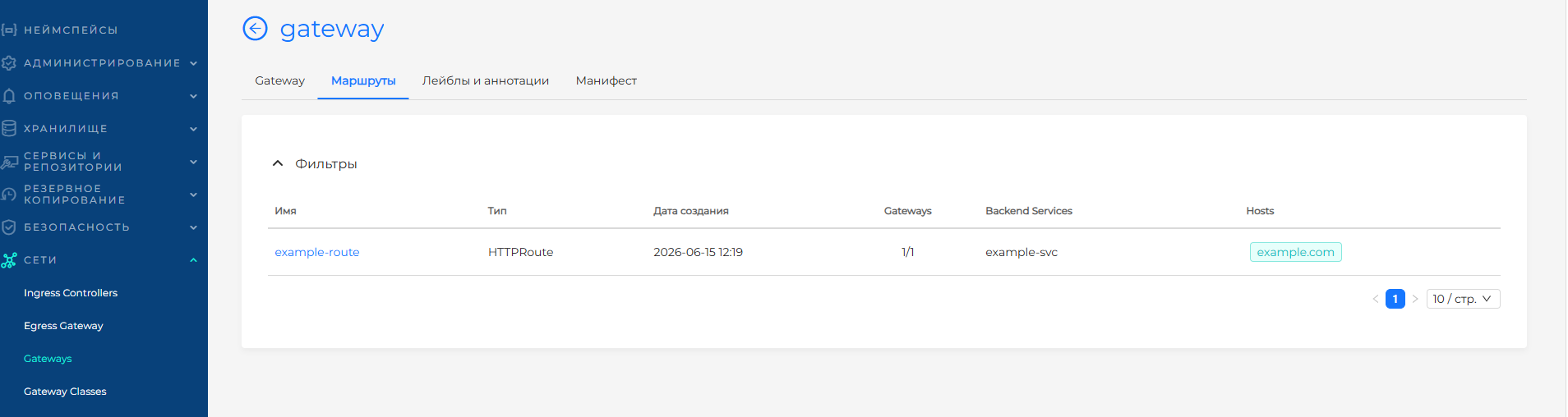
The Routes tab displays a list of associated routes with the Gateway. Clicking on a line opens a page for viewing the selected route.
Screenshot: list of routes
Delete
You can remove a Gateway from the list on the Gateways page or from the view page.
Related topics
- Gateway Classes — select a GatewayClass when creating a Gateway;
- Gateway API Routes — binding HTTPRoute and GRPCRoute routes to Gateway.
- Gateway API - overview and typical configuration scenario;
- CRD of the Gateway API module — installation of the CRD Gateway API in the cluster;
- Gateway API Controller in Cilium - enable the controller in shturval-networking.