Add hosts and increase the number of nodes in the cluster
Provider Shturval v2 manages pre-provisioned hosts. To create a cluster with the Shturval v2 provider, use instructions for deploying a client cluster.
If you need to connect Shturval v2 hosts to a cluster that was created on another provider (vSphere, oVirt, etc.), first create a Worker group with the Shturval v2 provider - see Hybrid clusters. Below is the scaling of the group, including in the hybrid cluster.
To increase the number of nodes in a group of a previously created cluster with the Shturval v2 provider:
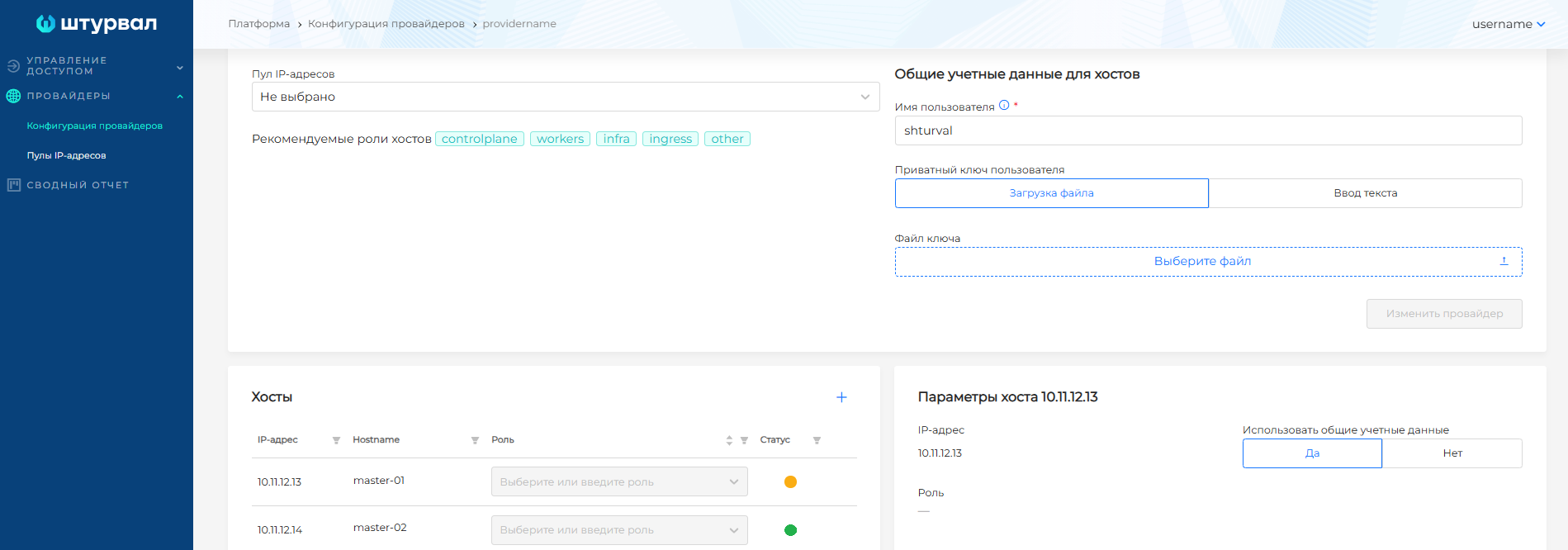
- Go to the Providers section of the platform to the Provider Configuration page and select the provider instance with which the cluster was deployed.
- Make sure that your provider has free hosts.
If you use a host selector or roles for different groups of hosts
Make sure your provider has available hosts with the required labels and roles. If necessary, add hosts to the provider, save the configuration and wait for the “Free” status of the hosts.
Screenshot
- When you are sure that the provider has enough free hosts with the required labels/roles, go to the Cluster section to the Client Clusters or Management Cluster tab.
- Select the cluster in which you want to increase the number of nodes.
- In the side menu of the Administration section, select the Node Management page.
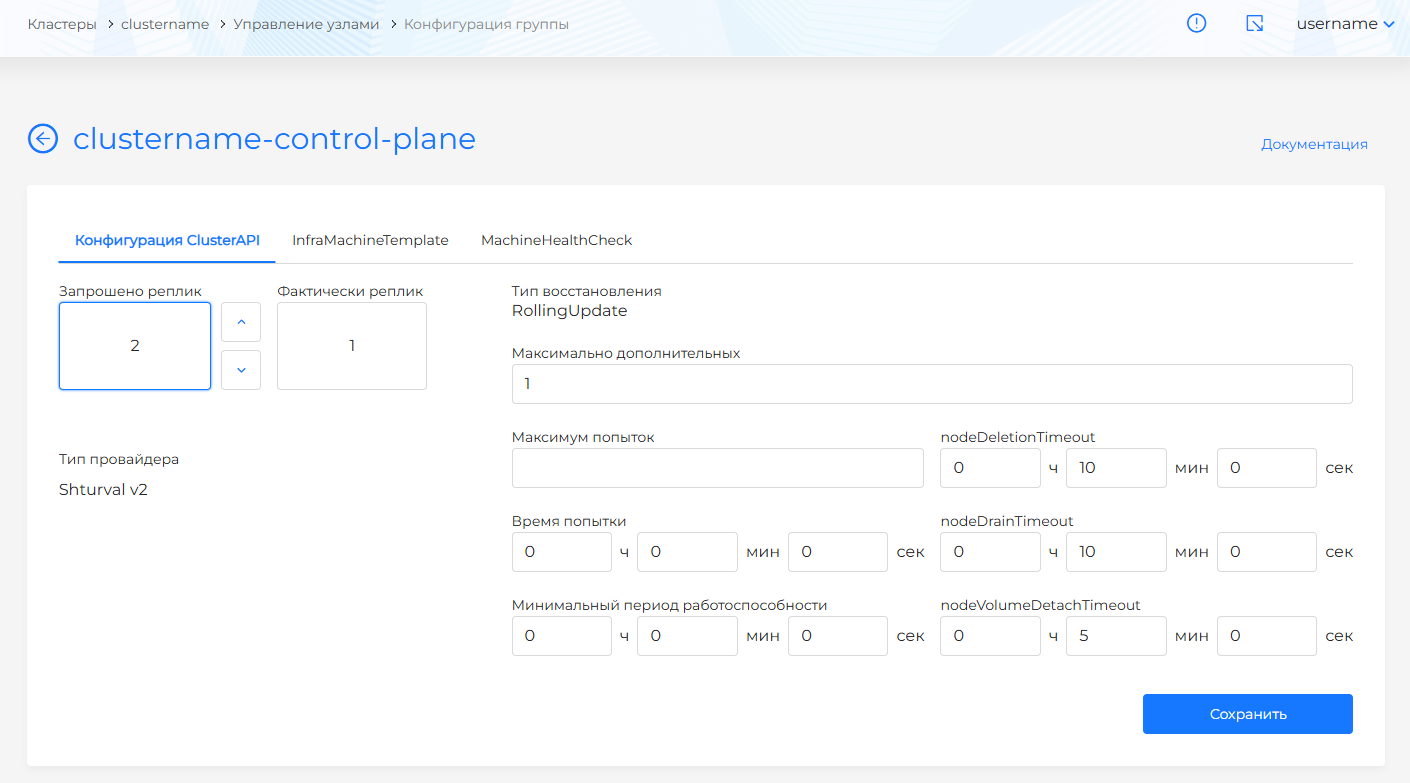
- Click on the Group configuration button on the right side of the screen next to the name of the group in which you want to increase the number of nodes.
- On the Cluster API Configuration tab, specify the desired number of nodes in the Replicas Requested field.
- If necessary, on the InfraMachineTemplate tab, specify host roles or labels in the selector for attaching newly created hosts.
Screenshot
- Save your changes.
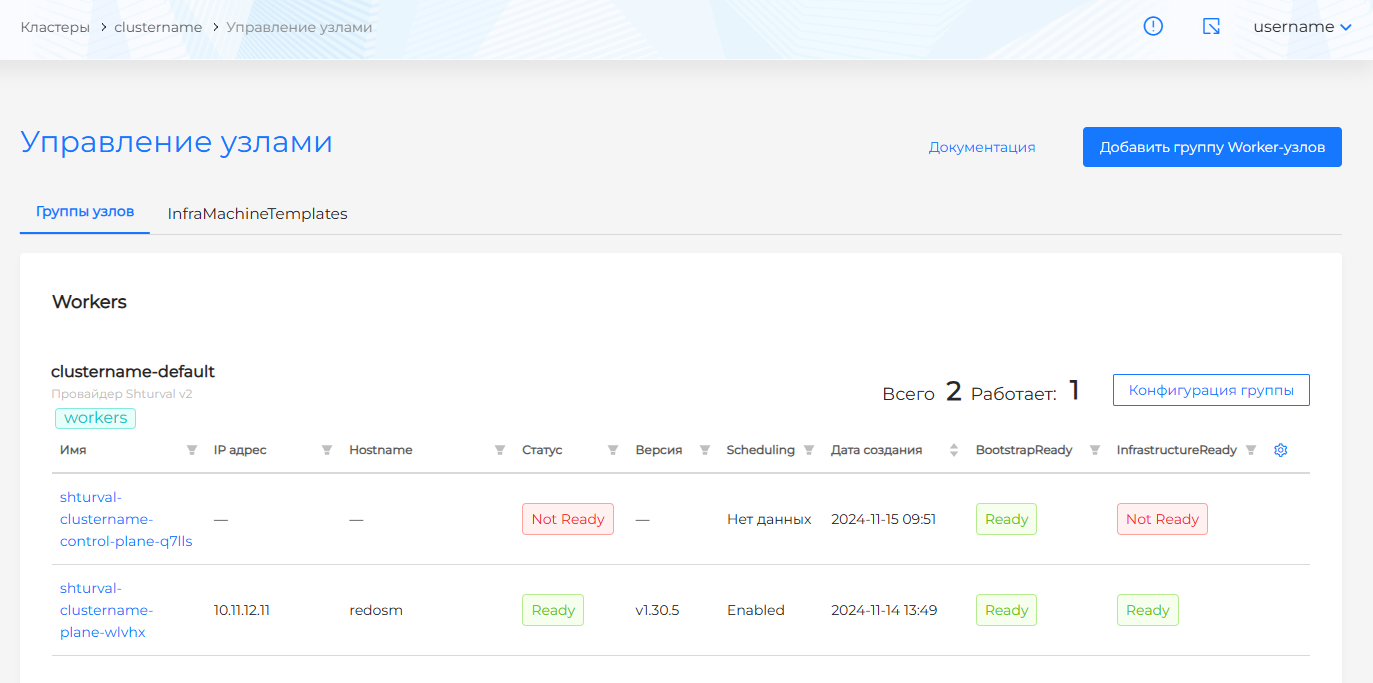
If the actions complete without errors, the hosts join the cluster. Track progress on the Manage Nodes page.
Screenshot