Backup and recovery module (shturval-backup)
About the service
| Parameter | Description |
|---|---|
| GUI name | Backup and Restore Module |
| System name (identifier) | shturval-backup |
| Cluster Assignment | Backup and recovery of Kubernetes and PersistentVolumes resources; backup schedules; transferring resources between clusters |
| Critical | No (list of services) |
| Public repository | Velero |
| Open Source component of the platform | Velero 1.17.1 (platform release 2.13) / 1.17.2 (2.14) |
| Dependencies | shturval-backup-crds, shturval-networking |
| Namespace | velero |
When you select a service at the cluster creation step, dependent services are connected automatically.
Purpose
shturval-backup deploys Velero in the cluster: objects Backup, Schedule, Restore, backup storage in an S3-compatible backend and (if necessary) volume copy mechanisms.
User scenarios - connecting storage, creating backups, restore, troubleshooting - are collected in the Backup in a cluster section.
Installing the service
The service consists of two charts: shturval-backup-crds with CRD Velero and the main chart shturval-backup.
When installing manually from Available Charts, first set shturval-backup-crds and wait for the service readiness status on the Installed Services page. After this, set the main chart to shturval-backup. If you install the main chart before the CRD is ready, Kubernetes will not be able to create custom Velero resources.
Where to manage the service
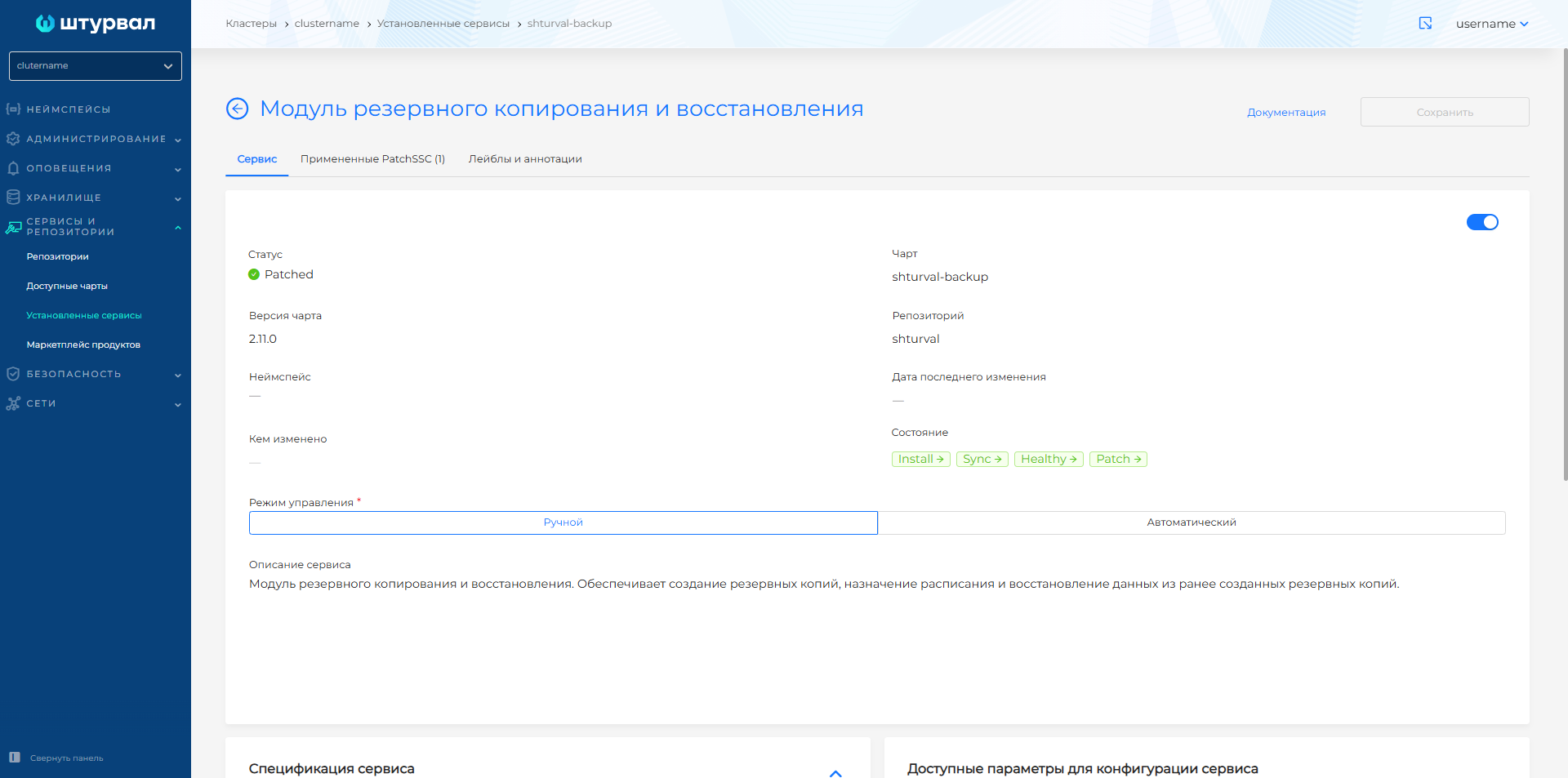
Services and repositories → Installed services → shturval-backup → Manage. The Auto mode enables automatic application of service manifests (overview).
If the chart is not installed, it can be installed from Available charts (chart shturval-backup), see how to deploy a new service. If you need to redefine chart parameters, apply the changes via ShturvalServicePatch.
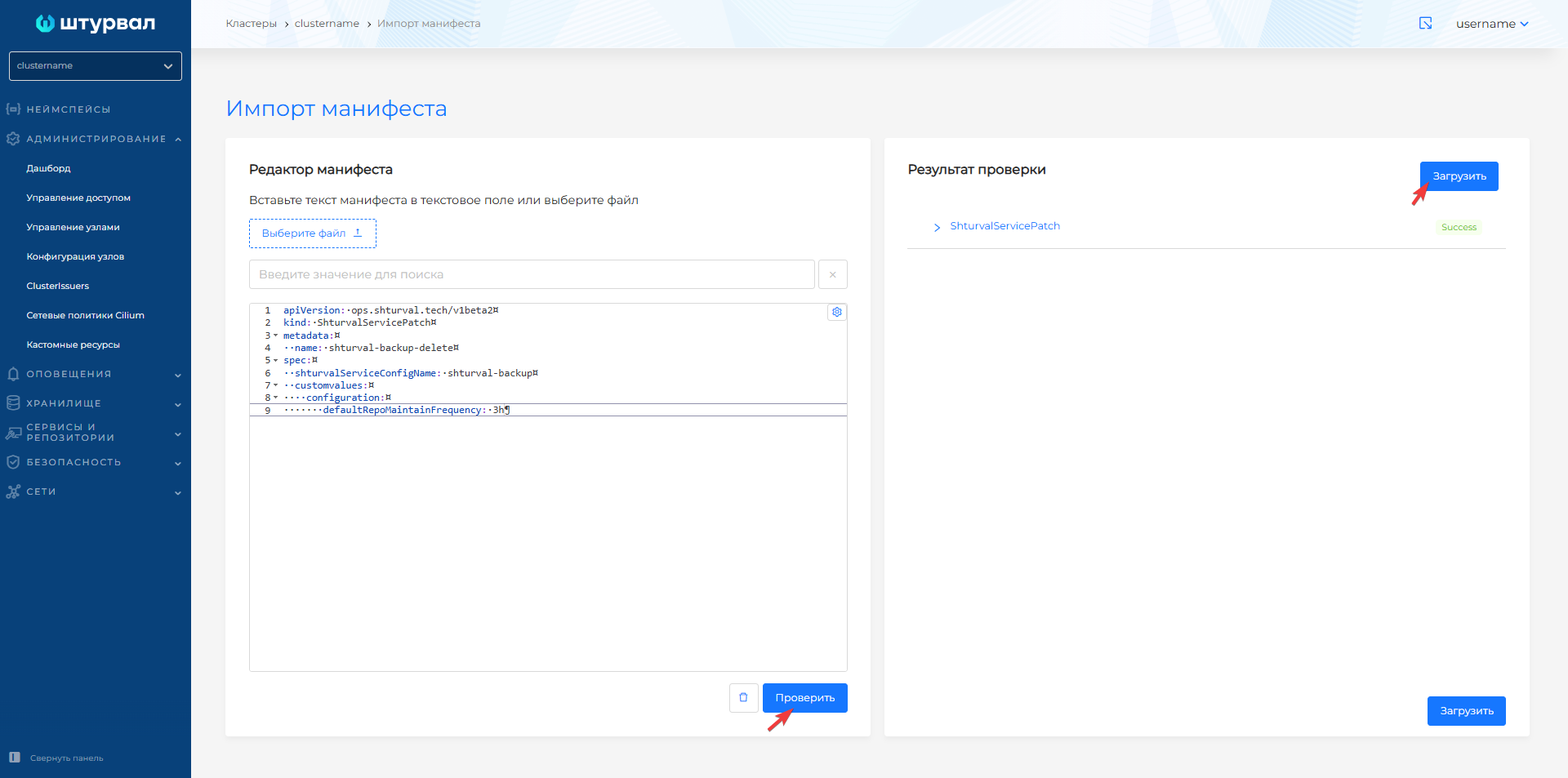
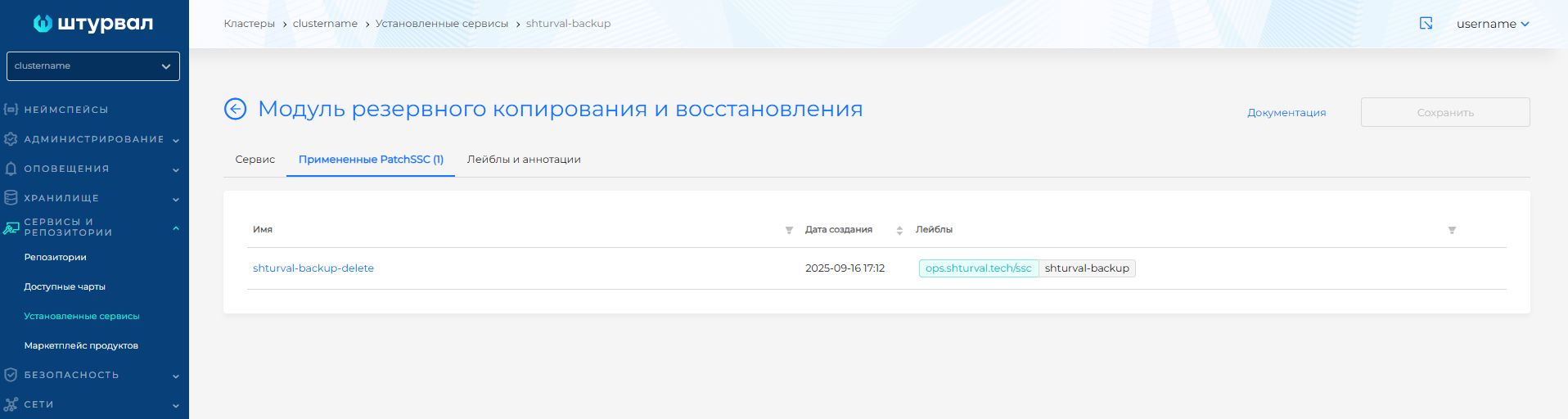
Screenshots: service page and ShturvalServicePatch
Period for deleting backups after TTL has expired
By default, deleting backup objects from storage after TTL has expired within 1 hour. The period is set via defaultRepoMaintainFrequency in ShturvalServicePatch for shturval-backup.
Example ShturvalServicePatch
apiVersion: ops.shturval.tech/v1beta2
kind: ShturvalServicePatch
metadata:
  name: <resource name>
spec:
  shturvalServiceConfigName: shturval-backup
  customvalues:
    configuration:
       defaultRepoMaintainFrequency: "<your parameter value>"
| Parameter | Description | Type | Example |
|---|---|---|---|
metadata.name | Resource name ShturvalServicePatch | string | shturval-backup-delete |
defaultRepoMaintainFrequency | The interval at which repository-related processing (including deleting expired data) is started; default 1h | string | 3h |
Starting from Velero 1.16 the frequency of quick maintenance for a specific repository can be specified on the resource BackupRepository (field like maintenanceFrequency, default 1 hour), see also Backup Repository Configuration (v1.17).
Typical error messages
Briefly (details and commands - troubleshooting):
Error checking repository for stale locks
Data in bucket (restic/kopia) has been deleted or is inconsistent with BackupRepository in the cluster. Do not manually delete repository directories without deleting the corresponding CRs.
error checking if volume is a hostPath volume
Tom hostPath does not participate in file system backup; the message does not stop the entire process. If necessary, set backup.velero.io/backup-volumes-excludes.
pod volume backup failed: getting pod trivy-system/scan-vulnerabilityreport-*
Short-livedunder the scanner; when racing with backup, the message acceptable.