Cluster network management module (shturval-networking)
About the service
| Parameter | Description |
|---|---|
| GUI name | Cluster network management module |
| System name (identifier) | shturval-networking |
| Cluster Assignment | Network interaction between containers, pods, nodes and services; CNI plugin for cluster. |
| Critical | Yes |
| Public repository | Cilium |
| Dependencies | shturval-monitoring-crds |
| Namespace | kube-system |
Purpose
shturval-networking is a cluster network management module based on Cilium CNI. Provides network functionality and interaction between cluster components. When used together with Multus CNI (shturval-metacni) may require ShturvalServicePatch with cni.exclusive: false.
Deployment and management
shturval-networking is a critical platform service. In the Shturval platform, its inclusion and life cycle in the cluster is ensured by cluster-manager (platform service); ShturvalServiceConfig (SSC) objects for Cilium are created and maintained as part of the platform configuration. In delivery, the module is based on CRD monitoring: the cluster must take into account the component shturval-monitoring-crds (see dependencies in the table above).
Recommendation: do not edit ShturvalServiceConfig manually to change Cilium, Hubble parameters and cni.exclusive mode - the object belongs to the platform configuration and can be overwritten during updates. Make changes via ShturvalServicePatch (SSP), as in the examples below on this page (Multus, Hubble).
Where to configure
Services and repositories → Installed services → shturval-networking → Manage.
Shared use with Multus CNI
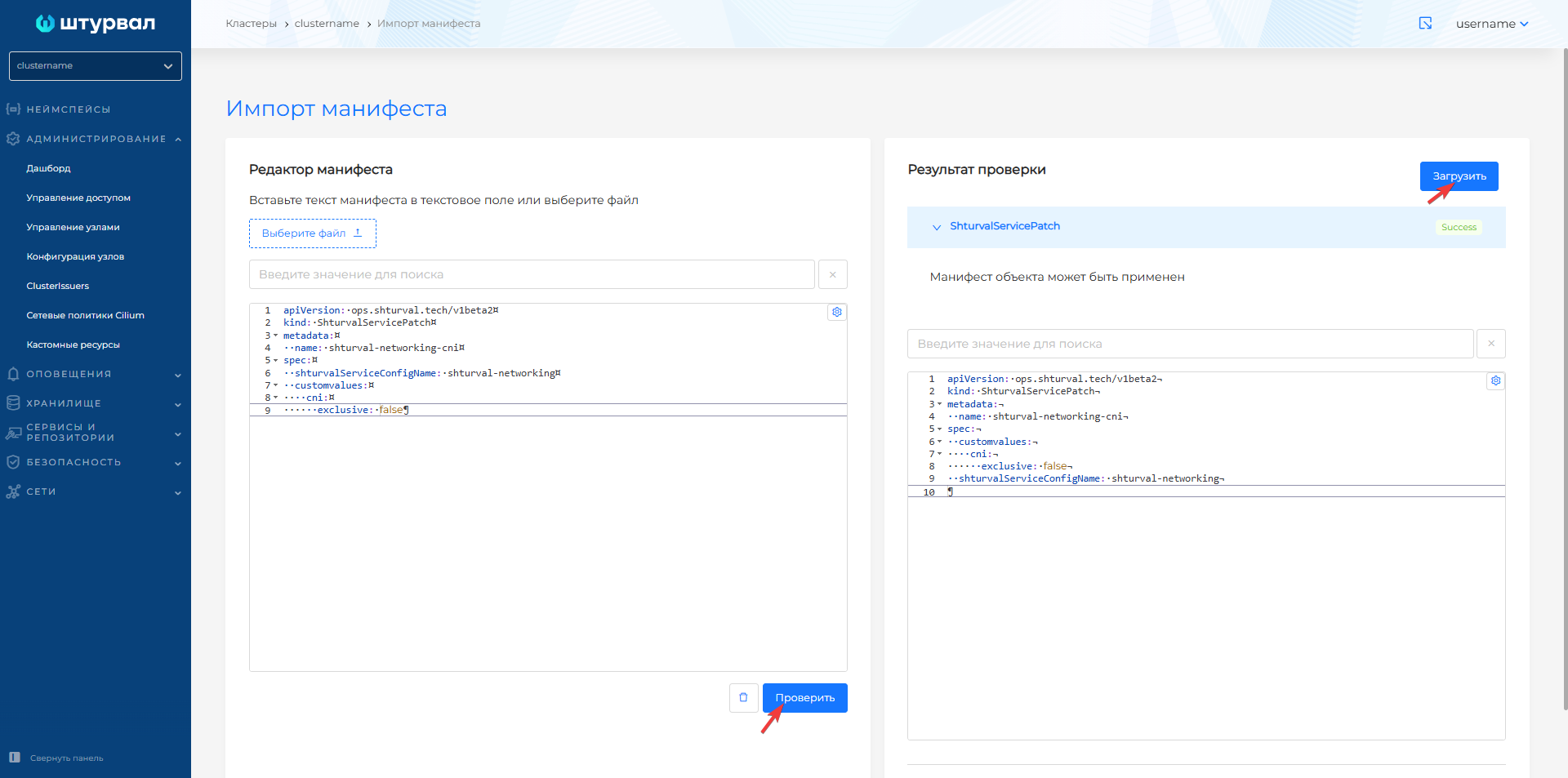
When using Cilium CNI (shturval-networking) and Multus CNI (shturval-metacni) simultaneously, you must apply ShturvalServicePatch with cni.exclusive: false:
ShturvalServicePatch
apiVersion: ops.shturval.tech/v1beta2
kind: ShturvalServicePatch
metadata:
  name: shturval-networking-cni
spec:
  shturvalServiceConfigName: shturval-networking
  customvalues:
    cni:
      exclusive: false
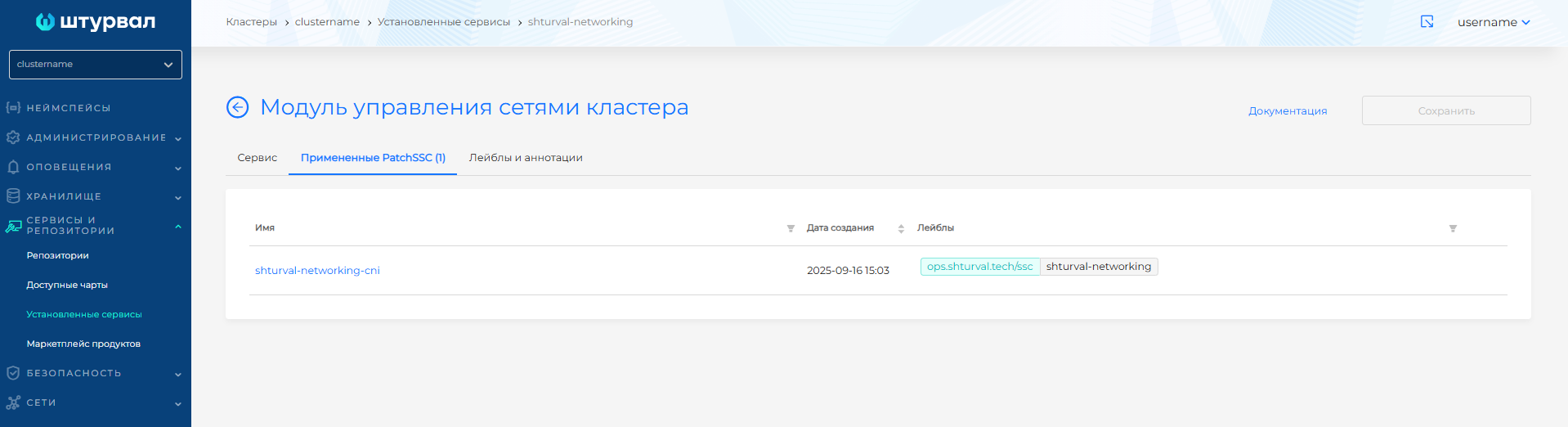
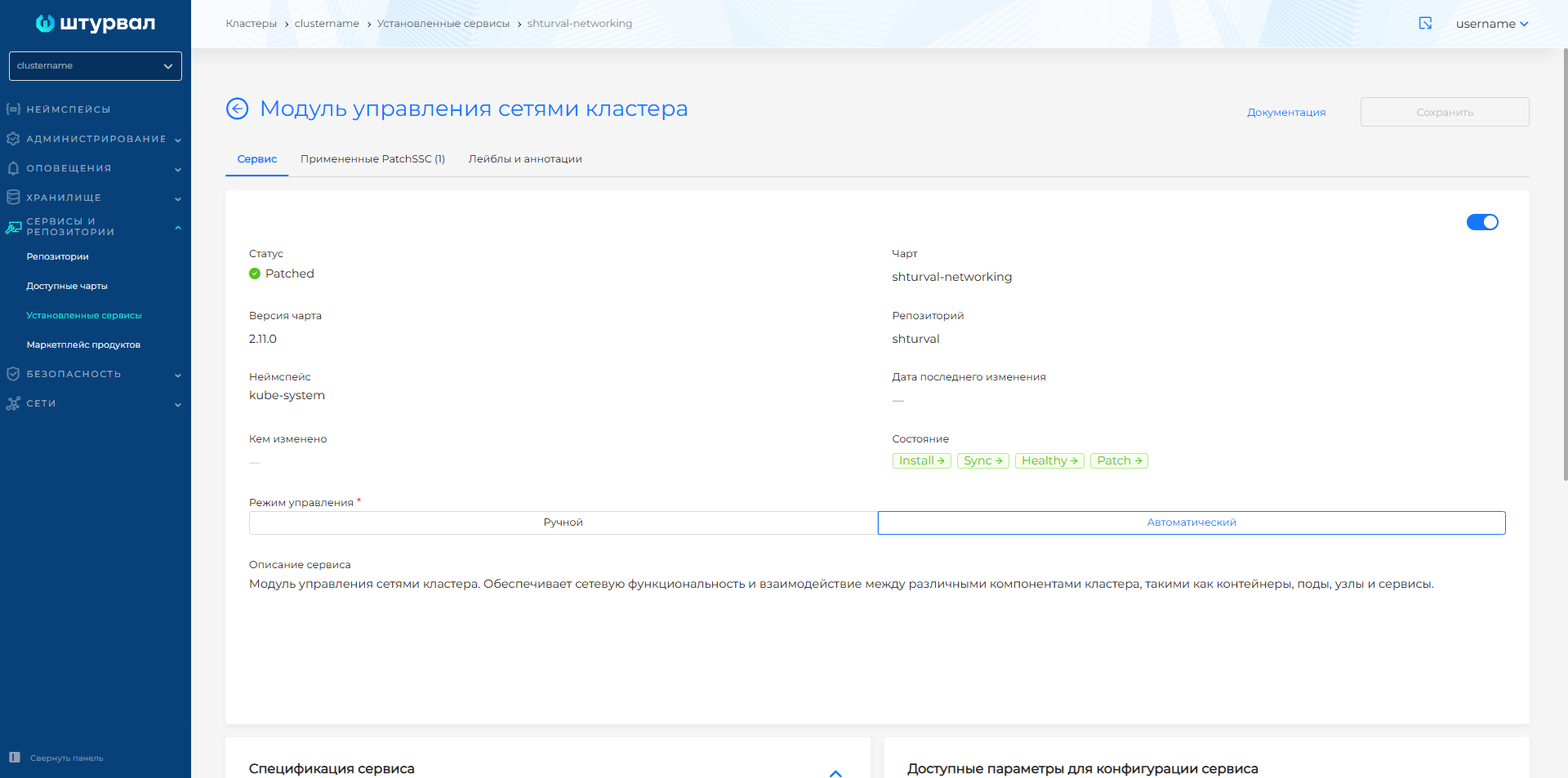
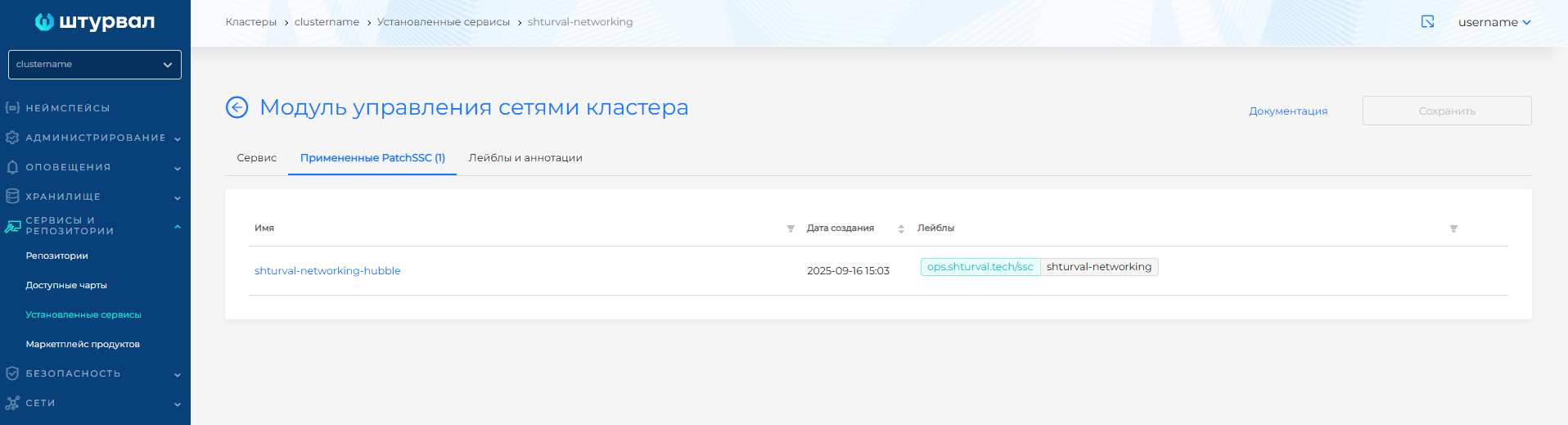
After applying ShturvalServicePatch, go to Installed services → shturval-networking → Manage. The Applied ShturvalServicePatch tab will display the downloaded patch; when it is applied, the status on the Tools tab will change to Patched.
Screenshots of applying the patch
Cilium Hubble
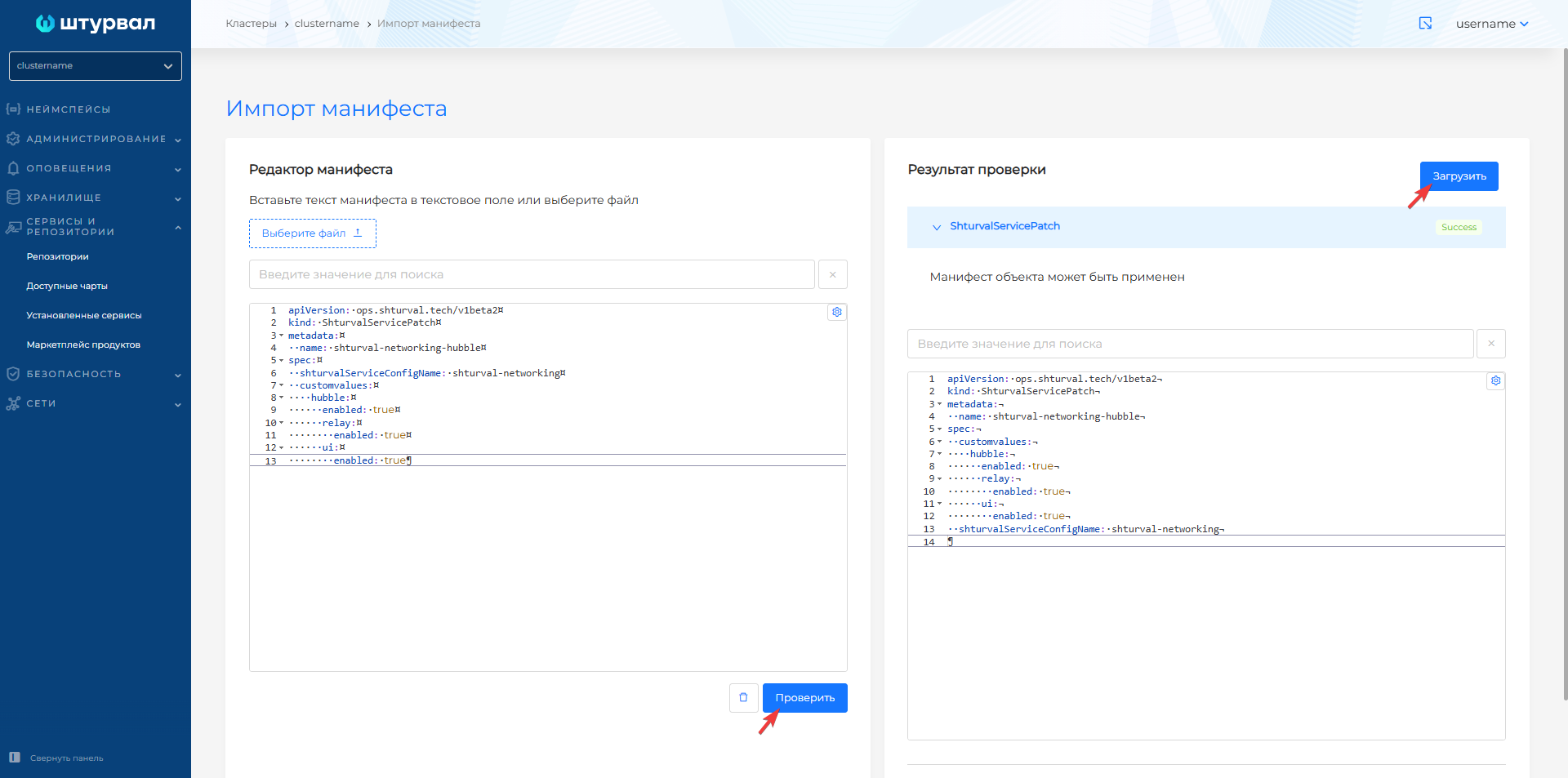
Hubble provides visibility into network communication between cluster components. To enable it, apply a ShturvalServicePatch (SSP). The manifest depends on the circuit.
In an open circuit the hubble-relay image is taken by the chart digest. Enable Hubble, Relay, and UI:
apiVersion: ops.shturval.tech/v1beta2
kind: ShturvalServicePatch
metadata:
  name: shturval-networking-hubble
spec:
  shturvalServiceConfigName: shturval-networking
  customvalues:
    hubble:
      enabled: true
      relay:
        enabled: true
      ui:
        enabled: true
Note: The SHA-256 of the hubble-relay image differs between the open circuit and the closed circuit. Applying an SSP that enables Hubble with enabled flags only fails. In hubble.relay.image, set the image tag from the delivery mirror and useDigest: false.
The ingress block publishes Hubble UI.
apiVersion: ops.shturval.tech/v1beta2
kind: ShturvalServicePatch
metadata:
  name: shturval-networking-hubble
spec:
  shturvalServiceConfigName: shturval-networking
  customvalues:
    hubble:
      enabled: true
      relay:
        enabled: true
        image:
          tag: <your value>
          useDigest: false
      ui:
        enabled: true
        ingress:
          enabled: true
          className: <your value>
          annotations:
            cert-manager.io/cluster-issuer: <your value>
          hosts:
            - <your value>
          tls:
            - secretName: <your value>
              hosts:
                - <your value>
| Parameter | Description | Type | Example |
|---|---|---|---|
hubble.relay.image.tag | hubble-relay image tag from the delivery mirror | string | tag from the delivery mirror |
hubble.relay.image.useDigest | Do not use the chart digest: the image SHA-256 in the chart and in the mirror differ | boolean | false |
hubble.ui.ingress.className | Ingress Class name for publishing Hubble UI | string | nginx |
hubble.ui.ingress.annotations | Ingress annotations. For a certificate, set the cert-manager ClusterIssuer | object | cert-manager.io/cluster-issuer: <ClusterIssuer name> |
hubble.ui.ingress.hosts | Hubble UI DNS name | array | hubble-ui.example.com |
hubble.ui.ingress.tls.secretName | TLS secret name | string | hubble-ui-tls |
hubble.ui.ingress.tls.hosts | Host names in the TLS section | array | hubble-ui.example.com |
To temporarily forward a port to the Hubble UI, run the command:
kubectl -n kube-system port-forward services/hubble-ui 12000:80
Hubble UI will be available at: http://127.0.0.1:12000
Hubble setup screenshots
Gateway API controller in Cilium
CRD Gateway API supplies the CRD Gateway API, but does not process traffic. Routing requires a controller associated with a GatewayClass. In the Shturval platform, you can enable the Cilium-based Gateway API controller io.cilium/gateway-controller.
Before enabling the controller, check whether the CRD is installed: cluster → Services and repositories → Installed services → find CRD of the Gateway API module (shturval-gateway-api-crds) → Manage. If the service is missing, install it through Available charts → chart shturval-gateway-api-crds → Install and select the gateway-system namespace.
To enable the controller in the cluster, use ShturvalServicePatch:
ShturvalServicePatch
apiVersion: ops.shturval.tech/v1beta2
kind: ShturvalServicePatch
metadata:
  name: shturval-networking-cilium
spec:
  customvalues:
    gatewayAPI:
      enabled: true
  shturvalServiceConfigName: shturval-networking
After applying ShturvalServicePatch, go to Installed services → shturval-networking → Manage. On the WhenChanged ShturvalServicePatch will display the loaded ShturvalServicePatch. When it is applied, Cilium will deploy the Gateway API controller and create a corresponding GatewayClass named cilium.
To allocate Gateway addresses, create a resource with a pool of IP addresses CiliumLoadBalancerIPPool or configure a CIDR or IP address range in ConfigMap kubevip - see the Configuration of available IP addresses section for more details.
CiliumLoadBalancerIPPool example:
apiVersion: "cilium.io/v2"
kind: CiliumLoadBalancerIPPool
metadata:
  name: pool
spec:
  blocks:
    - cidr: "192.168.0.216/29"
Additional
- How to manage CustomValues of services - application of ShturvalServicePatch.
- CRD of the Gateway API module — installation of the CRD Gateway API in the cluster.
- Gateway API - overview and configuration of GatewayClass, Gateway and routes.
- Module for connecting multiple network interfaces - Multus CNI.
- Hubble UI - view network interaction through Hubble.